
PPLEE CR1002W
PPLEE Sound Noise Machine & Dual Alarm Clock User Manual
Model: CR1002W
Увод
This user manual provides detailed instructions for the operation and maintenance of your PPLEE Sound Noise Machine & Dual Alarm Clock. Please read this manual thoroughly before using the product to ensure proper function and longevity.
The PPLEE Sound Noise Machine & Dual Alarm Clock is designed to enhance sleep and relaxation for babies, kids, and adults. It features 42 soothing sounds, a 7-color night light, dual alarms with snooze, adjustable volume and display brightness, and convenient charging ports.

Слика: Фронт view of the PPLEE Sound Noise Machine and Dual Alarm Clock, showcasing its digital display, control buttons, and a smartphone connected for charging.
Шта је у кутији
- 1 x PPLEE Noise Machine Alarm Clock
- 1 x 5V 2A Power Adapter and Cord
- 1 к Упутство за употребу
Сетуп
Повер Цоннецтион
To power on the device, connect the provided 5V 2A power adapter to the DC jack on the back of the unit and plug it into a standard wall outlet. The device requires continuous power for all functions, including USB charging and time display.
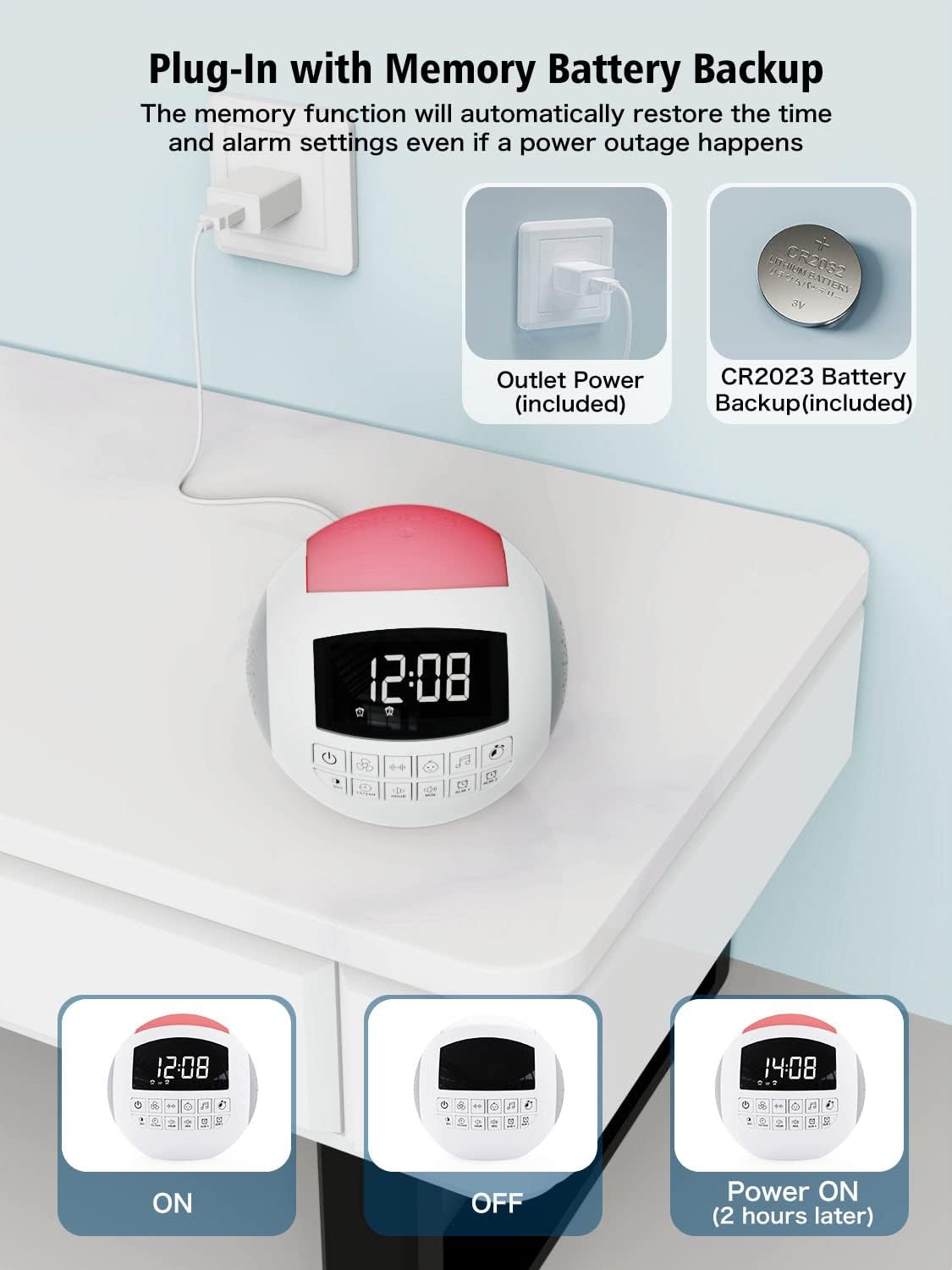
Image: The sound machine connected to a power outlet, illustrating the primary power source and the internal CR2032 battery for backup.
Инсталација резервне батерије
The unit includes a CR2032 battery for backup. This battery maintains time and alarm settings during a power outage, ensuring you wake up on time. No user installation is typically required for this battery, as it comes pre-installed.
Почетно подешавање времена
Upon first power-up or after a prolonged power disconnection without battery backup, the time display may need to be set. Refer to the "Operating Instructions" section for detailed steps on setting the time and date.
Упутство за употребу
General Controls Overview
The device features an intuitive control panel with clearly labeled buttons for various functions. Familiarize yourself with the button layout for easy operation.
Слика: Детаљна view of the control panel on the sound machine, showing buttons for power, sound categories, time adjustment, and alarms.
Подешавање времена и датума
- Притисните тастер ХОУР dugme za podešavanje sata.
- Притисните тастер МИН dugme za podešavanje minuta.
- Да бисте прелазили између 12-часовног и 24-часовног формата, притисните 12/24Х дугме.
- To activate or deactivate Daylight Saving Time (DST), press the ДСТ дугме.
Sound Machine Functions
The device offers 42 high-quality soothing sounds across various categories:
- Звукови вентилатора: 5 different fan sounds.
- Бели шум: 6 types of white noise.
- Успаванке: 15 lullaby melodies, suitable for babies and children.
- Природни звуци: 16 natural sounds including rain, thunderstorm, ocean waves, forest, clock ticking, summer night (crickets), bird, brook, wind, drops, keyboard, and fire.

Image: Illustration of the 42 soothing sounds available, categorized into fan, white noise, lullabies, and natural sounds, with sleep timer options.
To select a sound, press the corresponding sound category button (e.g., Fan, White Noise, Lullaby, Music Note for Natural Sounds) and then cycle through the available sounds within that category using the sound selection buttons.
Слееп Тимер
The sleep timer allows the sound machine to automatically turn off after a set duration. Available timer settings are 15, 30, 60, 90, 120, or 180 minutes.
- Притисните тастер ТИМЕР button repeatedly to cycle through the timer options.
- The selected timer duration will be displayed on the screen.
- To cancel the timer, cycle through the options until no timer duration is displayed.

Image: A visual representation of the auto-off timer settings (15, 30, 60, 90, 120, 180 minutes) for the sound machine.
Функције будилника
The device features dual alarms (Alarm 1 and Alarm 2) and 9 natural wake-up sounds.
- Подешавање аларма:
- Притисните и држите АЛМ 1 or АЛМ 2 дугме за улазак у режим подешавања аларма.
- Користите ХОУР и МИН дугмад да бисте подесили жељено време аларма.
- Притисните тастер АЛМ 1 or АЛМ 2 поново притисните дугме да бисте потврдили и изашли из режима подешавања.
- Selecting Alarm Sound:
- While in alarm setting mode, or after selecting an alarm, use the sound selection buttons to choose from 9 wake-up sounds (flute, bird, piano, buzzer, bell, beep, etc.).
- Одгода функција: Када се огласи аларм, притисните велико СНООЗЕ button on top of the unit to get an extra 9 minutes of sleep.
- Disabling Alarm: To turn off an active alarm, press any button other than the SNOOZE button. To disable an alarm permanently, press the АЛМ 1 or АЛМ 2 button until the alarm icon disappears from the display.

Image: Depiction of the dual alarm functionality, showing two different alarm times and a selection of 9 natural wake-up sounds.

Image: The snooze button on top of the unit, indicating its ease of use for an additional 9 minutes of sleep.
Volume and Display Brightness Adjustment
The device features 16 adjustable volume levels for sounds and 5 levels of display brightness.
- Волумен: Користите Волуме Уп и Утишавање звука buttons to adjust the sound output from level 0 to 16.
- Осветљеност екрана: Притисните тастер ДИММЕР button to cycle through 5 levels of display brightness. Level 01 is suitable for night, and level 05 is bright enough for daytime viewинг.

Image: Visual representation of the 16 adjustable volume levels and 5 adjustable brightness levels for the display.
Функција ноћног светла
The integrated night light offers 7 color options: blue, ice blue, green, white, yellow, red, and purple. It provides a warm and comfortable light, suitable for various environments.
- To turn on the night light, press the Нигхт Лигхт дугме.
- Притисните тастер Нигхт Лигхт button repeatedly to cycle through the 7 colors.
- To turn off the night light, cycle through the colors until the light is off.
- Alternatively, pat the top of the unit to switch colors or turn the light on/off.
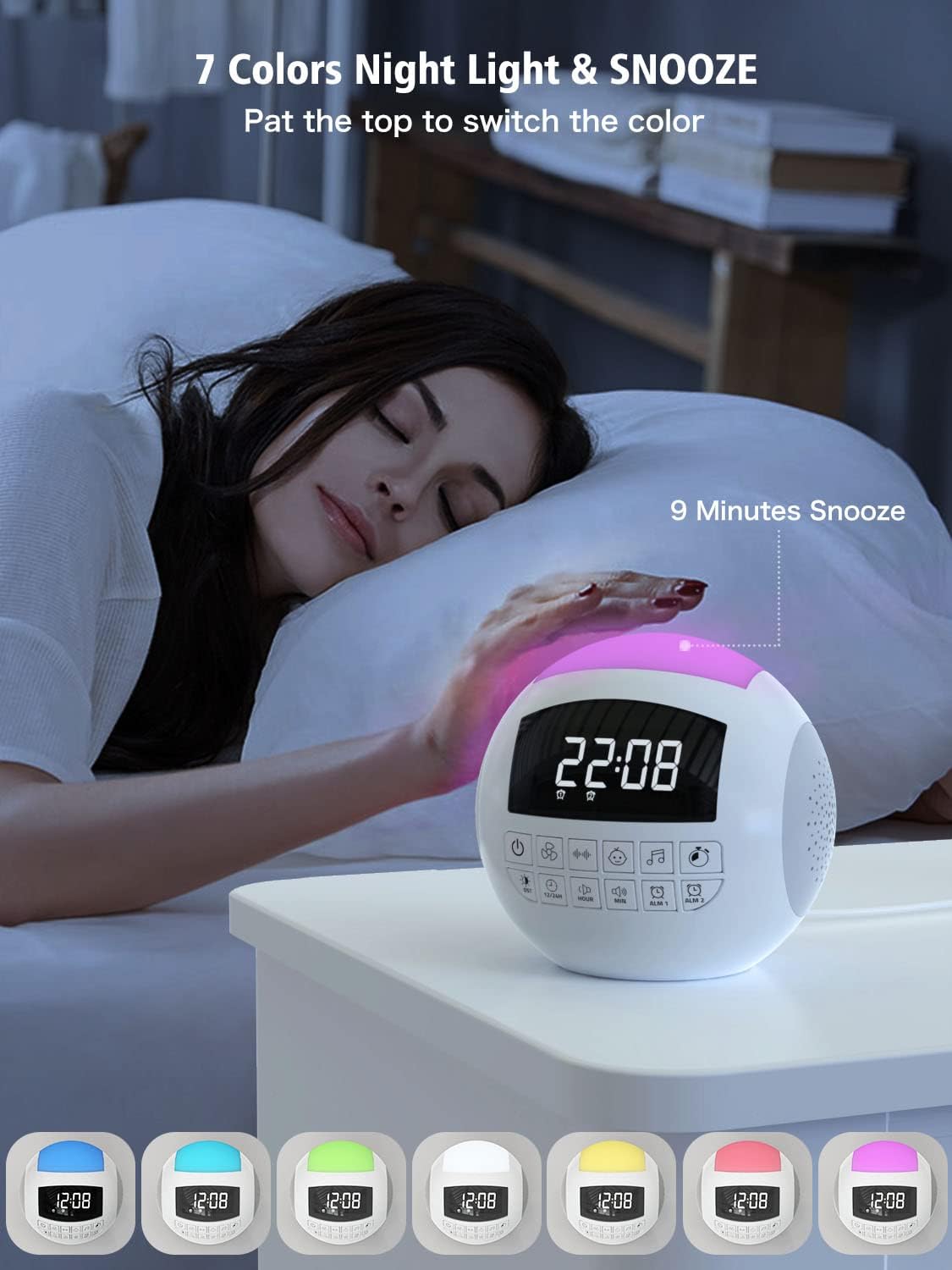
Image: The sound machine with its night light illuminated in various colors, demonstrating the 7-color option and the pat-to-switch feature.
Портови за пуњење
The device includes a USB-A port and a Type-C port for charging external devices like smartphones or tablets. These ports are active only when the unit is powered via the wall outlet.

Image: The sound machine with a smartphone connected to its USB charging port, illustrating its function as a charging station.
Одржавање
Чишћење
To clean the device, gently wipe the exterior with a soft, dry cloth. Do not use liquid cleaners, abrasive cleaners, or spray directly onto the unit. Ensure the device is unplugged before cleaning.
Складиштење
When not in use for extended periods, store the device in a cool, dry place away from direct sunlight and extreme temperatures. Keep it free from dust and moisture.
Battery Replacement (CR2032)
The CR2032 backup battery is designed for long-term use. If the time and alarm settings are not retained during a power outage, the battery may need replacement. Consult the manufacturer's support for guidance on battery replacement.
Решавање проблема
| Проблем | Могући узрок | Решење |
|---|---|---|
| Уређај се не укључује. | Not plugged in; power outlet issue; faulty adapter. | Уверите се да је адаптер за напајање безбедно прикључен на уређај и исправну зидну утичницу. Покушајте са другом утичницом. |
| Нема звука из звучника. | Volume is too low or muted; incorrect sound selected. | Increase the volume using the volume buttons. Ensure a sound is selected and not paused. |
| Аларм се не оглашава. | Alarm not set or disabled; volume too low. | Verify alarm time and ensure alarm is enabled (alarm icon visible). Check alarm volume. |
| Време/подешавања се ресетују након нестанка струјеtage. | Backup battery depleted or not installed. | The CR2032 backup battery may need replacement. Contact customer support for assistance. |
| USB/Type-C charging not working. | Device not powered by wall outlet; cable issue. | Ensure the device is plugged into a wall outlet. Try a different charging cable. |
Спецификације
| Феатуре | Детаљ |
|---|---|
| Број модела | ЦР1002В |
| Димензије производа | 5.32 к 5.95 к 6.1 инча |
| Тежина артикла | 1.39 фунти |
| Извор напајања | AC Outlet (5V 2A adapter included) |
| Резервна батерија | 1 к ЦР2032 (укључено) |
| Опције звука | 42 (Fan, White Noise, Lullabies, Natural Sounds) |
| Волуме Левелс | 16 |
| Display Dimmer Levels | 5 |
| Нигхт Лигхт Цолорс | 7 (Blue, Ice Blue, Green, White, Yellow, Red, Purple) |
| Опције тајмера за спавање | 15, 30, 60, 90, 120, 180 минута |
| Звукови аларма | 9 (Flute, Bird, Piano, Buzzer, Bell, Beep, etc.) |
| Портови за пуњење | 1 x USB-A, 1 x Type-C |
| Произвођач | PPLEE E-commerce Co.Ltd |
| Датум првог доступног | 24. јуна 2022. године |
Гаранција и подршка
Your PPLEE Sound Noise Machine & Dual Alarm Clock comes with an 18-month warranty from the date of purchase. This warranty covers manufacturing defects and ensures the product functions as intended under normal use.
Additionally, PPLEE offers a 30-day free return and refund service. For any inquiries, technical assistance, or warranty claims, please contact our 24/7 online customer services. Please have your purchase details and model number (CR1002W) ready when contacting support.
For further assistance, you may refer to the official PPLEE store on Amazon: PPLEE Amazon Store
Ask a question about this manual
Ask about setup, troubleshooting, compatibility, parts, safety, or missing instructions. Manuals+ will review the question and use this page’s manual context to help answer it.