
1. Увод
Thank you for choosing the Roseland Boombox 20W TWS Bluetooth Speaker. This manual provides essential information for the safe and efficient operation of your device. Please read it thoroughly before use and retain it for future reference.
The Roseland Boombox 20W TWS Bluetooth Speaker delivers rich, powerful sound. Connect wirelessly via Bluetooth, or use AUX and USB inputs for versatile playback. Enjoy up to 5.5 hours of playtime on a single charge. The integrated color-changing light enhances your listening experience. This lightweight speaker features a convenient handle for portability and supports True Wireless Stereo (TWS) pairing for an expanded soundstage.
2. Садржај пакета
Уверите се да су све ставке присутне у пакету:
- Roseland Boombox 20W TWS Bluetooth Speaker
- УСБ-Ц кабл за пуњење
- Помоћни (АУКС) кабл
- Упутство за употребу (овај документ)
3. Карактеристике производа
- Аудио излаз: 20W for powerful sound.
- Прави бежични стерео (ТВС): Connect two speakers wirelessly for stereo sound.
- Повезивање: Bluetooth, AUX Input, USB Port.
- Трајање батерије: До 5.5 сата репродукције.
- Време пуњења: Отприлике 2.5 сати.
- Осветљење: Integrated color-changing light.
- Метод контроле: Контроле на додир.
- Преносивост: Lightweight design with a convenient handle.
- Трајност: Водоотпорна конструкција.
4. Контроле и индикатори
The control panel is located on the rear of the speaker. Specific button functions are detailed below. (Refer to the image for visual reference).
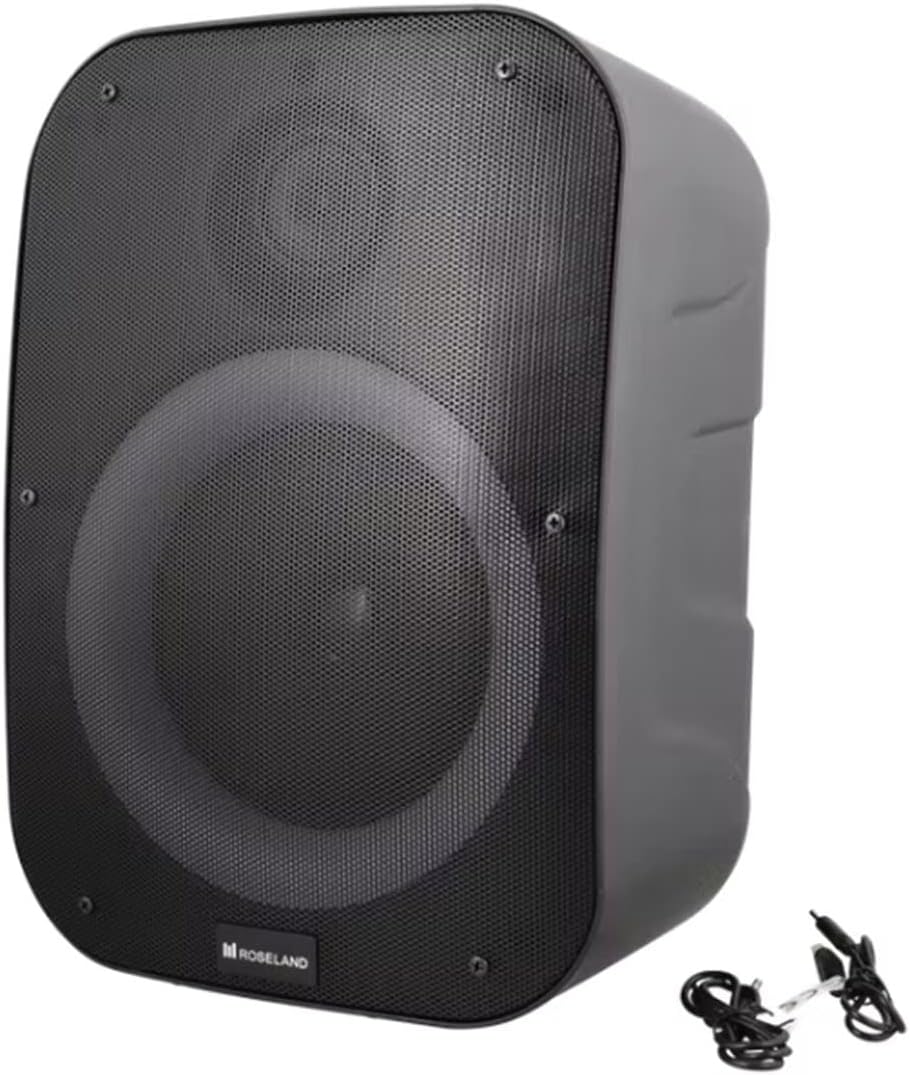
Слика: Позади view of the Roseland Boombox, highlighting the control panel and integrated handle for portability.
- Дугме за напајање: Притисните и држите да бисте укључили или искључили звучник.
- Дугме за режим (М): Притисните да бисте пребацивали између режима репродукције преко Bluetooth, AUX и USB.
- Play/Pause Button (▶❚❚): Притисните за репродукцију или паузирање звука.
- Дугме за смањивање јачине звука / претходну нумеру (-): Притисните да бисте смањили јачину звука. Притисните и држите да бисте прешли на претходну нумеру.
- Дугме за појачавање јачине звука / следећу нумеру (+): Притисните да бисте повећали јачину звука. Притисните и држите да бисте прешли на следећу нумеру.
- Дугме Лигхт Моде: Press to cycle through different color-changing light modes or turn the lights off.
- TWS Pairing Button: Press to initiate True Wireless Stereo pairing (see Section 5.4).
- Порт за пуњење (УСБ-Ц): Повежите USB-C кабл за пуњење.
- АУКС улазни порт: Connect an external audio device using the auxiliary cable.
- УСБ порт: Уметните УСБ флеш диск за репродукцију звука.
5. Подешавање
5.1 Пуњење звучника
- Connect the supplied USB-C charging cable to the speaker's USB-C charging port.
- Повежите други крај USB-C кабла са компатибилним USB адаптером за напајање (није укључен) или USB портом рачунара.
- Индикаторска лампица пуњења ће светлети, обично црвено, током пуњења. Искључиће се или променити боју (нпр. плаво) када се потпуно напуни.
- Потпуно пуњење траје око 2.5 сата.
5.2 Укључивање/искључивање
- За укључивање: Press and hold the Power Button for a few seconds until you hear an audible prompt or see an indicator light.
- За искључивање: Press and hold the Power Button again for a few seconds until the speaker powers down.
5.3 Блуетоотх упаривање
- Ensure the speaker is powered on and in Bluetooth mode. If not, press the Mode Button (M) until you hear a "Bluetooth mode" prompt or see a flashing blue indicator light.
- Омогућите Блутут на свом паметном телефону, таблету или другом уређају који подржава Блутут.
- Тражи "Roseland Boombox" in the list of available Bluetooth devices.
- Select "Roseland Boombox" to connect. Once connected, you will hear a confirmation sound, and the indicator light will become solid blue.
- Звучник ће аутоматски покушати да се поново повеже са последњим упареним уређајем када се укључи.
5.4 Упаривање са правим бежичним стерео (TWS) системом
TWS allows you to connect two Roseland Boombox speakers wirelessly for a stereo sound experience.
- Ensure both Roseland Boombox speakers are powered on and in Bluetooth mode, but not yet connected to any device.
- On one of the speakers (this will be the primary speaker), press the TWS Pairing Button. You will hear a prompt indicating it's searching for another speaker.
- The two speakers will automatically connect to each other. You will hear a confirmation sound once TWS pairing is successful.
- Now, connect your Bluetooth device to the primary speaker (the one you pressed the TWS button on) as described in Section 5.3. The audio will now play in stereo through both speakers.
5.5 АУКС веза
- Connect one end of the supplied AUX cable to the AUX Input Port on the speaker.
- Connect the other end of the AUX cable to the headphone jack or audio output of your external audio device.
- Press the Mode Button (M) on the speaker until you hear an "AUX mode" prompt.
- Control playback and volume directly from your connected audio device.
5.6 Репродукција са УСБ-а
- Уметните УСБ флеш диск који садржи МП3 аудио files into the USB Port on the speaker.
- Press the Mode Button (M) on the speaker until you hear a "USB mode" prompt.
- Звучник ће аутоматски почети да репродукује звук fileс са УСБ диска.
- Use the Play/Pause, Volume Up/Down, and Next/Previous Track buttons on the speaker to control playback.
6. Упутство за употребу
6.1 Репродукција музике
- Пусти/паузирај: Притисните дугме Плаи/Паусе.
- Следећа нумера: Притисните и држите дугме за појачавање јачине звука (+).
- Претходни запис: Притисните и држите дугме за смањивање јачине звука (-).
- Подешавање јачине звука: Притисните дугмад за појачавање звука (+) или смањивање звука (-) да бисте подесили јачину звука.
6.2 светлосна начина
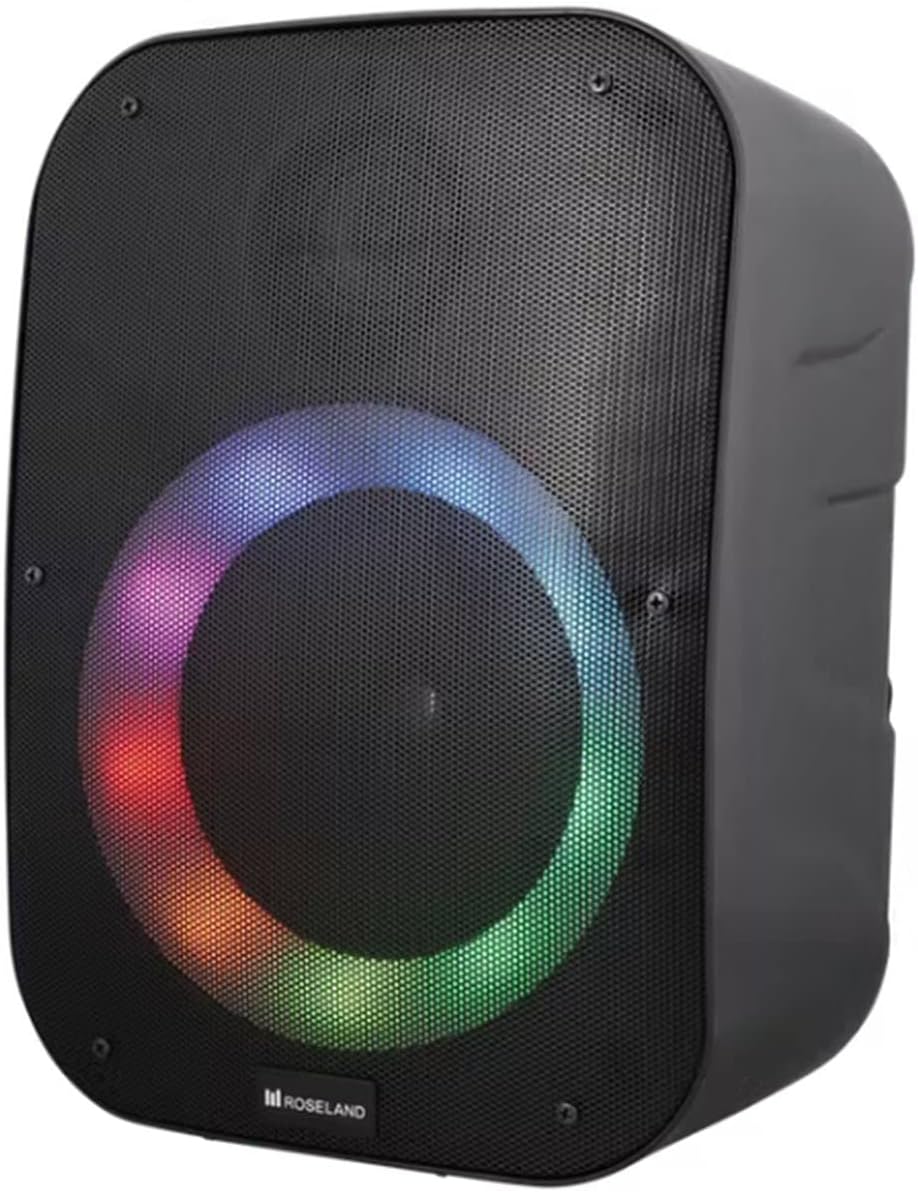
Слика: Фронт view of the Roseland Boombox showcasing its dynamic color-changing light feature.
Press the Light Mode Button on the control panel to cycle through various color-changing light patterns. Continue pressing to find your preferred mode or to turn the lights off.
7. Одржавање
- Чишћење: Користите меку, суву крпу за чишћење површине звучника. Не користите абразивна средства за чишћење или раствараче.
- Складиштење: Чувајте звучник на хладном и сувом месту, даље од директне сунчеве светлости и екстремних температура када се не користи дуже време.
- Одржавање батерије: To prolong battery life, fully charge the speaker before first use and recharge it at least once every three months if not used regularly.
КСНУМКС. Решавање проблема
| Проблем | Могући узрок | Решење |
|---|---|---|
| Звучник се не укључује. | Ниска батерија. | Charge the speaker using the supplied USB-C cable. |
| Нема звука. | Јачина звука је прениска; погрешан режим; уређај није повезан. | Increase volume; ensure correct mode (Bluetooth/AUX/USB); re-pair Bluetooth device or check AUX/USB connection. |
| Блуетоотх упаривање није успело. | Звучник није у режиму упаривања; уређај је предалеко; сметње. | Ensure speaker is in Bluetooth pairing mode; move device closer; turn off other Bluetooth devices. |
| Упаривање TWS-а не успева. | Speakers too far apart; one speaker already paired to a device. | Ensure both speakers are in TWS pairing mode and close to each other; disconnect any Bluetooth devices from both speakers before TWS pairing. |
9. Спецификације
| Феатуре | Детаљ |
|---|---|
| Назив модела | Roseland Boombox 20W TWS Bluetooth Speaker |
| Бранд | Роселанд |
| Излазна снага звучника | 20 Ваттс |
| Технологија повезивања | Bluetooth, Auxiliary (AUX), USB |
| Бежична комуникација | Блуетоотх |
| Режим аудио излаза | Стерео |
| Конфигурација канала сурроунд звука | 2.0 |
| Контролни метод | Додирните |
| Извор напајања | Wireless (Rechargeable Battery) |
| Трајање батерије | До 5.5 сати |
| Време пуњења | Отприлике 2.5 сата |
| Посебне карактеристике | Bluetooth, USB Port, Color-changing Light, Waterproof |
| Препоручена употреба | За паметни телефон или таблет |
| Компатибилни уређаји | Personal Computer, Television, Tablet, Smartphone, Laptop |
| Тип монтаже | Флоор Моунт |
| ASIN | B0B58VP4RH |
10. Информације о гаранцији
This Roseland Boombox 20W TWS Bluetooth Speaker comes with a Двогодишња ограничена гаранција произвођача од датума куповине. Ова гаранција покрива недостатке у материјалу и изради при нормалној употреби. Не покрива штету насталу услед злоупотребе, несреће, неовлашћене модификације или спољних узрока.
For warranty claims or support, please contact your retailer or the manufacturer's customer service with your proof of purchase.
11. Безбедносне информације
- Не излажите звучник екстремним температурама, директној сунчевој светлости или отвореном пламену.
- Не растављајте, не поправљајте или не модификујте звучник сами. То може поништити гаранцију и представљати безбедносни ризик.
- Чувајте звучник даље од деце и кућних љубимаца.
- Use only the supplied charging cable. Using incompatible chargers may damage the device or cause fire.
- Избегавајте да слушате при великој јачини звука током дужег периода да бисте спречили оштећење слуха.
- Although waterproof, avoid submerging the speaker in water for prolonged periods or exposing it to high-pressure water jets.