
1. Увод
This manual provides detailed instructions for the setup, operation, and maintenance of your AUN ET30S Android 9.0 Smart LED Full HD 1080p Projector. Please read this manual thoroughly before using the projector to ensure optimal performance and longevity.
The AUN ET30S projector offers a large, 1080P Full HD viewing experience with 4000 lumens brightness. It features Android 9.0, 1GB RAM, 8GB memory, built-in Playstore for applications, 2.4G Wi-Fi, and Bluetooth 4.0. Its wide compatibility allows connection to various devices including TV boxes, PCs, laptops, tablets, and smartphones.

Image 1.1: AUN ET30S Projector with its Android 9.0 interface projected, showing various applications.
2. Шта је у кутији
Carefully unpack your AUN ET30S projector and verify that all items listed below are included and in good condition:
- 1x AUN ET30S Projector
- 1x Remote Control (AAA batteries not included)
- 1к кабл за напајање
- 1к упутство за употребу
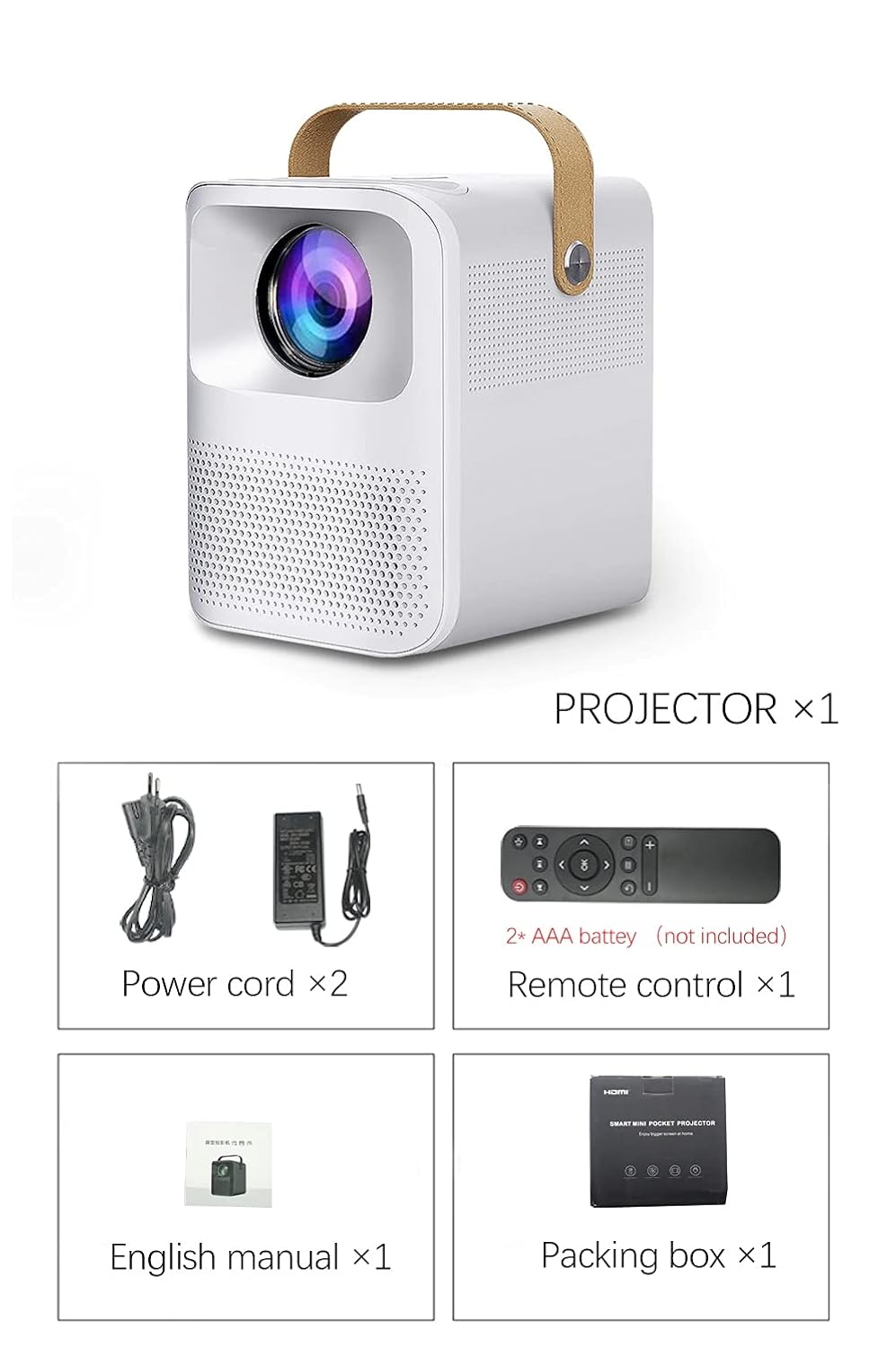
Image 2.1: Packaging contents of the AUN ET30S Projector.
3. Производ је готовview
The AUN ET30S projector is designed for ease of use and versatility. Familiarize yourself with its physical components and dimensions.
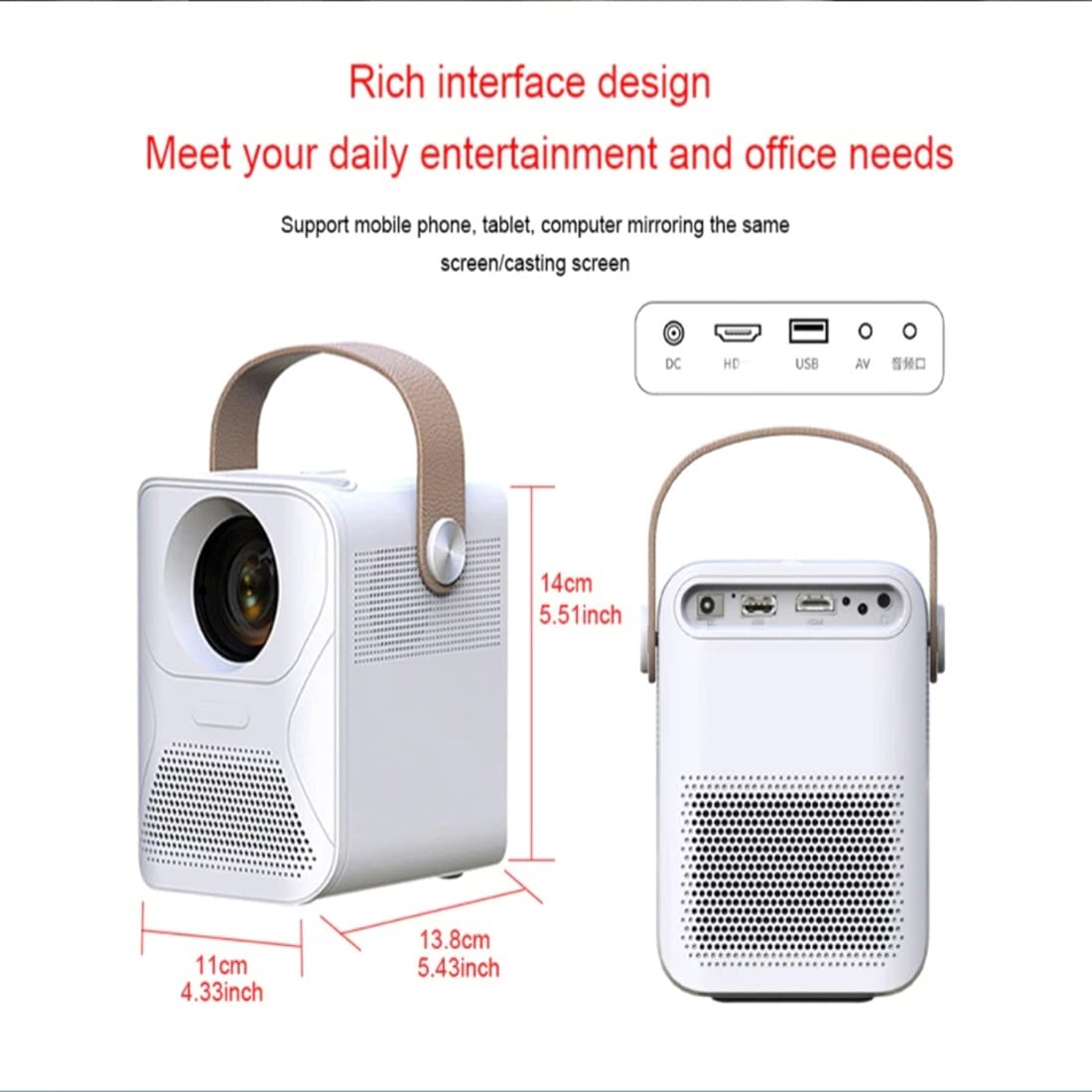
Image 3.1: AUN ET30S Projector dimensions and interface ports.
3.1 Interface Ports
Пројектор има разне портове за повезивање екстерних уређаја:
- ДЦ улаз: За повезивање адаптера за напајање.
- ХД (ХДМИ): Connects to devices like laptops, gaming consoles, or TV boxes.
- УСБ: За повезивање УСБ дискова за репродукцију медија files.
- АВ: For connecting older devices with composite video output.
- Аудио излаз: За повезивање екстерних звучника или слушалица.
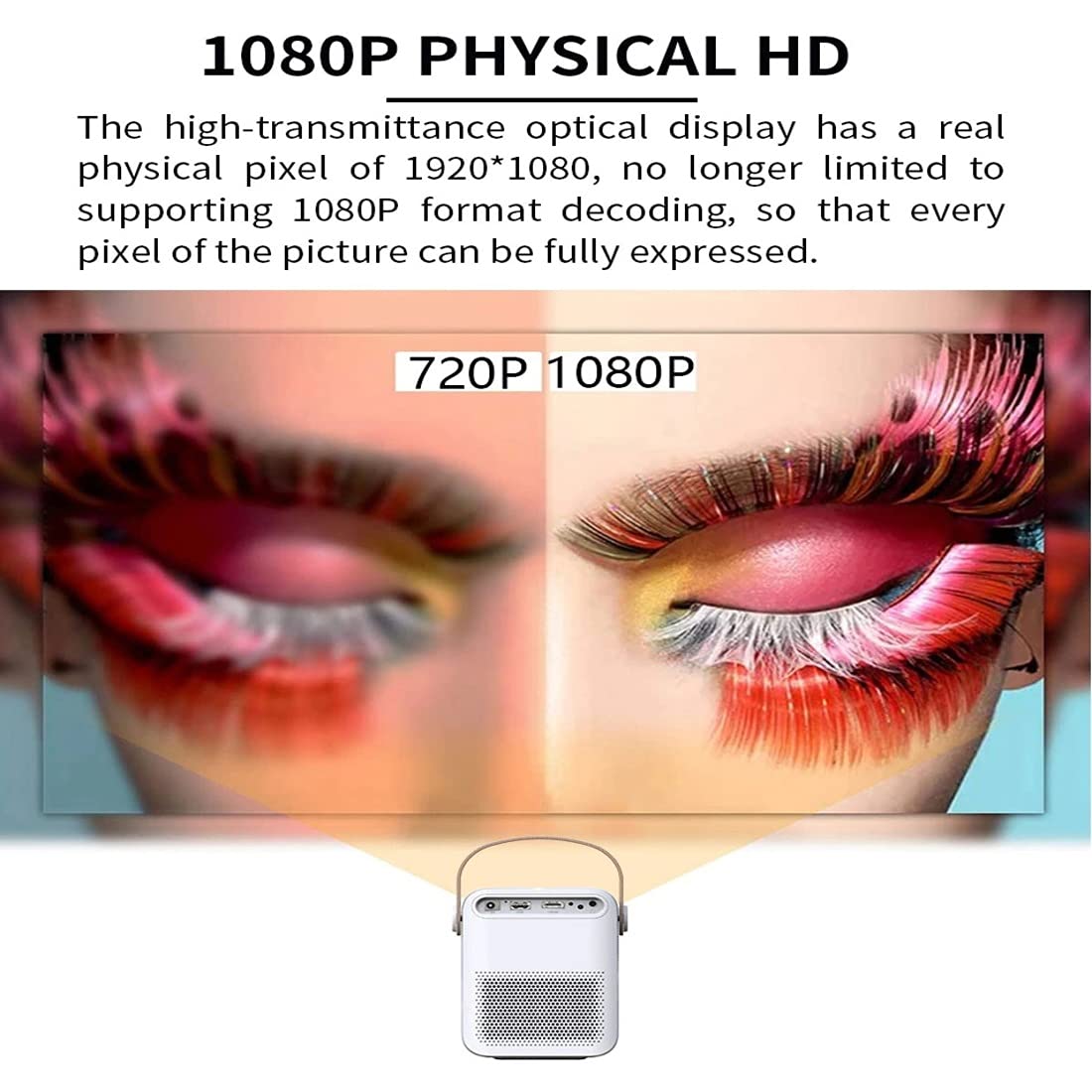
Image 3.2: Multi-media connections and controls on the AUN ET30S Projector.
4. Подешавање
4.1 Прикључак за напајање
- Connect the power cord to the projector's DC In port.
- Укључите други крај кабла за напајање у утичницу.
4.2 Initial Placement and Focus
- Place the projector on a stable, flat surface, or mount it according to your preference. Ensure adequate ventilation around the projector.
- Укључите пројектор.
- Adjust the focus ring (labeled 'Focus' in Image 3.2) on the projector until the projected image is clear and sharp.
4.3 Корекција Кеистоне
The AUN ET30S features automatic keystone correction for both up and down adjustments, and four-corner keystone correction for Android mode, ensuring a rectangular image even when the projector is not perfectly aligned with the screen.

Image 4.1: Automatic Keystone Correction in action.
5. Упутство за употребу
5.1 Укључивање/искључивање
- Укључено: Притисните дугме за напајање на пројектору или даљинском управљачу.
- Искључивање: Press the power button again. A confirmation prompt may appear on screen.
5.2 Навигација кроз Андроид интерфејс
The projector runs on Android 9.0, providing a smart TV-like experience. Use the remote control to navigate the interface.

Image 5.1: Android 9.0 User Interface.
- Почетни екран: Access pre-installed apps like YouTube, Google Play, and a browser.
- Све апликације: View све инсталиране апликације.
- Извор: Select input sources (HDMI, USB, AV).
- Подешавања: Adjust network, display, sound, and system settings.
- Апп Сторе: Преузмите и инсталирајте додатне апликације.
5.3 Wi-Fi и Bluetooth повезивање
- Иди на Подешавања на почетном екрану.
- Изаберите Мрежа to configure Wi-Fi. Choose your network and enter the password.
- Изаберите Блуетоотх to pair with external Bluetooth speakers or other devices.
6. Повезивање
The AUN ET30S offers versatile connectivity options for various devices.
6.1 Жичане везе
- ДВИ: Connect a laptop, Blu-ray player, gaming console, or TV box using an HDMI cable. Select 'HD' as the input source.
- УСБ: Insert a USB flash drive to play videos, music, or view photos directly. Select 'USB' as the input source or navigate through the file manager in Android.
- АВ: Connect older devices using an AV cable. Select 'AV' as the input source.
- Аудио излаз: Connect external speakers or headphones via the 3.5mm audio jack for enhanced sound.
6.2 Бежичне везе
- Ви-Фи: Connect to your home network for internet access, streaming, and app downloads.
- Блуетоотх: Pair with Bluetooth-enabled audio devices for wireless sound.
- Miracast/Airplay (HappyCast): Use the pre-installed HappyCast app or similar functionality to mirror your Android smartphone or Apple device screen wirelessly to the projector.
7. Image Quality and Projection
The AUN ET30S delivers a high-quality viewing experience with its advanced projection capabilities.
7.1 Full HD 1080p Resolution
Experience crisp and clear images with a native resolution of 1920 x 1080 pixels. The projector supports 1080p format decoding, ensuring every pixel of the picture is fully expressed.
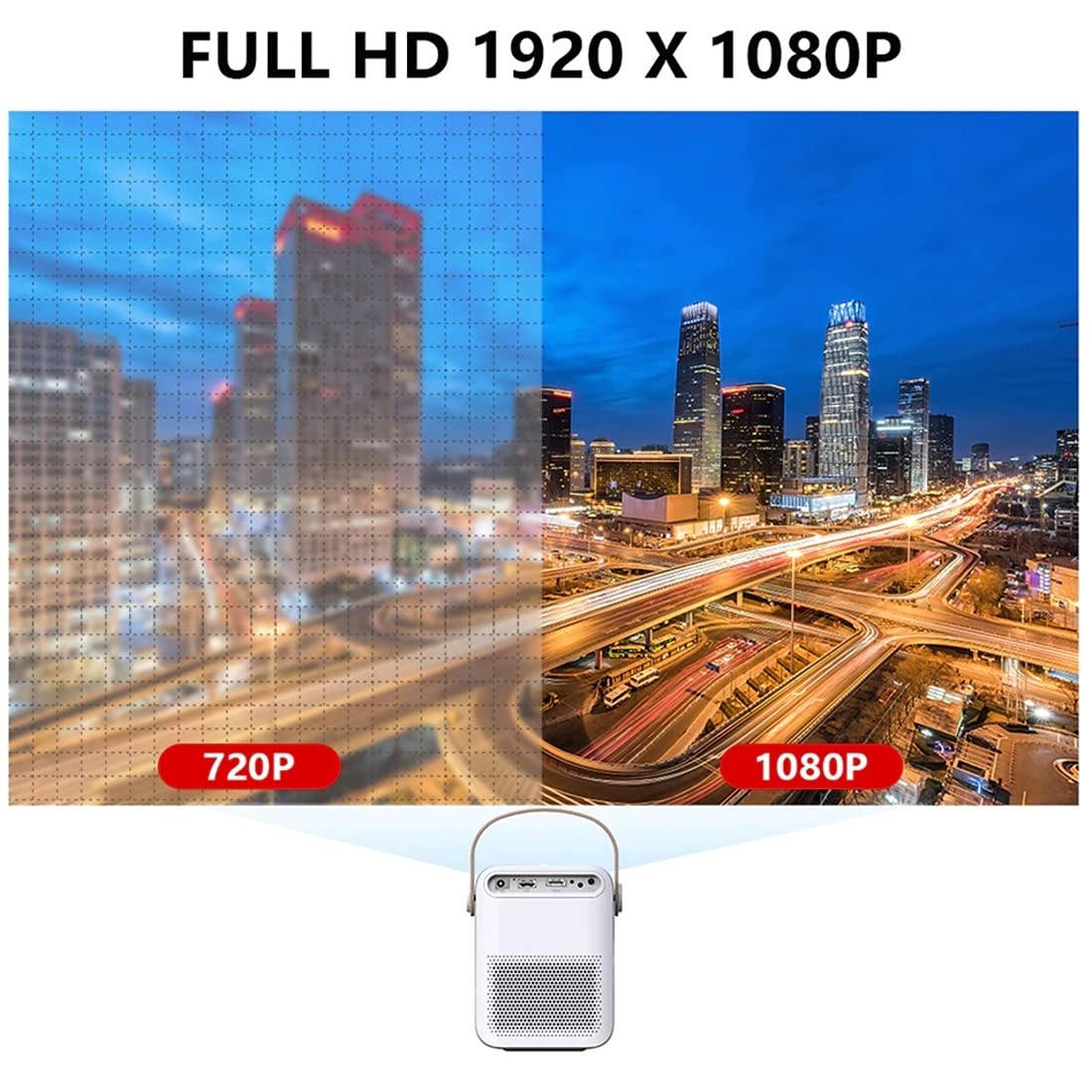
Image 7.1: 720P vs. 1080P Resolution Comparison.
7.2 Brightness and Contrast
- Осветљеност: 4000 lumens LED brightness ensures strong, vibrant colors.
- Однос контраста: A 3000:1 contrast ratio provides deeper blacks and brighter whites, resulting in vivid and immersive images with almost 100% color accuracy.
7.3 Projection Ratio and Distance
The projector features a 1.18:1 projection ratio, allowing for a large picture from a relatively short distance.

Image 7.2: Projection Ratio and Distance Guide.
Refer to the table below for approximate projection distances for various screen sizes:
| Величина екрана | Удаљеност пројекције |
|---|---|
| 50 инча | 1.27 метара |
| 60 инча | 1.57 метара |
| 80 инча | 2.09 метара |
| 100 инча | 2.60 метара |
8. Одржавање
Правилно одржавање осигурава дуготрајност и оптималне перформансе вашег пројектора.
- Чишћење: Use a soft, dry cloth to clean the projector's exterior. For the lens, use a specialized lens cleaning cloth and solution.
- вентилација: Ensure the projector has good airflow. Do not block the ventilation openings. High temperatures can damage internal components, especially the LCD panel.
- Превенција прашине: Keep the projector in a clean, dust-free environment. Dust accumulation can impede airflow and affect performance.
- Складиштење: When not in use for extended periods, store the projector in a cool, dry place, preferably in its original packaging or a protective case.
КСНУМКС. Решавање проблема
If you encounter issues with your AUN ET30S projector, refer to the following common problems and solutions:
| Проблем | Могући узрок | Решење |
|---|---|---|
| Нема струје | Power cord not connected, power outlet faulty | Проверите везу кабла за напајање. Покушајте са другом утичницом. |
| Нема слике | Incorrect input source, device not connected, blank screen mode | Select correct input source (HDMI, USB, AV). Ensure external device is powered on and connected. Press 'Mute' or 'Blank' button on remote if applicable. |
| Слика мутна | Focus not adjusted, keystone not corrected | Adjust the focus ring. Use keystone correction in settings. |
| Нема звука | Volume too low, external speakers not connected, audio settings incorrect | Increase volume. Check external speaker connection. Verify audio output settings. |
| Даљински управљач не ради | Batteries low/dead, obstruction, remote sensor blocked | Replace batteries. Ensure no obstruction between remote and projector. |
10. Спецификације
Detailed technical specifications for the AUN ET30S Projector:
| Феатуре | Спецификација |
|---|---|
| Бранд | АУН |
| Модел | AUN ET30S Android Projector |
| Оперативни систем | Андроид 9.0 |
| RAM / Memory | 1GB RAM / 8GB Internal Memory |
| Дисплаи Тецхнологи | ЛЕД |
| Дисплаи Типе | ЛЦД |
| Нативе Ресолутион | 1920 к 1080 пиксела (Фулл ХД) |
| Осветљеност слике | 4000 лумена |
| Однос контраста слике | 3000:1 |
| Технологија повезивања | Блутут, HDMI, УСБ, Ви-Фи |
| Хардверски интерфејс | Блутут, HDMI, USB |
| Посебне карактеристике | Built-In Wi-Fi, Portable, Wireless |
| Уграђени звучник | HIFI Stereo Speaker (3 Watts) |
| Димензије производа | 25 к 20 к 6 цм |
| Тежина артикла | 1.8 кг |
| Тип монтаже | Таблетоп Моунт |
| Ремоте Цонтрол | IR Remote Included |
11. Гаранција и подршка
11.1 Информације о гаранцији
The AUN ET30S Projector comes with a 6-месечна гаранција covering manufacturing defects, technical defects, and software defects.
Изузеци из гаранције:
- LCD panel damage or burns (due to insufficient ventilation).
- Dust-related issues inside the projector.
- Damage from misuse, including broken parts, burns, or physical damage.
- Repairs performed by unauthorized third parties.
11.2 Корисничка подршка
For support or warranty claims, please contact Megaa Electronics:
- Емаил: support@megaaelectronics.com or мегааелецтроницс@гмаил.цом
- ВхатсАпп: 8328671337