
1. Увод
Хвала вам на куповиниasing the KAGO 4K HDMI Splitter 1 in 10 Out, Model 4K1010. This device is designed to distribute a single HDMI source signal to ten HDMI displays simultaneously. It supports high-resolution video up to 4K@30Hz, 3D visual effects, and various digital audio formats, ensuring a high-quality audio and video experience across multiple screens. This manual provides detailed instructions for setup, operation, and troubleshooting to help you maximize the performance of your HDMI splitter.
2. Безбедносне информације
- Уверите се да адаптер за напајање одговара јачини звукаtage requirements of your region.
- Не излажите уређај води, влази или екстремним температурама.
- Избегавајте постављање уређаја у близини извора топлоте или на директном сунцу.
- Не покушавајте сами да отворите или поправите уређај. Све сервисирање препустите квалификованом особљу.
- Искључите струју током грмљавине или када се уређај не користи дуже време.
- Користите само испоручени адаптер за напајање.
3. Садржај пакета
Молимо вас да проверите да ли су све ставке присутне у вашем пакету:
- KAGO 4K HDMI Splitter 1 in 10 Out (Model: 4K1010)
- Адаптер за напајање (ДЦ 12В/2А)
- Упутство за употребу
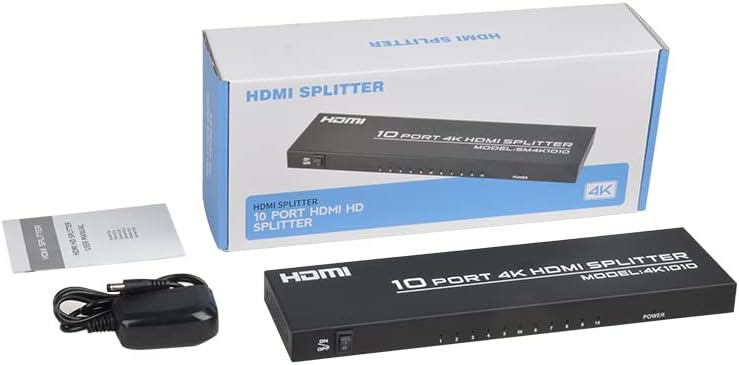
Image: The KAGO 4K HDMI Splitter, its power adapter, and the instruction manual are shown alongside the product packaging.
4. Производ је готовview
The KAGO 4K HDMI Splitter 1 in 10 Out features a robust design with clear labeling for easy connection and operation.
Предњи панел:
- ОН/ОФФ прекидач: Контрола снаге за уређај.
- Output Indicators (1-10): LEDs that illuminate when an HDMI output is connected and active.
- Индикатор напајања: LED that illuminates when the device is powered on.
Задња плоча:
- ХДМИ ИН: Port for connecting your single HDMI source device.
- ХДМИ ОУТ 1-10: Ten ports for connecting your HDMI display devices.
- ДЦ 5В: Улазни порт за напајање за приложени адаптер за напајање.

Слика: Врх view showing the power switch and ten output indicator LEDs. Bottom view showing the HDMI input, ten HDMI output ports, and the DC power input.
5. Упутства за подешавање
Follow these steps to set up your KAGO 4K HDMI Splitter:
- Повежите HDMI извор: Connect an HDMI cable from your source device (e.g., PC, laptop, game console, Blu-ray player) to the ХДМИ ИН port on the splitter.
- Повежите HDMI екране: Connect HDMI cables from your display devices (e.g., HDTVs, monitors, projectors) to the ХДМИ ОУТ 1-10 ports on the splitter. You can connect up to ten displays.
- Прикључите напајање: Plug the included DC 12V/2A power adapter into the ДЦ 5В port on the splitter, then plug the adapter into a power outlet.
- Укључено: Flip the ON/OFF switch on the front panel to the 'ON' position. The power indicator and active output indicators will light up.
- Потврдите везу: Ensure all connected displays are receiving the signal from your source device.
This device is designed for plug-and-play operation, requiring no additional drivers or software installation.

Image: A visual representation of connecting an HDMI source to the splitter's input and ten HDMI displays to its outputs.
6. Упутство за употребу
The KAGO 4K HDMI Splitter operates automatically once connected and powered on. It duplicates the single HDMI input signal to all connected HDMI outputs.
- Simultaneous Display: All ten connected displays will show the exact same audio and video content from the single HDMI source.
- Подршка за резолуцију: The splitter supports resolutions up to 4K (3840x2160) at 30Hz, as well as 1080P, 1080i, 720p, 576p, 576i, 480P, and 480i. It also supports 3D images.
- Синхронизација звука: The device ensures audio and video are synchronized, supporting various digital audio formats including DTS-HD, Dolby-trueHD, LPCM 7.1, DTS, Dolby-AC3, and DSD.
- Компатибилност: Compatible with a wide range of HDMI-integrated devices and operating systems, including Windows, MS-DOS, Linux, Android, and Mac OS.

Image: A visual example of ten monitors simultaneously displaying the same content, illustrating the splitter's core function.

Image: Demonstrates support for 4K high-definition and 3D visual effects.
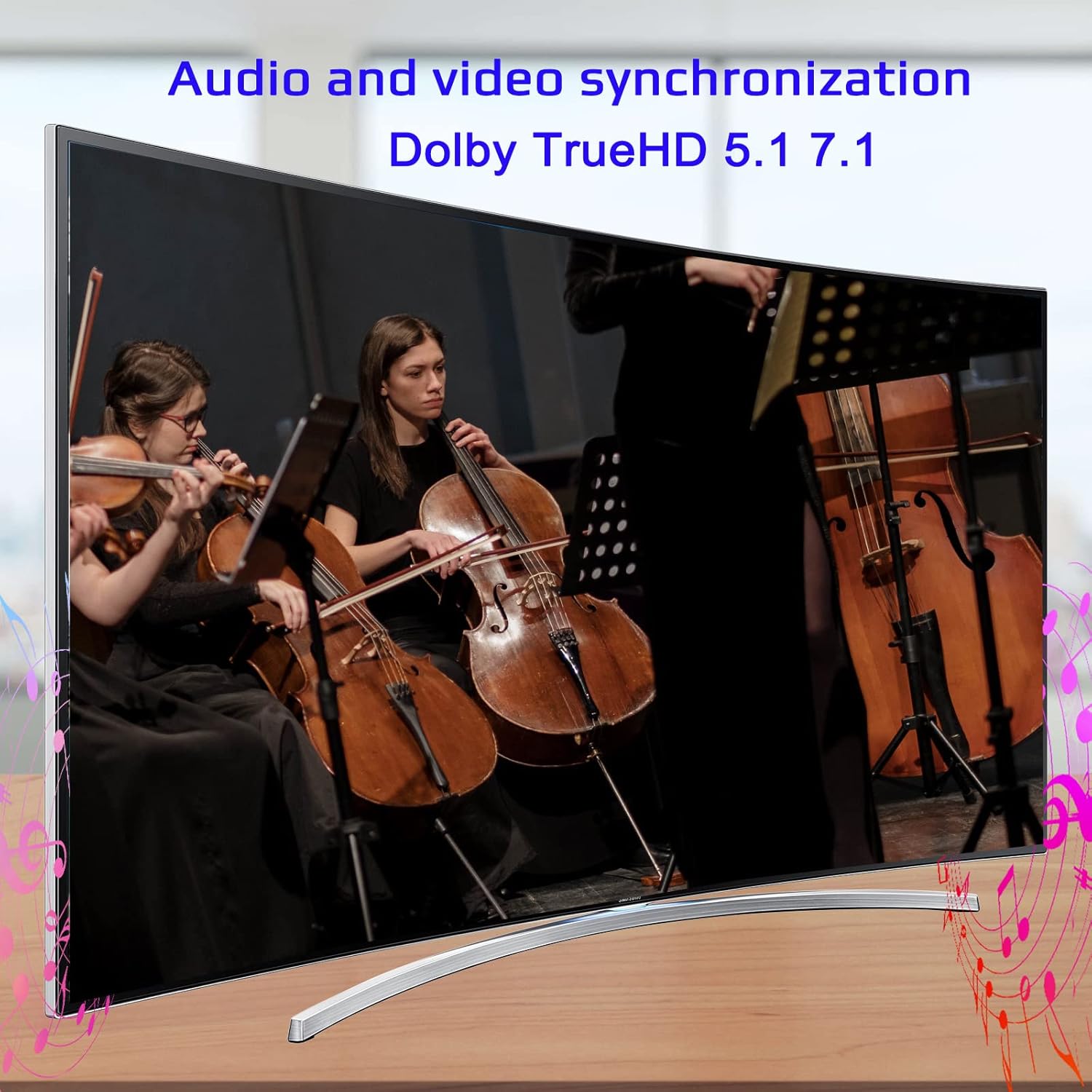
Image: Illustrates the audio and video synchronization capabilities, including Dolby TrueHD 5.1/7.1.

Image: Highlights the splitter's compatibility with various operating systems and its plug-and-play functionality.
КСНУМКС. Решавање проблема
If you encounter issues with your KAGO 4K HDMI Splitter, please refer to the following common solutions:
| Проблем | Могући узрок | Решење |
|---|---|---|
| No signal on display(s) | Loose HDMI cables, incorrect input selection on TV, power issue. | Check all HDMI cable connections. Ensure the TV input is set to the correct HDMI port. Verify the splitter is powered on and the power indicator is lit. Try a different HDMI cable. |
| Треперење или искривљена слика | Poor quality/lengthy HDMI cables, resolution incompatibility. | Use high-quality HDMI cables (19+1AWG26 standard recommended). Ensure cable lengths are within recommended limits (input 1-10M, output 1-15M). Try a lower resolution on the source device. |
| Нема звука | Audio settings on source/display, faulty HDMI cable. | Check audio settings on your source device and display. Ensure the HDMI cable supports audio transmission. Try a different HDMI cable. |
| Only some outputs work | Faulty output port, issue with specific display/cable. | Test the non-working output with a known good display and cable. Ensure the output indicator LED for that port is lit. |
8. Спецификације
| Феатуре | Детаљ |
|---|---|
| Број модела | 4К1010 |
| Димензије производа | 11.1 к 3.1 к 1 инча |
| Тежина артикла | 1.48 фунти |
| Тип конектора | ХДМИ |
| Подржане резолуције | Up to 4K (3840x2160@30Hz), 1080P, 1080i, 720p, 576p, 576i, 480P, 480i |
| 3Д подршка | Да |
| Digital Audio Formats | ДТС-ХД/Долби-труеХД/ЛПЦМ7.1/ДТС/Долби-АЦ3/ДСД |
| Бандвидтх | 10.2 Гбпс |
| Повер Адаптер | Улаз: АЦ (50ХЗ, 60ХЗ) 100В-240В; Излаз: ДЦ12В/2А |
| Recommended HDMI Cable Length | Input: 1-10M (16ft); Output: 1-15M (48ft) |
| Произвођач | Siying |
9. Одржавање
To ensure the longevity and optimal performance of your KAGO 4K HDMI Splitter, follow these maintenance guidelines:
- Чишћење: Користите меку, суву крпу за чишћење спољашњости уређаја. Не користите течна средства за чишћење или аеросоле.
- вентилација: Ensure the device has adequate ventilation. Do not block the ventilation holes. The design promotes efficient heat dissipation to prevent overheating during extended use.

Image: A visual representation of the splitter's heat dissipation design, indicating it remains cool during operation.
10. Гаранција и подршка
KAGO products are designed for reliability and performance. For warranty information or technical support, please refer to the contact details provided with your purchase or visit the official KAGO webсајт. Молимо вас да сачувате доказ о куповини за евентуалне рекламације по гаранцији.