
Samsung SM-S908U
Samsung Galaxy S22 Ultra 5G SM-S908U User Manual
Model: SM-S908U
Увод
Welcome to the user manual for your Samsung Galaxy S22 Ultra 5G. This guide provides essential information on setting up, operating, maintaining, and troubleshooting your device. Please read this manual carefully to ensure optimal performance and longevity of your smartphone.

Слика: Фронт view of the Samsung Galaxy S22 Ultra 5G in Burgundy, showcasing the display and the integrated S-Pen.
Сетуп
1. Уметање СИМ картице
- Пронађите лежиште за СИМ картицу са стране уређаја.
- Use the SIM ejector tool (usually included in the box) to open the tray.
- Ставите своју Nano-SIM картицу (картице) у лежиште са златним контактима окренутим надоле. Овај уређај подржава функционалност две SIM картице.
- Пажљиво вратите лежиште у телефон.
2. Почетно укључивање и подешавање
- Притисните и држите тастер за напајање/бочни тастер док се не појави Самсунг лого.
- Пратите упутства на екрану да бисте изабрали језик, повезали се са Wi-Fi мрежом и подесили свој Google налог.
- You will be guided through setting up security features like facial recognition.
3. S-Pen Integration
The S-Pen is integrated directly into your Galaxy S22 Ultra 5G. To use it, gently press the end of the S-Pen to release it from its slot at the bottom of the device. Reinsert it firmly until it clicks into place when not in use.

Слика: Са стране view of the Samsung Galaxy S22 Ultra 5G with the S-Pen partially extended from its slot.
Управљање вашим уређајем
Карактеристике камере
- 8K супер стабилан видео: Record videos at an impressive 8K resolution with automatic focus stabilization. Access this mode within the Camera app's video settings.
- Ноћни режим: Capture clear and bright photos and videos in low-light conditions. The camera automatically adjusts for optimal results.
- Портретни режим: Automatically detects and focuses on subjects, blurring the background for professional-looking portraits.
- Резолуција од 108 МП: Utilize the 108-megapixel rear camera for capturing highly detailed images.
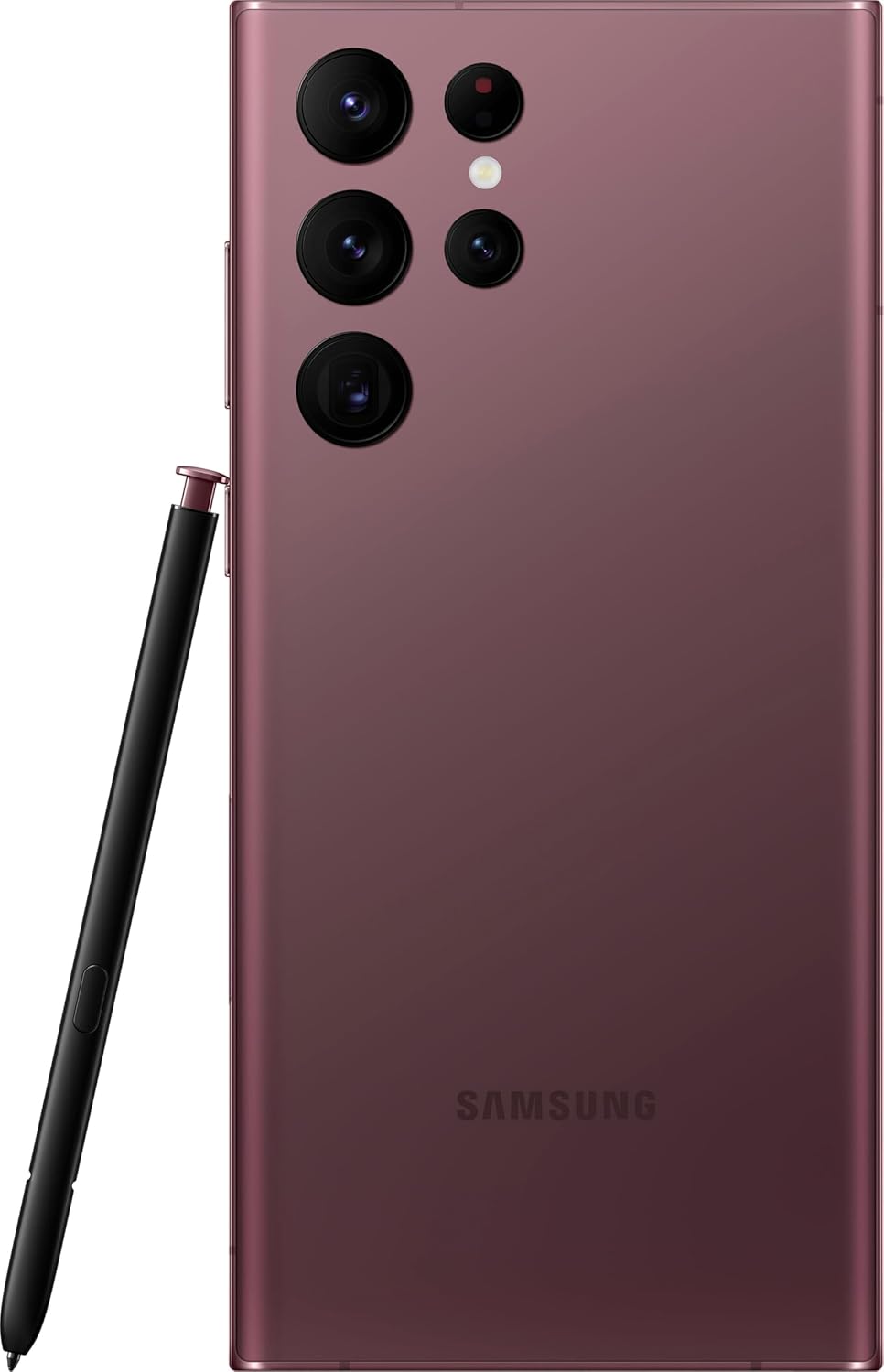
Слика: Позади view of the Samsung Galaxy S22 Ultra 5G, highlighting the multi-lens camera system and the S-Pen.
Приказ и визуелни елементи
- Адаптивни контраст боја: The Galaxy S22 Ultra's display automatically optimizes color and brightness for both indoor and outdoor viewing, ensuring clarity in various lighting conditions.
- Појачивач вида: Enhances screen visibility, making your content appear vibrant and clear even in bright environments.

Слика: Фронт view of the Samsung Galaxy S22 Ultra 5G with the screen displaying colorful, dynamic content.
S-Pen Usage
The integrated S-Pen allows for precise interaction with your device. Use it for:
- Taking quick notes directly on the screen.
- Editing photos and videos with enhanced precision.
- Drawing and sketching with a natural pen-on-paper feel.
- Navigating the user interface and selecting text.
Одржавање
Чишћење уређаја
За чишћење телефона користите меку крпу која не оставља влакна. Избегавајте абразивне материјале или јаке хемикалије. За тврдокорне мрље, благо обришитеampen the cloth with water. Ensure no liquid enters openings like the charging port or speaker grilles.
Баттери Царе
Your device is equipped with a 5000 mAh Li-Ion battery. To maximize battery life:
- Избегавајте екстремне температуре.
- Не дозволите да се батерија често потпуно испразни.
- Користите оригиналну или сертификовану додатну опрему за пуњење.
Ажурирања софтвера
Regularly check for and install software updates to ensure your device has the latest features, security patches, and performance improvements. You can usually find this option in the device settings under "Software update".
Отпорност на воду
The Galaxy S22 Ultra 5G is rated as water-resistant. This means it can withstand splashes and brief immersion in shallow water. It is not fully waterproof. Avoid exposing it to high-pressure water, saltwater, or other liquids. If the device gets wet, dry it thoroughly before charging or using accessories.
Решавање проблема
Уобичајени проблеми и решења
- Уређај се не укључује: Уверите се да је батерија напуњена. Прикључите уређај на пуњач и сачекајте неколико минута пре него што покушате да га поново укључите.
- Екран не реагује: Try restarting the device by holding the Power/Side key and Volume Down key simultaneously for about 7 seconds.
- Лош век трајања батерије: Check background app usage, reduce screen brightness, disable unnecessary features like GPS or Bluetooth when not in use. Consider a factory reset if the issue persists after trying other solutions.
- Проблеми са мрежним повезивањем: Ensure your SIM card is properly inserted. Try toggling Airplane Mode on and off. If issues persist, contact your wireless carrier (T-Mobile for this model).
Фацтори Ресет
A factory reset will erase all data from your device and restore it to its original factory settings. Back up all important data before proceeding. To perform a factory reset, navigate to Подешавања > Опште управљање > Ресетовање > Ресетовање на фабричка подешавања.
Спецификације
| Феатуре | Детаљ |
|---|---|
| Бранд | Самсунг |
| Назив модела | Галаки С22 Ултра 5Г |
| Број модела | СМ-С908У |
| Оперативни систем | Андроид |
| ЦПУ модел | Двојезгарни A4-3420 серије А |
| Капацитет складиштења | 512 ГБ |
| Величина екрана | 6.8 инча |
| Резолуција екрана | 1440 к 3200 |
| Рефресх Рате | 60 Хз |
| Вирелесс Царриер | Т-Мобиле |
| Слотови за СИМ картице | Дуал СИМ |
| Технологија повезивања | 5G, Wi-Fi, CDMA, GSM, LTE |
| Биометријска безбедност | Препознавање лица |
| Ниво отпорности на воду | Отпоран на воду |
| Аудио Јацк | No Headphone Jack |
| Реар Цамера Ресолутион | 108 MP (3 cameras) |
| Front Camera Count | 1 |
| Тип батерије | Ли-Ион |
| Капацитет батерије | 5000 мАх |
| Резолуција снимања видео записа | 8K |
| Боја | Бургундија |
Гаранција и подршка
Информације о гаранцији
This product is a refurbished device. It typically comes with a 90-day return policy for refund or replacement. For specific warranty details, please refer to the documentation provided at the time of purchase or contact your retailer. Manufacturer warranties for new devices may not apply to refurbished products.
Корисничка подршка
За додатну помоћ, техничку подршку или упите у вези са сервисирањем, посетите званичну страницу за подршку компаније Samsung. website or contact their customer service. You can find contact information and FAQs on their webсајту.
For issues related to your T-Mobile service, please contact T-Mobile customer support directly.
Повезани документи - СМ-С908У
 |
Самсунг Кнок File Енцриптион 1.6.0 Администратор Гуиде Упутство за имплементацију Samsung Knox-а у предузећима File Шифровање на Самсунг уређајима, које обухвата конфигурацију, управљање и оперативну безбедност за администраторе мобилних уређаја. |
 |
Упутство за коришћење Samsung Galaxy S23, S23+, S23 Ultra, S22, S22+, S22 Ultra Ово упутство за коришћење комплетних четири детаља упутства о коришћењу паметних телефона Самсунг Галаки С23, С23+, С23 Ултра, С22, С22+ и С22 Ултра. Ил цоувре ла цонфигуратион инитиале, лес апплицатионс, лес фонцтионналитес, лес параметрес ет лес цонсеилс де депаннаге. |
 |
Упутство за коришћење Samsung Galaxy S23/S22 Свеобухватни водич за коришћење паметних телефона серије Samsung Galaxy S23 и S22, који обухвата подешавање, функције, подешавања и решавање проблема. Сазнајте како да ефикасно користите свој уређај. |
 |
Водич за кориснике Самсунг Галаки С23/С22 Ово упутство за употребу службеног Самсунг-а садржи четири упутства за паметне телефоне Галаки С23 и С22, конфигурацију, функције, апликације и параметре за оптимално коришћење. |
 |
Guide Utilisateur Samsung Galaxy Manuel d'utilisation complet pour les smartphones Samsung Galaxy, couvrant la configuration, les fonctionnalités, les paramètres et les consignes de sécurité pour les modèles S23, S22 et leurs variantes. |
 |
Водич за употребу Самсунг Галаки С23/С22 серије Manuel d'utilisation détaillé pour les smartphones Samsung Galaxy S23 Ultra, S23+, S23, S22 Ultra, S22+, et S22, couvrant la configuration, les fonctionnalités, les paramètres et la maintenance. |
Ask a question about this manual
Ask about setup, troubleshooting, compatibility, parts, safety, or missing instructions. Manuals+ will review the question and use this page’s manual context to help answer it.