
1. Увод
This manual provides instructions for the installation, operation, and maintenance of the Tongou Smart WiFi DIN Rail Switch (Model: With Power Monitoring 16A). This device allows you to convert conventional small appliances into smart, remotely controllable objects via the Tuya or Smart Life application, and offers comprehensive energy consumption monitoring.
2. Безбедносне информације
УПОЗОРЕЊЕ: Electrical installation should only be performed by a qualified electrician. Ensure power is disconnected before installation to prevent electric shock.
- Оператинг волtage: AC 90-240V, 50/60Hz. Ensure your electrical system matches these specifications.
- The device is designed for 1-way circuits and a maximum current rating of 16 Ampс. Немојте прекорачити ову оцену.
- This switch is not a circuit breaker. It does not provide short-circuit or overload protection. Install it after a differential switch for proper protection.
- The product is made from flame-retardant PA66 material with good conductivity copper contacts (Silver Relay Contacts) for enhanced safety and high-temperature resistance.
- International Protection Rating: IP20. This device is not waterproof and should not be exposed to moisture.
3. Производ је готовview
The Tongou Smart WiFi DIN Rail Switch is a compact device designed for integration into your electrical panel. It enables smart control and energy monitoring for connected appliances.
Слика 3.1: Предња страна view of the Tongou Smart WiFi DIN Rail Switch.
Кључне карактеристике:
- даљински управљач: Control appliances via the Tuya or Smart Life app from anywhere.
- Мониторинг енергије: Real-time display and historical recording of current, voltage, power, and total energy consumption.
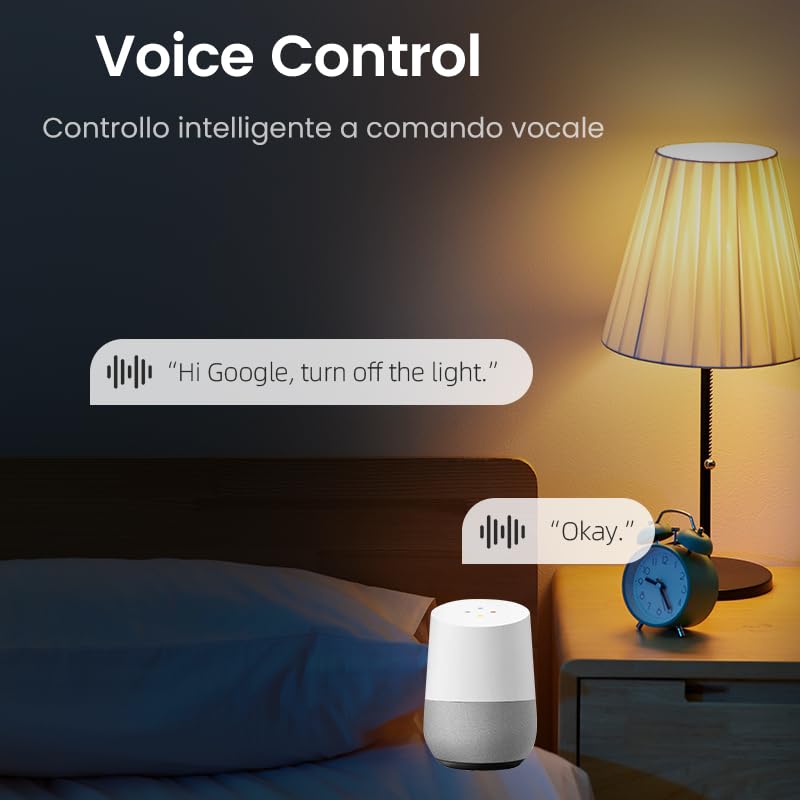
- Контрола гласом: Компатибилно са Amazon Alexa и Google Assistant за рад без употребе руку.
- Вишеструки режими тајмера: Includes timer, countdown, cycle timing, and astronomical timing functions.
- Једноставна инсталација: Designed for quick wiring and DIN rail mounting.
4. Спецификације
| Параметар | Валуе |
|---|---|
| Број модела | With Power Monitoring 16A |
| Оператинг Волtage | АЦ 90-240В, 50/60Хз |
| Цуррент Ратинг | 16 Amps |
| Ватtage | 3840 вати (макс.) |
| Оперативни режим | ОН-ОФФ |
| Цоннецтивити Протоцол | Ви-Фи (КСНУМКС ГХз) |
| Контролни метод | App (Tuya/Smart Life), Voice (Alexa/Google Assistant) |
| Димензије (Д к Ш к В) | 9 к 2 к 8 цм |
| Тежина артикла | 110 г |
| Терминал Типе | Сцрев |
| Цирцуит Типе | 1-ваи |
| Оцена међународне заштите | ИП20 |
| Горња оцена температуре | 80 степени Целзијуса |
| Контакт материјал | Silver Relay Contacts |
| Боја | Греи |
5. Подешавање
5.1. Инсталација
The Tongou Smart WiFi Switch is designed for DIN rail mounting. Follow these steps for safe installation:
- Искључите напајање: Before starting any electrical work, ensure the main power supply to the circuit is turned off at the circuit breaker. Verify with a voltagе тестер.
- Монтирајте прекидач: Clip the smart switch onto a standard DIN rail within your electrical panel.
- Ожичење: Connect the live (L) and neutral (N) wires to the designated terminals on the switch. The switch is a 1P (single pole) device, meaning it switches only the phase (live) wire. It requires a permanent neutral connection. This device should be installed after a differential switch for proper protection against short circuits, overloads, and leakage. Use a screwdriver to easily tighten and loosen the screw terminals.
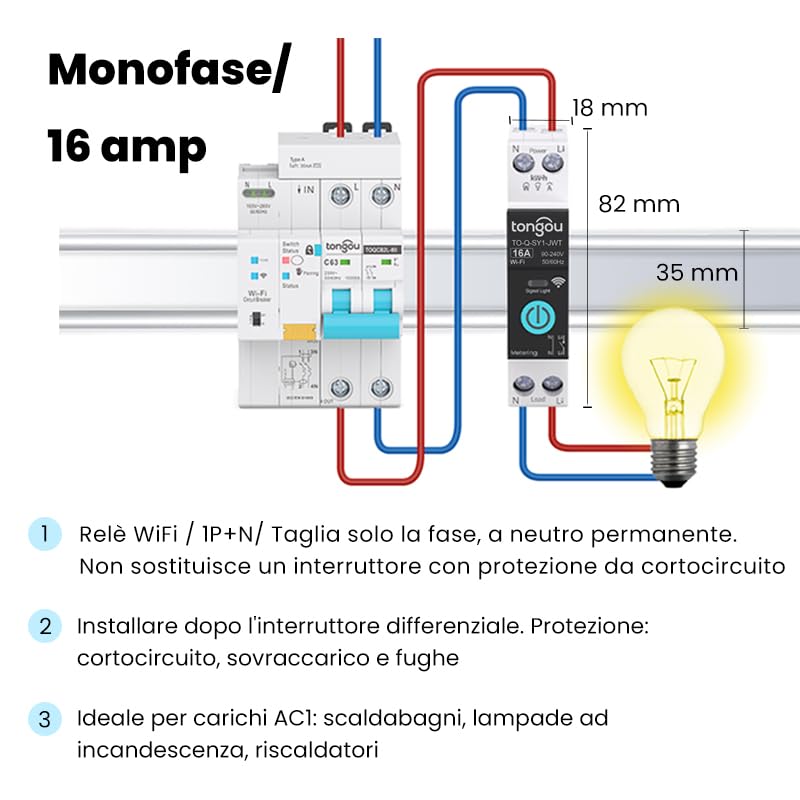
Figure 5.1: Wiring diagram for the Tongou Smart WiFi DIN Rail Switch. Connect the phase (L) and neutral (N) wires as indicated. This switch is for single-phase systems and handles up to 16 Amps. It should be installed after a differential switch for safety.
Напомена: This switch is ideal for AC loads such as water heaters, incandescent lamps, and heaters.
5.2. Упаривање апликација
To control the switch remotely, you need to pair it with the Tuya Smart or Smart Life app.
- Преузмите апликацију: Download the "Smart Life" or "Tuya Smart" app from the App Store (iOS) or Google Play Store (Android).
- Региструј се/Пријави се: Отворите апликацију и региструјте се за нови налог или се пријавите ако га већ имате.
- Додај уређај: Ensure your smartphone is connected to a 2.4 GHz Wi-Fi network. Power on the smart switch. The Wi-Fi indicator on the switch should be blinking rapidly (refer to the switch's LED indicator guide for pairing mode). In the app, tap "+" or "Add Device" and select the appropriate device type (e.g., "Switch (Wi-Fi)").
- Потврдите режим упаривања: Потврдите да индикаторска лампица брзо трепери у апликацији.
- Унесите детаље о Wi-Fi мрежи: Enter your 2.4 GHz Wi-Fi network password.
- Повежите се: The app will begin connecting to the device. Once connected, you can rename the switch and assign it to a room.
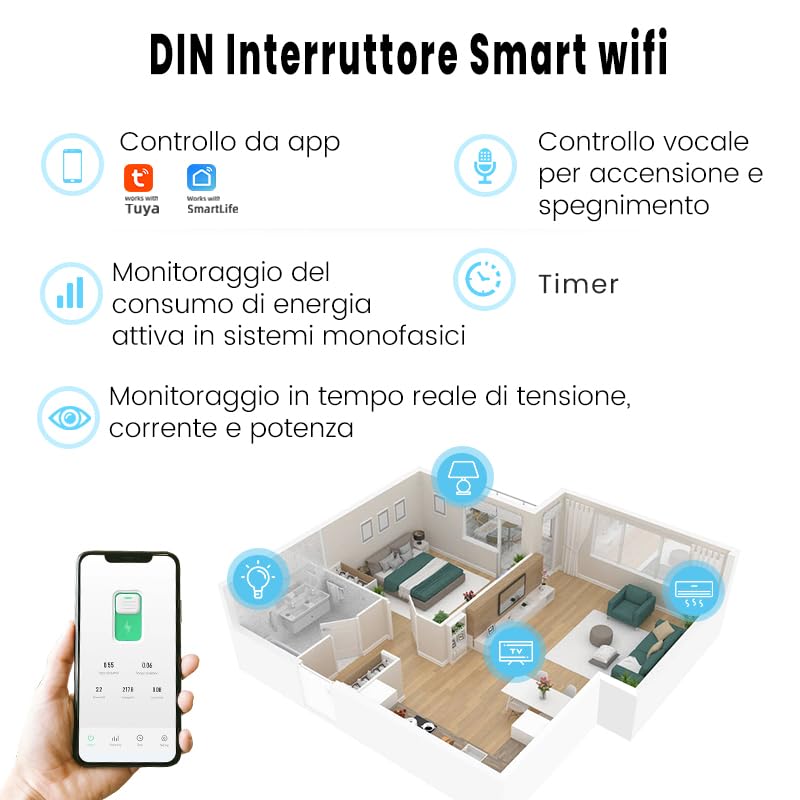
Слика 5.2: Завршеноview of the smart switch features, including control via Tuya/Smart Life app, voice control, energy monitoring, and timer functions.
6. Упутство за употребу
6.1. Ручна контрола
The switch features a physical button on its front panel. Press this button once to manually turn the connected appliance ON or OFF.
6.2. Контрола апликација
After successful pairing, open the Tuya Smart or Smart Life app. Select your switch from the device list. You can then:
- Toggle the switch ON/OFF remotely.
- Access energy consumption data.
- Set up schedules and timers.
- Configure automation rules.
6.3. Управљање гласом
The switch is compatible with Amazon Alexa and Google Assistant. To enable voice control:
- Link your Tuya Smart or Smart Life account to your Amazon Alexa or Google Home app.
- Discover devices in your voice assistant app.
- Use voice commands such as: "Alexa, turn on [Device Name]" or "Hey Google, turn off [Device Name]".

Слика 6.1: Прample of using voice commands with a smart assistant to control the switch.
6.4. Функције тајмера
The app provides various timer modes to automate your appliances:
- Schedule Timer: Set specific ON/OFF times for different days of the week.
- Тајмер: Set a duration after which the switch will turn ON or OFF.
- Време циклуса: Configure repetitive ON/OFF cycles.
- Астрономско време: Automate based on sunrise and sunset times in your location.
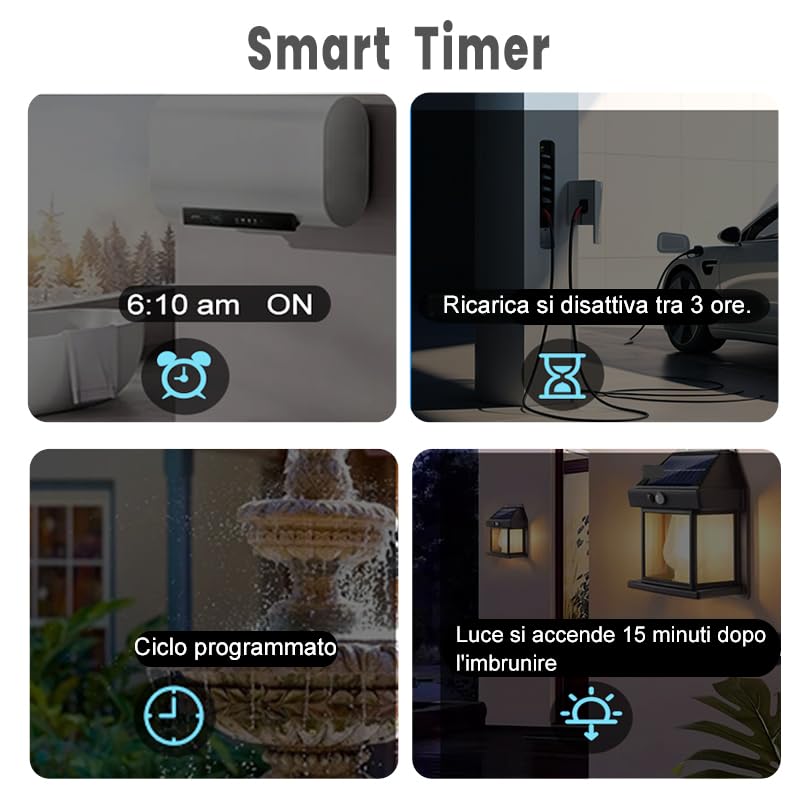
Figure 6.2: Visual representation of various smart timer functions available in the app.
6.5. Енергетски мониторинг
The switch provides real-time and historical energy consumption data. Access this feature within the app to:
- View real-time load current, voltagе, и моћ.
- Review historical power consumption records by hour, day, month, and year.
- Analyze energy usage patterns to optimize consumption.
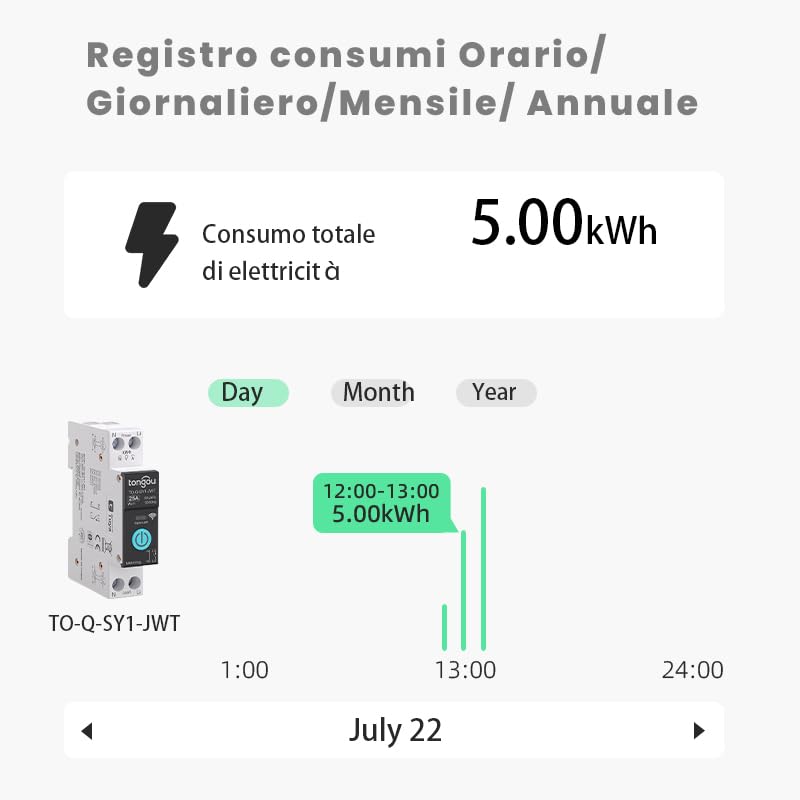
Слика 6.3: Прample of the energy consumption log interface, displaying total electricity consumption over various time periods.
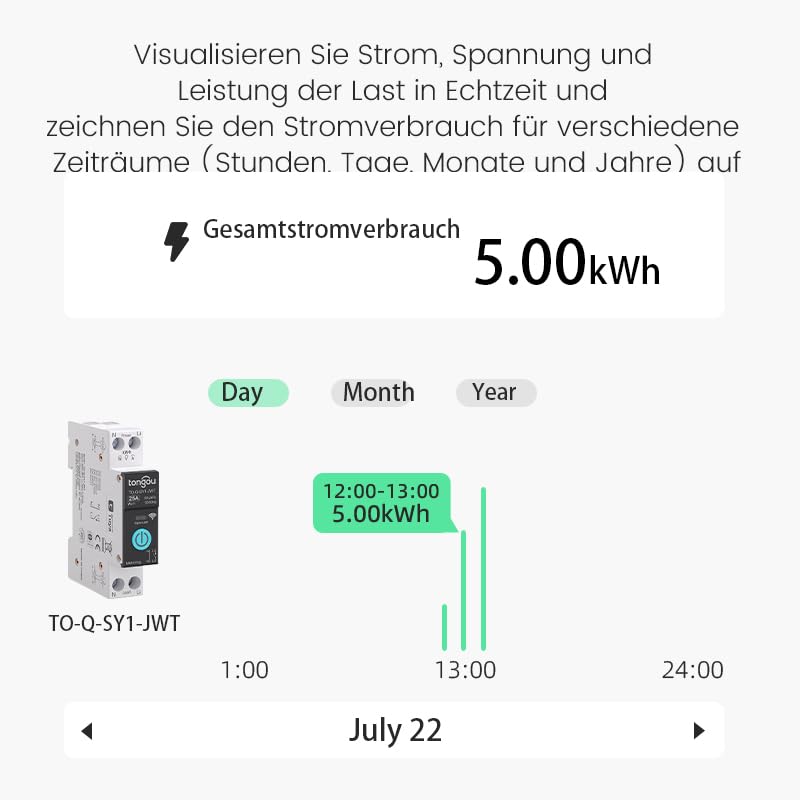
Figure 6.4: Real-time visualization of current, voltage, and power load, with historical consumption records.
7. Одржавање
The Tongou Smart WiFi Switch requires minimal maintenance. Follow these guidelines:
- Чишћење: Ensure the device is powered off before cleaning. Use a dry, soft cloth to wipe the exterior. Do not use liquid cleaners or solvents.
- Ажурирања фирмвера: Периодично проверавајте апликацију Tuya Smart или Smart Life да ли постоје доступна ажурирања фирмвера за ваш уређај. Ажурирања могу побољшати перформансе и додати нове функције.
- Услови животне средине: Operate the device within its specified temperature range (up to 80°C) and avoid humid environments.
КСНУМКС. Решавање проблема
| Проблем | Могући узрок | Решење |
|---|---|---|
| Уређај се не повезује на Wi-Fi. | Incorrect Wi-Fi password, 5GHz Wi-Fi network, device too far from router, Wi-Fi signal interference. |
|
| App control is unresponsive. | No internet connection on phone or switch, app glitch. |
|
| Гласовна контрола не ради. | Account not linked, device not discovered, incorrect commands. |
|
| Energy monitoring data is inaccurate or missing. | Improper wiring, device malfunction. |
|
9. Гаранција и подршка
For warranty information, please refer to the documentation provided with your purchase or contact your retailer. For technical support or further assistance, please contact HIVAGI INTERNATIONAL, the importer and packer of this product.
- Увозник/Паковач: HIVAGI INTERNATIONAL
- Webсајт: www.hivagi.in
- Брига о корисницима: +91 90232 97428