
1. Увод
This manual provides detailed instructions for the safe and efficient use of your MECHEN HIFI MP3 Player M30. Please read this manual thoroughly before operating the device and retain it for future reference.
The MECHEN M30 is a dedicated HIFI lossless audio player designed for high-fidelity sound reproduction. It features advanced DSD decoding technology and supports a wide range of audio formats. Please note that this device does not support Bluetooth, FM radio, recording, video playback, e-books, photos, or alarm functions.

Figure 1: MECHEN M30 HIFI MP3 Player Overview
2. Карактеристике производа
- Аудио високе верности: Equipped with a high-quality DSP chip and advanced DSD decoding technology for immersive, low-distortion sound.
- Прошириво складиште: Comes with a 64GB microSD card and supports expansion up to 256GB, allowing for extensive music libraries.
- Durable Design & Intuitive Controls: Constructed from a high-quality zinc alloy for durability. Features a unique scroll control wheel and simple physical buttons for easy navigation and operation.
- Свестрано повезивање: Includes a 3.5mm headphone jack and a line-out port, enabling connection to wired headphones, AUX speakers, and car audio systems.
- Дуг век трајања батерије: Built-in 1500mAh battery provides approximately 30 hours of music playback on a 2.5-hour full charge.
- Wide Format Support: Compatible with numerous audio formats including MP3, WMA, WAV/PCM, APE, FLAC, AAC, OGG, DSF, AIFF, ALAC, IMA/MS-ADPCM, DFF, and DSD 128. (Note: AAC files play in mono.)

Figure 2: High-Quality DSD and DAC Chips
3. Подешавање
3.1. Садржај пакета
Проверите да ли су све ставке присутне у пакету:
- MECHEN HIFI MP3 Player M30
- 64GB MicroSD Memory Card
- УСБ кабл
- Кориснички приручник (овај документ)

Слика 3: Укључене компоненте
3.2. Пуњење уређаја
- Connect the provided USB cable to the player's charging port.
- Повежите други крај USB кабла са USB адаптером за напајање (није укључен) или USB портом рачунара.
- Индикатор батерије на екрану ће приказивати статус пуњења. Потпуно пуњење траје отприлике 2.5 сат.
3.3. Уметање МицроСД картице
- Locate the microSD card slot on the side of the player.
- Gently insert the provided 64GB microSD card (or another compatible card up to 256GB) into the slot until it clicks into place.
- To remove, push the card inward until it clicks, then release, and it will eject.
3.4. Пренос музике Files
- Повежите плејер са рачунаром помоћу УСБ кабла.
- The player will appear as a removable disk (or prompt you to select 'Mass Storage' mode).
- Превуците и испустите жељени аудио files into the appropriate folders on the microSD card. Organizing files into folders (e.g., by Artist, Album) is recommended for easier navigation.
- Safely eject the player from your computer before disconnecting the USB cable.
4. Упутство за употребу
4.1. Укључивање/искључивање
- Укључено: Притисните и држите дугме за напајање док се екран не осветли.
- Искључивање: Притисните и држите дугме за напајање док се уређај не искључи.
4.2. Навигација и мени
- Точак за померање: Rotate the scroll wheel to navigate through menus and lists.
- Дугме МЕНУ: Press to enter the main menu or confirm a selection.
- Назад дугме: Press to return to the previous screen or cancel an action.
- Дугмад за контролу репродукције: Use the dedicated buttons for Play/Pause, Next Track, Previous Track.
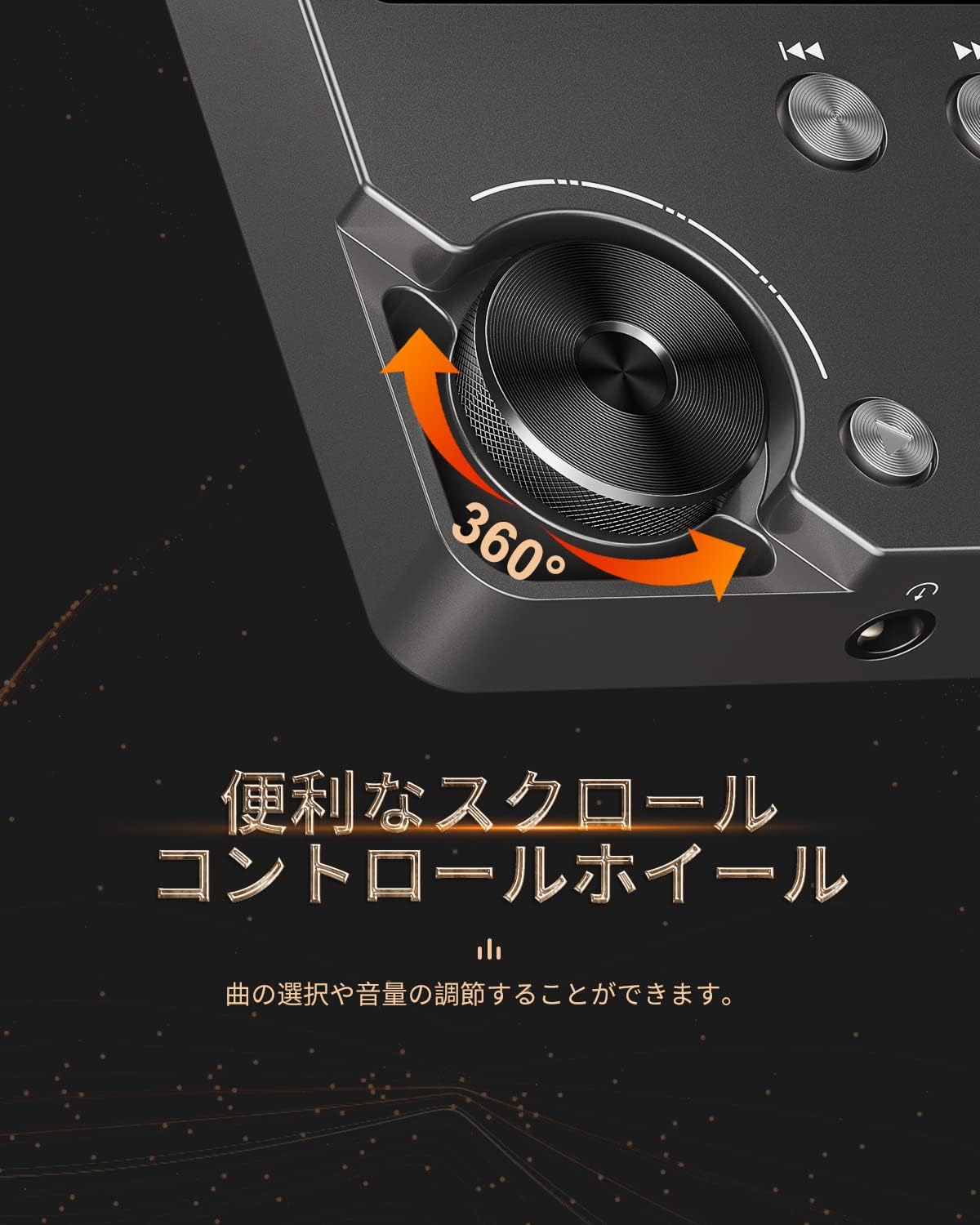
Figure 4: Scroll Control Wheel
4.3. Репродукција музике
- Navigate to the 'Music' section from the main menu.
- Browse your music by folder, artist, album, or all songs.
- Select a track and press the MENU button to start playback.
- Use the Play/Pause button to control playback.
- Press Next Track or Previous Track buttons to skip songs. Hold these buttons for fast forward or rewind.
4.4. Контрола јачине звука
Rotate the scroll wheel during music playback to adjust the volume level. It is recommended to set the initial maximum volume to a low level to prevent sudden loud sounds.
4.5. Подешавања еквилајзера
The player features an equalizer with various presets (e.g., Rock, Pop, Jazz, Classical, Soft, Techno) and a custom setting. Access the equalizer settings from the playback screen or system settings to adjust the sound profile по вашој жељи.

Figure 5: Equalizer Function
4.6. Repeat and Shuffle Modes
During playback, access the options menu to select repeat modes (e.g., repeat one, repeat all) or enable shuffle playback for a randomized song order.
4.7. Connecting to External Devices
The MECHEN M30 can connect to various audio output devices:
- Жичане слушалице: Plug your 3.5mm headphones into the headphone jack.
- External Speakers/Car Audio: Use an AUX cable (not included) to connect the player's line-out port to your speakers or car's AUX input.

Figure 6: Connecting to Various Devices
5. Одржавање
5.1. Чишћење
Wipe the device with a soft, dry cloth. Do not use liquid cleaners or abrasive materials, as they may damage the finish or internal components.
5.2. Брига о батерији
To prolong battery life, avoid fully discharging the battery frequently. Charge the device regularly, even if not in use for extended periods. Store the device in a cool, dry place.

Figure 7: Battery Information
5.3. Складиштење
When storing the player for a long time, ensure it is fully charged and then power it off completely. Recharge it every few months to prevent deep discharge.
КСНУМКС. Решавање проблема
- Device will not power on: Ensure the battery is charged. Connect the player to a power source using the USB cable and try again. If the issue persists, perform a reset by pressing the reset button (if available) or holding the power button for an extended period.
- Нема звука: Check the volume level. Ensure headphones or external speakers are properly connected. Test with different headphones or speakers if possible.
- Музика fileније препознато: Проверите да ли је музика files are in a supported format (refer to Specifications). Ensure the microSD card is properly inserted and the files are not corrupted. Re-transfer the fileс ако је потребно.
- Screen is unresponsive or erratic: Try restarting the device. If the problem continues, ensure the device is not exposed to extreme temperatures or moisture.
- Album art or metadata not displayed: Ensure that the metadata (ID3 tags) for your music files are correctly embedded. While the player supports folder-based navigation, correct tags enhance the browsing experience.
- Playback stops unexpectedly: Ensure the battery is sufficiently charged. If connected to a car audio system via USB, playback might pause when the engine is turned off or on due to changes in the USB host communication.
7. Спецификације
| Феатуре | Опис |
|---|---|
| Назив модела | М30 |
| Бранд | МЕЦХЕН |
| Дисплаи | 2-инчни ЛЦД |
| Мемори Стораге | 64GB MicroSD card included (expandable up to 256GB) |
| Повезивање | AUX (3.5mm headphone jack, Line Out) |
| Капацитет батерије | 1500 мАх |
| Трајање батерије | Approx. 30 hours playback |
| Време пуњења | Прибл. 2.5 сата |
| Димензије производа (Д x Ш x В) | 1.6 к 5.6 к 8.8 цм |
| Тежина производа | 176 грама |
| Подржани аудио формати | MP3 (8-48KHz, 16bits), WMA (8-192KHz, 16/24bits), WAV/PCM (8-192KHz, 8/16/24/32bits), APE (8-192KHz, 16/24bits), FLAC (8-192KHz, 16/24bits), AAC (8-96KHz, 16bits - mono playback), OGG (8-48KHz, 10-500bits), DSF (2822.4KHz, 1bit), AIFF (8-192KHz, 8/16/24/32bits), ALAC (8-192KHz, 16/24bits), IMA/MS-ADPCM (8-48KHz, 8/16bits), DFF (3072KHz, 1bit), DSD 128 (5.6MHz) |
| Посебне карактеристике | Equalizer, Shuffle Play, Hi-Res Audio, Repeat Play, Auto Power-Off |
| Земља порекла | Кина |
| УПЦ | 607469642453 |

Слика 8: Подржани аудио формати
8. Гаранција и подршка
8.1. Гаранција произвођача
The MECHEN HIFI MP3 Player M30 comes with a one-year manufacturer's warranty from the date of purchase. This warranty covers defects in materials and workmanship under normal use. It does not cover damage caused by misuse, accidents, unauthorized modifications, or normal wear and tear.
8.2. Корисничка подршка
For technical assistance, warranty claims, or any questions regarding your MECHEN M30 player, please contact your retailer or the MECHEN customer support team. Refer to the contact information provided with your purchase documentation or visit the official MECHEN webсајт за детаље подршке.