
Увод
The Keychron C2 is a full-size (104-key) wired mechanical keyboard designed for both Mac and Windows operating systems. It features durable Red mechanical switches and retro-colored ABS keycaps, providing a comfortable and responsive typing experience. This manual provides essential information for setting up, operating, maintaining, and troubleshooting your Keychron C2 keyboard.

Image: The Keychron C2 Full Size Wired Mechanical Keyboard connected to a computer setup.
Садржај пакета
Уверите се да су све ставке присутне у пакету:
- Keychron C2 Full Size Wired Mechanical Keyboard
- УСБ-Ц на УСБ-А кабл
- Кеицап Пуллер
- Extra Keycaps for Mac and Windows operating systems
Сетуп
- Повежите тастатуру: Plug the USB-C end of the provided cable into the keyboard's USB-C port and the USB-A end into an available USB port on your computer. The keyboard is a wired-only device and does not require batteries.
- Select Operating System Mode: Locate the operating system switch on the back or side of the keyboard. Slide the switch to the appropriate position for your computer (Mac or Windows). This ensures correct function key mapping.
- Подесите угао тастатуре: The keyboard features 2-level adjustable feet. Flip out the feet on the underside of the keyboard to achieve your preferred typing angle for ergonomic comfort.
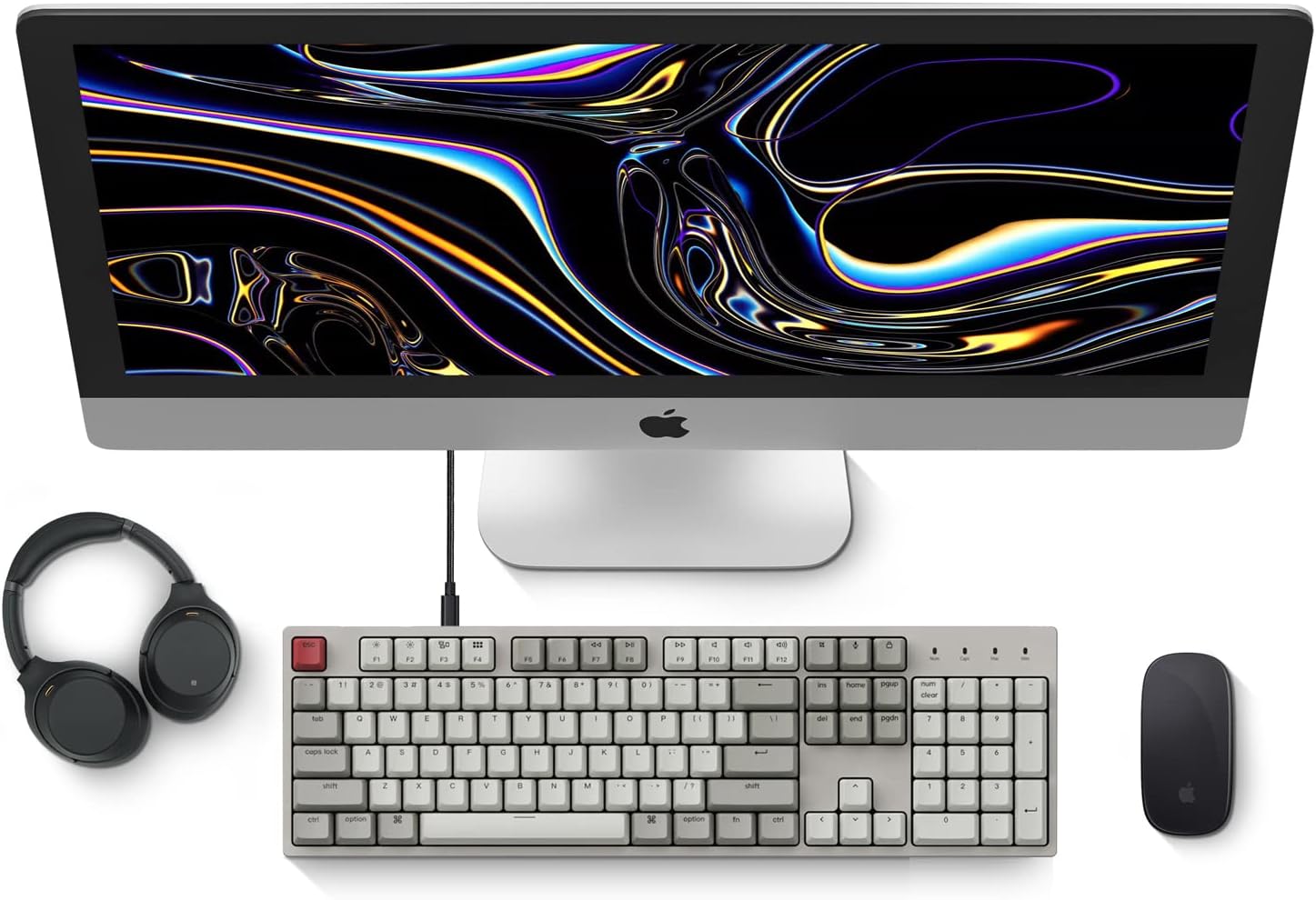
Image: Diagram showing compatibility with Mac and Windows operating systems.

Слика: Са стране view of the Keychron C2 keyboard illustrating the adjustable feet for angle customization.
Упутство за употребу
Основне функције
- куцање: The keyboard features a standard 104-key full-size layout.
- Мултимедијални тастери: The top row of function keys (F1-F12) includes multimedia controls. These functions are optimized for Mac but are also compatible with Windows.
- Siri/Cortana Key: A dedicated key is provided for activating Siri (on Mac) or Cortana (on Windows).
Keycap Replacement
The Keychron C2 comes with extra keycaps for both Mac and Windows layouts. To replace keycaps:
- Use the provided keycap puller to gently remove the desired keycap by hooking it onto the keycap and pulling upwards.
- Поравнајте нови поклопац тастера са држачем прекидача и чврсто притисните док не кликне на своје место.

Слика: Крупни план view of the Keychron Red mechanical switches beneath removed keycaps.
Одржавање
- Чишћење: Редовно чистите тастатуру како бисте спречили накупљање прашине и прљавштине. Користите меку четку или компримовани ваздух да бисте уклонили честице између тастера. За чишћење површине користите благо дamp, lint-free cloth. Avoid harsh chemicals.
- Одржавање капица тастера: While durable, avoid excessive force when removing or installing keycaps to prevent damage to the keycap stems or switches.
- Управљање кабловима: Ensure the USB-C cable is not bent sharply or placed under heavy objects to prolong its lifespan.

Image: Close-up of the ABS keycaps on the Keychron C2 keyboard.
Решавање проблема
- Тастатура не реагује:
- Check the USB-C cable connection at both the keyboard and the computer. Ensure it is securely plugged in.
- Покушајте да повежете тастатуру са другим УСБ портом на рачунару.
- Verify that the operating system switch on the keyboard is set correctly (Mac/Windows).
- Поново покрените рачунар.
- Одређени тастери не раде:
- Carefully remove the non-functional keycap using the keycap puller. Inspect the mechanical switch for any visible damage or debris.
- Clean around the switch with compressed air.
- Re-seat the keycap firmly.
- Нетачан излаз тастера:
- Ensure the operating system switch is set to the correct mode for your computer.
- Check your computer's keyboard settings to ensure the correct layout is selected.
Спецификације
| Феатуре | Детаљ |
|---|---|
| Бранд | Кеицхрон |
| Назив модела | Keychron C2 |
| Број модела | HS-C2K1Z |
| Технологија повезивања | USB-C (жичани) |
| Компатибилни уређаји | Лаптоп, ПЦ |
| Компатибилна породица оперативних система | МацОС, Виндовс |
| Број кључева | 104 |
| Тип прекидача | Linear (Red Switch) |
| Кеицап Материал | АБС (акрилонитрил бутадиен стирен) |
| Распоред тастатуре | КВЕРТИ |
| Посебна карактеристика | Backlit (Single Color) |
| Тежина артикла | 5390 грама |
| Извор напајања | Цордед Елецтриц |
Гаранција и подршка
For warranty information, technical support, or further assistance, please visit the official Keychron website or contact Keychron customer service. Details regarding product registration and specific warranty terms can be found through official Keychron channels.