
1. Увод
Thank you for choosing the SooPii SP-U20 60W Multi-Device Charging Station. This device is designed to streamline your charging experience by providing multiple USB-A, USB-C, and AC outlets in one compact unit. Please read this manual carefully to ensure proper setup, operation, and maintenance of your charging station.
2. Карактеристике производа
- 6 Port Charging Station & 3 AC Outlets: Supports simultaneous charging of up to 9 electric devices with 3 AC outlets (1875W/15A), 3 USB-A ports, and 3 USB-C ports.
- 2 PD 20W Fast Charging: Two USB-C ports feature Power Delivery (PD) fast charging technology, capable of charging compatible devices up to 70% in just 30 minutes.
- Organize Your Desk: Consolidates charging for multiple devices, reducing cable clutter and promoting a tidier workspace.
- Напредне безбедносне функције: Equipped with the Activeshield safety system, including a Dynamic Temperature Sensor and power tuner chip to protect all connected devices.
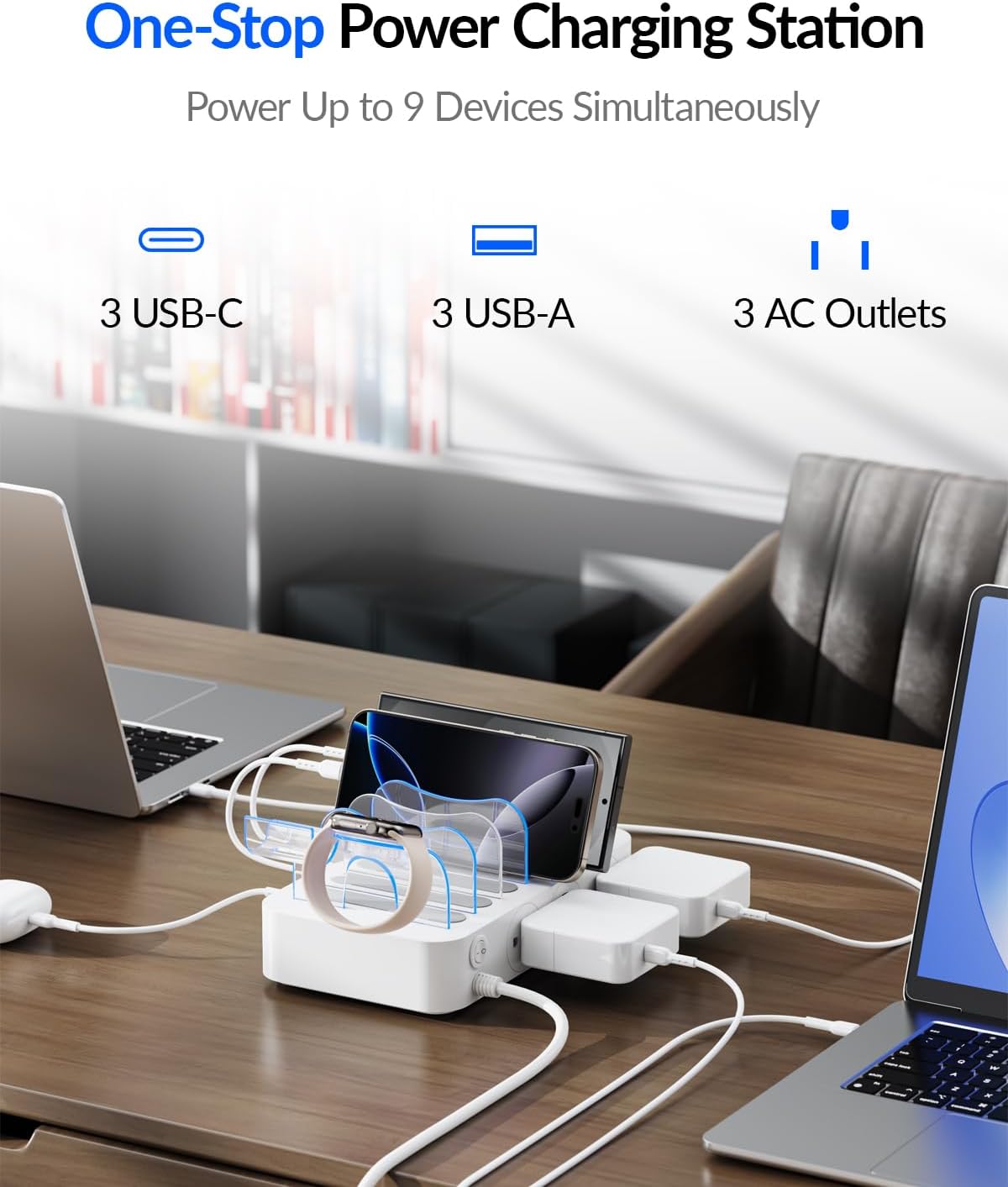
Image: The SooPii 60W Charging Station with various devices connected, illustrating its multi-port capabilities.

Image: Visual representation of the dual 20W USB-C fast charging feature, showing rapid charging times for modern devices.
3. Садржај пакета
The following items are included in your SooPii SP-U20 Charging Station package:
- 1x SooPii PD Charging Station (Model: SP-U20)
- 7x Strong Baffles for phones and tablets
- 1x 2-In-1 Holder for iWatch Charger & Air-Pods (Note: iWatch Charger is not included)
- 6x Short Mixed Charging Cables (2 for iPhone/iPad, 1 USB-C, 3 USB-C to USB-C)
- 1к упутство за употребу

Слика: Експлодирана view of the package contents, detailing the charging station, baffles, holder, and cables.
4. Упутства за подешавање
- Raspakujte: Пажљиво уклоните све компоненте из паковања.
- Place Baffles: Insert the strong baffles into the designated slots on the charging station to create compartments for your devices.
- Install iWatch/AirPods Holder (Optional): If desired, install the 2-in-1 holder onto the charging station. Pass your iWatch charger cable through the holder and secure it.
- Прикључите напајање: Plug the main power cord of the charging station into a standard 100-240V AC wall outlet.
- Организујте каблове: Connect the provided short mixed charging cables to the appropriate USB-A or USB-C ports on the side of the station. Route the cables neatly through the baffles.

Image: Detailed steps for setting up the iWatch charger holder, showing cable routing and watch placement.
5. Упутство за употребу
- Укључивање/искључивање: Use the master ON/OFF switch located on the side of the charging station to control power to the AC outlets.
- LED Indicator Switch: The LED touch switch on the top surface controls the blue LED indicator lights within the baffles. Tap to turn on or off.
- Уређаји за пуњење:
- УСБ портови: Connect your devices using the appropriate USB-A or USB-C cables. The smart IC technology will automatically detect and deliver the optimal charging current for your device.
- АЦ утичнице: Plug in any standard AC-powered devices or chargers into the 3 AC outlets.
- Положај уређаја: Place your phones, tablets, or other devices vertically within the baffles for organized charging.

Image: Illustration of the LED touch switch for baffle lighting and the main power switch for AC outlets.

Image: A comparison showing a tidy desk with the charging station versus a messy desk with tangled cables, highlighting the organizational benefits.
6. Сигурносне карактеристике
The SooPii SP-U20 Charging Station incorporates advanced safety mechanisms to protect your devices and ensure safe operation:
- Activeshield Safety System: Comprehensive protection against electrical hazards.
- Динамички температурни сензор: Actively monitors the device's temperature to prevent overheating.
- Power Tuner Chip: Adjusts power output to safeguard all connected devices from overcurrent and overvoltage.
- Овер-Волtagе Заштита
- Заштита од кратког споја
- Заштита од превисоке температуре
- Заштита од преоптерећења
- Заштита од прекомерне струје
- Уземљена заштита
- Electric-Shock Protection
- Fire-Resistance Material
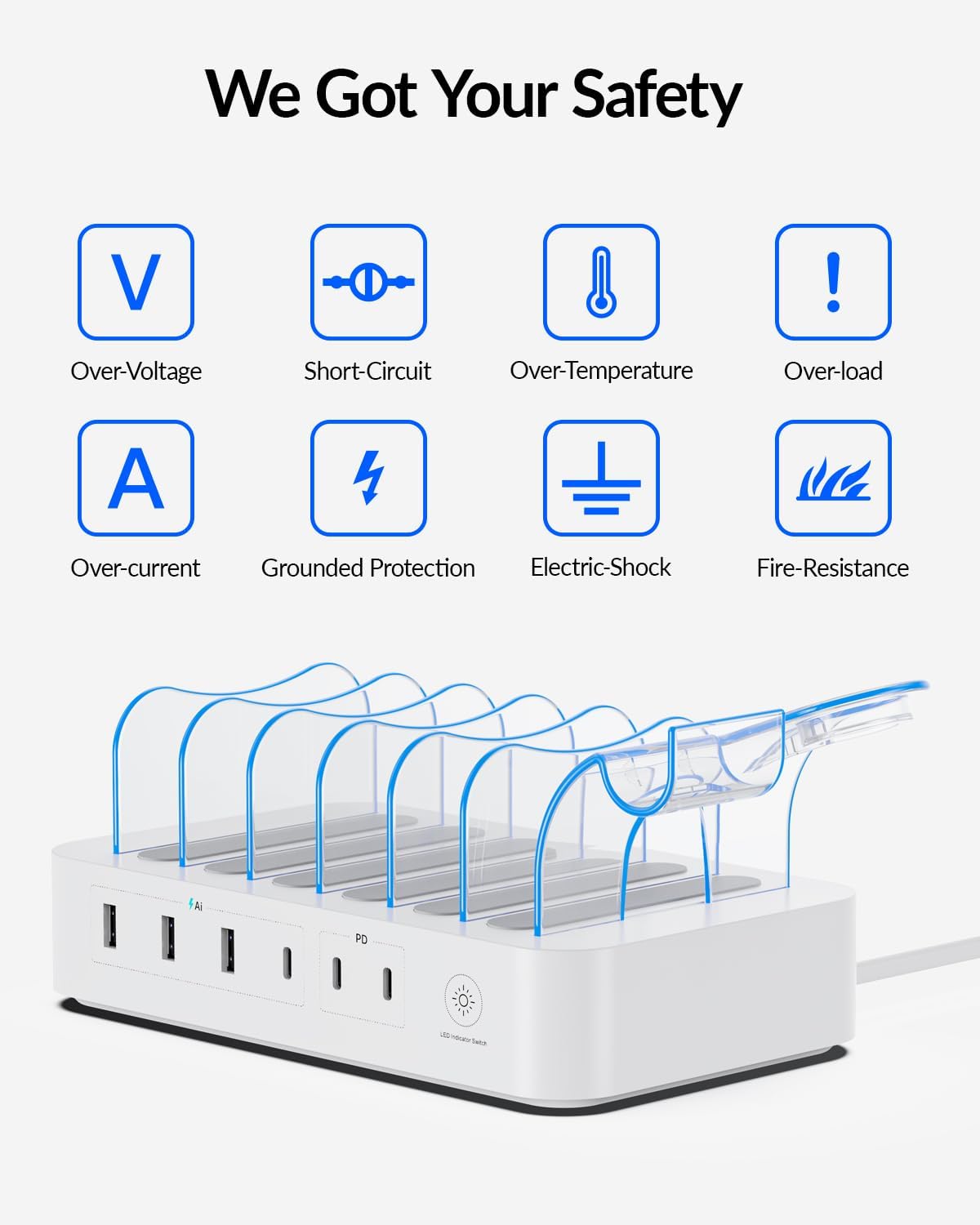
Image: A graphic illustrating the multiple layers of safety protection built into the charging station.
7. Спецификације
| Феатуре | Спецификација |
|---|---|
| Бранд | СООПИИ |
| Број модела | СП-У20 |
| Улазни волtage | 100-240V~50/60Hz, 1.5A |
| Излаз наизменичне струје | 125V~60Hz 10A 1250W Max |
| УСБ Тотал Оутпут | КСНУМКСВ Макс |
| USB-C Output (2 ports) | 5V/3A, 9V/2.22A, 12V/1.67A, Max 20W |
| УСБ-А излаз (3 порта) | 5V/6A 30W (With Smart IC) |
| Укупно УСБ портова | 6 |
| Тип прикључка за напајање | Type A - 2 pin (North American) |
| Материјал | Акрилонитрил бутадиен стирен |
| Тежина артикла | 783.3 грама |
| Сертификат о безбедности | UL |
8. Одржавање
To ensure the longevity and optimal performance of your charging station, follow these maintenance guidelines:
- Чишћење: Disconnect the power cord before cleaning. Use a soft, dry cloth to wipe the surface. Avoid liquid cleaners or abrasive materials.
- Складиштење: Store the charging station in a cool, dry place away from direct sunlight and extreme temperatures when not in use for extended periods.
- Управљање кабловима: Keep cables neatly organized within the baffles to prevent tangling and damage.
КСНУМКС. Решавање проблема
If you encounter any issues with your SooPii SP-U20 Charging Station, please try the following:
- Нема напајања: Ensure the main power cord is securely plugged into both the wall outlet and the charging station. Check if the ON/OFF switch is in the 'ON' position.
- Уређај се не пуни: Verify that the charging cable is properly connected to both the device and the charging station. Try a different cable or port to rule out a faulty cable or port.
- Споро пуњење: Ensure you are using the correct cable for your device and that the device supports fast charging if using a PD port.
Ако проблеми и даље постоје, обратите се корисничкој подршци за помоћ.
10. Гаранција и подршка
The SooPii SP-U20 Charging Station comes with a 24 месеци гаранције. For any questions, concerns, or warranty claims, please contact our friendly customer service team.
- Емаил: суппорт@соопии.цом
- Amazon Message Center: Send messages to us on Amazon Message Center.
We are committed to providing reliable solutions and guidance to your satisfaction within 24 hours. Everything you buy from SooPii is safe and promised to be a nice working product!

Image: Information on SooPii's customer support and warranty details.