
HTC TWS7
HTC True Wireless Earbuds 7 User Manual
Модел: ТВС7
Увод
Thank you for choosing the HTC True Wireless Earbuds 7. This manual provides essential information for setting up, operating, maintaining, and troubleshooting your new earbuds. Please read it thoroughly before use to ensure optimal performance and longevity of your device.
Садржај пакета
Уверите се да су све ставке присутне у пакету:
- 2 x HTC Wireless Earbuds (Left and Right)
- 1 к кућиште за пуњење
- 1 к УСБ-Ц кабл
- 2 Pairs x Silicone Earplugs (S, L) - Note: Medium size earplugs are pre-installed on the earbuds.
- 1 x Упутство на енглеском језику (Овај документ)

Image: HTC True Wireless Earbuds 7, charging case, and USB-C cable.
Водич за подешавање
1. Почетно пуњење
Пре прве употребе, потпуно напуните слушалице и кућиште за пуњење.
- Ставите обе слушалице у футролу за пуњење.
- Connect the provided USB-C cable to the charging port on the case and a power source (e.g., USB wall adapter, computer USB port).
- The indicator lights on the charging case will illuminate to show charging status. All three indicator lights will show blue when fully charged.
Време пуњења:
- Слушалице: Приближно 40 минута
- Charging Case: Approximately 1.5 hours

Image: HTC True Wireless Earbuds 7 charging case showing battery indicator lights.
Video: Demonstrates charging the HTC True Wireless Earbuds 7 charging case using the USB-C cable.
2. Упаривање са вашим уређајем (упаривање у једном кораку)
The earbuds utilize advanced Bluetooth 5.3 technology for fast and stable connection.
- Отворите кућиште за пуњење. Слушалице ће аутоматски ући у режим упаривања.
- На свом уређају (паметном телефону, таблету, рачунару) омогућите Блутут.
- Тражи "HTC TWS7" in the list of available Bluetooth devices.
- Select "HTC TWS7" to connect. Once paired, the earbuds will automatically connect to your device in the future when taken out of the case.
Important Tip: When pairing for the first time, please take both earbuds out of the charging box for pairing.

Image: Illustrates the one-step pairing process with a smartphone.
3. Adjusting Earplugs for Best Fit
For optimal sound quality and comfort, choose the silicone earplugs that best fit your ears. The earbuds come with medium-sized earplugs pre-installed, and S/L sizes are included in the package.
- Gently remove the pre-installed earplug from the earbud.
- Select a different size (S or L) and carefully attach it to the earbud's nozzle, ensuring it is securely fastened.
- Test the fit and sound quality. A good seal will provide better bass and noise isolation.

Image: Close-up of an earbud highlighting the soft silicone eartips for a comfortable fit.
Упутство за употребу
Паметне контроле на додир
The HTC True Wireless Earbuds 7 feature intuitive touch controls on each earbud. The touch-sensitive area is located on the outer surface of each earbud.
| Функција | Акција |
|---|---|
| Пусти/Паузирај | Једном додирните било коју слушалицу. |
| Одговори/прекини позив | Једном додирните било коју слушалицу. |
| Претходна песма | Двапут додирните леву слушалицу. |
| Нект Сонг | Двапут додирните десну слушалицу. |
| Гласовни асистент | Трипут додирните било коју слушалицу. |
| Одбаци позив | Додирните и држите 2 секунде. |
| Режим игре укључен/искључен | Додирните и држите 2 секунде. |
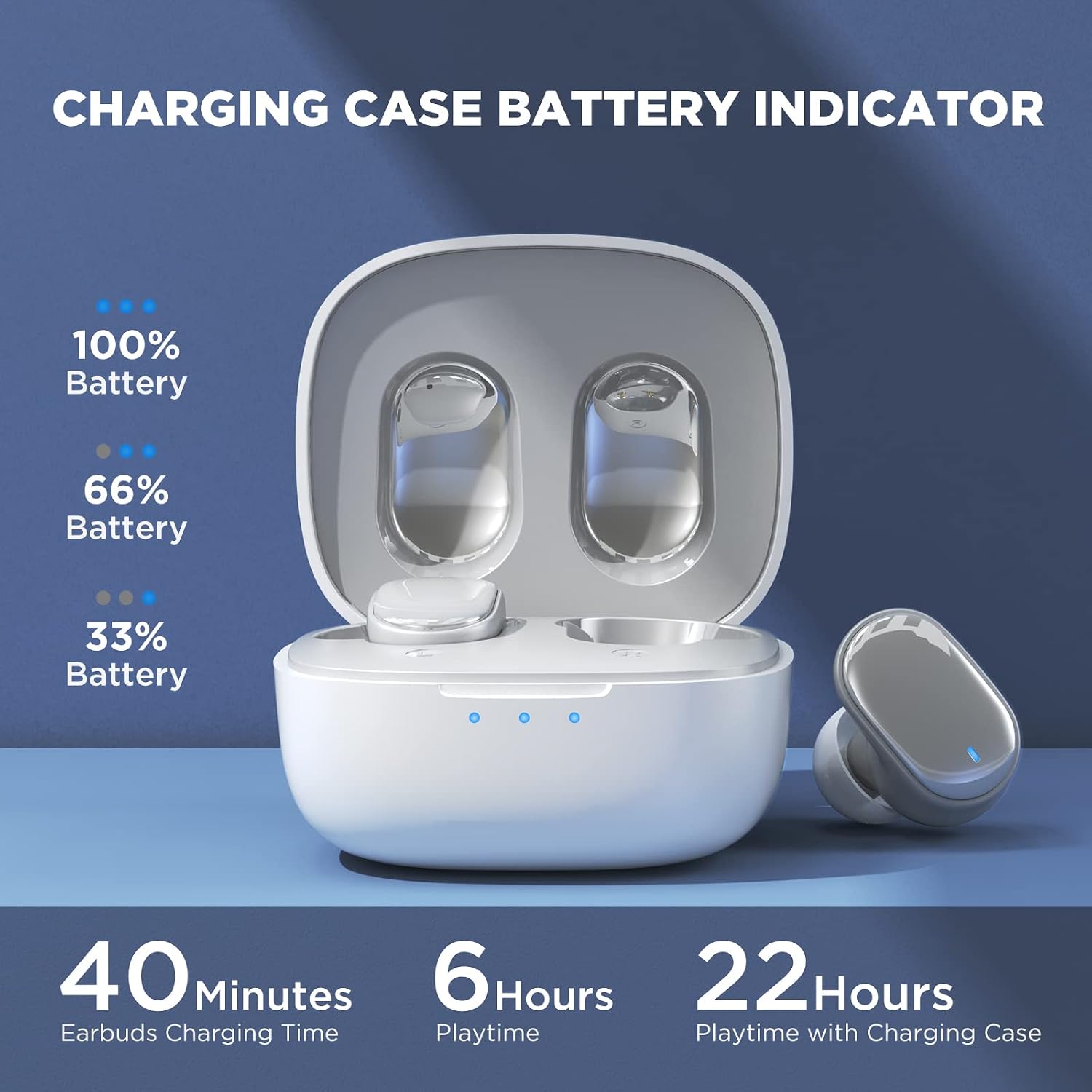
Image: Visual guide to the smart touch controls on the earbud.
Режим игре
Designed specifically for gaming, Game Mode provides an ultra-low latency of 45ms, ensuring audio and video remain synchronized for a smoother gaming experience. To activate or deactivate Game Mode, tap and hold either earbud for 2 seconds.
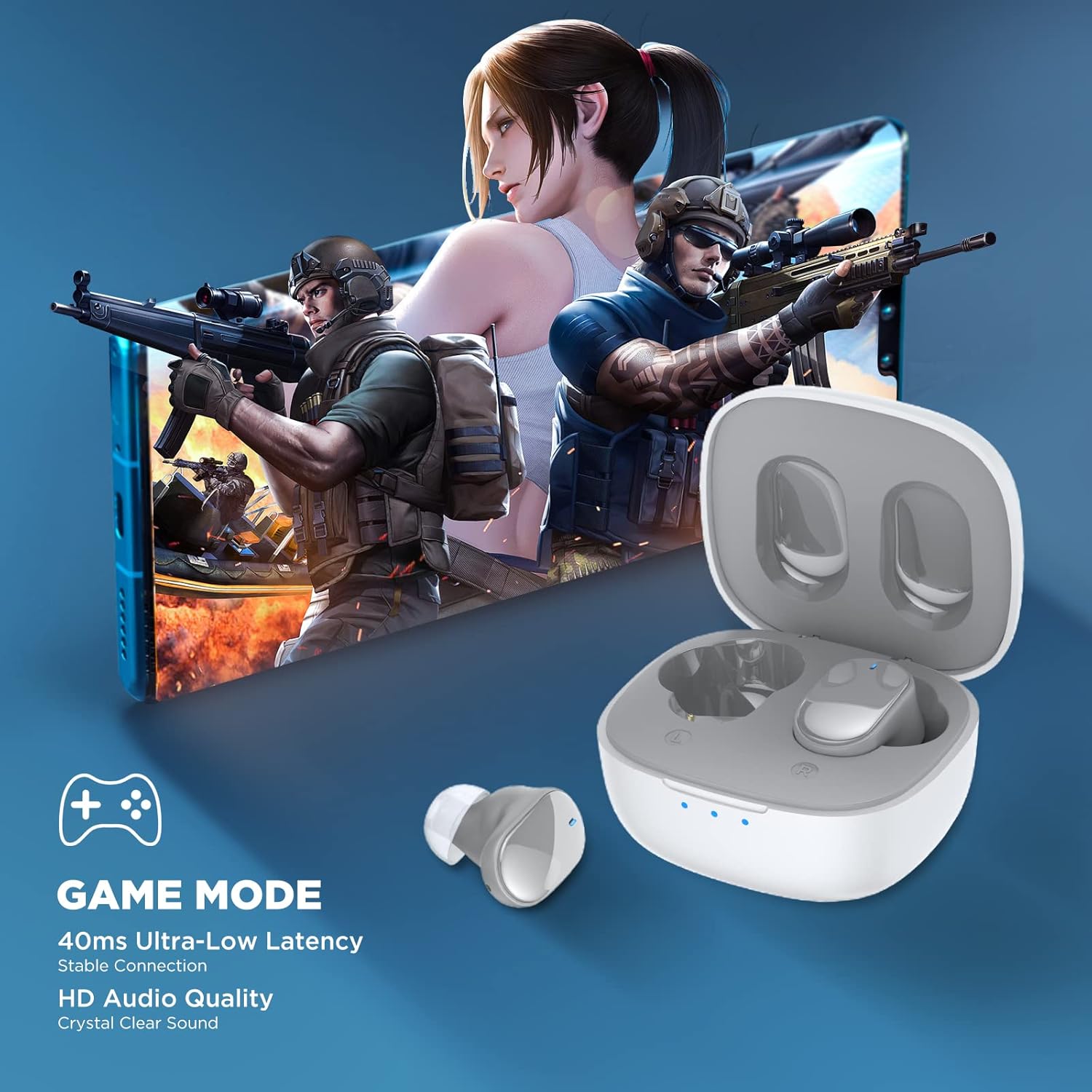
Image: Earbuds shown in a gaming context, highlighting the 40ms ultra-low latency Game Mode.
Квалитет звука
The earbuds are equipped with 10mm drivers, producing powerful bass and stunning treble for a rich audio experience.

Слика: Експлодирана view diagram illustrating the 10mm speaker driver components.
Одржавање и њега
- Чишћење: Редовно чистите слушалице и кућиште за пуњење меком, сувом крпом која не оставља влакна. Не користите јаке хемикалије или абразивне материјале.
- Earplug Care: Remove the silicone earplugs periodically and clean them with mild soap and water. Ensure they are completely dry before reattaching.
- Отпорност на воду: The earbuds are IPX4 waterproof, meaning they are resistant to sweat and splashing water. Do not submerge them in water or expose them to heavy rain.
- Складиштење: Када се не користе, чувајте слушалице у њиховој футроли за пуњење како бисте их заштитили и одржали напуњеним. Чувајте их на хладном и сувом месту, даље од екстремних температура.
- Трајање батерије: Да бисте продужили век трајања батерије, избегавајте често потпуно пражњење слушалица и кућишта за пуњење. Редовно их пуните, чак и ако се не користе дуже време.
Решавање проблема
| Проблем | Могуће решење |
|---|---|
| Слушалице се не упарују са уређајем. |
|
| Само једна слушалица ради. |
|
| Ниска јачина звука или лош квалитет звука. |
|
| Слушалице се не пуне. |
|
| Контроле додиром не реагују. |
|
Спецификације
| Феатуре | Детаљ |
|---|---|
| Назив модела | ТВС7 |
| Блуетоотх верзија | 5.3 |
| Технологија повезивања | бежични (Блуетоотх) |
| Аудио Латенци | 45 милисекунди (режим игре) |
| Време репродукције (једно пуњење) | Преко 6 сати |
| Укупно време репродукције (са кућиштем за пуњење) | До 22 сати |
| Време пуњења слушалица | КСНУМКС минута |
| Футрола за пуњење Време пуњења | 1.5 сата |
| Дривер Сизе | 10мм динамички драјвер |
| Отпорност на воду | IPX4 (отпоран на зној) |
| Тип контроле | Контрола додиром, гласовна контрола |
| Блуетоотх домет | До 10 метара (32.8 стопе) |
| Фреквенцијски опсег | 20 Hz - 20,000 Hz |
| Компатибилни уређаји | iOS, Android, Windows уређаји |
Информације о гаранцији
Your HTC True Wireless Earbuds 7 come with a 360 Days Warranty Extension. Please retain your proof of purchase for warranty claims.
This warranty covers manufacturing defects and issues arising from normal use. It does not cover damage caused by misuse, accidents, unauthorized modifications, or improper maintenance.
Корисничка подршка
For any questions, concerns, or technical assistance, please contact HTC customer support:
- Подршка за ћаскање уживо: Available 7 days a week, 24 hours a day. Refer to the product packaging or official HTC webсајт за конкретне контакт податке.
- Онлине ресурси: Visit the official HTC website for FAQs, updated manuals, and additional support resources.
We are committed to ensuring your satisfaction with our in-ear headphones.
Ask a question about this manual
Ask about setup, troubleshooting, compatibility, parts, safety, or missing instructions. Manuals+ will review the question and use this page’s manual context to help answer it.