
1. Увод
This manual provides detailed instructions for the installation, operation, maintenance, and troubleshooting of your Kwikset SmartCode 270 Keyless Entry Electronic Touchpad Deadbolt Door Lock. The SmartCode 270 offers enhanced security and convenience with its light-up touchpad and customizable user codes. It is BHMA Grade 2 certified, ensuring reliable security and durability against various elements.

Figure 1: The Kwikset SmartCode 270 deadbolt is suitable for various applications, including entry doors, shed doors, side doors, and garage doors.
2. Подешавање и инсталација
2.1 Шта је у кутији

Figure 2: Included components for the Kwikset SmartCode 270. Ensure all parts are present before beginning installation.
- Унутрашња скупштина
- Спољашња скупштина
- Подесива брава
- Стрике Плате
- Монтажна плоча
- СмартКеи Тоол
- 2 Kwikset tastera
- Хардвер за инсталацију
- Упутство за инсталацију
2.2 Процес инсталације
The Kwikset SmartCode 270 is designed for easy installation, requiring only a screwdriver. For detailed, interactive, 3D instructions with voice, text, and animation guidance, download the BILT app on your smartphone or tablet.
- Припремите врата: Ensure your door is properly prepped for a deadbolt.
- Инсталирајте браву: Insert the adjustable latch into the door edge and secure it with screws.
- Инсталирајте спољни склоп: Place the exterior keypad assembly onto the door, ensuring the cable passes through the door.
- Инсталирајте монтажну плочу: Secure the interior mounting plate to the exterior assembly with screws.
- Connect and Install Interior Assembly: Повежите кабл са спољашњег склопа на унутрашњи склоп. Монтирајте унутрашњи склоп на монтажну плочу.
- Инсталирајте батерије: Insert 4 AA alkaline batteries (not included) into the battery pack.
- Извршите процес руковања вратима: Follow the instructions in the BILT app or included guide to calibrate the lock to your door's orientation.
2.3 Инсталација батерије
The lock requires 4 AA alkaline batteries for operation. These are not included. For optimal performance, use new, high-quality alkaline batteries.

Figure 3: The Kwikset SmartCode 270 uses 4 AA batteries, providing approximately 12 months of battery life.
3. Упутство за употребу
3.1 Улаз без кључа
Да бисте откључали врата помоћу тастатуре:
- Tap the keypad to illuminate it.
- Enter your 4-8 digit user code.
- Press the Lock button (check mark symbol).
Затварач ће се увући, омогућавајући вам да отворите врата.

Figure 4: Keyless entry provides secure and convenient access without the need for traditional keys.
3.2 Функција аутоматског закључавања
The Auto-Lock feature automatically locks the deadbolt after a set period. This provides added security and peace of mind.
- Customizable Delay: You can set the auto-lock delay to 30 seconds, 1 minute, 3 minutes, 5 minutes, or 10 minutes.
- Активација: Refer to your installation guide or the BILT app for specific programming steps to enable and customize the Auto-Lock feature.

Figure 5: The Auto-Lock feature can be customized to automatically lock the door after a selected duration.
3.3 Управљање корисничким кодом
The SmartCode 270 allows you to manage up to 50 unique user codes, 10 one-time user codes, and 1 programming code.
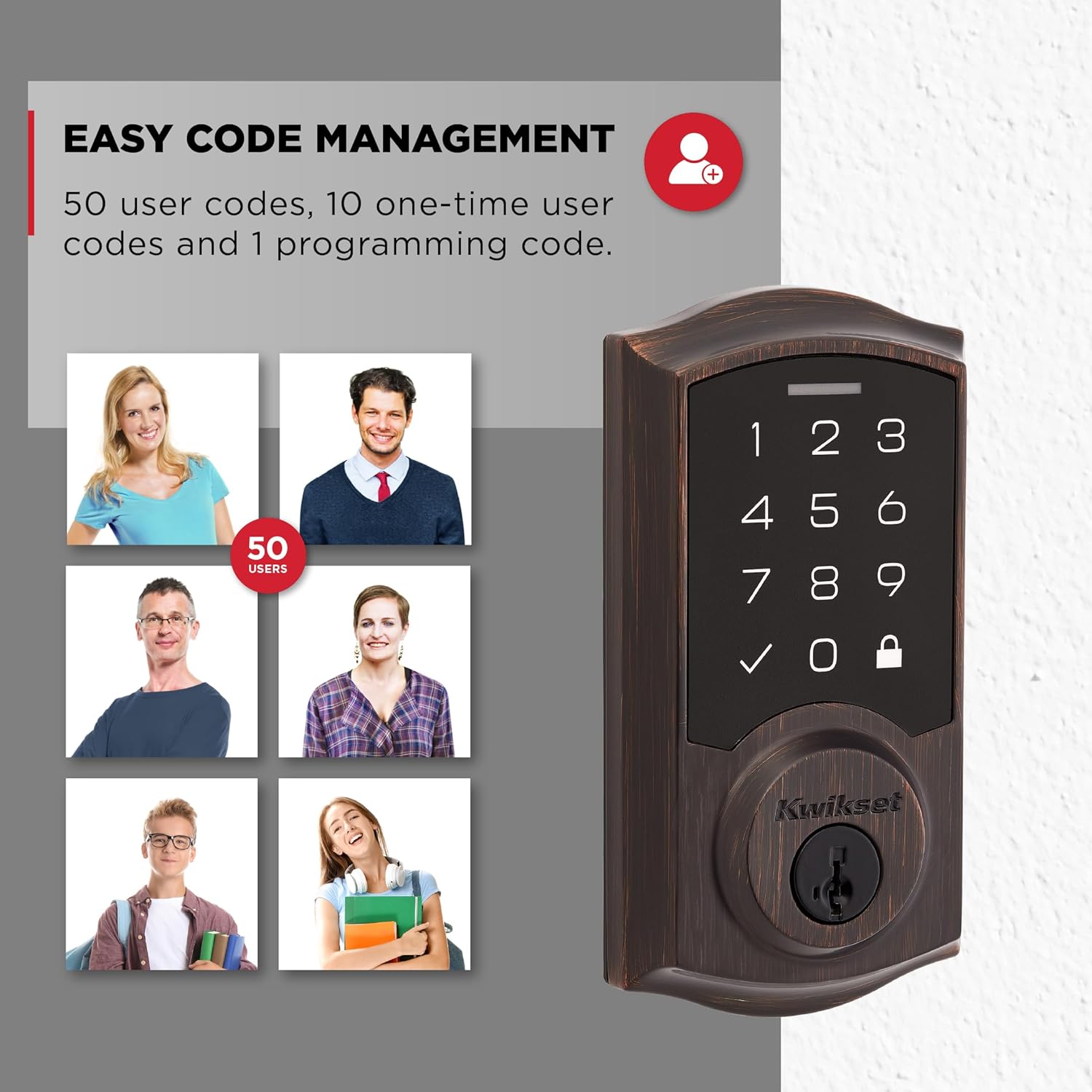
Figure 6: Manage up to 50 user codes for family, friends, or temporary access.
- Додавање корисничких кодова: Use the programming code to add new user codes.
- Deleting User Codes: Individual user codes can be deleted as needed.
- One-Time Codes: Create temporary codes that expire after a single use.
Refer to the full programming instructions in your installation guide for detailed steps on adding, deleting, and managing codes.
3.4 Intrusion Alert
For enhanced security, the lock features an intrusion alert. If 3 consecutive incorrect code entries are made, the lock will sound an alarm and disable the keypad for 1 minute. This prevents unauthorized tampеринг.
3.5 Режим одмора
Activate Vacation Mode to temporarily disable the keypad. This ensures that no user codes can operate the lock while you are away, providing an additional layer of security.
3.6 Low Light Code Entry
The keypad features bright LED lights that illuminate the numbers, making it easy to enter your user code in low-light conditions. Simply tap the keypad to activate the backlighting.
4. Одржавање
4.1 Замена батерије
The Kwikset SmartCode 270 is designed for a 12-month battery life under normal usage. When batteries are low, the lock will provide an audible and visual indicator. Replace all four AA alkaline batteries simultaneously to ensure consistent performance.
4.2 SmartKey Security Re-keying
The lock features SmartKey Security, which allows you to re-key your lock yourself in seconds. This is useful if you need to match your lock to an existing KW1 key or if you lose a key and want to prevent unauthorized access. Use the included SmartKey Learn Tool and follow the re-keying instructions provided in your installation guide.
КСНУМКС. Решавање проблема
- Тастатура не реагује: Check battery levels. Replace batteries if necessary. Ensure the cable connection between the exterior and interior assemblies is secure.
- Брава се не закључава/не закључава: Ensure the door is properly aligned and the latch can extend and retract freely. Check for any obstructions in the door frame or strike plate. Perform the door handing process again if the lock was recently installed or re-installed.
- User Code Not Working: Verify the user code is entered correctly. Ensure the lock is not in Vacation Mode. If multiple incorrect attempts were made, the keypad might be temporarily disabled due to the Intrusion Alert feature. Wait 1 minute before trying again.
- Аутоматско закључавање не функционише: Check if the Auto-Lock feature is enabled and configured with the desired delay setting.
- Lock Sounds Alarm: This indicates the Intrusion Alert has been triggered due to 3 consecutive incorrect code entries. The keypad will be disabled for 1 minute.
6. Спецификације производа

Figure 7: Dimensions of the Kwikset SmartCode 270 Electronic Door Lock.
| Феатуре | Детаљ |
|---|---|
| Број модела | 992700-009 |
| Тип закључавања | Завртањ тастатуре |
| Материјал | Метал |
| Заврши | Venetian Bronze (as per current product) |
| Извор напајања | 4x AA алкалних батерија (нису укључене) |
| Трајање батерије | Отприлике 12 месеци |
| Кориснички кодови | Up to 50 user codes, 10 one-time codes, 1 programming code |
| Сецурити Цертифицатион | Сертификован од стране BHMA 2. степена |
| Посебне карактеристике | Alarm, Auto-Lock, Back-Lit Keypad, One-Touch Lock, Passcode Unlock, SmartKey Re-Key Security, Vacation Mode |
| Димензије (Д к Ш к В) | 4.13 к 5.19 к 9.91 инча |
| Тежина артикла | 1 фунта |
7. Гаранција и подршка
7.1 Гаранција произвођача
Kwikset products are backed by a manufacturer's warranty. Please refer to the warranty card included with your product or visit the official Kwikset website for detailed warranty terms and conditions. This typically covers defects in material and workmanship.
7.2 Политика враћања
This product is eligible for a 30-day return policy for refunds or replacements, subject to the retailer's terms of sale.
7.3 Корисничка подршка
For technical assistance, troubleshooting not covered in this manual, or warranty claims, please contact Kwikset Customer Support. Contact information can be found on the Kwikset webсајту или у паковању вашег производа.