
ORIA Bluetooth Receiver 5.0 User Manual
Model: Bluetooth Receiver 5.0
1. Увод
The ORIA Bluetooth Receiver 5.0 is a versatile audio adapter designed to add Bluetooth functionality to non-Bluetooth devices. It supports both receiving (RX) and transmitting (TX) modes, allowing you to wirelessly stream audio from your smartphone to a car stereo or speaker, or from your TV to Bluetooth headphones. Featuring Bluetooth 5.0 technology and CVC noise reduction, it provides stable connections and clear audio quality for music and hands-free calls.
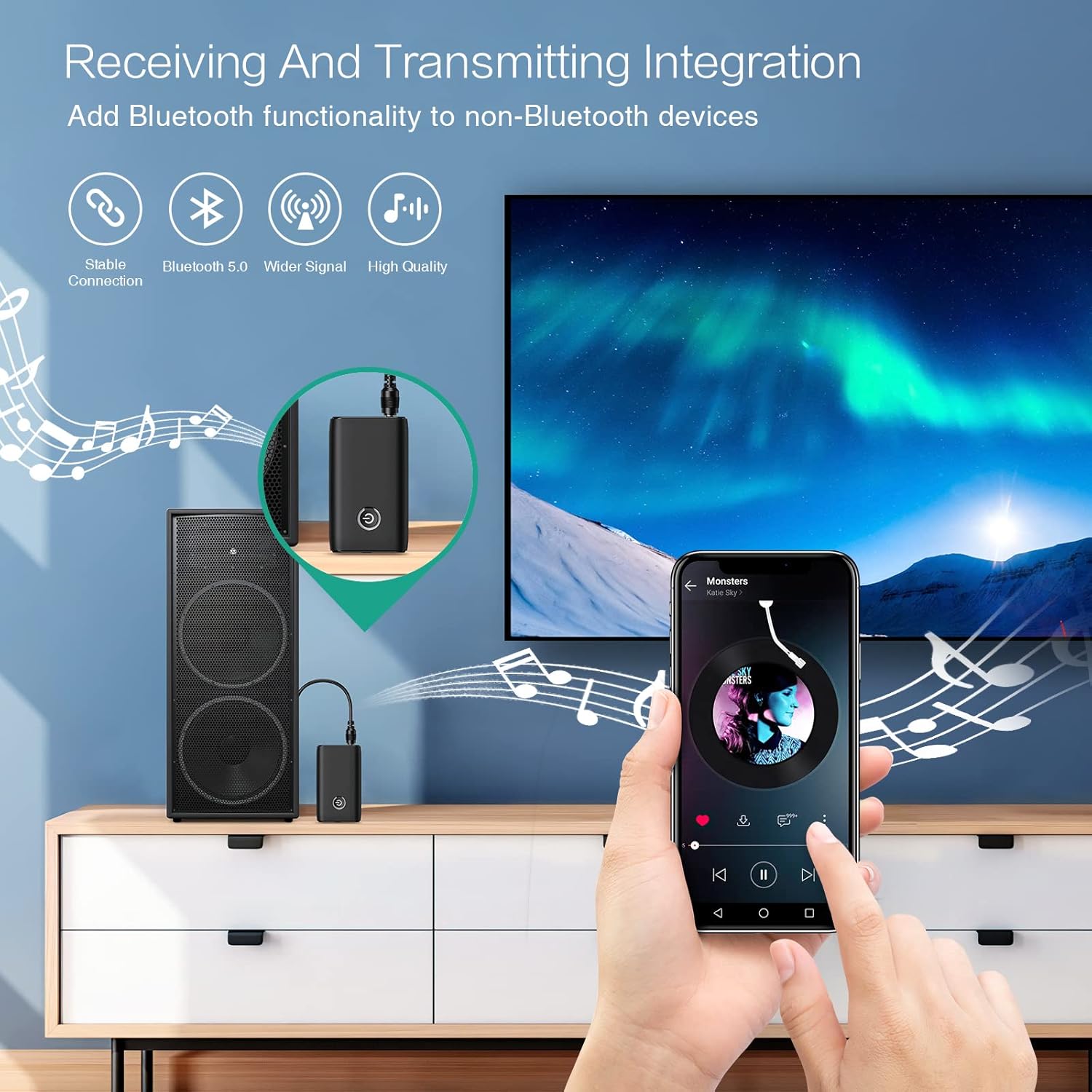
Figure 1.1: The ORIA Bluetooth Receiver 5.0 integrating with various audio systems, showcasing its dual receiving and transmitting functions.
2. Садржај пакета
Молимо вас да проверите пакет за следеће ставке:
- ORIA Bluetooth Receiver 5.0 Unit
- 3.5 мм аудио кабл
- USB кабл за пуњење (тип C)
- Упутство за употребу

Figure 2.1: All items included in the ORIA Bluetooth Receiver 5.0 package.
3. Производ је готовview
Familiarize yourself with the device's components and indicators:

Figure 3.1: Detailed diagram of the ORIA Bluetooth Receiver 5.0, highlighting its ports, buttons, and LED indicator meanings.
- 3.5 мм аудио порт: Connects to audio input/output devices.
- Мицро УСБ порт за пуњење: За пуњење уређаја.
- RX/TX прекидач: Toggles between Receiver (RX) and Transmitter (TX) modes.
- Вишенаменско дугме: Укључивање/искључивање, репродукција/пауза, одговарање/прекидање позива.
- Connection Indicator Light:
- Red & Blue flashing: Pairing State
- Red flashing: Low Battery Warning
- Blue solid: Connected
4. Карактеристике
- Блуетоотх КСНУМКС: Provides a stable wireless connection up to 10 meters for music streaming and audio calls.
- Intelligent Noise Reduction (CVC): Enhances audio clarity by reducing background noise, supporting A2DP, AVRCP, HFP, HSP protocols.
- Dual Mode (TX/RX): Converts non-Bluetooth devices into Bluetooth-enabled devices for both transmitting and receiving audio.
- Дуг век трајања батерије: Up to 8 hours of play/talk time, 60 days standby, with a 2-hour full charge time.
- УСБ пуњење: Allows use while charging without interrupting calls or music.
- Лако руковање: Simple one-button control for power, play/pause, and call management.
- Преносиви дизајн: Small and lightweight for convenient transport and use anywhere.
5. Подешавање и рад
5.1 Пуњење уређаја
Before first use, fully charge the device. Connect the provided USB charging cable to the Micro USB Charging Port on the receiver and the other end to a USB power source (e.g., car charger, wall adapter, computer USB port). The indicator light will show charging status.

Figure 5.1: Battery life and charging duration of the ORIA Bluetooth Receiver 5.0.
5.2 Switching Between Receiver (RX) and Transmitter (TX) Modes
The device features a physical switch to change between RX and TX modes. Важно: Always power off the device before switching modes to ensure proper functionality.

Figure 5.2: Instructions for switching between Transmitter (TX) and Receiver (RX) modes.
5.3 Подешавање режима пријемника (RX)
Use RX mode to receive audio from a Bluetooth-enabled device (e.g., smartphone, tablet) and play it through a non-Bluetooth audio system (e.g., car stereo, home speaker, wired headphones).
- Switch to RX: Ensure the device is powered off, then slide the switch to the "RX" position.
- Повежите се са аудио системом: Plug one end of the 3.5mm audio cable into the receiver's 3.5mm Audio Port and the other end into the AUX input of your car stereo, home speaker, or wired headphones.
- Укључено: Press and hold the Multi-function Button to power on the receiver. The indicator light will flash red and blue, indicating pairing mode.
- Упаривање са телефоном: On your smartphone or other Bluetooth device, enable Bluetooth and search for "ORIA-B6" (or similar name). Select it to pair. Once connected, the indicator light will turn solid blue.
- Пусти музику: Start playing audio on your paired device. The sound will now be transmitted wirelessly to your connected audio system.

Figure 5.3: Easy setup steps for Receiver (RX) mode, typically used in a car.
5.4 Подешавање режима предајника (TX)
Use TX mode to transmit audio from a non-Bluetooth device (e.g., TV, PC, MP3 player) to a Bluetooth-enabled audio output (e.g., Bluetooth headphones, Bluetooth speaker).
- Switch to TX: Ensure the device is powered off, then slide the switch to the "TX" position.
- Повежите се са извором звука: Plug one end of the 3.5mm audio cable into the receiver's 3.5mm Audio Port and the other end into the audio output (e.g., headphone jack) of your TV, PC, or MP3 player.
- Укључено: Press and hold the Multi-function Button to power on the transmitter. The indicator light will flash red and blue, indicating pairing mode.
- Pair with Bluetooth Headphones/Speaker: Put your Bluetooth headphones or speaker into pairing mode. The receiver will automatically search for and connect to nearby Bluetooth audio devices. Once connected, the indicator light will turn solid blue.
- Уживајте у звуку: Play audio from your connected source device. The sound will now be transmitted wirelessly to your Bluetooth headphones or speaker.

Figure 5.4: Easy setup steps for Transmitter (TX) mode, typically used with a TV.
5.5 Универзална компатибилност
The ORIA Bluetooth Receiver 5.0 is designed for broad compatibility with various devices in both TX and RX modes.
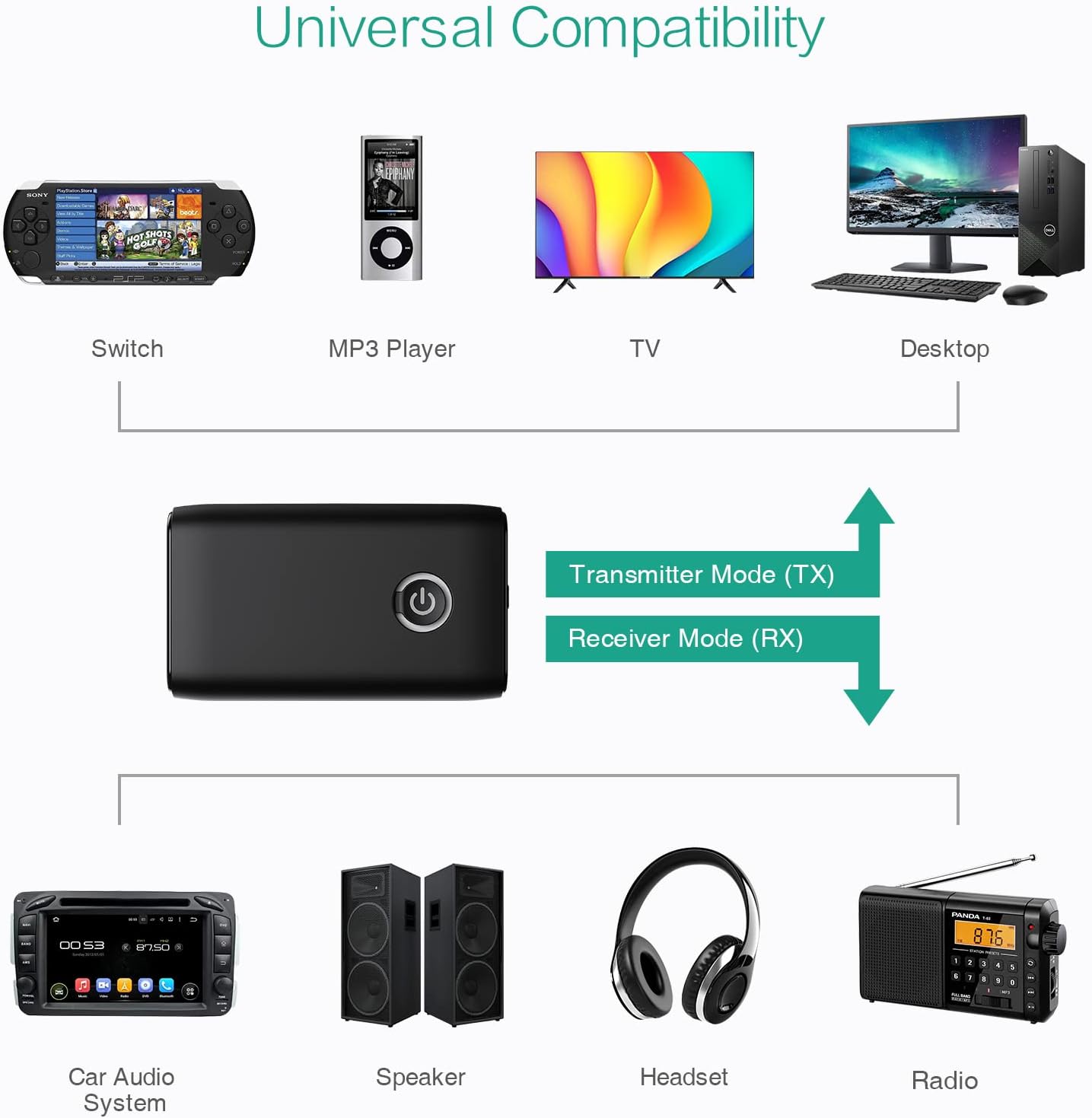
Слика 5.5: Прamples of devices compatible with the ORIA Bluetooth Receiver 5.0 in both TX and RX modes.
6. Упутство за употребу
6.1 Контрола репродукције музике
- Пусти/паузирај: Кратко притисните вишенаменско дугме.
- Следећа нумера: (Functionality may vary depending on connected device and mode. Typically controlled via the source device.)
- Претходни запис: (Functionality may vary depending on connected device and mode. Typically controlled via the source device.)
- Контрола јачине звука: Adjust volume directly on your paired device (smartphone, TV, etc.) or the connected audio system.
6.2 Позивање без употребе руку (само у режиму пријема)
When in Receiver (RX) mode and paired with a smartphone:
- Одговори на позив: Short press the Multi-function Button when a call comes in.
- Заврши позив: Кратко притисните вишефункционални тастер током позива.
- Одбиј позив: Press and hold the Multi-function Button for 2 seconds when a call comes in.
- Поновно бирање последњег броја: Двапут притисните вишефункционално дугме.
7. Одржавање
- Држите уређај сувим. Избегавајте излагање влази или течностима.
- Не покушавајте да растављате или модификујете уређај. То ће поништити гаранцију.
- Очистите уређај меком, сувом крпом. Не користите јаке хемикалије или абразивна средства за чишћење.
- Чувајте уређај на хладном и сувом месту када се не користи дуже време.
КСНУМКС. Решавање проблема
If you encounter issues with your ORIA Bluetooth Receiver 5.0, please refer to the following common solutions:
| Проблем | Решење |
|---|---|
| Уређај се не укључује. | Ensure the device is fully charged. Connect it to a power source using the USB charging cable. |
| Не може се упарити са Bluetooth уређајем. |
|
| Нема звука или је квалитет звука лош. |
|
| Уређај се често искључује. |
|
9. Спецификације
| Феатуре | Детаљ |
|---|---|
| Бранд | ОРИА |
| Технологија повезивања | Блуетоотх, УСБ |
| Стандард бежичне комуникације | Блуетоотх 5.0 |
| Извор напајања | Напаја се батеријама, електричним каблом |
| Посебна карактеристика | Bluetooth Receiver, Portable |
| Врста инсталације | Плуг Ин |
| Хардверски интерфејс | Блуетоотх, УСБ |
| Смањење буке | ЦВЦ технологија |
| Battery Life (Play/Talk) | До 8 сати |
| Време приправности | 60 дана |
| Време пуњења | Отприлике 2 сата |
10. Гаранција и подршка
This ORIA Bluetooth Receiver 5.0 comes with a 1 година гаранције од дана куповине.
If you experience any problems with the product's use or function, or if the product is defective or damaged, please contact the seller directly for assistance. They will provide support and solutions to resolve your issue.