
Увод
The MICRO-AIR EasyTouch Digital Thermostat is designed to provide advanced climate control for your Recreational Vehicle (RV). This programmable thermostat offers wireless communication via WiFi and Bluetooth, allowing for convenient temperature management and monitoring. It automatically detects system sources such as furnaces, heat strips, and cooling units, ensuring seamless operation and enhanced comfort during your travels.
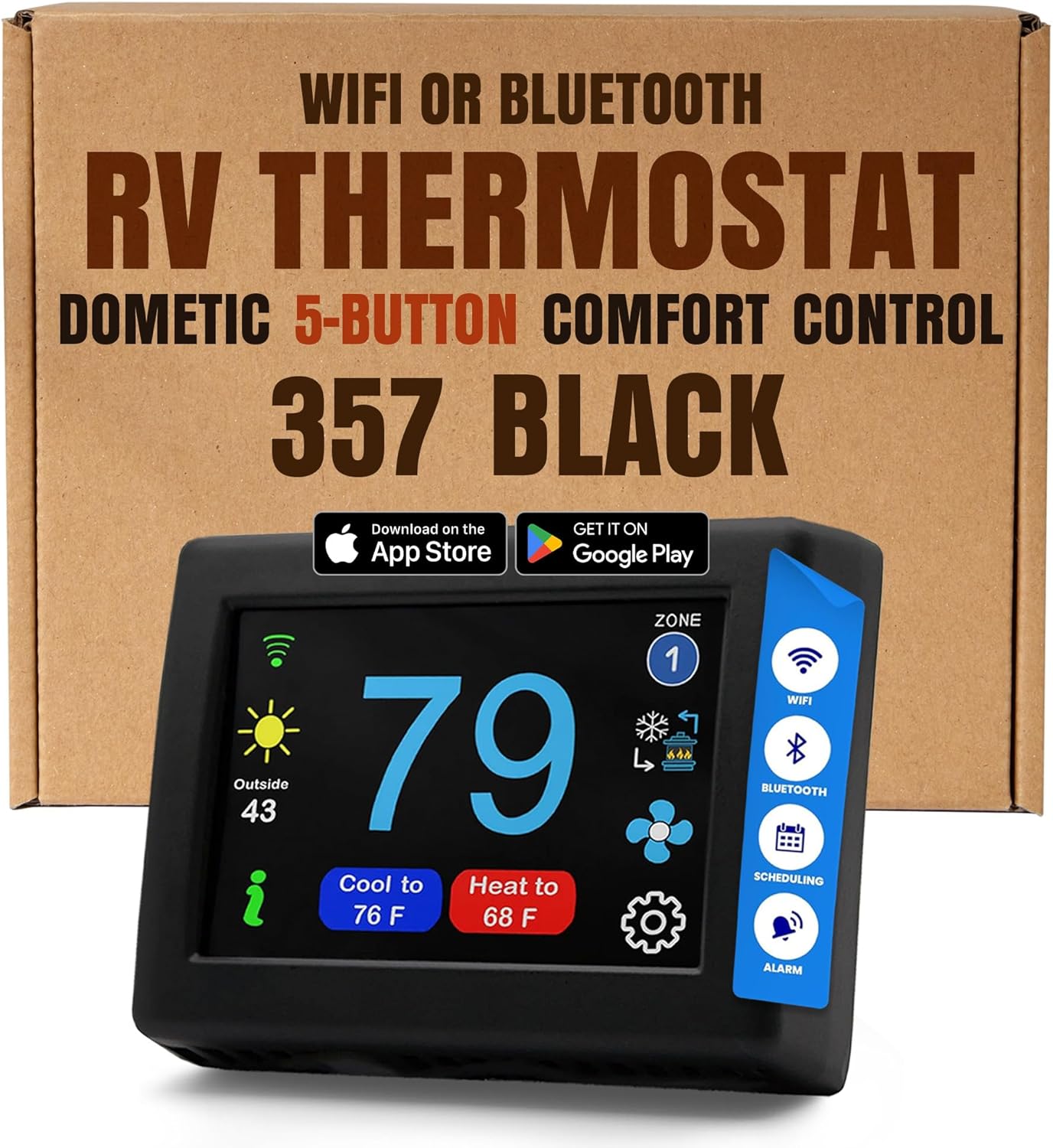
Image: The MICRO-AIR EasyTouch 357 Black Thermostat, a digital WiFi and Bluetooth enabled device for RV climate control.
Кључне карактеристике
- Touch Screen Digital Display: Features a large color touch screen (3" x 3.9" x 1.06") for intuitive and effortless temperature adjustments.
- Programmable Functionality: Allows for setting custom heating and cooling schedules to optimize comfort and energy efficiency.
- Бежична повезаност: Equipped with WiFi and Bluetooth for remote monitoring and control via a smartphone application.
- Automatic System Detection: Intelligently identifies and integrates with various RV system sources, including furnaces, heat strips, and cooling units.
- Широка компатибилност: Designed to replace specific Dometic 5-button thermostats (e.g., 3109228.001, 3109228.019, 3313189.000).
- Free Feature Updates: Receive ongoing software enhancements via WiFi, ensuring your thermostat is always up-to-date.
Садржај пакета
Upon opening your MICRO-AIR EasyTouch Thermostat package, you should find the following components:
- MICRO-AIR EasyTouch Thermostat Unit
- Кориснички приручник (овај документ)
- Монтажни хардвер
- Wall Plate (if applicable)
Компатибилност
The MICRO-AIR EasyTouch 357 Black thermostat is specifically designed as a replacement for 5-button Dometic thermostats with OEM model numbers such as 3109228.001, 3109228.019, and 3313189.000. It is crucial to verify your existing thermostat's button configuration to ensure proper compatibility.
Важна напомена: Овај модел је не compatible with 4-button Dometic Multi-zone thermostats. Please count the buttons on your current thermostat carefully before installation.

Image: Visual guide illustrating the difference between compatible 5-button and incompatible 4-button Dometic thermostats.
Video: A guide from Hutch Mountain on how to choose the correct EasyTouch thermostat model based on your existing RV thermostat.
Инсталација
The installation process for the MICRO-AIR EasyTouch Thermostat is designed to be straightforward. Follow these general steps:
- Removing the Old Thermostat: Carefully depress the rectangular locking tab at the bottom of your existing thermostat using a small screwdriver. Gently pull the thermostat away from the wall from the bottom. Unplug the connector by depressing the locking tab. Remove the back plate mounting screws and detach the back plate.
- Wiring the New Thermostat: The EasyTouch thermostat features a simple telephone-style modular jack. This is a six-pin version of a common Ethernet connector with a press tab for removal. Press the tab to remove the connector from your old thermostat and insert it into the new EasyTouch thermostat.
- Mounting the New Thermostat:
- Поставите дугмад за монтажу хоризонтално преко рупе са мањим пречником уз зид.
- Заврните један шраф и поравнајте дугмад тако да екран буде раван када се инсталира.
- Screw in the second screw, ensuring both buttons remain level.
- Remove the mounting tab before mounting the unit on the wall.
- Align and press the display against the wall, then gently slide the display down to lock it in place.

Image: Step-by-step diagram for removing the old thermostat, wiring, and mounting the new MICRO-AIR EasyTouch thermostat.
Операција
The EasyTouch thermostat features a user-friendly interface for controlling your RV's climate. The large color touch screen allows for quick adjustments and mode selections.
- Подешавање температуре: Tap the temperature display or use the up/down arrows on the screen to set your desired temperature.
- Избор режима: Easily switch between heating, cooling, and fan-only modes using the dedicated icons on the display. The thermostat automatically detects available system sources.
- Контрола зоне: If your RV supports multiple zones, you can switch between zones to manage temperatures independently.
- Заказивање: Utilize the scheduling feature to program temperature changes throughout the day or week for optimal comfort and energy savings.

Image: A user interacting with the large colored touch screen of the EasyTouch thermostat, demonstrating its ease of use.
Pristup mobilnim aplikacijama
Control your RV's climate from anywhere with the EasyTouch RV App, available for both iOS and Android devices. The app provides comprehensive control over your air conditioner, furnace, and heat pump, allowing you to monitor and adjust settings remotely via WiFi or Bluetooth.
- Даљинско праћење: Check the current indoor and outdoor temperatures of your RV from your smartphone.
- Контрола температуре: Adjust setpoints for heating and cooling, and switch between operational modes.
- Scheduling Management: Create, modify, or activate temperature schedules directly from the app.
- Ажурирања бежичним путем: Benefit from free feature updates delivered directly to your thermostat via WiFi, ensuring continuous improvement without monthly service fees.

Image: A smartphone showing the EasyTouch RV App interface, highlighting remote control capabilities for the thermostat.
Спецификације
| Атрибут | Детаљ |
|---|---|
| Бранд | MICRO-AIR |
| Назив модела | EasyTouch RV Touch Screen Thermostat with WiFi and Bluetooth |
| Димензије производа | 1"Д к 4"Ш к 3"В |
| Тип контролера | iOS, Android App, Touchpad Control |
| Посебна карактеристика | Програмабилно |
| Боја | Црно |
| Специфичне употребе | Heating, Furnace, Air Conditioner, Heat Pump |
| Тип контроле температуре | Грејање, хлађење |
| Технологија повезивања | Блуетоотх, Ви-Фи |
| Извор напајања | Battery Powered (24 Volts AC) |
| Материјал | Пластика, метал |
| Величина екрана | 3 инча |
| Тип монтаже | Валл Моунт |
| УПЦ | 850044964307 |
| Број модела ставке | АСИ-357-Кс01 |
| Земља порекла | САД |
Решавање проблема
If you encounter any issues with your MICRO-AIR EasyTouch Thermostat, please consider the following general advice:
- Проблеми са повезивањем: Ensure your RV's WiFi network is active and the thermostat is within range. For Bluetooth, ensure your mobile device is close to the thermostat.
- Temperature Discrepancies: Verify that the thermostat's internal sensor is not obstructed and that the unit is properly calibrated if an option is available in the settings.
- Одговор система: Confirm that the wiring connections are secure and that your RV's heating and cooling systems are receiving power.
- Ажурирања фирмвера: Check the mobile app for any available firmware updates, as these often resolve known issues and improve performance.
For detailed troubleshooting steps or persistent problems, please refer to the comprehensive user manual included with your product or contact MICRO-AIR customer support.
Гаранција и подршка
MICRO-AIR stands by the reliability of its products. The EasyTouch Digital RV Thermostat comes with a manufacturer's warranty. For specific warranty terms and conditions, please refer to the documentation provided with your purchase.
Should you have any questions, require technical assistance, or need support with your thermostat, please do not hesitate to contact Hutch Mountain, the dedicated support team for MICRO-AIR products. Their commitment is to ensure your satisfaction and provide the power you need when you need it most.