
Google GE2AE
Гоогле Пикел 7 Про
Упутство за употребу
Model: GE2AE | Brand: Google
Увод
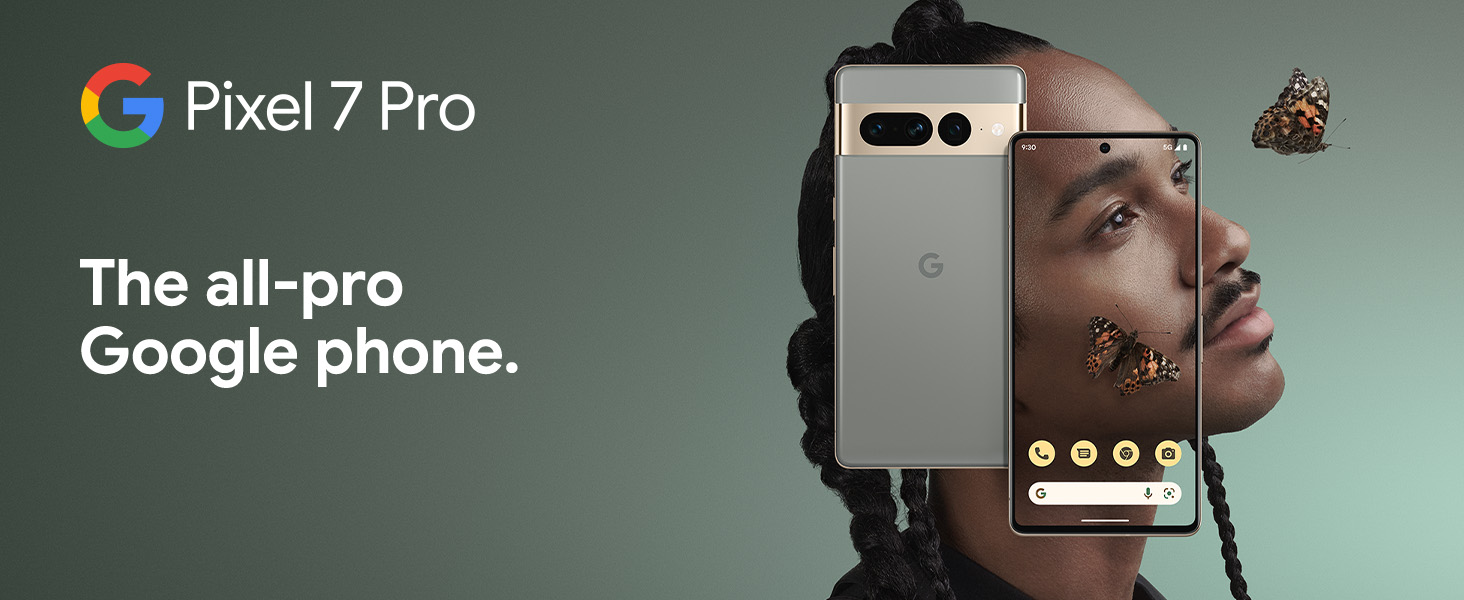
The Google Pixel 7 Pro is a powerful 5G Android smartphone designed for an exceptional user experience. Powered by the Google Tensor G2, it offers fast and secure performance, an immersive display, and extended battery life. This manual provides essential information for setting up, operating, maintaining, and troubleshooting your device.
Шта је у кутији
Upon unboxing your Google Pixel 7 Pro, you should find the following items:
- Cell Phone (Google Pixel 7 Pro)
- USB кабл (за пуњење и пренос података)
- SIM Tray Ejector (for accessing the SIM card slot)
- Quick Switch Adapter (for easy data transfer from your old phone)
- Quick Start Guide (a brief setup guide)

Сетуп
Follow these steps to set up your new Google Pixel 7 Pro:
- Уметните СИМ картицу: Use the provided SIM tray ejector tool to open the SIM card slot on the side of the phone. Insert your nano-SIM card into the tray and reinsert it into the phone.
- Укључено: Press and hold the power button on the side of the device until the Google logo appears.
- Почетно подешавање: Пратите упутства на екрану да бисте изабрали језик, повезали се на Wi-Fi и пријавили се помоћу свог Google налога.
- Пренос података: If you are transferring data from an old device, use the Quick Switch Adapter and follow the instructions. Note that some third-party apps and data may not transfer automatically. For more information, visit g.co/pixel/copydatahelp.
- Откључавање отиска прста: Set up the on-screen fingerprint sensor for secure and convenient unlocking.

Управљање вашим уређајем
Кључне карактеристике
- Google Tensor G2 Processor: Experience fast and efficient performance with improved AI capabilities for smarter features.
- 5Г повезивање: Enjoy high-speed internet access on major carrier networks (requires a 5G data plan, sold separately).
- Адаптивна батерија: Designed to last over 24 hours with typical usage, extending up to 72 hours with Extreme Battery Saver mode.
- Smooth 120Hz Display: The 6.7-inch display intelligently adjusts its refresh rate for smooth scrolling and responsive interactions.
- Titan M2 Security Chip: Multiple layers of hardware security protect your personal information and data.
- Google Assistant and Find My Device: Utilize hands-free voice commands and easily locate your device if lost.
- Durable and Water Resistant Design: Built to withstand daily use, with an IP68 rating for dust and water resistance.
Карактеристике камере
The Pixel 7 Pro features an advanced triple camera system, enabling you to capture stunning photos and videos in various conditions:
- 50MP Main Sensor: За слике високе резолуције и детаља.
- 12MP Ultrawide Lens: Capture broader scenes with a wider field of view.
- 48MP Telephoto Lens: Offers 4x optical zoom for clear, detailed shots from a distance.
Advanced features include Macro Focus for extreme close-ups, Cinematic Blur for professional-looking videos, and improved low-light photography.

Отпорност на воду и прашину (ИП68)
Your Pixel 7 Pro is designed to be water and dust resistant, with an IP68 rating under IEC standard 60529. This means it can withstand submersion in up to 1.5 meters of fresh water for up to 30 minutes. While durable, water and dust resistance are not permanent conditions and may diminish over time with normal wear and tear. Avoid intentional submersion or exposure to harsh chemicals.

Одржавање
To ensure the longevity and optimal performance of your Google Pixel 7 Pro, follow these maintenance guidelines:
- Чишћење: Користите меку крпу која не оставља влакна за чишћење екрана и кућишта телефона. За тврдокорне мрље, благо обришитеampen the cloth with water. Avoid abrasive materials or harsh cleaning agents.
- Заштита: Consider using a protective case and screen protector to guard against scratches and accidental drops.
- температура: Avoid exposing your phone to extreme temperatures (very hot or very cold) as this can affect battery life and internal components.
- Пуњење: Use only Google-approved chargers and cables to prevent damage to the battery and charging port.
- Ажурирања софтвера: Keep your device's software updated to the latest version to benefit from security patches, bug fixes, and new features.
Решавање проблема
If you encounter issues with your Pixel 7 Pro, try the following common troubleshooting steps:
- Поново покрените уређај: A simple restart can often resolve minor software glitches. Press and hold the power button, then tap "Restart."
- Проверите ажурирања: Ensure your Android operating system is up to date. Go to Settings > System > System update.
- Обриши кеш апликације: If a specific app is causing issues, try clearing its cache. Go to Settings > Apps > See all apps, select the app, then Storage & cache > Clear cache.
- Безбедни режим: Booting into Safe Mode can help identify if a third-party app is causing problems. Press and hold the power button, then touch and hold "Power off." Tap "OK" when prompted to restart in Safe Mode.
- Фацтори Ресет: Као крајње средство, можете извршити фабричко ресетовање. Упозорење: Овим ћете обрисати све податке на телефону. Направите резервну копију важних података пре него што наставите. Идите на Подешавања > Систем > Опције ресетовања > Обриши све податке (ресетовање на фабричка подешавања).
- Контактирајте подршку: If the issue persists, contact Google Support for further assistance.
Спецификације
Detailed technical specifications for the Google Pixel 7 Pro (Obsidian, 256GB model):
| Феатуре | Спецификација |
|---|---|
| Димензије производа | 6.42 к 3.02 к 0.34 инча |
| Тежина артикла | 7.4 унци |
| ASIN | B0BCQVFQHD |
| Број модела ставке | ГЕ2АЕ |
| Батерије | Потребна је 1 литијум-јонска батерија. (укључено) |
| Оперативни систем | Андроид 13.0 |
| РАМ | 12 ГБ |
| Капацитет меморије | 256 ГБ |
| Бежичне комуникационе технологије | Блуетоотх |
| Цоннецтивити Тецхнологиес | Блутут, НФЦ, Ви-Фи |
| ГПС | Истина |
| Унос људског интерфејса | Тоуцхсцреен |
| Резолуција скенера | 2560 к 1440 |
| Остале карактеристике камере | Напред Позади |
| Аудио Јацк | Нема прикључка за слушалице |
| Форм Фацтор | Бар |
| Боја | Обсидиан |
| Оцена снаге батерије | 4926 мАх |
| Време разговора телефоном | 24 сата |
| Произвођач | Гоогле |
| Датум првог доступног | 6. октобра 2022. године |
| Величина екрана на стојећем екрану | 6.7 инча |
| Брзина процесора | 2.85 ГХз |
| Рефресх Рате | 120 Хз |
| Назив модела | Пикел 7 Про |
| Вирелесс Царриер | Откључано за све превознике |
Гаранција и подршка
Your Google Pixel 7 Pro comes with a 1-годишња гаранција произвођача, providing comprehensive coverage for peace of mind.
For additional support, frequently asked questions, or to contact customer service, please visit the official Google Support website or the Google Store: