
1. Увод
This manual provides comprehensive instructions for the operation, setup, and maintenance of your YOWHICK Native 1080P 5G WiFi Bluetooth Projector. Please read this manual thoroughly before using the projector to ensure proper and safe operation. Keep this manual for future reference.

Image: The YOWHICK Native 1080P 5G WiFi Bluetooth Projector, showcasing its compact design and lens. This projector supports 4K input, offers native 1080P resolution, 12000 Lux brightness, and 5G WiFi connectivity.
2. Безбедносне информације
Да бисте спречили пожар или струјни удар, не излажите овај уређај киши или влази. Не отварајте поклопац.asing to avoid electric shock. Refer all servicing to qualified personnel.
- Не блокирајте отворе за вентилацију.
- Користите само додатке/прибор које је навео произвођач.
- Unplug the projector during lightning storms or when unused for long periods.
- Избегавајте директно излагање очију сочиву пројектора када је укљученоamp је укључен.
3. Садржај пакета
Проверите да ли су сви предмети укључени у ваш пакет:
- YOWHICK Native 1080P 5G WiFi Bluetooth Projector
- Повер Цабле
- Ремоте Цонтрол
- ХДМИ кабл
- АВ кабл
- Упутство за употребу
- Projection Screen (included with some models)
4. Производ је готовview
Упознајте се са главним компонентама вашег пројектора.
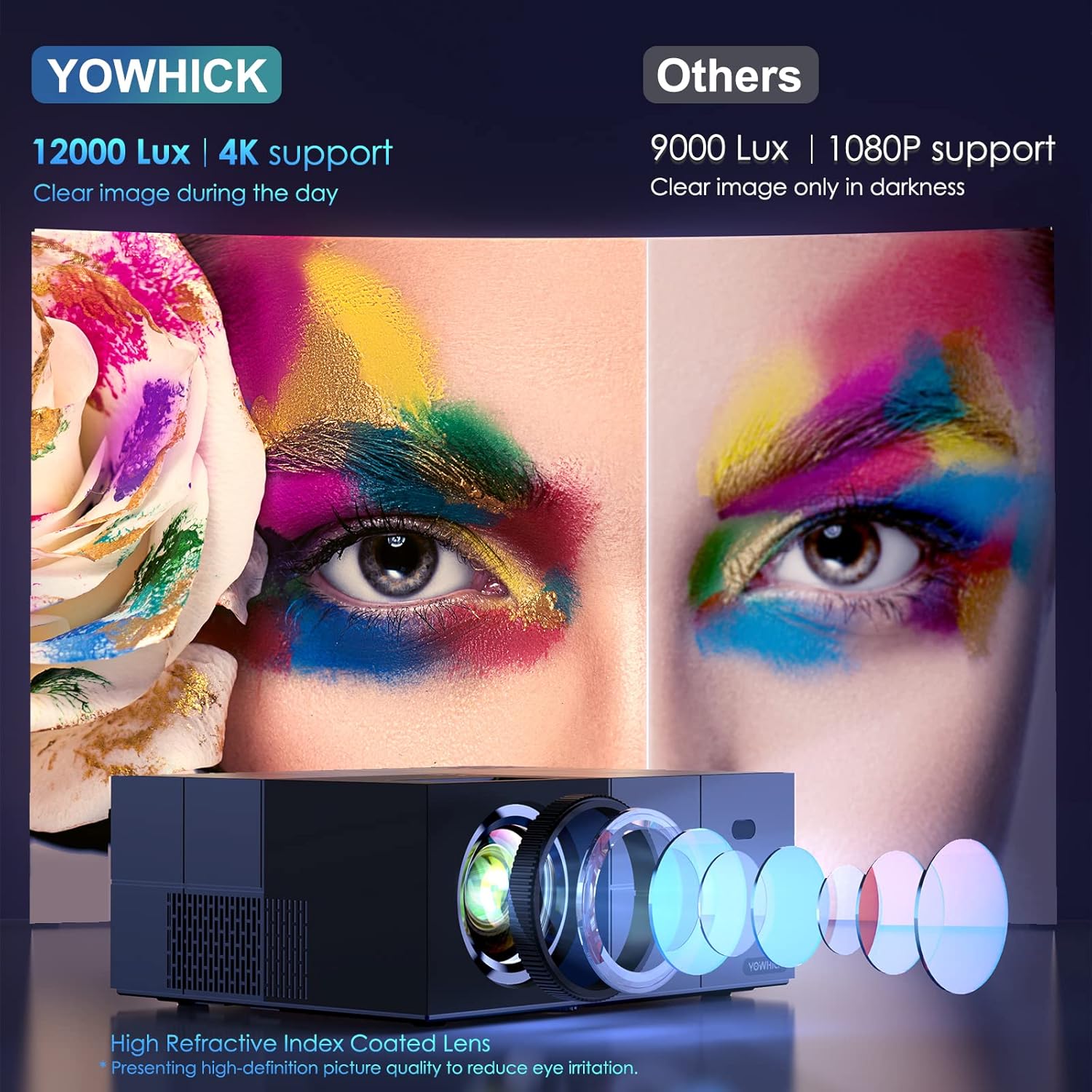
Слика: Детаљна view of the projector's high refractive index coated lens and internal light path, highlighting its 12000 Lux brightness and 4K support for clear images even in ambient light, compared to other projectors.

Image: An internal diagram of the projector highlighting its Bluetooth 5.1 module and built-in speaker. This allows for connection to external Bluetooth speakers or headphones for enhanced audio, while also providing sound directly from the unit.
5. Подешавање
5.1 Physical Setup and Placement
Choose a suitable location for your projector. It can be placed on a table, mounted on a tripod, or ceiling-mounted.

Image: Demonstrates various placement options for the projector, including tripod mount, table placement, and ceiling mount. It also illustrates different screen sizes (40", 120", 300") and aspect ratios (16:9, 4:3) achievable with the projector.
5.2 Почетно укључивање
- Connect the power cable to the projector and a power outlet.
- Притисните дугме за напајање на пројектору или даљинском управљачу да бисте га укључили.
5.3 Мрежна веза (Wi-Fi)
The projector supports both 5G and 2.4G WiFi for stable and faster video synchronization.
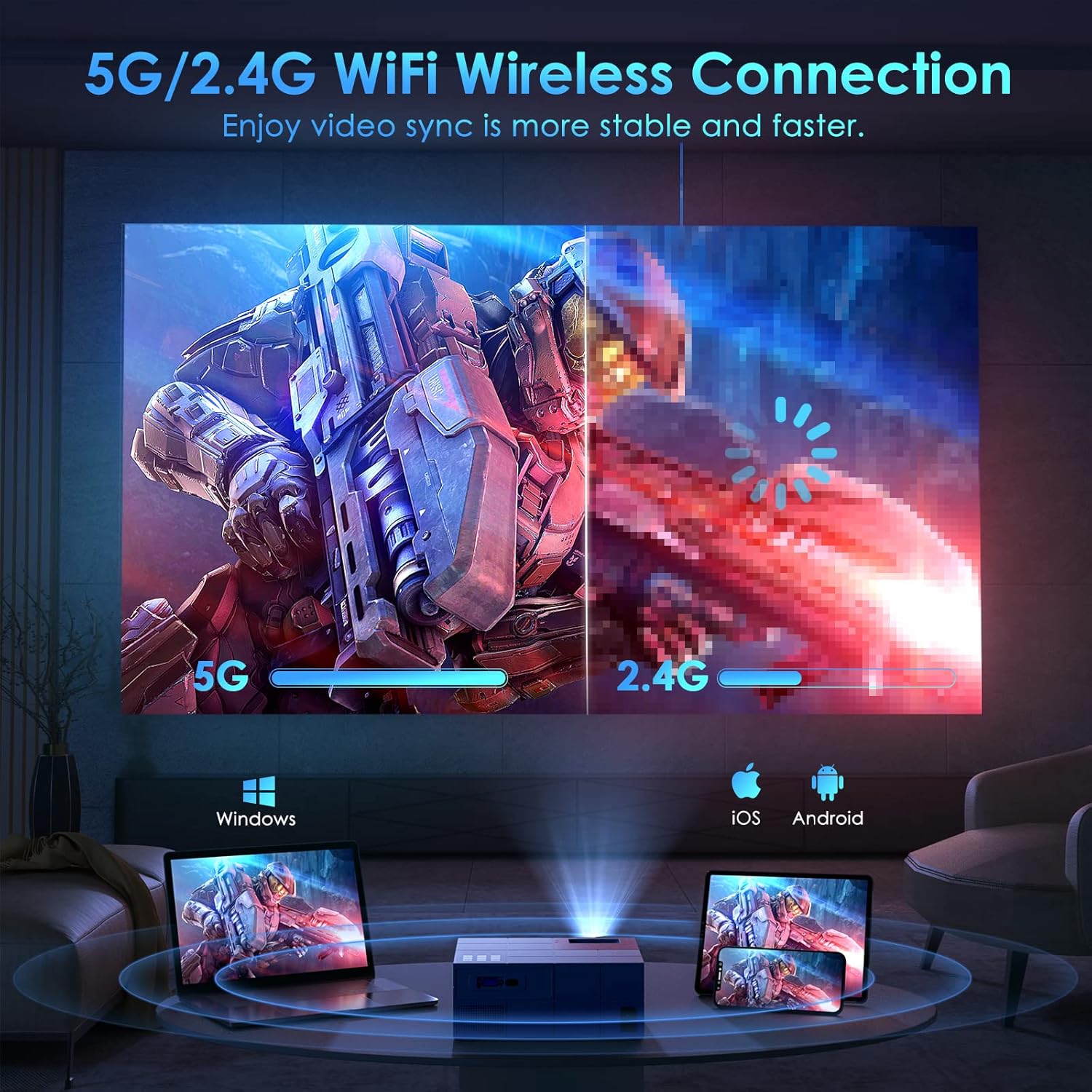
Image: Illustrates the projector's 5G/2.4G WiFi wireless connection capability, showing a split screen comparing the speed of 5G versus 2.4G. It also depicts compatibility with Windows, iOS, and Android devices for screen mirroring.

Image: A step-by-step guide on how to connect the projector to WiFi and enable screen mirroring for iOS and Android devices. It shows the system setup menu, WiFi selection, and the process for selecting Android Screen or iOS Screen mirroring.
5.4 Повезивање уређаја
The projector offers multiple connectivity options for various devices.
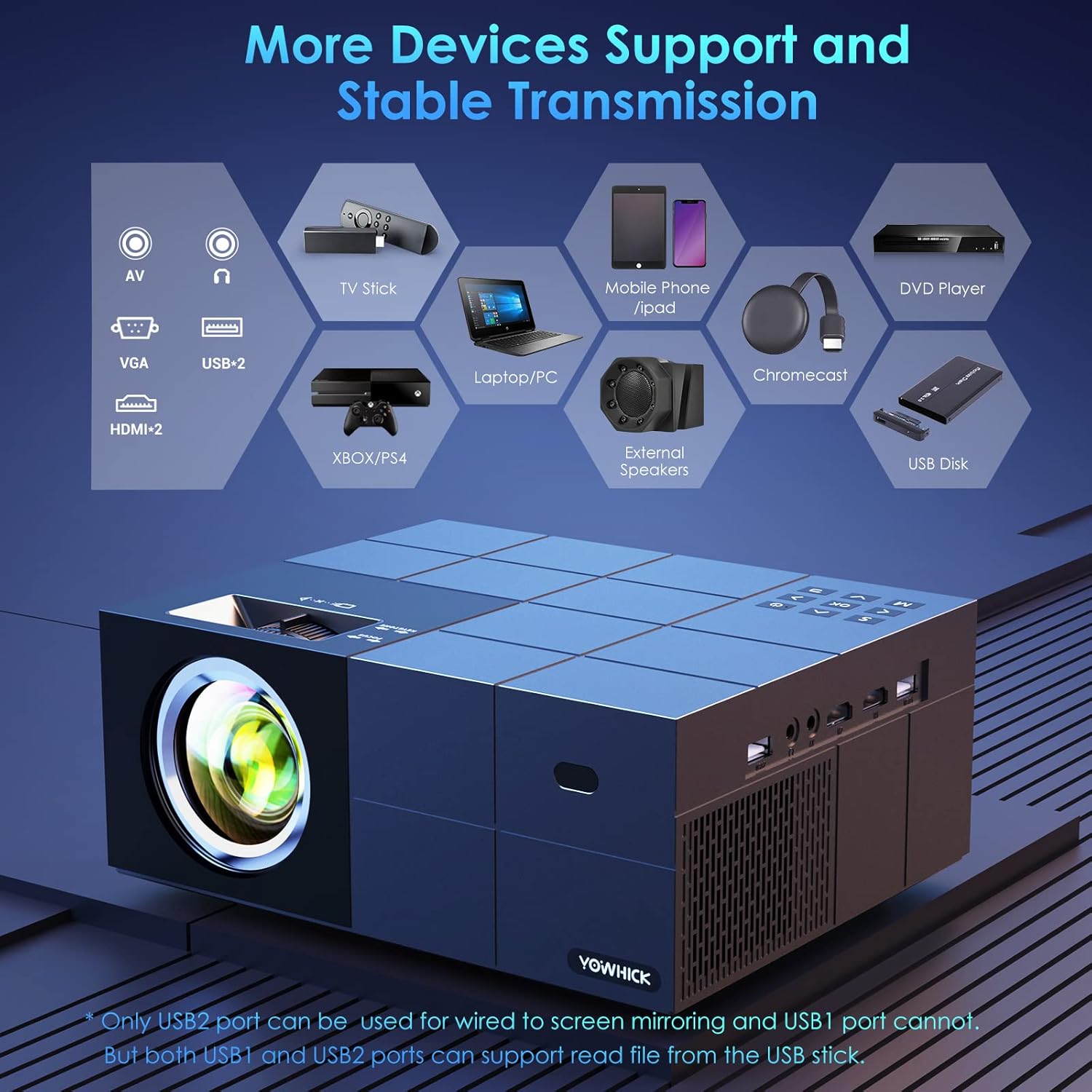
Image: A diagram showing the projector's various input ports, including AV, VGA, USB (x2), and HDMI (x2). It also lists compatible devices such as TV Stick, Laptop/PC, Mobile Phone/iPad, Chromecast, DVD Player, Xbox/PS4, External Speakers, and USB Disk. Note: Only USB2 port supports wired screen mirroring; both USB ports can read files from a USB disk.
6. Упутство за употребу
6.1 Основни рад
- Укључивање/искључивање: Притисните дугме за напајање.
- Навигација у менију: Use the arrow keys on the remote or projector to navigate menus. Press OK/Enter to confirm.
- Избор извора: Press the 'Source' button to select input (HDMI1, HDMI2, AV, USB).
6.2 Подешавање слике
- Фокус: Rotate the focus ring on the projector lens until the image is clear.
- Кеистоне Цоррецтион: Adjust the keystone knob to correct trapezoidal distortion.
- Функција зумирања: The projector features a zoom function to adjust the display size from 100% to 50% at a fixed distance.

Image: Highlights key features of the projector including the zoom function (100%-50%), a timer mode for automatic shutdown, a long lamp life of 50,000 hours (approximately 35 years if used 4 hours/day), and the capability for a 300-inch large screen display.
6.3 Пресликавање екрана
The projector supports both wired and wireless screen mirroring for various devices.

Image: Compares wired and wireless connection methods for screen mirroring. Wired connection is shown with a laptop (Windows via HDMI cable) and an iPhone (iOS via original cable). Wireless connection is shown for Windows, iOS, and Android devices.
6.4 Аудио излаз
The projector has a built-in speaker. For enhanced audio, connect external speakers via Bluetooth 5.1.

Image: Depicts the projector being used outdoors, connected via Bluetooth 5.1 to external speakers for high-quality sound. It shows people enjoying a movie night around a campfire, emphasizing the portability and audio capabilities. Note: An additional power supply unit may be required for outdoor use.
7. Одржавање
7.1 Чишћење
- Објектив: Use a soft, lint-free cloth and lens cleaning solution. Do not touch the lens directly.
- Casing: Обришите меком, сувом крпом. Не користите абразивна средства за чишћење.
- вентилација: Уверите се да су вентилациони отвори чисти од прашине и остатака.
7.2 Складиштење
When not in use for extended periods, store the projector in a cool, dry place, away from direct sunlight and extreme temperatures. Use the original packaging or a protective case.
КСНУМКС. Решавање проблема
Погледајте следећу табелу за уобичајене проблеме и њихова решења.
| Проблем | Могући узрок | Решење |
|---|---|---|
| Нема приказане слике | Кабл за напајање лабав; Неисправан улазни извор; Уређај није повезан | Check power connection; Select correct input source (HDMI, AV, USB); Ensure device is properly connected. |
| Слика мутна | Фокус није подешен; Трапезасти квар није подешен | Adjust the focus ring; Adjust the keystone knob. |
| Нема звука | Volume too low; Muted; External speaker not connected | Increase volume; Unmute; Check Bluetooth connection to external speaker. |
| ВиФи веза нестабилна | Projector too far from router; Interference | Move projector closer to router; Reduce interference from other devices. |
9. Спецификације
Key technical specifications of the YOWHICK Native 1080P 5G WiFi Bluetooth Projector.
- Бренд: ИОВХИЦК
- Назив модела: Оутдоор
- Технологија приказа: ЛЦД
- Изворна резолуција: 1920 к 1080 (1080П)
- 4K подршка: Да
- Осветљеност: 12000 Лук
- Технологија повезивања: Bluetooth, Wi-Fi (5G/2.4G)
- Хардверски интерфејс: УСБ, ХДМИ
- Компатибилни уређаји: Smartphones, Tablets, Computers, TVs, Gaming Consoles
- Посебне карактеристике: Уграђени звучник, дигитална корекција Кеистоне
- Фактор форме: Десктоп
- Тип монтаже: Таблетоп Моунт
- Димензије пакета: 34.29 к 32.9 к 14.4 цм; 2.29 кг
10. Гаранција и подршка
YOWHICK is committed to providing high-quality products and customer support.
- 24 сата: Quick response via phone or email for support inquiries.
- 30 дана: 30 days no reason to return policy.
- 2 година: 2 years free replacement for product defects.
- Животни век: Lifetime support and satisfied solution.
For further assistance, please contact YOWHICK customer service.