
1. Увод
This manual provides comprehensive instructions for the WWZMDiB RC522 RFID Reader Writer Module Kit. This kit is designed for use with microcontrollers such as Arduino, Raspberry Pi, and STM32, enabling contactless communication for various applications. It operates at a frequency of 13.56MHz and supports multiple Mifare card types.
2. Безбедносне информације
- Обезбедите одговарајућу волtage (3.3V) is supplied to the module to prevent damage.
- Handle electronic components with care to avoid electrostatic discharge.
- Не излажите модул влази или екстремним температурама.
- Увек искључите напајање пре него што направите или промените везе.
3. Садржај пакета
The WWZMDiB RC522 RFID Reader Writer Module Kit typically includes the following items:
- 2 x RC522 RFID Reader Writer Modules
- 2 x Standard S50 Blank Cards
- 2 x Key Fobs (Blue)
- 2 x Straight Pin Headers
- 2 x Bent Pin Headers
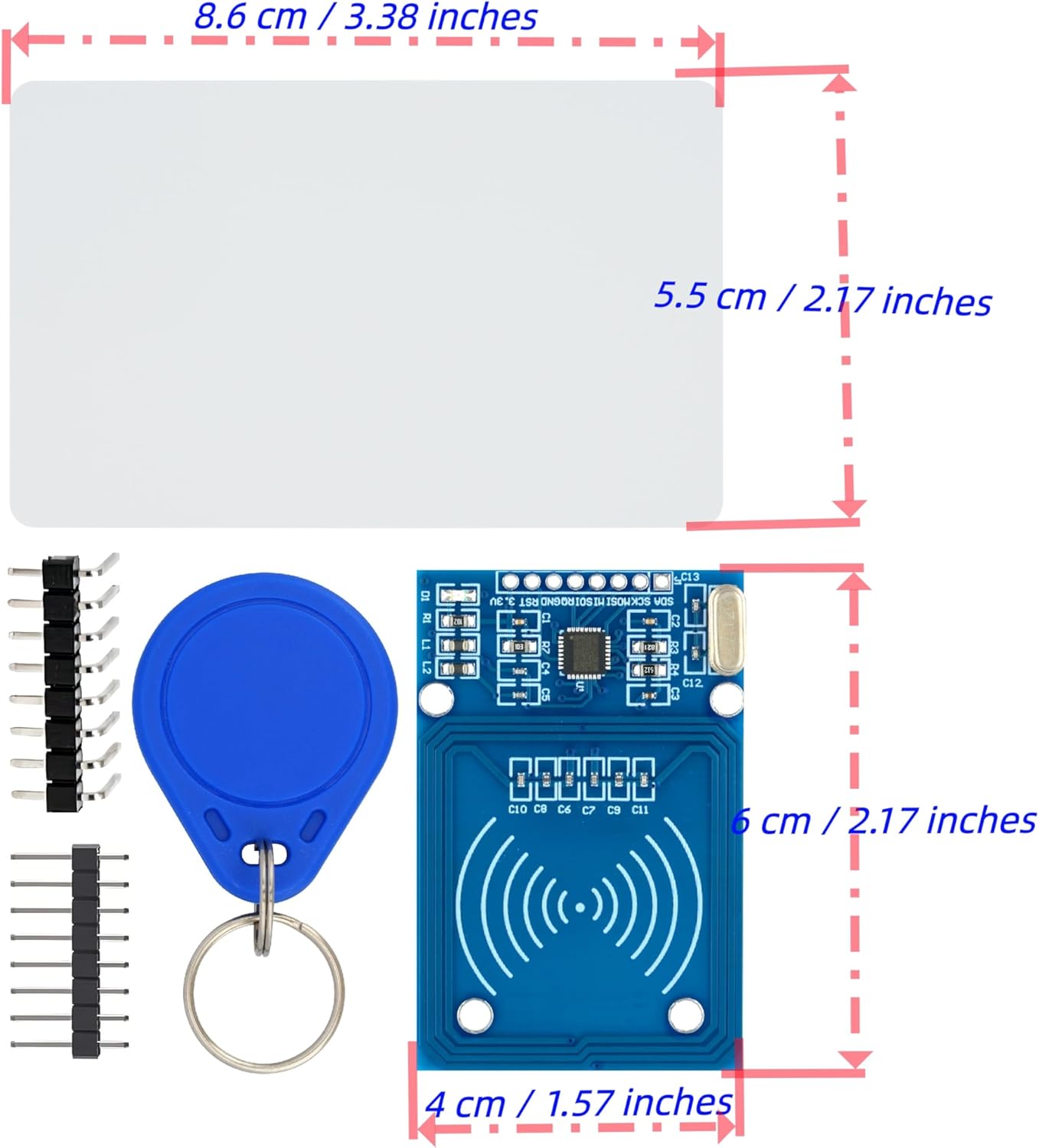
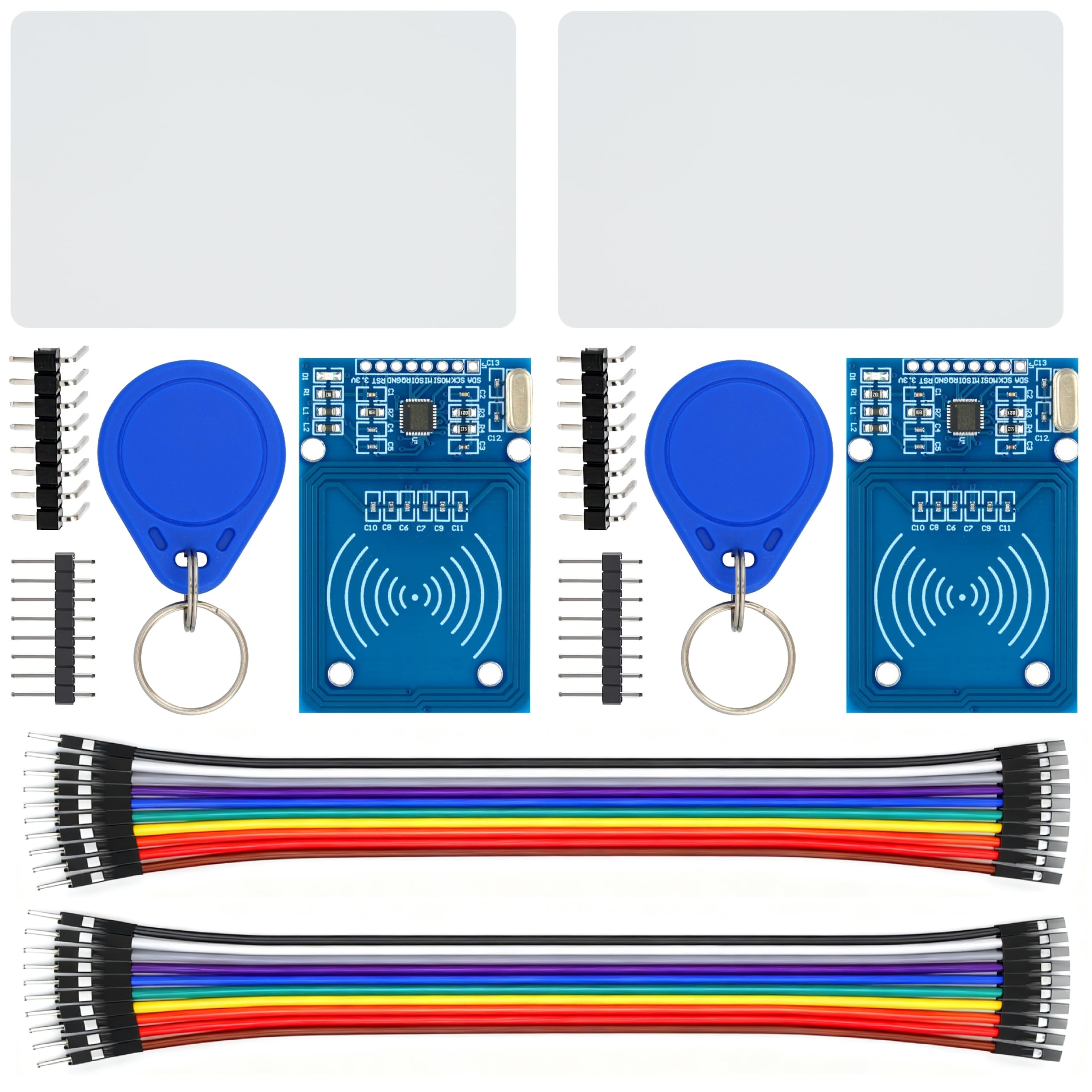
4. Производ је готовview
The RC522 module is a compact RFID reader/writer based on the MFRC522 chip. It is designed for easy integration into various embedded projects.
4.1. RC522 Module
The main component is the RC522 module, which handles the RFID communication. It features an integrated antenna and pin headers for connection to a microcontroller.


4.2. RFID Cards and Key Fobs
The kit includes blank S50 cards and key fobs, which are passive RFID tags compatible with the RC522 module. These can be programmed and read for various access control or identification projects.

5. Спецификације
| Феатуре | Спецификација |
|---|---|
| Модел | В-09-57-02 |
| Воркинг Волtage | 3.3В |
| Радна фреквенција | 13.56МХз |
| Компатибилни типови картица | Mifare S50, Mifare S70, Mifare UltraLight, Mifare Pro, Mifare Desfire |
| Интерфејс | СПИ |
| Компатибилност | Arduino, Raspberry Pi, STM32 |
| Тежина артикла | 2.08 ounces (approx. 59 grams for the kit) |
| Димензије пакета | 4.76 к 4.72 к 0.75 инча |
6. Подешавање
This section outlines the general steps for connecting the RC522 module to a microcontroller. Specific pinouts may vary slightly depending on your microcontroller board (Arduino, Raspberry Pi, STM32).
6.1. Pin Connections (SPI Interface)
The RC522 module communicates via the Serial Peripheral Interface (SPI). Connect the module to your microcontroller as follows:
- ВЦЦ (3.3В): Connect to the 3.3V power supply of your microcontroller.
- РСТ (Ресетовање): Connect to a digital pin on your microcontroller.
- ГНД (уземљење): Connect to the ground pin of your microcontroller.
- IRQ (Interrupt): Optional, connect to a digital pin for interrupt-driven operations.
- MISO (Master In Slave Out): Connect to the MISO pin of your microcontroller's SPI interface.
- МОСИ (Мастер Оут Славе Ин): Connect to the MOSI pin of your microcontroller's SPI interface.
- SCK (Serial Clock): Connect to the SCK pin of your microcontroller's SPI interface.
- SDA (Slave Select / Chip Select): Connect to a digital pin on your microcontroller. This pin selects the RC522 module for SPI communication.
6.2. Подешавање софтвера
To use the RC522 module, you will need to install a compatible library for your chosen microcontroller platform. For Arduino, the MFRC522 library by Miguel Balboa is commonly used. For Raspberry Pi, Python libraries are available.
- Install the appropriate library for your microcontroller IDE or environment.
- Refer to the library's documentation and examples for specific code implementation.
- Ensure your microcontroller's SPI interface is correctly configured.
7. Упутство за употребу
Once the module is set up and the software is configured, you can begin reading and writing to RFID tags.
7.1. Reading RFID Tags
To read an RFID tag (card or key fob):
- Power on your microcontroller with the RC522 module connected.
- Run the reading sketch/program on your microcontroller.
- Place an RFID card or key fob near the RC522 module's antenna.
- The microcontroller will detect the tag and read its Unique ID (UID) and potentially other data stored on it. This data is typically displayed on a serial monitor or an attached display.
7.2. Writing to RFID Tags
To write data to a compatible RFID tag:
- Ensure you have a writable Mifare tag (like the S50 cards or key fobs provided).
- Load a writing sketch/program onto your microcontroller.
- Поставите tag near the RC522 module.
- The program will attempt to write the specified data to the tag. Verify the write operation by reading the tag после.
Напомена: Writing to RFID tags requires understanding of Mifare Classic memory structure (sectors, blocks, keys). Refer to the MFRC522 library examples for detailed writing procedures.
Video 7.1: Demonstration of an RFID Kit, showing components and potential use cases. This video is provided by Stemedu, a seller.
8. Одржавање
The RC522 module is a robust electronic component, but proper care can extend its lifespan.
- Држите модул чистим и без прашине и прљавштине.
- Store in a dry, cool environment when not in use.
- Avoid bending or stressing the pin headers.
- Do not attempt to disassemble the module.
КСНУМКС. Решавање проблема
If you encounter issues with your RC522 module, consider the following troubleshooting steps:
- Модул није откривен:
- Check all wiring connections, especially VCC, GND, and SPI pins (MISO, MOSI, SCK, SDA).
- Ensure the module is receiving 3.3V power.
- Verify that the correct SPI pins are defined in your software.
- Confirm the library is correctly installed and initialized.
- Cannot Read Tags:
- Осигурајте tag is a compatible Mifare type (S50, S70, UltraLight, Pro, Desfire).
- Поставите tag very close to the module's antenna.
- Проверите да ли има сметњи од других електронских уређаја.
- Verify that the reading code is correctly implemented.
- Cannot Write to Tags:
- Потврдите tag is writable and not read-only.
- Ensure correct authentication keys are used if the tag је заштићен.
- Verify the writing code logic and data format.
- Рад са прекидима:
- Check for loose connections or poor soldering.
- Обезбедите стабилно напајање.
- Consider adding a capacitor across VCC and GND near the module for power stability.
10. Гаранција и подршка
За информације о гаранцији или техничку подршку, обратите се контакт подацима продавца које сте добили приликом куповине. Сачувајте рачун као доказ о куповини.
For additional resources and community support, you can often find extensive documentation, tutorials, and forums related to RC522 modules and their use with Arduino, Raspberry Pi, and STM32 online.