
1. Увод
This manual provides detailed instructions for the ORICO 2.5 inch Hard Drive Enclosure USB C to SATA III Cable, Model S1-3CB-05. This device allows you to connect a 2.5-inch SATA I/II/III SSD or HDD to your computer via a USB Type-C port, facilitating data transfer, backups, and storage expansion. It supports UASP for enhanced transfer speeds and includes a protective silicone case.

Image: The ORICO 2.5 inch Hard Drive Enclosure with its integrated USB-C cable.
2. Садржај пакета
Проверите да ли су све ставке присутне у пакету:
- ORICO 2.5 inch Hard Drive Enclosure (SATA to USB-C adapter)
- 2.5-inch Silicone Protective Case
- Упутство за употребу

Image: The product packaging showing the SATA adapter, silicone case, and user manual.
3. Карактеристике производа
- Protective Silicone Case: Designed to safeguard your 2.5-inch hard drive from shocks and friction, extending its lifespan.
- Пренос података велике брзине: Supports up to 5Gbps via USB 3.0, with UASP support for up to 70% faster transfer speeds compared to conventional USB 3.0 when connected to a compatible computer.
- Плуг анд Плаи: No additional drivers required for Windows, Mac, or Chrome OS.
- ЛЕД индикатор: A blue LED light indicates power and activity status.
- Компактан и преносив: Small form factor for easy transport.
- Опције дужине кабла: Available in 30cm, 50cm, or 100cm lengths (depending on specific model variant).
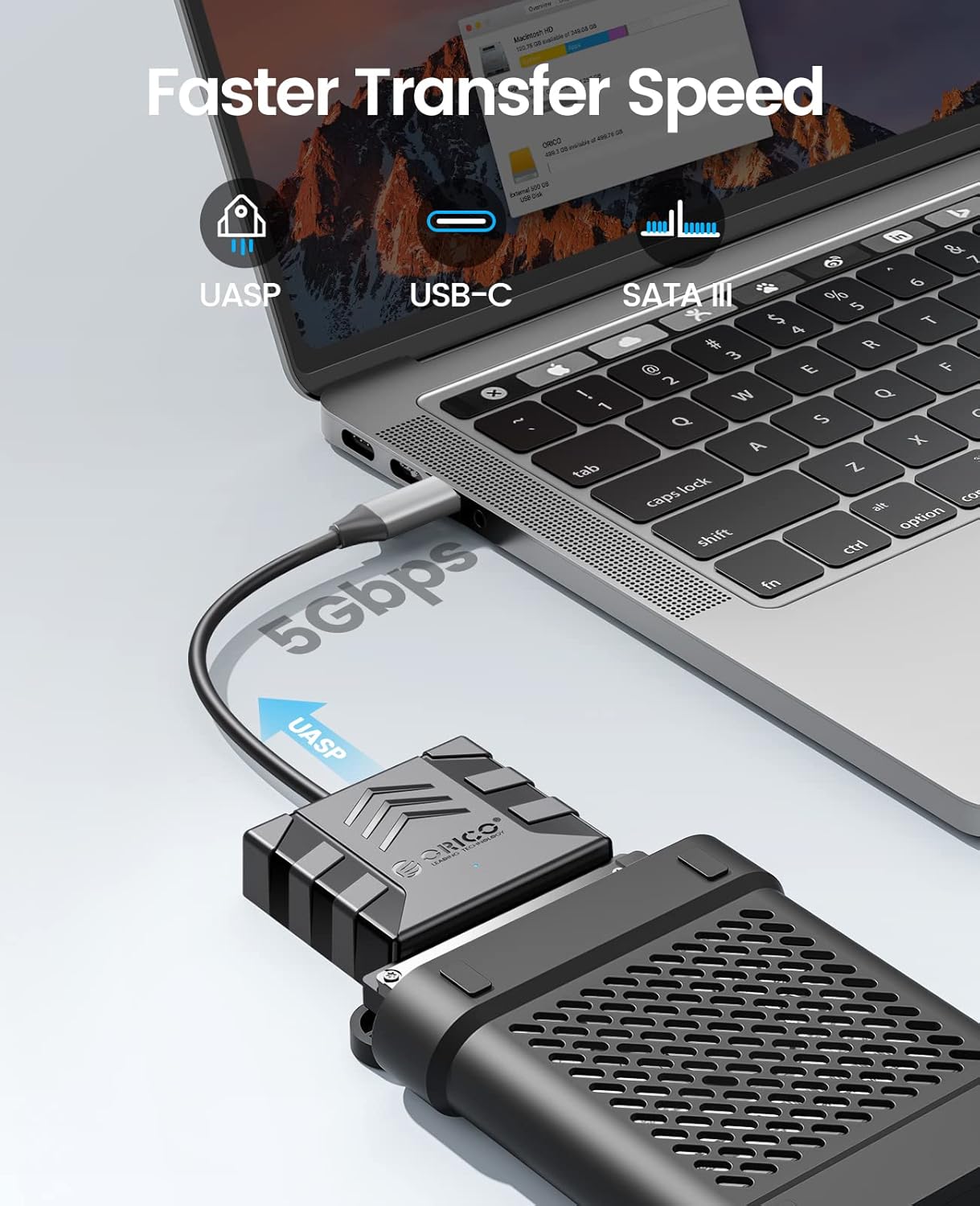
Image: Visual representation of the faster data transfer speeds supported by the enclosure.
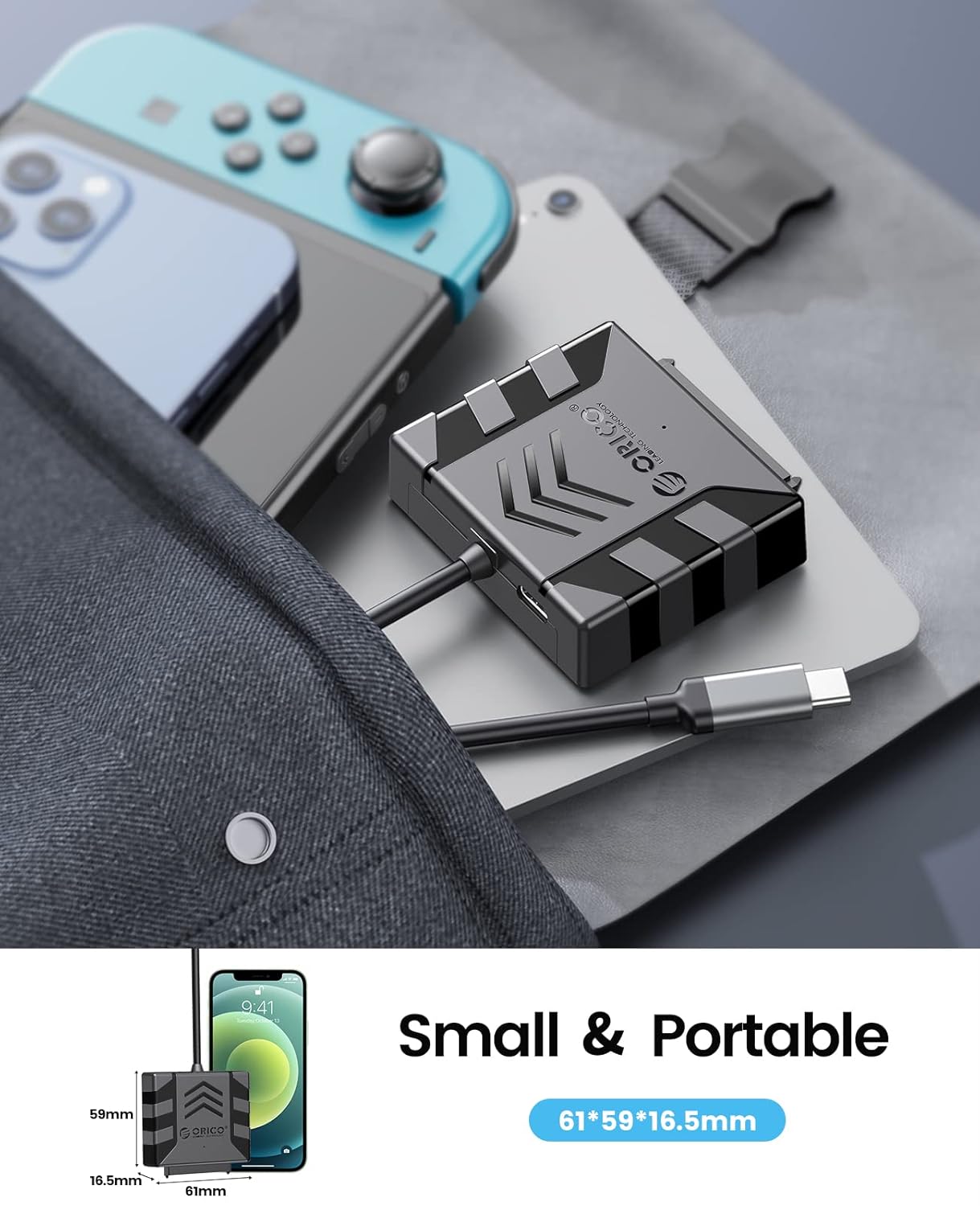
Image: The compact size of the enclosure, highlighting its portability.
4. Компатибилност
The ORICO S1-3CB-05 is compatible with the following:
- Тип чврстог диска: 2.5-inch SATA I/II/III SSDs and HDDs.
- Оперативни системи: Windows, Mac OS, Chrome OS, Linux.
- Уређаји: Laptops, PCs, Routers, Televisions, Xbox, PlayStation (PS5/PS4/PS3), Nintendo Switch.
Important Note: This product is NOT compatible with 3.5-inch hard drives, ATA (IDE), mSATA, or M.2 interfaces. Please confirm your hard drive type before use.
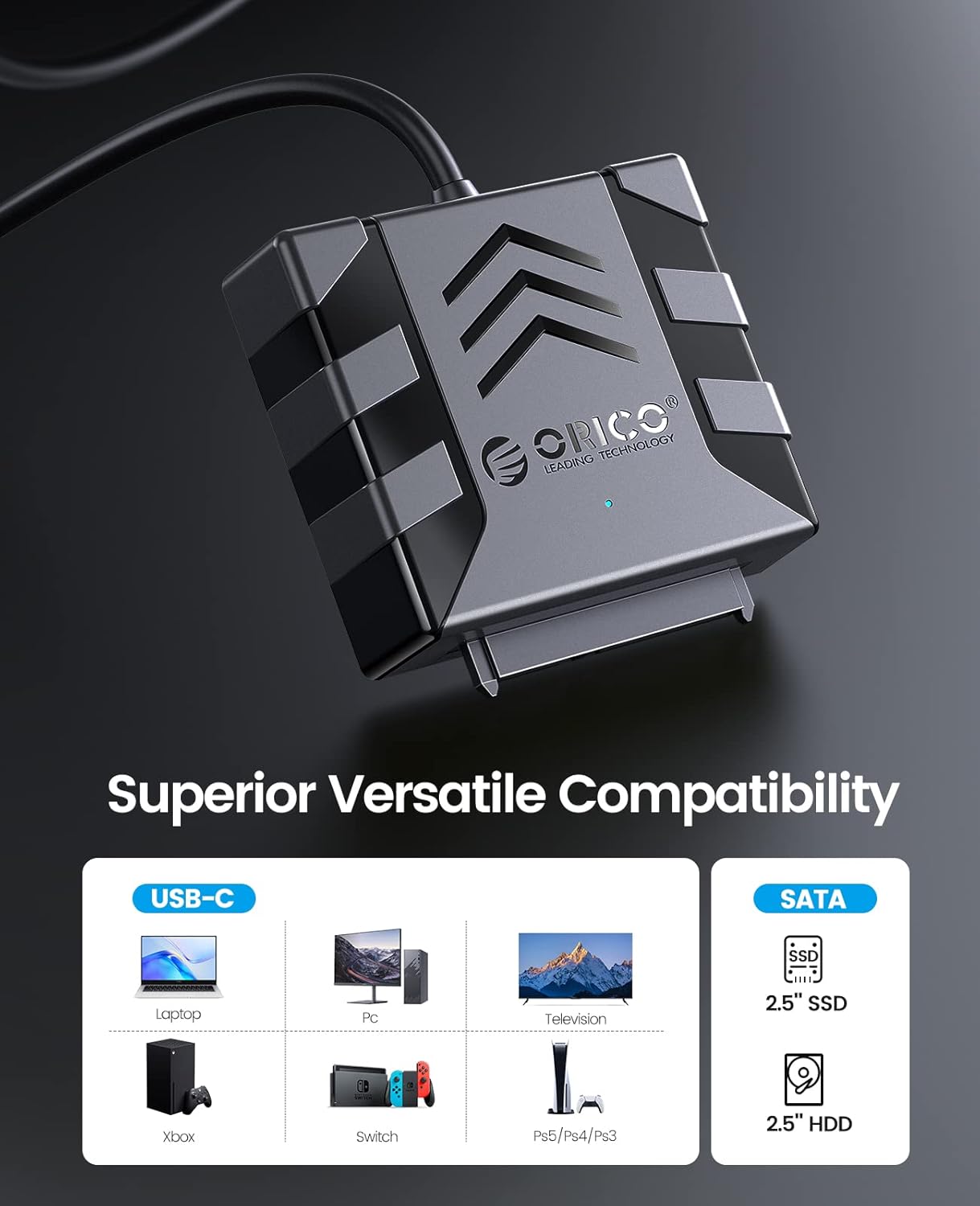
Image: Visual guide to compatible devices and 2.5-inch SATA SSD/HDD types.

Image: The enclosure connected to a computer, demonstrating compatibility with multiple operating systems.
5. Упутства за подешавање
- Повежите чврсти диск:
Align your 2.5-inch SATA SSD or HDD with the SATA connector on the ORICO adapter. Gently push the drive into the adapter until it is securely seated. Ensure the connection is firm.

Image: A 2.5-inch SATA hard drive connected to the adapter. No external power is required for 2.5-inch drives.
- (Optional) Apply Silicone Case:
For added protection, slide the connected hard drive and adapter into the provided 2.5-inch silicone protective case.
- Повежите се са хост уређајем:
Plug the USB Type-C connector of the ORICO adapter into an available USB-C port on your computer, laptop, or other compatible device. The device is plug-and-play, so no drivers are typically needed.
- Потврдите везу:
Observe the blue LED indicator light on the adapter. A steady light indicates power, and a blinking light indicates data activity. Your operating system should detect the new storage device automatically.
Video: Demonstrates the connection process for 2.5-inch and 3.5-inch hard drives. Note: This product is designed for 2.5-inch drives only, as specified in the product features.
6. Упутство за употребу
- Accessing Data: Once connected, your operating system will recognize the drive. You can access it like any other external storage device through File Екплорер (Виндовс) или Финдер (Мац).
- Пренос података: Превуците и испустите files to and from the connected drive. For optimal performance, ensure your computer's USB-C port supports USB 3.0 or higher and UASP.
- Безбедно уклањање: Always safely eject the drive from your operating system before physically disconnecting the adapter to prevent data corruption.
7. Одржавање
- Keep the adapter and silicone case clean and free from dust. Use a soft, dry cloth for cleaning.
- Избегавајте излагање уређаја екстремним температурама, влажности или директној сунчевој светлости.
- Store the adapter and any connected drives in a safe place to prevent physical damage.
КСНУМКС. Решавање проблема
- Диск није откривен:
- Ensure the 2.5-inch SATA drive is securely connected to the adapter.
- Try connecting the adapter to a different USB-C port on your computer.
- Verify that the drive is a 2.5-inch SATA HDD/SSD and not a 3.5-inch, IDE, mSATA, or M.2 drive.
- Check Disk Management (Windows) or Disk Utility (Mac) to see if the drive is recognized but unformatted or uninitialized.
- Споре брзине преноса:
- Ensure your computer's USB-C port supports USB 3.0 (or higher) and UASP.
- Затворите остале апликације које можда користе значајне системске ресурсе.
- Test with a different USB-C cable if possible (though this product has an integrated cable).
- ЛЕД индикатор не светли:
- Ensure the adapter is firmly plugged into the USB-C port of your host device.
- Try a different USB-C port.
9. Спецификације
| Феатуре | Детаљ |
|---|---|
| Модел | S1-3CB-05 |
| Бранд | ОРИЦО |
| Хардверски интерфејс | USB 2.0, USB Type C |
| Компатибилни уређаји | Laptop, PC, Router, Television, Xbox, PlayStation, Nintendo Switch |
| Фактор облика тврдог диска | 2.5 Inches (SATA I/II/III SSD/HDD) |
| Supported Devices Quantity | 1 |
| Брзина преноса података | 5 Gigabits Per Second (with UASP support) |
| Материјал | акрилонитрил бутадиен стирен (АБС) |
| Материјал кућишта | акрилонитрил бутадиен стирен (АБС) |
| Уграђени медији | Hard drive adapter |
10. Гаранција и подршка
ORICO products typically come with a standard manufacturer's warranty. Please refer to the warranty card included in your package or visit the official ORICO webсајт за конкретне услове гаранције.
For technical support, product inquiries, or warranty claims, please contact ORICO customer service through their official webсајт:
You can also find additional resources and FAQs on their support pages.