
LiebeWH TOWSM1-100
LiebeWH WiFi Smart Circuit Breaker TOWSM1-100 16A User Manual
Model: TOWSM1-100 | Current Rating: 16A
1. Увод
This manual provides essential information for the safe and effective use of your LiebeWH WiFi Smart Circuit Breaker, model TOWSM1-100 16A. This device is designed to offer advanced electrical protection and smart control capabilities for various applications.
The smart circuit breaker integrates overload, short-circuit, over-voltagе, и под-волtage protection. It supports remote control via a dedicated mobile application and voice control through compatible smart terminals, enhancing convenience and safety in your electrical system.
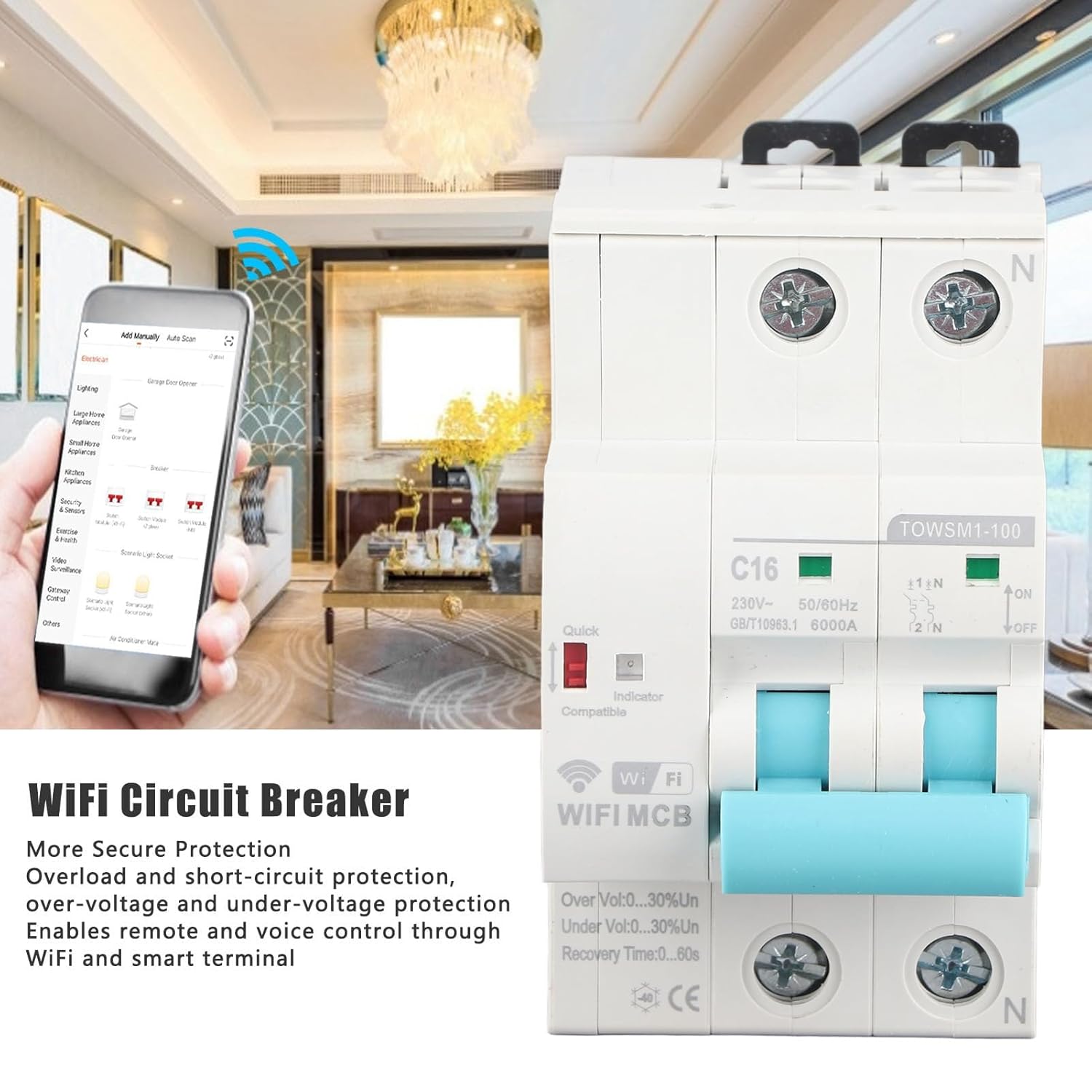
Image 1.1: LiebeWH WiFi Smart Circuit Breaker with remote control via smartphone app.
2. Безбедносне информације
УПОЗОРЕЊЕ: Electrical installation and maintenance should only be performed by qualified personnel in accordance with all local and national electrical codes and regulations. Failure to comply with these instructions can result in electric shock, fire, serious injury, or death.
- Увек искључите напајање на главној сервисној табли пре инсталирања или сервисирања прекидача.
- Ensure proper grounding and wiring connections.
- Не користите уређај ако изгледа оштећено.
- Не прекорачите номиналну запреминуtage and current specifications of the device.
- Држите уређај даље од воде и прекомерне влаге.
3. Производ је готовview
The LiebeWH TOWSM1-100 16A is a 2-pole smart circuit breaker designed for DIN rail mounting. It features clear indicators for its status and protection mechanisms.

Слика 3.1: Предња страна view of the circuit breaker.
Кључне компоненте:
- Главни прекидач: Lever for manual ON/OFF operation.
- Индикатор напајања: Приказује статус напајања.
- ВиФи индикатор: Displays the WiFi connection status.
- Quick Indicator: Red indicator for quick trip status.
- Терминали: Input and output terminals for wiring connections.
- Копча за DIN шину: За безбедну монтажу на стандардну DIN шину.

Image 3.2: Close-up of indicators and switch, showing 'ON' and 'OFF' positions, 'C16' rating, and 'TOWSM1-100' model.
4. Подешавање и инсталација
Proper installation is crucial for the safe and reliable operation of the smart circuit breaker. Always ensure power is disconnected before beginning installation.
4.1 Mechanical Installation (DIN Rail Mounting)
- Ensure the main power supply is OFF.
- Locate a suitable position on a standard DIN rail within your electrical panel.
- Engage the top clip of the circuit breaker onto the DIN rail.
- Press the bottom part of the circuit breaker firmly until the bottom clip snaps onto the DIN rail, securing the device in place.

Image 4.1: DIN rail mounting diagram, illustrating 'Tilt Out' and 'Pull Down' actions.
4.2 Električno ožičenje
- With power still OFF, connect the incoming live (L) and neutral (N) wires to the upper terminals of the circuit breaker.
- Connect the outgoing load live (L) and neutral (N) wires to the lower terminals of the circuit breaker.
- Ensure all wire connections are tight and secure to prevent loose contacts and overheating.
- Verify that the wiring matches the circuit diagram and local electrical standards.

Image 4.2: Close-up of wiring terminals for secure connections.
4.3 App Pairing and Network Connection
- Download the compatible smart home application (e.g., Tuya Smart, Smart Life) from your smartphone's app store.
- Региструјте се или се пријавите на свој налог.
- Power on the circuit breaker. The WiFi indicator should start blinking, indicating it's in pairing mode. If not, refer to the app's instructions for manual pairing mode activation.
- In the app, select "Add Device" or the '+' icon, then choose "Electrical" or "Circuit Breaker".
- Follow the on-screen instructions to connect the device to your 2.4GHz WiFi network.
- Once successfully paired, the WiFi indicator will become solid, and the device will appear in your app.
5. Упутство за употребу
5.1 Ручни рад
- To turn the circuit breaker ON, push the lever upwards to the 'ON' position.
- To turn the circuit breaker OFF, push the lever downwards to the 'OFF' position.
5.2 Даљинско управљање путем апликације
- Open the smart home application on your smartphone.
- Select the LiebeWH WiFi Smart Circuit Breaker from your device list.
- Use the virtual switch or controls within the app to turn the circuit breaker ON or OFF remotely.
- The app also provides real-time monitoring of power status and protection events.
5.3 Управљање гласом
If integrated with a compatible voice assistant (e.g., Amazon Alexa, Google Assistant), you can control the circuit breaker using voice commands. Refer to your voice assistant's setup guide for connecting smart home devices.
- Example commands: "Alexa, turn on the living room circuit breaker." or "Hey Google, turn off the water heater."
5.4 Automatic Reclosing and Protection Features
The circuit breaker is equipped with automatic reclosing functionality and various protection features:
- Заштита од преоптерећења: Automatically trips when the current exceeds the rated capacity (16A).
- Заштита од кратког споја: Trips instantly in case of a short circuit.
- Овер-Волtagе Заштита: Штити повезане уређаје од прекомерне јачине звукаtage.
- Ундер-Волtagе Заштита: Protects connected devices from insufficient voltage.
- Automatic Reclosing: After a trip event (e.g., temporary overload), the device can automatically attempt to reclose after a configurable recovery time (0-60 seconds), if the fault condition is no longer present. This feature helps maintain continuous power supply where appropriate.
6. Одржавање
The LiebeWH WiFi Smart Circuit Breaker is designed for minimal maintenance. However, periodic checks are recommended to ensure optimal performance and safety.
- Визуелни преглед: Периодично проверавајте прекидач да ли има знакова физичког оштећења, промене боје или лабавих спојева.
- Чишћење: Ако је потребно, нежно очистите спољашњост уређаја сувом, меком крпом. Не користите течна средства за чишћење или раствараче.
- Провера функционалности: Test the manual ON/OFF switch periodically to ensure it operates smoothly.
- Ажурирања фирмвера: Check the smart home application for any available firmware updates for the device to ensure you have the latest features and security enhancements.
For any internal maintenance or repairs, contact a qualified electrician or the manufacturer's support.
КСНУМКС. Решавање проблема
| Проблем | Могући узрок | Решење |
|---|---|---|
| Уређај се не укључује. | No power supply; incorrect wiring; device fault. | Check main power supply. Verify wiring connections. If problem persists, contact support. |
| WiFi indicator is off or blinking slowly. | No WiFi connection; incorrect network settings; device not in pairing mode. | Ensure 2.4GHz WiFi is active. Re-enter pairing mode (refer to app instructions). Check router distance. |
| Прекидач се често искључује. | Overload; short circuit; over/under voltage; faulty appliance. | Reduce load on the circuit. Disconnect appliances to identify faulty ones. Consult an electrician to check for wiring issues. |
| Даљински управљач не ради. | No internet connection; app issue; device offline. | Check your smartphone's internet connection. Ensure the circuit breaker's WiFi indicator is solid. Restart the app. |
8. Спецификације
| Феатуре | Спецификација |
|---|---|
| Модел | TOWSM1-100 |
| Називна струја | 16А |
| Ратед Волtage | АЦ 230В |
| Фреквенција | 50/60Хз |
| Ultimate Breaking Capacity (ICU) | 6000А |
| Метод инсталације | ДИН шина |
| Време опоравка | 0-60с |
| Материјал | АБС |
| Димензије (пакет) | 10.1 к 8.7 к 5.9 цм |
| Тежина (пакет) | 350 грама |
| Произвођач | ЛиебеВХ |
| Број дела произвођача | LiebeWHqg8v3fzo4p-11 |

Image 8.1: Wide application of the LiebeWH WiFi Smart Circuit Breaker.
9. Информације о гаранцији
Specific warranty details for the LiebeWH TOWSM1-100 16A WiFi Smart Circuit Breaker are not provided in the product information. Please refer to the retailer's return policy or contact the manufacturer directly for warranty terms and conditions.
10. Подршка
For technical assistance, troubleshooting beyond this manual, or inquiries regarding your LiebeWH WiFi Smart Circuit Breaker, please contact your point of purchase or the manufacturer's customer support channels.
- Произвођач: ЛиебеВХ
- Онлине ресурси: Check the LiebeWH official website or the smart home app's help section for FAQs and additional support.
Ask a question about this manual
Ask about setup, troubleshooting, compatibility, parts, safety, or missing instructions. Manuals+ will review the question and use this page’s manual context to help answer it.