
Generac GB2000
Generac GB2000 Преносна електрана Упутство за употребу
Model: GB2000 (8026)
1. Увод
This user manual provides essential information for the safe and efficient operation, maintenance, and troubleshooting of your Generac GB2000 Portable Power Station. Please read this manual thoroughly before using the device.
The Generac GB2000 is a 2106Wh portable power station designed to provide clean, emission-free power for various applications, including home use, camping, RVs, and outdoor activities. It features a lithium-ion battery, wireless charging, and multiple output ports.
2. Безбедносне информације
Always adhere to the following safety guidelines to prevent injury or damage to the unit:
- Немојте растављати, поправљати или модификовати јединицу.
- Држите уређај даље од ватре, извора топлоте и директне сунчеве светлости.
- Избегавајте излагање води или другим течностима.
- Не користите уређај ако је оштећен или је испуштен.
- Обезбедите одговарајућу вентилацију током употребе и пуњења.
- Чувати ван домашаја деце.
3. Компоненте и карактеристике производа
The Generac GB2000 Portable Power Station is designed for versatility and ease of use. Below is an overview његових кључних компоненти и карактеристика.

Слика 3.1: Предњи панел изнадview of Generac GB2000. This image highlights the multi-color display, LED ON/OFF button, diffused LED light, parallel ports, 12V car port, DC output ON/OFF button, USB-A output receptacles, USB-C output receptacles, AC output ON/OFF button, and NEMA 1-15R AC receptacles.
- Multi-Color 4.7" Display: Provides real-time information on battery level, remaining runtime, and output/input wattage.
- AC Outlets (3x NEMA 1-15R): За напајање стандардних кућних апарата.
- USB-A портови (2x): За пуњење уређаја компатибилних са USB-A портом.
- USB-C Ports (2x): For charging USB-C compatible devices.
- 12V аутомобилски порт: For powering 12V DC devices or charging from a vehicle.
- Wireless Charging Pad (15W): Conveniently charge compatible smartphones by placing them on top of the unit.
- Паралелни портови: Allows connection of two GB2000 units for increased power output (Parallel Kit sold separately).
- Издржљив дизајн: Lightweight and compact with an ergonomic handle for easy transport.
4. Подешавање и почетно пуњење
Before first use, fully charge your Generac GB2000 Portable Power Station.
4.1 Отпакивање
Пажљиво извадите електрану и сву додатну опрему из паковања. Проверите да ли су све компоненте наведене у листи паковања присутне и да нису оштећене.
4.2 Методе пуњења
The GB2000 offers multiple charging options:
- Wall Outlet (AC): Connect the provided AC charging cable to the AC input port on the unit and then to a standard wall outlet. The unit can achieve 0 to 80% charge in approximately 3.3 hours.
- Solar Panel (DC): Connect compatible solar panels (sold separately) to the DC input port. Ensure the solar panels are positioned for maximum sunlight exposure.
- Car Charger (DC): Use the provided car charging cable to charge the unit from your vehicle's 12V cigarette lighter port.
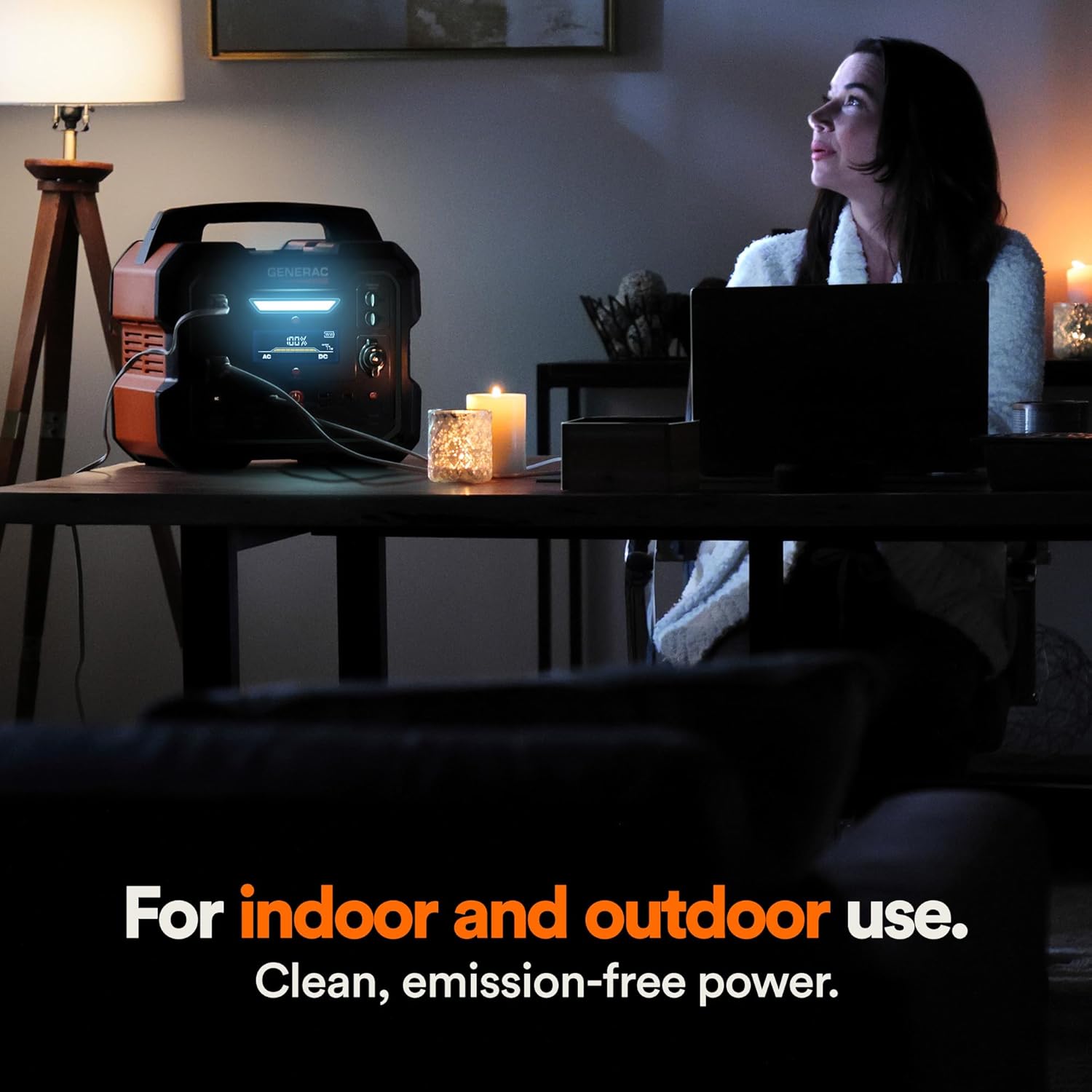
Figure 4.1: Fast Solar Recharging. The Generac GB2000 can be recharged using solar panels (sold separately) for efficient power supply in outdoor environments.
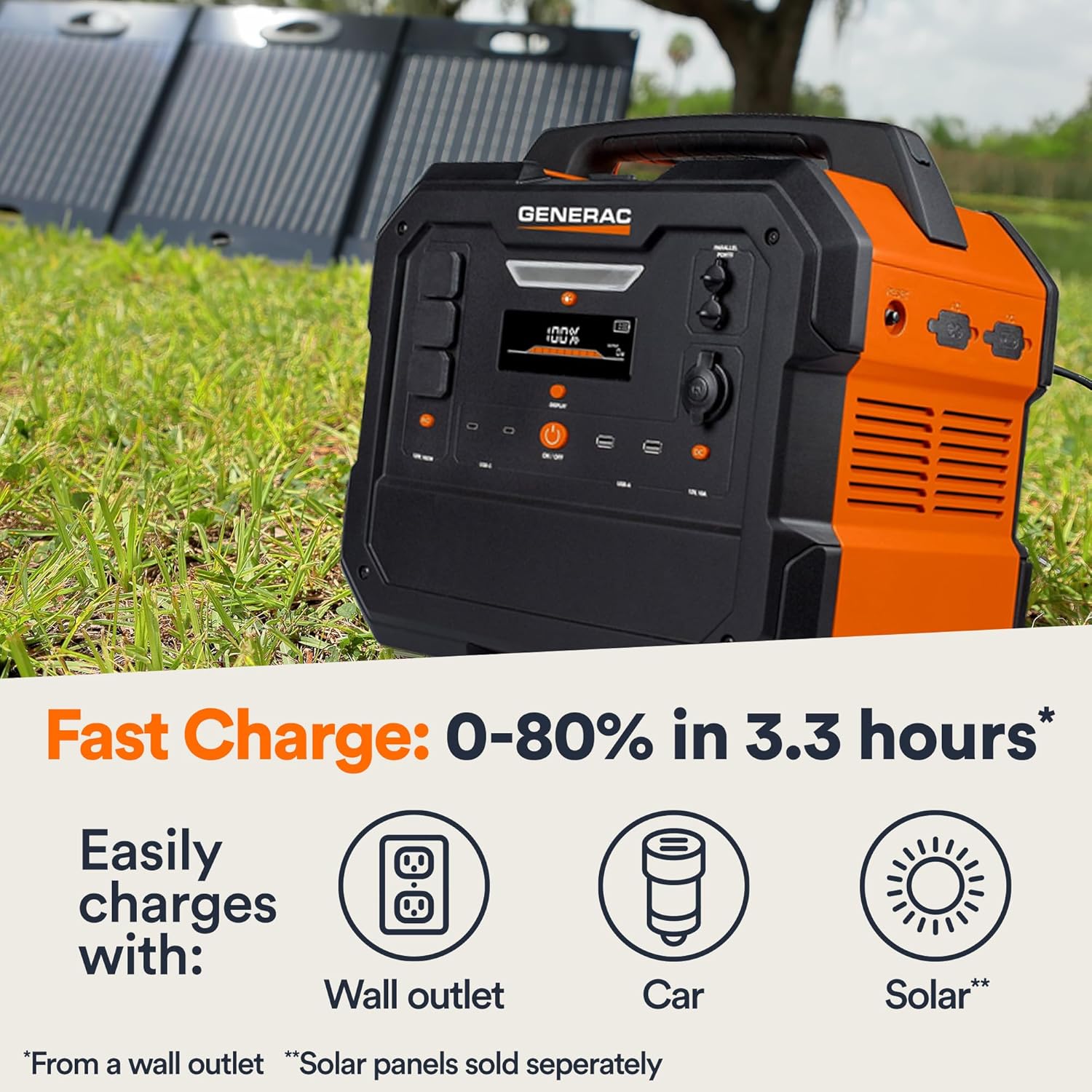
Figure 4.2: Rear Input Ports. This image shows the AC and DC input ports on the back of the Generac GB2000 for various charging methods.
5. Упутство за употребу
5.1 Укључивање/искључивање
Press and hold the main ОН/ОФФ button located on the front panel to power on or power off the unit. The display will illuminate upon activation.
5.2 Коришћење излазних портова
To use specific output ports (AC, DC, USB), press the corresponding ON/OFF button for that section. The indicator light next to the button will illuminate when active.
- АЦ излаз: Connect your devices to the NEMA 1-15R outlets. Ensure the total wattage of connected devices does not exceed 1600W continuous output or 3200W surge.
- ДЦ излаз: Use the 12V car port for compatible DC devices.
- УСБ излаз: Plug your USB-A or USB-C cables into the respective ports for charging smartphones, tablets, and other USB-powered devices.
- Бежично пуњење: Place your Qi-compatible device on the wireless charging pad on top of the unit.

Figure 5.1: Indoor Use of Generac GB2000. The power station provides clean, emission-free power, making it safe for indoor use to power essential devices like laptops and lighting.
5.3 Powering Electric Vehicles (EVs)
The Generac GB2000 can provide emergency power to electric vehicles. While not a primary charging solution, it can offer enough charge to reach a charging station.
5.4 Runtime and Capacity
The GB2000 has a 2106Wh capacity. The actual runtime depends on the power consumption of connected devices. Refer to the table below for estimated runtimes for common appliances:
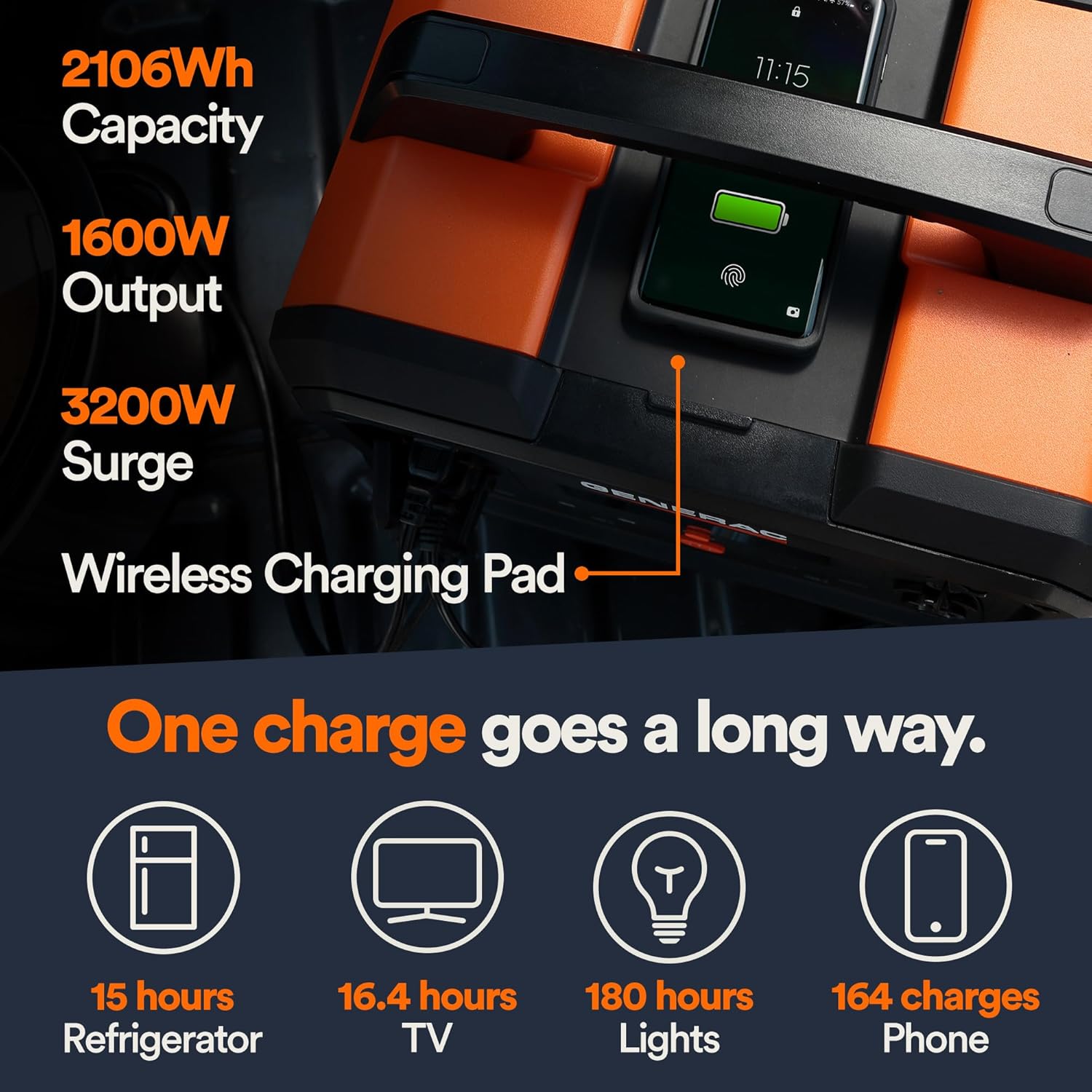
Figure 5.2: Estimated Device Runtimes. This table provides approximate usage durations for various household, jobsite, and recreation devices when powered by the Generac GB1000 and GB2000 models.
| Уређај | Running Watts (Approx.) | Estimated Runtime (GB2000) |
|---|---|---|
| Светлост | 10В | 180 сата |
| ЦПАП | 40В | 45 сата |
| Фрижидер | 120В | 15 сата |
| микроталасна | 1200В | 1.5 сата |
| 50" ТВ | 110В | 16.4 сата |
| Phone (164 charges) | 11Вх | 164 пуњења |
6. Одржавање и складиштење
6.1 Чишћење
Обришите уређај сувом, меком крпом. Не користите абразивна средства за чишћење или раствараче.
6.2 Складиштење
Store the Generac GB2000 in a cool, dry place, away from direct sunlight and extreme temperatures. For long-term storage, charge the unit to 50-80% every 3-6 months to maintain battery health.
КСНУМКС. Решавање проблема
| Проблем | Могући узрок | Решење |
|---|---|---|
| Јединица се не укључује | Low battery; Main ON/OFF button not pressed long enough. | Charge the unit; Press and hold the ON/OFF button for 3 seconds. |
| АЦ излаз не ради | АЦ излаз није омогућен; заштита од преоптерећења је активирана. | Притисните дугме AC ON/OFF; Смањите оптерећење, а затим поново покрените AC излаз. |
| Бежично пуњење не ради | Device not Qi-compatible; Device not properly aligned. | Ensure device is Qi-compatible; Reposition device on the charging pad. |
| Прегревање јединице | Лоша вентилација; Прекомерно оптерећење. | Ensure clear airflow around the unit; Reduce connected load. |
If issues persist, please contact Generac customer support.
8. Техничке спецификације
| Спецификација | Валуе |
|---|---|
| Назив модела | ГБ2000 |
| Број модела ставке | 8026 |
| Тип батерије | Литијум-јонски |
| Капацитет | 2106Вх |
| Continuous AC Output | 1600В |
| Peak AC Output (Surge) | 3200В |
| Излаз бежичног пуњења | 15В |
| Димензије (Д к Ш к В) | 16.8 cm x 10.4 cm x 15.1 cm |
| Тежина | 48.8 фунти |
| Recharge Time (0-80% Wall Outlet) | 3.3 сата |
9. Доступна додатна опрема
Enhance the functionality of your Generac GB2000 with these optional accessories:

Figure 9.1: Parallel Kit. Connect two Generac Power Stations together for increased power output.
- Parallel Kit: Connects two Generac power stations to double the output capacity.
- Charge Enhancer: Provides up to 50% faster charging.
- Соларни панели: For quick and efficient recharging using solar energy.
10. Гаранција и подршка
For warranty information and customer support, please refer to the official Generac webсајт или контактирајте њихову службу за кориснике. Сачувајте рачун за куповину за потребе гаранције.
Generac offers protection plans for extended coverage:
- Двогодишњи план заштите
- Двогодишњи план заштите
- Комплетна заштита: Један план покрива све подобне прошле и будуће куповине.
Ask a question about this manual
Ask about setup, troubleshooting, compatibility, parts, safety, or missing instructions. Manuals+ will review the question and use this page’s manual context to help answer it.