
Увод
This manual provides comprehensive instructions for the ENDORFY Omnis Pudding Onyx White Red mechanical keyboard (Model EY5A036). This full-size keyboard features Kailh Red mechanical switches, durable PBT Pudding keycaps, and customizable ARGB backlighting. It is designed for various applications, including gaming, creative work, and general office use, offering a responsive and comfortable typing experience. Key features include a reinforced chassis, a detachable magnetic wrist rest, and a metal volume wheel for convenient audio control.
Садржај пакета
- ENDORFY Omnis Pudding Onyx White Red Mechanical Keyboard
- Detachable USB-A Cable
- Магнетни ослонац за зглоб
- Кориснички приручник (овај документ)
Сетуп
1. Повезивање тастатуре
Connect the detachable USB-A cable to the USB-C port on the keyboard and then to an available USB-A port on your computer. The keyboard is plug-and-play and should be recognized automatically by your operating system.
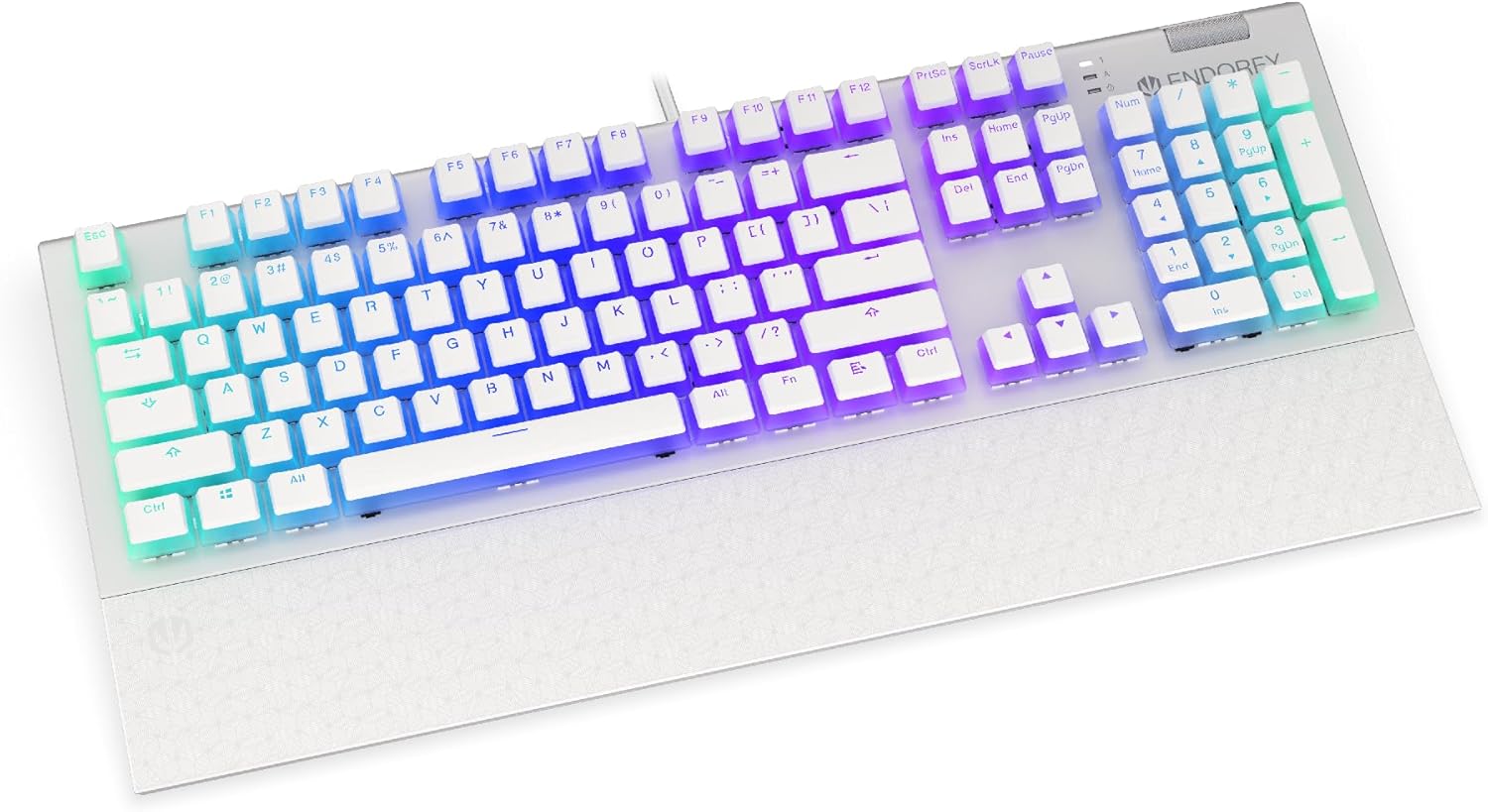
Слика: Фронт view of the ENDORFY Omnis Pudding Onyx White Red mechanical keyboard, showcasing its full layout and connected cable.
2. Причвршћивање ослонца за зглоб
Align the magnetic wrist rest with the front edge of the keyboard. The magnets will automatically secure it in place, providing ergonomic support during use.

Слика: Под углом view of the ENDORFY Omnis Pudding Onyx White Red mechanical keyboard with the magnetic wrist rest attached, highlighting the seamless integration.
3. Инсталација софтвера (опционо)
For advanced customization of lighting effects, key assignments, and macros, download the official ENDORFY software from the manufacturer's webсајт. Пратите упутства на екрану за инсталацију.
Упутство за употребу
Основне функције тастатуре
The keyboard features a standard full-size layout with a dedicated numpad, function keys (F1-F12), and navigation keys. All keys operate as standard input devices for your computer.
Volume Wheel Operation
The metal volume wheel located on the top right of the keyboard allows for quick audio adjustments:
- Rotate Up: Повећајте јачину звука.
- Rotate Down: Смањите јачину звука.
- Притисните доле: Искључи/укључи звук.
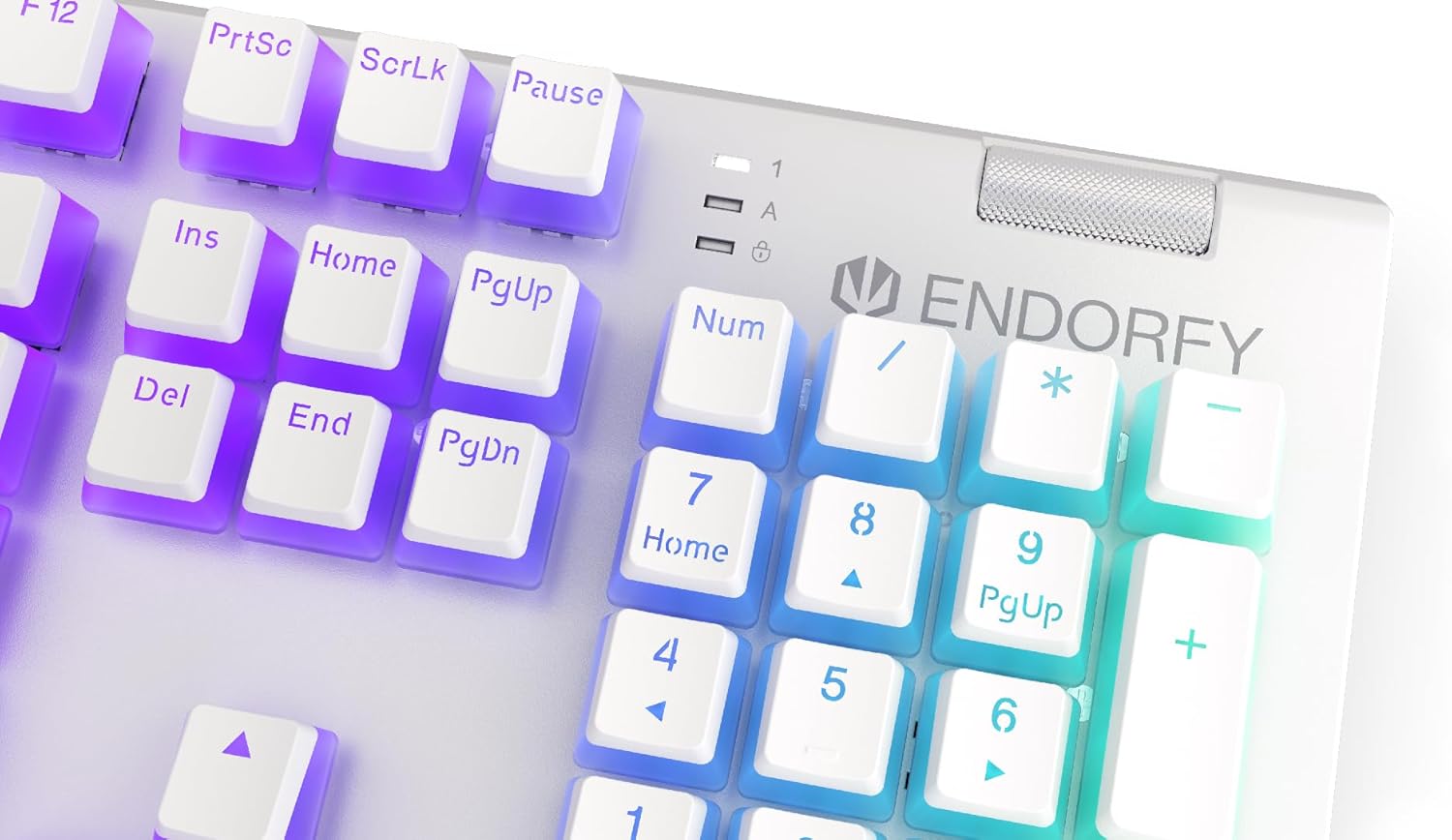
Слика: Крупни план view of the keyboard's numpad and the prominent metal volume wheel, indicating its position for easy access.
RGB контрола позадинског осветљења
The keyboard features customizable ARGB backlighting. Lighting effects and brightness can be adjusted using the dedicated ENDORFY software. Some basic lighting modes and brightness levels may also be accessible via keyboard shortcuts (e.g., Fn + arrow keys or specific function keys), though advanced customization is recommended through the software.

Image: The ENDORFY Omnis Pudding Onyx White Red mechanical keyboard illuminated with vibrant RGB backlighting, showcasing the Pudding keycaps.
Н-Кеи Ролловер (НКРО)
The keyboard supports N-Key Rollover, which means every key press is registered independently, regardless of how many other keys are being pressed simultaneously. This feature is particularly beneficial for fast typists and gamers, preventing ghosting or missed inputs.
Функционалност софтвера
The ENDORFY software allows users to:
- Customize ARGB lighting effects and colors.
- Remap individual keys.
- Create and assign macros for complex command sequences.
- Управљајте више професионалацаfileза различите апликације или игре.
Одржавање
Чишћење тастатуре
Да бисте одржали оптималне перформансе и изглед:
- Искључите тастатуру из рачунара пре чишћења.
- Користите меку крпу која не оставља длачицеampводом или благим раствором за чишћење да бисте обрисали капице тастера и кућиште.
- За прашину и прљавштину између тастера користите компримовани ваздух.
- Избегавајте употребу јаких хемикалија или абразивних материјала.
Уклањање и замена капице тастера
The PBT Pudding keycaps can be removed for thorough cleaning or replacement. Use a keycap puller (not included) to gently lift keycaps straight up. When replacing, align the keycap with the switch stem and press down firmly until it clicks into place.

Слика: Крупни план view of the Kailh Red mechanical switches, visible when keycaps are removed, illustrating the switch mechanism.
Решавање проблема
- Тастатура не реагује:
Ensure the USB cable is securely connected to both the keyboard and the computer. Try connecting the keyboard to a different USB port or a different computer to rule out port or system issues. Restart your computer. - Позадинско осветљење не ради или је неисправно:
Check the brightness settings via the ENDORFY software or any onboard shortcuts. Ensure the software is up to date. If specific keys have incorrect lighting, reset the lighting profile у софтверу. - Кључеви се не региструју:
Clean under the affected keycaps to remove any debris that might be obstructing the switch. If the issue persists, it may indicate a hardware fault; refer to the Warranty and Support section. - Wrist Rest Not Attaching Securely:
Ensure there is no debris between the keyboard and the wrist rest that might interfere with the magnetic connection.
Спецификације
| Феатуре | Детаљ |
|---|---|
| Бранд | ЕНДОРФИ |
| Број модела | ЕИ5А036 |
| Боја | Бела |
| Кључни прекидачи | Kailh Red Mechanical |
| Кеицапс | PBT Pudding |
| Лаиоут | Full-size (US Layout) |
| Позадинско осветљење | ARGB (Configurable RGB) |
| Повезивање | USB-A (Detachable Cable) |
| Врист Рест | Magnetic, Detachable |
| Контрола јачине звука | Metal Volume Wheel |
| Н-Кеи Ролловер | Да |
| Компатибилни оперативни системи | Linux, Mac OS X 10.12 Sierra, Windows 7, Windows 8, Windows 10 |
| Препоручена употреба | Gaming, Multimedia |
| Материјал | Полибутилен терефталат (ПБТ) |
Гаранција и подршка
ENDORFY products are covered by a manufacturer's warranty. For detailed warranty terms, technical support, or service inquiries, please refer to the official ENDORFY webсајт или контактирајте локалног продавца. Сачувајте доказ о куповини за потребе гаранције.