
1. Безбедносне информације
Пажљиво прочитајте сва упутства пре склапања и употребе. Сачувајте ово упутство за будуће потребе.
- Ensure not to exceed the maximum weight capacity of 300 лбсПреоптерећење може проузроковати оштећење или повреду.
- Adjust the chair according to the user's height and follow the assembly instructions precisely for safe use.
- Држите децу даље од места монтаже. Мали делови могу представљати опасност од гушења.
- Regularly check all bolts and screws to ensure they are tightened. Re-tighten if necessary.
- Немојте стајати на столици.
- Use the chair only for its intended purpose as an office or desk chair.

Image: SGS BIFMA certified gas lift, indicating compliance with safety and durability standards.
2. Садржај пакета
Проверите да ли су све компоненте присутне пре почетка монтаже. Ако неки делови недостају или су оштећени, обратите се корисничкој подршци.
- Backrest Assembly (1)
- Јастук за седиште (1)
- Наслон за главу (1)
- Наслони за руке (2)
- Гасни цилиндар за подизање (1)
- Star Base (1)
- Котачи (5)
- Плоча механизма (1)
- Hardware Kit (Screws, Washers, Allen Wrench) (1)
- Упутство за употребу (1)
3. Упутство за монтажу
Assembly typically takes 10-15 minutes. Follow these steps carefully.
- Причврстите точкове на базу: Уметните пет точкова у рупе на крају сваке ноге звезде док не кликну чврсто на своје место.
- Уметните гасни лифт: Поставите цилиндар за подизање гаса у средишњи отвор звезде.
- Причврстите плочу механизма на седиште: Align the mechanism plate with the pre-drilled holes on the underside of the seat cushion. Ensure the lever is on the right side when facing the front of the seat. Secure with screws from the hardware kit using the provided Allen wrench.

Слика: Доња страна view of the chair's mechanism plate, which attaches to the seat and controls adjustments.
- Причврстите наслоне за руке на седиште: Secure the armrests to the sides of the seat cushion using the designated screws. Ensure they are firmly attached.
- Причврстите наслон за седиште: Align the backrest with the mounting points on the seat cushion and armrests. Secure with screws.
- Причврстите наслон за главу: Insert the headrest into the top of the backrest until it is securely in place.
- Повежите седиште са гасом за подизање: Carefully place the assembled seat and backrest onto the gas lift cylinder, ensuring it is centered and fully seated.

Слика: Предња и задња страна view of the fully assembled Flysky Ergonomic Office Desk Chair.
4. Упутство за употребу
The Flysky Ergonomic Office Desk Chair offers multiple adjustments for personalized comfort.
4.1 Adjusting Chair Height
- To raise the seat: While standing, pull the lever located under the right side of the seat upwards. The seat will rise. Release the lever at the desired height.
- To lower the seat: While seated, pull the lever located under the right side of the seat upwards. The seat will lower. Release the lever at the desired height.

Image: Close-up of the height adjustment lever located beneath the seat.
4.2 Adjusting Recline and Tilt Tension
- Recline Function (90°-120°): Push the same lever used for height adjustment inwards to lock the backrest in an upright position (90° work mode). Pull the lever outwards to unlock the recline function, allowing the backrest to tilt back (up to 120° rest/sleep mode).
- Напон нагиба: Rotate the round knob located under the front-center of the seat. Turn clockwise to increase tilt tension (making it harder to recline) or counter-clockwise to decrease tension (making it easier to recline).

Image: Diagram illustrating the tilt and rocking function, showing the height lock lever and tilt tension knob.
4.3 Adjusting Headrest
- Подешавање висине: Gently pull the headrest up or push it down to adjust its vertical position (up to 3.2 inches).
- Подешавање угла: Rotate the headrest forward or backward (up to 90°) to find the optimal angle for neck support.
Слика: Детаљна view of the adjustable headrest, showing lift, down, forward, backward, and rotation capabilities.
4.4 Adjusting Lumbar Support
- The chair features a 3D self-adaptive elastic lumbar pillow designed to conform to your lower back. No manual adjustment is typically required for its position, as it flexes with your posture.

Слика: Прекоview of ergonomic design, highlighting headrest, back support, lumbar support, and hip support.
4.5 Using Flip-Up Armrests
- To flip up the armrests: Gently lift the armrests upwards until they lock into a vertical position. This allows the chair to be pushed closer to a desk or stored more compactly.
- To lower the armrests: Pull the armrests downwards until they return to their horizontal position.

Image: Illustration of the flip-up armrest feature, showing the armrest in both down and up positions.
5. Одржавање
Правилно одржавање ће продужити век трајања и изглед ваше столице.
- Чишћење: Обришите огласомamp cloth. For mesh areas, use a soft brush or vacuum cleaner to remove dust and debris. Avoid harsh chemicals or abrasive cleaners.
- инспекција: Periodically check all screws and bolts for tightness. Re-tighten as needed to prevent loosening and ensure stability.
- Нега точкова: Држите точкове чистим од длака и остатака како бисте осигурали глатко котрљање.

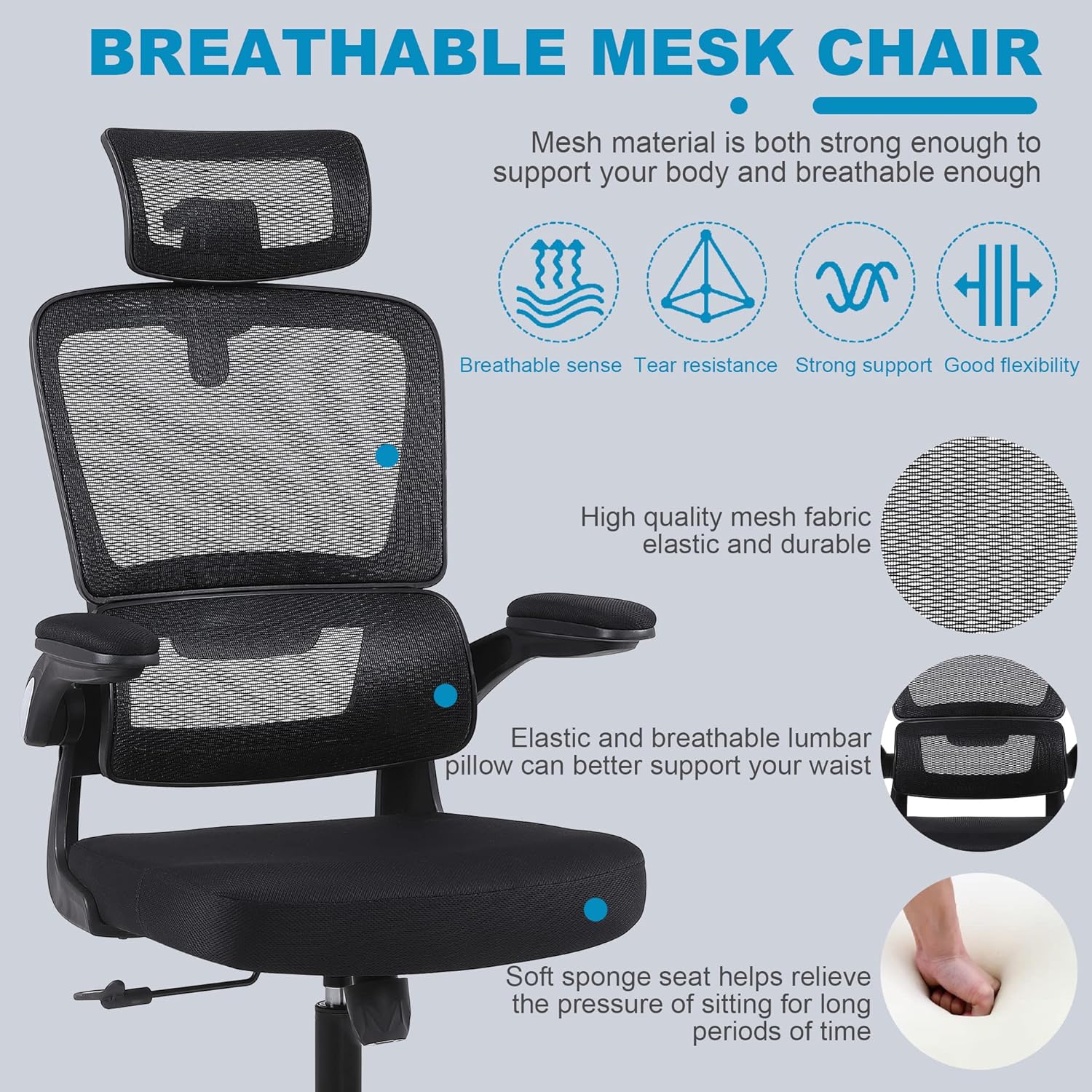
Image: Close-up of the breathable mesh fabric used for the chair's backrest and headrest.
КСНУМКС. Решавање проблема
Погледајте овај одељак за уобичајене проблеме и њихова решења.
| Иссуе | Могући узрок | Решење |
|---|---|---|
| Столица се клима или је нестабилна | Лабави завртњи или неравномерна монтажа. | Check and tighten all screws, especially those connecting the seat, backrest, and mechanism plate. Ensure casters are fully inserted. |
| Столица се не подешава по висини | Gas lift lever not engaged correctly or gas lift cylinder malfunction. | Ensure the lever is fully pulled up. If the issue persists, the gas lift cylinder may need replacement. Contact customer support. |
| Точкови се не котрљају глатко | Отпадци заглављени у точковима или оштећени точкови. | Remove any hair or debris from the caster wheels. If damaged, casters can be replaced. |
| Наслон се не спушта нити закључава | Recline lever not engaged or tilt tension too high. | Pull the recline lever outwards to unlock. Adjust the tilt tension knob counter-clockwise to reduce tension. |
7. Спецификације
Key technical specifications for the Flysky Ergonomic Office Desk Chair Model S5016.
| Феатуре | Детаљ |
|---|---|
| Назив модела | С5016 |
| Бранд | Флиски |
| Боја | Месх Блацк |
| Димензије производа (Д x Ш x В) | 28"D x 22"W x 42"H (Adjustable height) |
| Препорука за максималну тежину | 300 фунти |
| Тежина артикла | 20 фунти |
| Бацк Стиле | Мрежаста леђа |
| Посебне карактеристике | Adjustable Height, Arm Rest (Flip-Up), Ergonomic, Head Support, Rolling, Lumbar Support |
| Број лежећег положаја | >=2 (90°-120°) |
| Материјал за пуњење | Месх |
| Кретање основе намештаја | Свивел |

Image: Diagram showing the key dimensions of the Flysky Ergonomic Office Desk Chair.

Image: Illustration of the chair's sturdy base, highlighting its 300 lbs weight capacity.
8. Гаранција и подршка
For warranty information, technical support, or to inquire about replacement parts, please contact Flysky customer service. Refer to the contact information provided with your purchase or visit the official Flysky webсајту.
We are committed to assisting you with any questions or concerns regarding your product.