
1. Производ је готовview
This Hama USB-C to Lightning charging cable is designed for efficient charging and high-speed data synchronization of Apple iPhones, iPads, and iPods. It supports fast charging when used with a compatible fast charger and offers data transfer speeds up to 480 Mbps.
Садржај пакета
- 1x Hama USB-C to Lightning Charging Cable (1.5m, White)
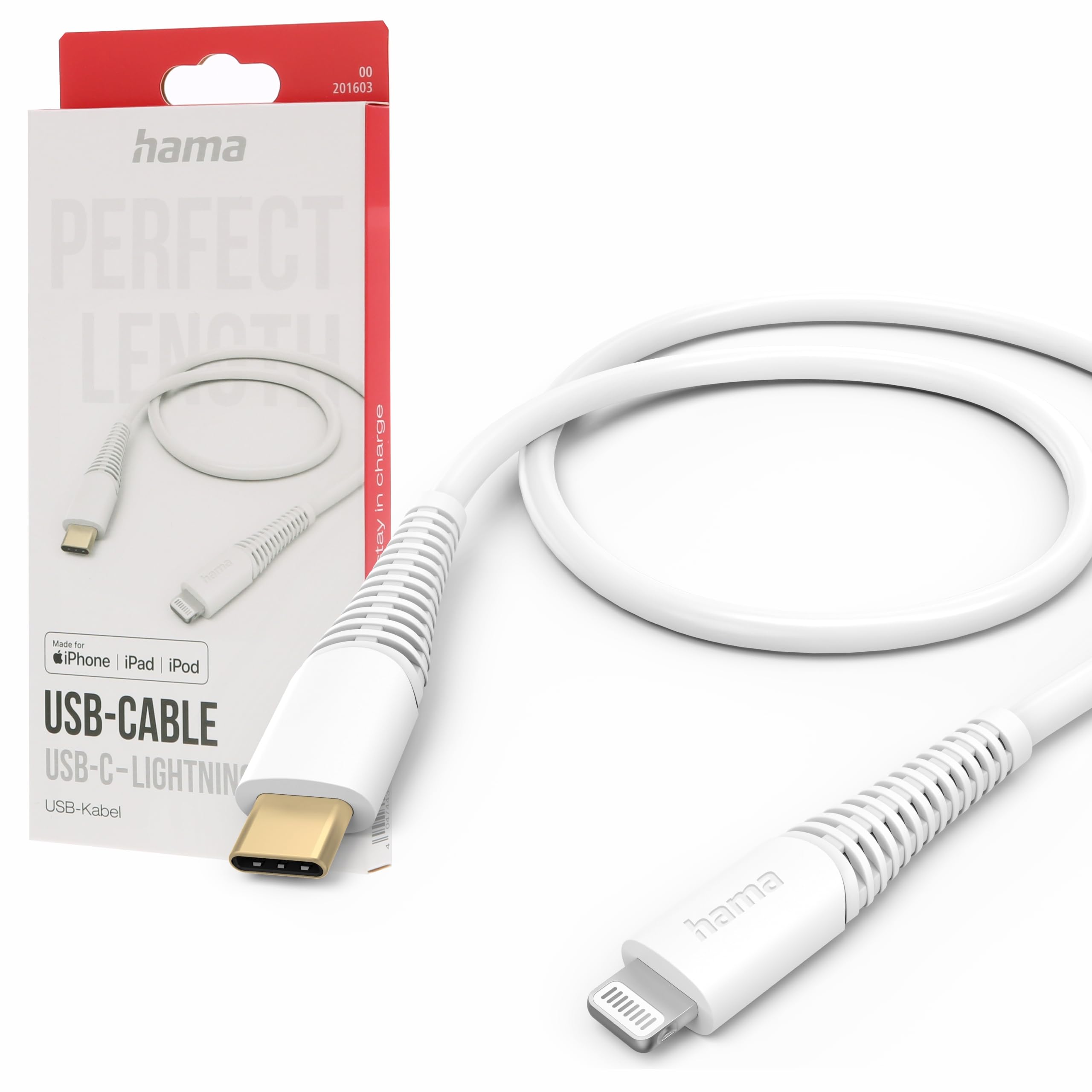
Image: The Hama USB-C to Lightning Charging Cable, white, with a USB-C connector on one end and a Lightning connector on the other.
2. Упутства за подешавање
To begin using your Hama USB-C to Lightning cable, follow these simple steps:
- Идентификујте конекторе: Locate the USB-C connector (smaller, oval-shaped) and the Lightning connector (flat, reversible) on the cable.
- Повезивање са извором напајања/рачунаром: Insert the USB-C connector into a compatible USB-C power adapter (for charging) or a USB-C port on your computer (for charging and data transfer).
- Connect to Apple Device: Insert the Lightning connector into the charging port of your iPhone, iPad, or iPod. Ensure a firm connection.
Your device should now begin charging or be recognized by your computer for data transfer.
3. Упутство за употребу
Пуњење вашег уређаја
This cable supports fast charging for compatible Apple devices. For optimal charging speed, use a USB-C power adapter that supports Power Delivery (PD) or other fast charging protocols.
- Connect the USB-C end of the cable to a wall charger or power bank.
- Connect the Lightning end to your Apple device.
- The device's screen will indicate that it is charging.
Пренос података
The cable facilitates high-speed data transfer up to 480 Mbps, allowing you to sync photos, videos, music, and other files between your Apple device and a computer.
- Connect the USB-C end of the cable to a USB-C port on your computer.
- Connect the Lightning end to your Apple device.
- Your computer should recognize the device, allowing you to access its storage for data transfer.
4. Нега и одржавање
To ensure the longevity and optimal performance of your Hama charging cable, please follow these care guidelines:
- Избегавајте екстремно савијање: Немојте прекомерно савијати или криво савијати кабл, посебно близу конектора, јер то може оштетити унутрашње жице.
- Одржавајте суво: Protect the cable from moisture and liquids. Do not use it in wet environments.
- Очистите нежно: If necessary, clean the cable and connectors with a soft, dry cloth. Avoid using harsh chemicals or abrasive materials.
- Чувајте правилно: When not in use, store the cable in a clean, dry place, ideally coiled loosely to prevent tangling and damage.
- Материјал: The exterior material is Polychlorure de vinyle (PVC), which is durable but can be damaged by sharp objects or extreme heat.
КСНУМКС. Решавање проблема
Уређај се не пуни
- Проверите везе: Ensure both the USB-C and Lightning connectors are fully and securely inserted into their respective ports.
- Проверите извор напајања: Confirm that the USB-C power adapter or computer port is functional and providing power. Try a different power source if available.
- Прегледајте кабл: Check the cable for any visible damage, such as cuts or frayed wires. If damaged, discontinue use.
- Тестирајте са другим уређајем/каблом: Try charging a different Apple device with this cable, or try charging your device with a different, known-working cable to isolate the issue.
Проблеми преноса података
- Сигурне везе: Ensure the cable is firmly connected to both your computer and Apple device.
- Computer Port: Try connecting the USB-C end to a different USB-C port on your computer.
- Device Trust: On your Apple device, ensure you have tapped 'Trust This Computer' when prompted.
- Софтвер/драјвери: Ensure your computer's operating system and iTunes (if applicable) are up to date.
6. Техничке спецификације
| Број модела | 00201603 |
| ASIN | B0BL1CGYP6 |
| Дужина | 1.5 метара |
| Боја | Бела |
| Тип конектора | УСБ Тип Ц, Лигхтнинг |
| Цоннецтор Гендер | Мушко-мушкарцу |
| Брзина преноса података | 480 мегабита у секунди |
| Макимум Цуррент | 3 Ampерес |
| Макимум Волtage | 20 Волтс |
| Посебна карактеристика | High Speed Charging and Data Transfer |
| Компатибилни уређаји | Smartphones (Apple iPhones, iPads, iPods), Power Banks, Laptops, Speakers, Tablets |
| Спољашњи материјал | поливинил хлорид (ПВЦ) |
| Димензије производа (Д к Ш к В) | 19.5 к 9 к 1.5 цм |
| Тежина артикла | 47.82 грама |
| Усклађеност | CE |
7. Гаранција и подршка
Hama products are manufactured with high quality standards. This product includes a Доступност резервних делова у року од 1 године од дана куповине.
For technical support, warranty claims, or further assistance, please contact Hama customer service through their official webсајт или продавца где је производ купљен. Молимо вас да сачувате доказ о куповини за потребе гаранције.
For more information, visit the official Hama webсајт: ввв.хама.цом