
keenetic KN-3710-01-EU
Keenetic Sprinter AX1800 Mesh Wi-Fi 6 Router/Extender User Manual
Model: KN-3710-01-EU | Brand: Keenetic
1. Увод
The Keenetic Sprinter AX1800 is a high-performance Mesh Wi-Fi 6 Router/Extender designed to provide fast, reliable, and secure internet connectivity for your home or office. This device supports Wi-Fi 6 (802.11ax) technology, offering dual-band operation (2.4 GHz and 5 GHz) with speeds up to 1800 Mbps. It features four Gigabit Ethernet ports for stable wired connections and can seamlessly switch between router and extender modes. This manual provides essential information for setting up, operating, maintaining, and troubleshooting your Keenetic Sprinter AX1800.
2. Безбедносне информације
- Користите само адаптер за напајање који сте добили уз уређај.
- Do not expose the device to water, fire, high humidity, or extreme temperatures.
- Избегавајте постављање уређаја у близини извора топлоте или на директном сунцу.
- Осигурајте одговарајућу вентилацију око уређаја како бисте спречили прегревање.
- Не покушавајте сами да растављате или поправљате уређај. Све сервисирање препустите квалификованом особљу.
3. Садржај пакета
Проверите да ли су све ставке присутне у вашем пакету:
- Keenetic Sprinter AX1800 Device
- Повер Адаптер
- Етхернет Цабле
- Telephone Cable (if applicable)
- DSL Splitter (if applicable)
- Multi-language Quick Start Guide
4. Производ је готовview
Familiarize yourself with the physical components of your Keenetic Sprinter AX1800.

Слика 4.1: Предња страна view of the Keenetic Sprinter AX1800 router, showing the LED indicators for power, internet, Wi-Fi, and network activity.
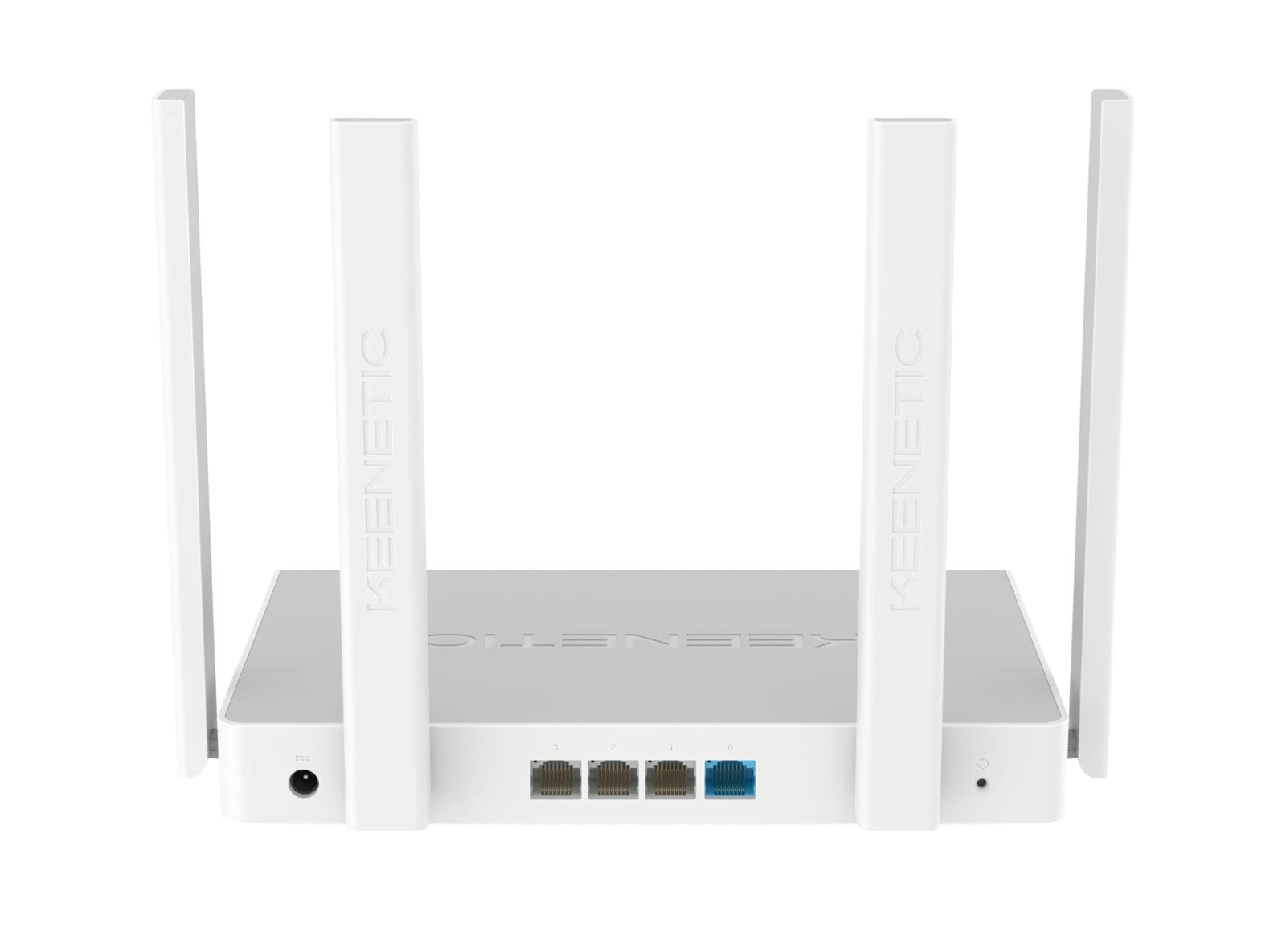
Слика 4.2: Задња страна view of the Keenetic Sprinter AX1800 router, highlighting the power input, four Gigabit Ethernet ports (one blue for WAN/LAN, three yellow for LAN), and the reset button.
ЛЕД индикатори:
- ЛЕД за напајање: Означава статус напајања.
- Интернет ЛЕД: Означава статус интернет везе.
- Ви-Фи ЛЕД: Означава Wi-Fi активност.
- ЛАН ЛЕД диоде: Означава активност на одговарајућим Етернет портовима.
Портови и дугмад:
- Улазна снага: Повезује се на адаптер за напајање.
- Gigabit Ethernet Ports (4): One port can function as WAN or LAN, others are LAN.
- Дугме за ресетовање: Користи се за враћање фабричких подешавања.
- Прекидач режима: Physical switch to toggle between Router and Extender modes.
5. Подешавање
5.1 Почетно повезивање
- Укључено: Connect the power adapter to the router's power input and plug it into a power outlet. Wait for the Power LED to stabilize.
- Интернет веза: Connect your modem's Ethernet cable to the blue WAN/LAN port on the router.
- Wired Devices (Optional): Connect your computer or other wired devices to any of the yellow LAN ports using an Ethernet cable.
- Бежични уређаји: Locate the default Wi-Fi network name (SSID) and password printed on the label at the bottom of the router. Connect your wireless devices to this network.
5.2 Configuration (Web Interface / Mobile App)
You can configure your router using either the web интерфејс или мобилну апликацију Keenetic.
Web Интерфејс:
- Отвори а web претраживач на повезаном уређају.
- Ентер
my.keenetic.netor192.168.1.1у адресној траци и притисните Ентер. - Follow the on-screen instructions to complete the initial setup, including setting up your administrator password and Wi-Fi network details.
Мобилна апликација:
- Download the free Keenetic app from your device's app store (Android/iOS).
- Open the app and follow the instructions to discover and set up your Keenetic device.
5.3 Router/Extender Mode Switching
The Keenetic Sprinter AX1800 features a physical switch to easily change its operating mode:
- Режим рутера: The device acts as the primary internet gateway for your network.
- Режим екстендера: The device extends an existing Wi-Fi network, providing broader coverage.
To switch modes, locate the physical switch on the device and move it to the desired position. The device will reboot and apply the new settings.
6. Оперативни
6.1 Wi-Fi 6 AX1800 Dual-Band Connectivity
The router supports the latest Wi-Fi 6 standard, providing enhanced speeds and efficiency for multiple devices simultaneously. It operates on two frequency bands:
- 2.4 ГХз: Up to 574 Mbps, ideal for wider coverage and older devices.
- 5 ГХз: Up to 1201 Mbps, ideal for high-bandwidth activities like 4K streaming and online gaming.
6.2 Гигабит Етхернет порта
The four Gigabit Ethernet ports provide stable and high-speed wired connections for devices such as PCs, smart TVs, gaming consoles, and network-attached storage (NAS) devices. These ports ensure minimal latency and maximum throughput for critical connections.
6.3 Напредне функције
- VPN and Multi-WAN: Supports OpenVPN, WireGuard, L2TP/IPsec, and Multi-WAN for load balancing and automatic failover, enhancing network flexibility and reliability.
- IntelliQoS Bandwidth Control: Automatically prioritizes network traffic for applications like streaming, gaming, and video conferencing to prevent interruptions.
- Integrated Security Features: Includes SPI Firewall, SafeDNS parental controls, and AdGuard ad blocker for comprehensive network protection.
- Guest Network with Captive Portal: Provides a separate, secure network for guests with customizable access options.
- Даљинско управљање: Manage your router remotely via the Keenetic mobile app or a secure web interface (HTTPS), including KeenDNS support.
7. Одржавање
7.1 Ажурирања фирмвера
Regularly update your router's firmware to ensure optimal performance, security, and access to new features. Firmware updates can be performed via the web интерфејс или мобилну апликацију Keenetic.
7.2 Чишћење
To clean the device, use a soft, dry cloth. Do not use liquid cleaners or aerosol sprays. Ensure the device is powered off and unplugged before cleaning.
7.3 Постављање
Optimal placement of your router is crucial for Wi-Fi performance. Place the router in a central location, away from obstructions and sources of interference (e.g., microwaves, cordless phones).
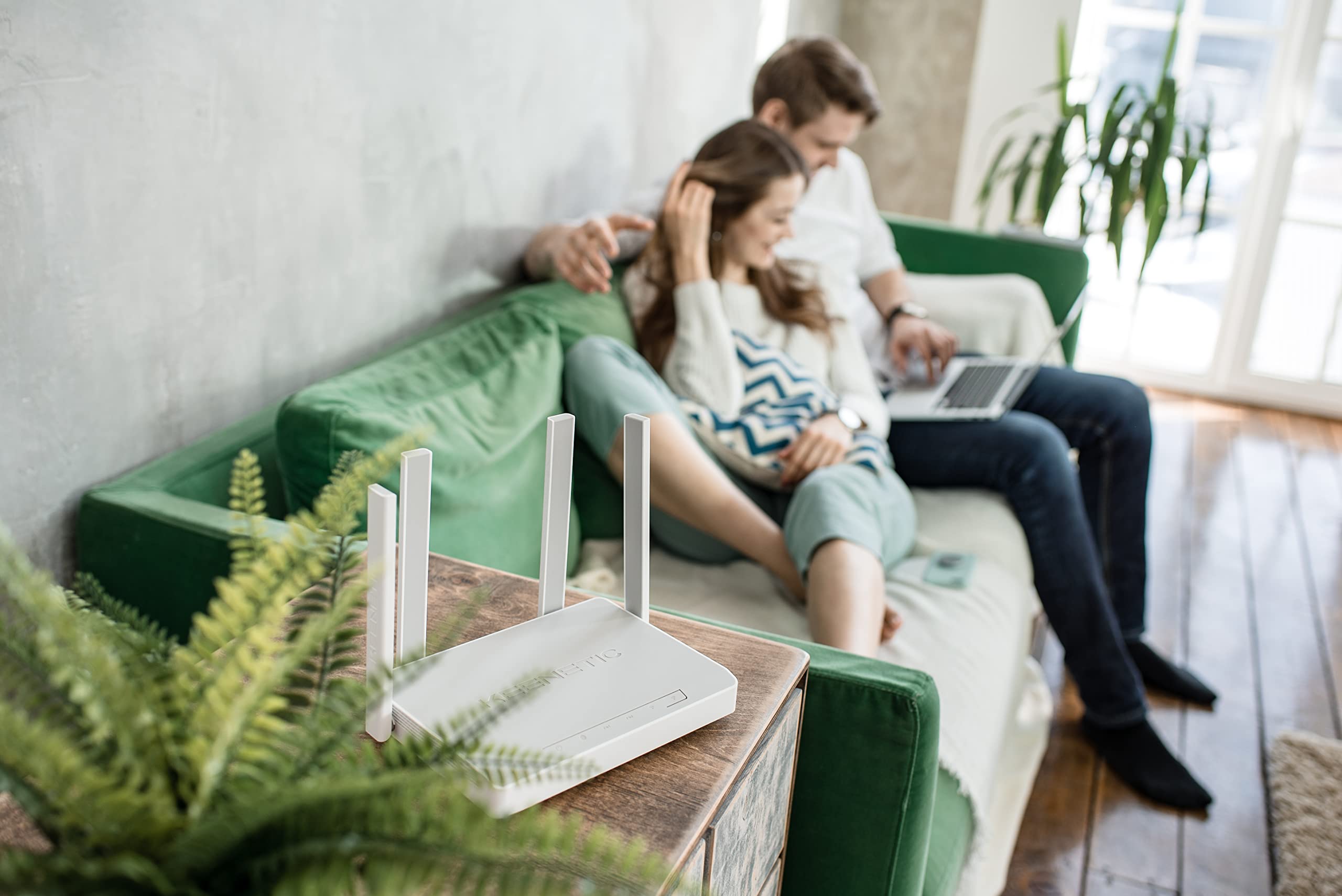
Слика 7.1: Прample of the Keenetic Sprinter AX1800 router mounted vertically on a wall, demonstrating flexible placement options.

Слика 7.2: Прample of the Keenetic Sprinter AX1800 router placed horizontally on a table, illustrating typical desktop placement.
КСНУМКС. Решавање проблема
Уобичајени проблеми и решења:
- Нема интернет везе:
- Check if the Internet LED is lit.
- Ensure the Ethernet cable from your modem is securely connected to the blue WAN/LAN port.
- Поново покрените модем и рутер.
- Проверите подешавања вашег интернет провајдера (ISP) у рутеру web интерфејс.
- Слаб Wi-Fi сигнал:
- Преместите рутер на централнију позицију.
- Избегавајте постављање рутера у близини великих металних предмета или електронских уређаја који могу изазвати сметње.
- Consider using the device in Extender mode or adding another Keenetic device for a Mesh Wi-Fi system.
- Не могу приступити Web Интерфејс:
- Уверите се да је ваш уређај повезан са мрежом рутера (жичаном или бежичном).
- Покушајте да обришете кеш меморију прегледача или да користите други прегледач.
- Проверите ИП адресу рутера (подразумевана је 192.168.1.1).
- Заборављена администраторска лозинка:
- Perform a factory reset by pressing and holding the Reset button for 10 seconds while the device is powered on. Note that this will erase all custom settings.
9. Спецификације
| Феатуре | Опис |
|---|---|
| Назив модела | КН-3710 |
| вирелесс стандард | 802.11ак (Ви-Фи 6) |
| Класа фреквенцијског опсега | Dual-band (2.4 GHz & 5 GHz) |
| Максимална брзина бежичне мреже | AX1800 (574 Mbps на 2.4 GHz, 1201 Mbps на 5 GHz) |
| Етхернет портови | 4 x 10/100/1000M Gigabit Ethernet (1 WAN/LAN, 3 LAN) |
| Антене | 4 спољне антене |
| Посебне карактеристике | QoS, VPN, Multi-WAN, Mesh Support, Guest Network, Parental Control |
| Димензије производа | 24 к 69 к 2.5 цм |
| Тежина артикла | 400 грама |
| Произвођач | Keenetic Limited |
10. Гаранција и подршка
For warranty information and technical support, please refer to the official Keenetic webсајт или контактирајте њихову корисничку службу. Сачувајте рачун као доказ о куповини за потребе гаранције.
Онлине ресурси: Visit the Keenetic support page for FAQs, firmware downloads, and additional documentation.
Контактирајте подршку: Refer to the contact information provided in your Quick Start Guide or on the Keenetic official webсајту.