
Увод
The Abovsare Digital Alarm Clock is designed to provide clear time, date, and temperature information with a large LED display. Its modern design complements various room decors, and its silent operation ensures a peaceful environment. This manual provides detailed instructions for setting up and operating your new digital alarm clock.
Важне информације о безбедности
- Always connect the device to a USB port or use only a 5V/1A or 5V/2A power adapter. Using an adapter with excessive voltage may cause screen damage or malfunction.
- This clock requires continuous power and must be plugged in to operate. It is not battery-operated for primary function. A built-in CR2025 3V button battery serves only as a memory backup for time data during power outagес.
- Избегавајте излагање сата екстремним температурама, директној сунчевој светлости или високој влажности.
- Не покушавајте сами да растављате или поправљате уређај. За све поправке обратите се квалификованом сервисеру.
Садржај пакета
Молимо вас да проверите пакет за следеће ставке:
- Abovsare Digital Alarm Clock (Model B0BLCYTFB2)
- УСБ кабл за напајање
- USB Power Adapter (5V/1A or 5V/2A)
Производ је завршенview
Familiarize yourself with the clock's components and controls.
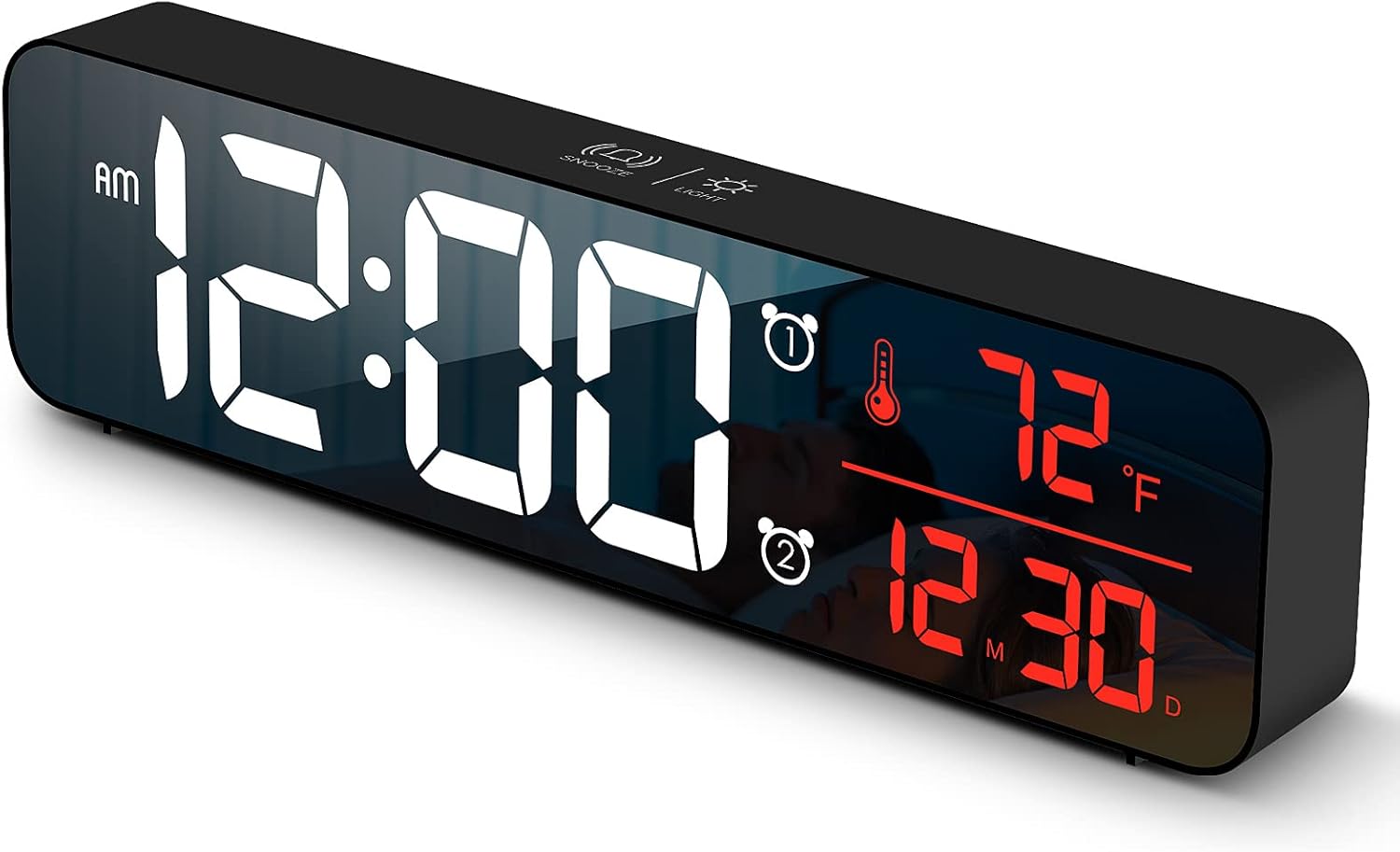
Слика 1: Фронт view of the Abovsare Digital Alarm Clock, displaying time, temperature, and date in red LED digits.
Слика 2: Позади view of the clock, highlighting the control buttons and USB power input. The buttons are typically for setting time, alarms, and adjusting modes.
Контролна дугмад и функције:
- СЕТ дугме: Used to enter setting modes for time, date, and alarms.
- Тастери ГОРЕ/ДОЛЕ: Used to adjust values during settings and navigate options.
- ALARM 1/2 Buttons: Used to activate/deactivate and set Alarm 1 and Alarm 2.
- Дугме за ОДЛОМАЊЕ/ОСВЕТЉЕЊЕ (горе): Taps to adjust brightness, long press for snooze during alarm.
- УСБ порт за напајање: Connects the clock to the power adapter.
Сетуп
- Прикључак за напајање: Connect the provided USB power cable to the clock's USB port and then to the USB power adapter. Plug the adapter into a standard wall outlet. The display will light up.
- Почетно подешавање времена:
- Притисните тастер СЕТ дугме једном да бисте ушли у режим подешавања времена. Цифре за сате ће трептати.
- Користите UP or ДОВН дугмад за подешавање сата.
- Притисните СЕТ again to move to minute setting. Adjust minutes with UP or ДОВН.
- Наставите да притискате СЕТ да бисте се кретали кроз подешавања године, месеца и дана, подешавајући свако помоћу UP or ДОВН.
- Притисните СЕТ још једном да бисте изашли из режима подешавања.
- Јединица температуре: The clock displays temperature in either Celsius or Fahrenheit. Refer to the operating instructions for how to switch between these units.
Упутство за употребу
Time, Date, and Temperature Display
The clock continuously displays the current time, date (month/day), and indoor temperature. The large LED digits ensure readability from a distance.
Подешавање осветљености

Слика 3: The clock on a nightstand, demonstrating its display in a bedroom setting, with text indicating 5 levels of brightness adjustment.
The clock features 5 levels of brightness. You can adjust it manually or use the automatic dimmer function.
- Ручно подешавање: Додирните СНООЗЕ / СВЕТЛО button on the top of the clock to cycle through the 5 brightness levels.
- Automatic Dimmer: The clock automatically adjusts brightness based on the time of day.
- 7:00 AM - 5:59 PM: Highlight brightness
- 6:00 PM - 10:59 PM: Medium brightness
- 11:00 PM - 5:59 AM: Darkest brightness
- 6:00 AM - 6:59 AM: Medium highlight
Напомена: If you manually adjust brightness, the clock will remember your setting for that specific time period on subsequent days. However, when a new period begins, the brightness will revert to the system's preset automatic rule.
Подешавање аларма (Аларм 1 и Аларм 2)
The clock supports two independent alarms. This is useful for different wake-up times or for heavy sleepers.
- Притисните тастер АЛАРМ 1 or АЛАРМ 2 button to select which alarm to set. The alarm icon and hour digits will flash.
- Користите UP or ДОВН дугмад за подешавање сата аларма.
- Притисните изабрано АЛАРМ button again to move to minute setting. Adjust minutes with UP or ДОВН.
- Притисните тастер АЛАРМ button one last time to confirm and exit alarm setting. The alarm icon will remain lit, indicating the alarm is active.
- To deactivate an alarm, press its corresponding АЛАРМ button until the alarm icon disappears from the display.
Ringtone Selection and Volume
The clock offers 40 selectable ringtones and 4 volume levels.
- During alarm setting, after setting the minutes, press the АЛАРМ button again to enter ringtone selection. Use UP or ДОВН да преview мелодије звона.
- Притисните тастер АЛАРМ button again to enter volume adjustment. Use UP or ДОВН to select one of the 4 volume levels.
- Притисните тастер АЛАРМ button to confirm your selection and exit.
Функција одлагања
When an alarm sounds, tap the СНООЗЕ / СВЕТЛО button on the top of the clock to activate the snooze function. The alarm will temporarily pause and sound again after a set interval (typically 5-9 minutes). To turn off the alarm completely, press any other button on the back of the clock.
Функција меморије

Слика 4: Illustration of the memory function, showing the clock retaining time settings even after a power interruption, thanks to the internal CR2025 3V button battery.
The clock includes a built-in memory function. In the event of a power disconnection, the time and alarm settings will not be lost, eliminating the need to reset them once power is restored. This function is supported by an internal CR2025 3V button battery.
Одржавање
- Clean the clock's display and casinг меком, сувом крпом.
- Не користите абразивна средства за чишћење, раствараче или хемијске спрејеве, јер могу оштетити површину.
- Ensure the clock remains dry and away from water sources.
Решавање проблема
| Проблем | Могући узрок / решење |
|---|---|
| Display is off or flickering. |
|
| Cannot set time/alarm correctly. |
|
| Alarm is too loud or too quiet. |
|
| Clock time drifts (gains/loses minutes). |
|
| Display brightness changes unexpectedly. |
|
Спецификације
| Феатуре | Детаљ |
|---|---|
| Бранд | Абовсаре |
| Модел | B0BLCYTFB2 |
| Дисплаи Типе | Дигитал ЛЕД |
| Боја | Wired-black Case+red Digit |
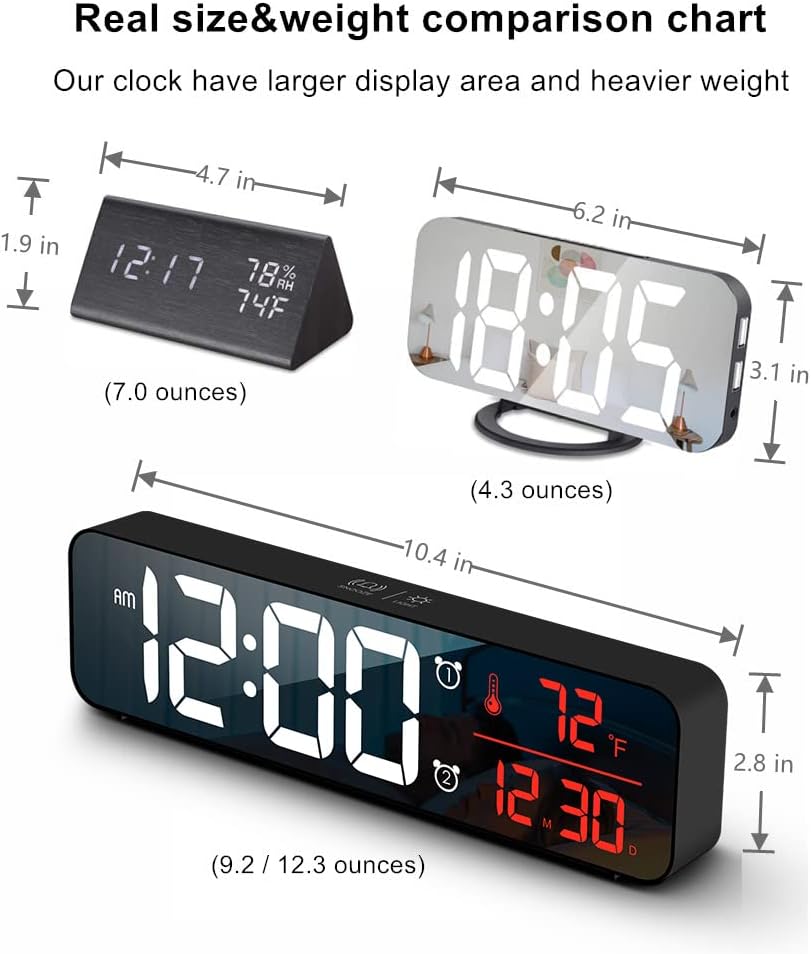
| Димензије производа | 10.4" Ш x 2.8" В |
| Извор напајања | Corded Electric (USB-5V) |
| Посебне карактеристике | Large Display, Automatic Brightness Dimmer, Memory Function, Dual Alarms, Date, Temperature |
| Тип монтаже | Tabletop or Wall-mountable |
| Материјал | Акрилонитрил бутадиен стирен (пластика) |
| Тежина артикла | 1 фунта (приближно 16 унци) |
Гаранција и подршка
Abovsare is committed to providing high-quality products. For specific warranty details and customer support, please refer to the information provided at the time of purchase or visit the official Abovsare brand store.
Abovsare Brand Store: https://www.amazon.com/stores/Abovsare/page/D02B5557-764F-4435-8DFB-4333D462DA1C