
Увод
This manual provides detailed instructions for the safe and effective use of your MiLESEEY D5 70M-BT Laser Distance Meter. This device is designed for precise distance measurements up to 70 meters, featuring an electronic angle sensor, various measurement modes, and smartphone application connectivity for enhanced functionality.
Безбедносне информације
Please read and understand all safety instructions before operating the device. Failure to follow these instructions may result in laser radiation exposure, electric shock, fire, or serious injury.
- Laser Class II Product: This device emits Class II laser radiation. Do not stare into the laser beam. Avoid direct eye exposure.
- Тип ласера: 635nm <1mW.
- Не покушавајте да модификујете или растављате уређај. Поправке треба да обавља само овлашћено сервисно особље.
- Држите уређај ван домашаја деце.
- Do not operate the device in explosive atmospheres or near flammable liquids and gases.
- Use only specified batteries (2 x 1.5V AAA alkaline batteries).
Садржај пакета
Проверите да ли су све ставке присутне у пакету:
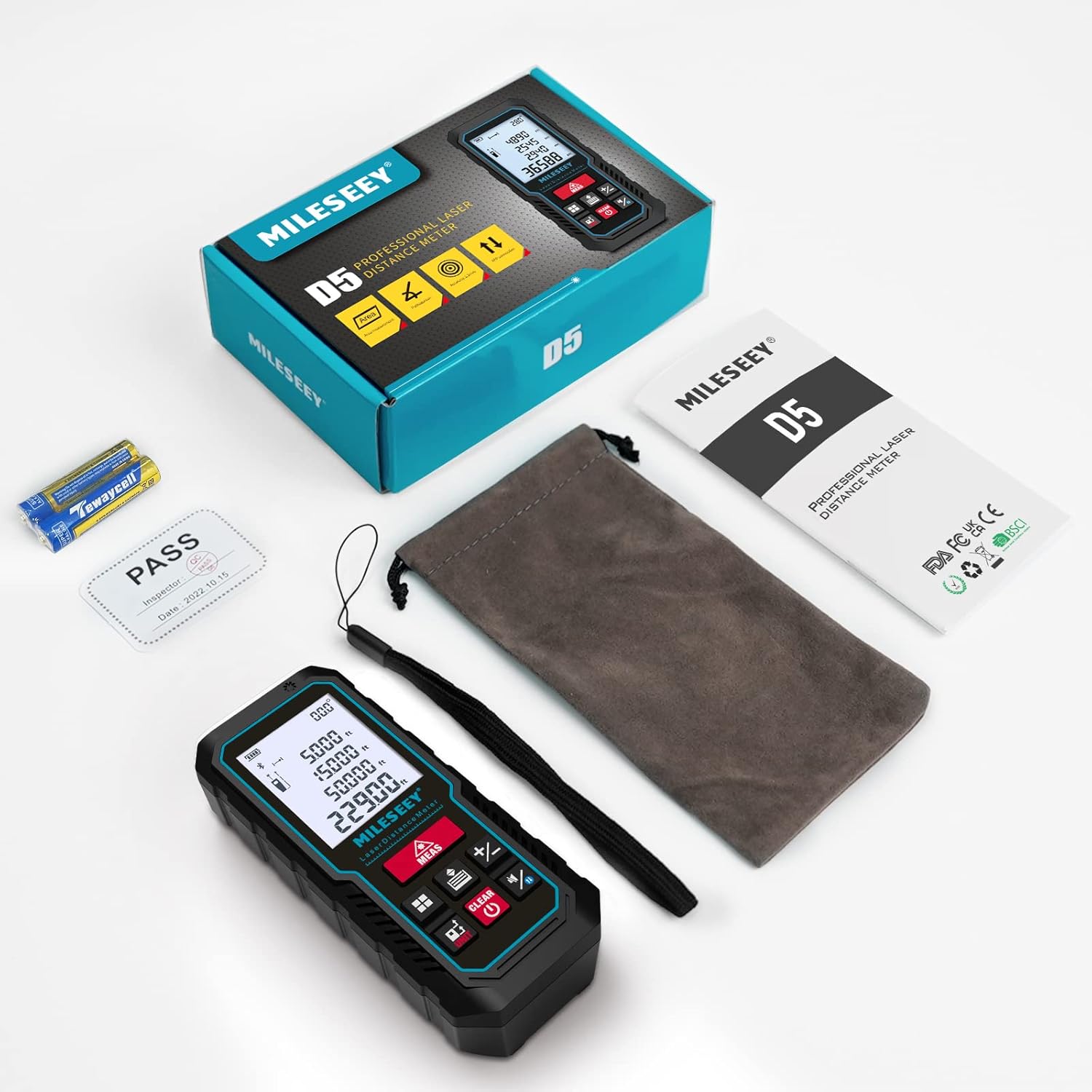
- 1 x MiLESEEY D5 Laser Distance Meter
- 2 к 1.5 В ААА батерије
- 1 к Упутство за употребу
- 1 к преносна торбица
- 1 к ремен за руку

Производ је завршенview
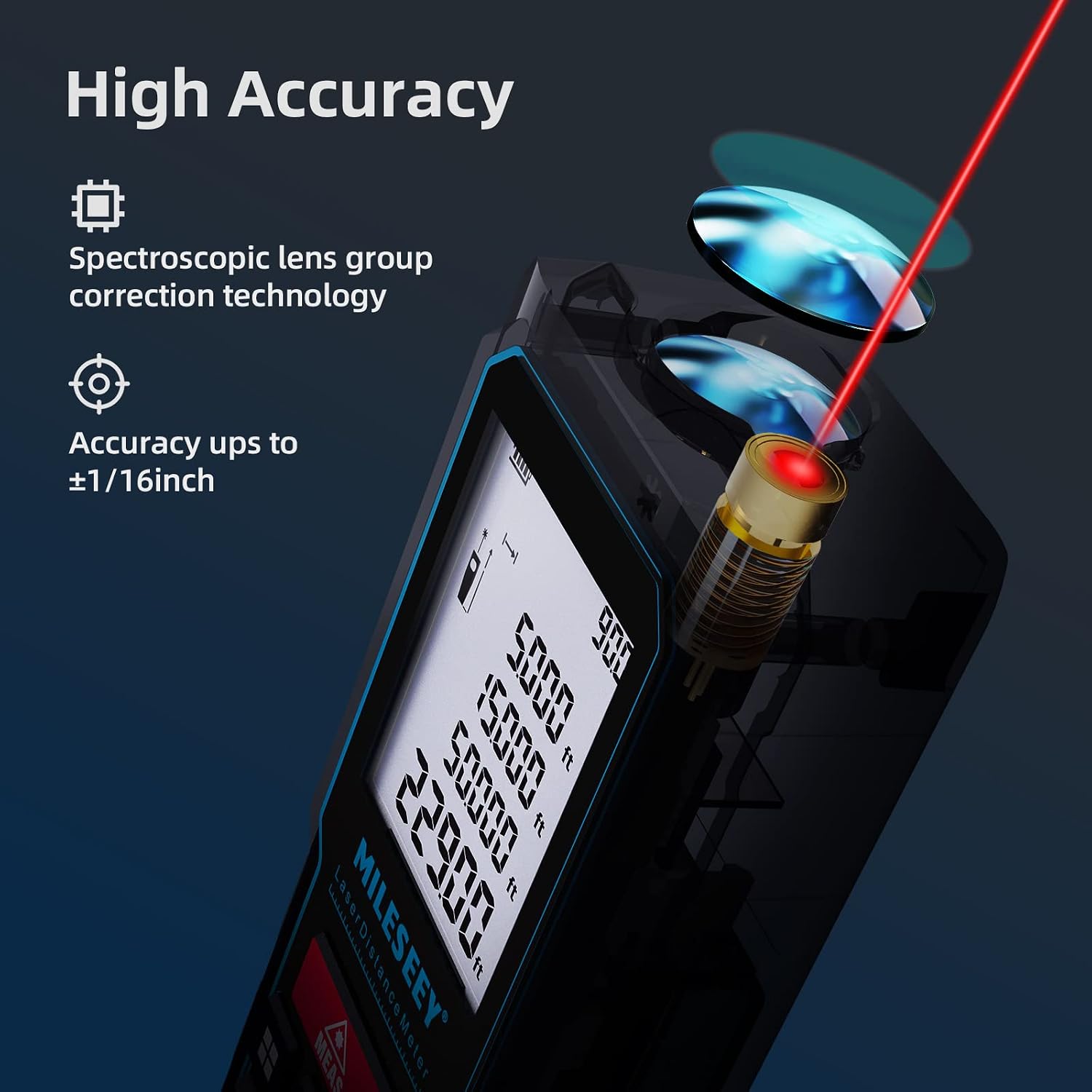
The MiLESEEY D5 70M-BT features a robust design with an easy-to-read LCD display and intuitive controls, offering high accuracy for various measurement tasks.
Кључне компоненте укључују:
- Ласерски емитер/пријемник: Located at the top for accurate measurements.
- ЛЦД екран: 2-inch screen with backlight for clear visibility of measurements and settings.
- Measurement Button (MEAS): Initiates measurements.
- Функционална дугмад: For selecting measurement modes (distance, area, volume, Pythagorean, etc.).
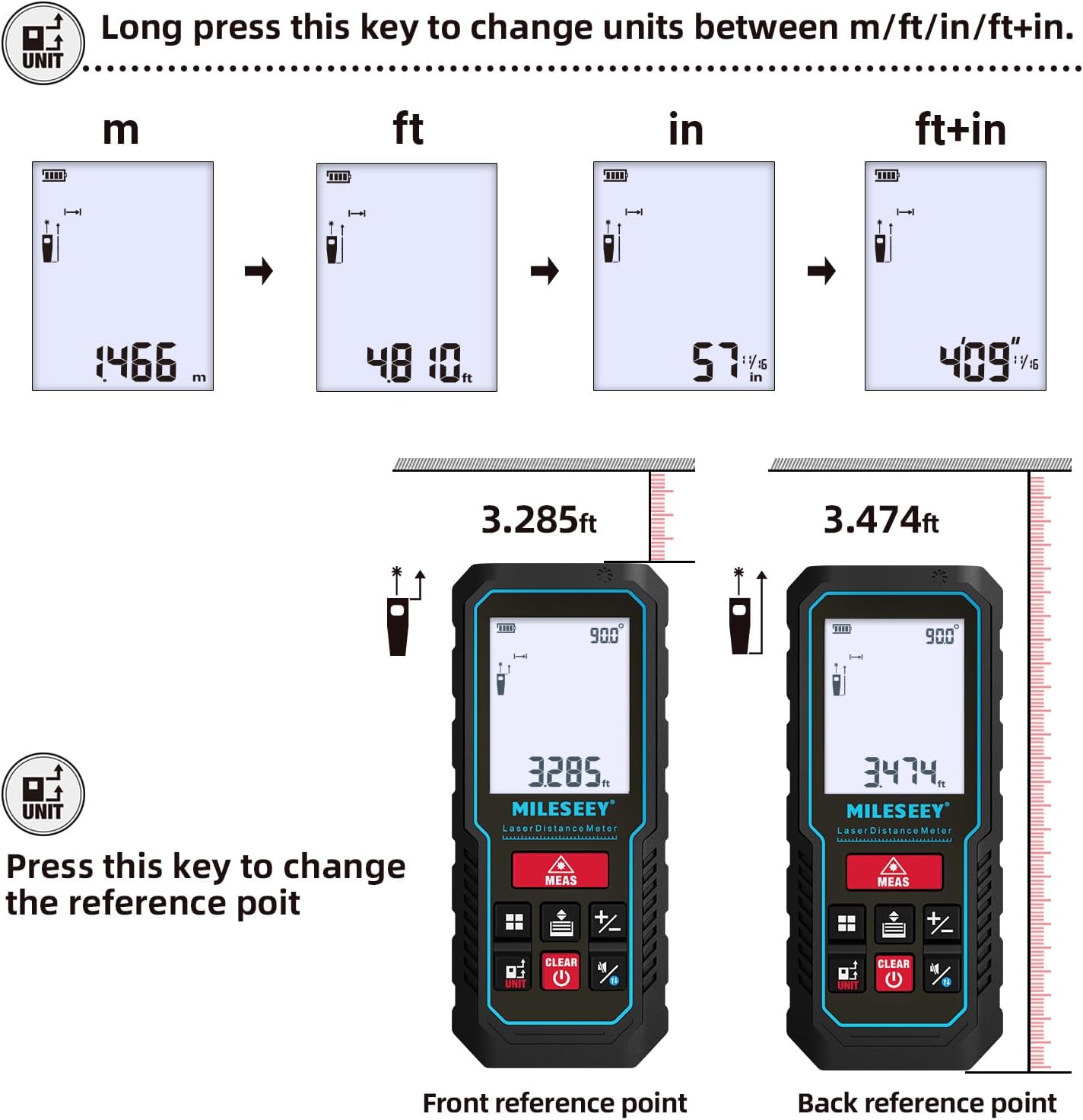
- Unit Button (UNIT): Changes measurement units (m/ft/in/ft+in).
- Reference Point Button: Switches between front and rear reference points for measurement.
- Clear/Off Button (CLEAR/OFF): Clears current measurement or powers off the device.
Сетуп
Инсталација батерије
The device requires two 1.5V AAA alkaline batteries. Ensure correct polarity when inserting the batteries.
- Отворите поклопац одељка за батерије на задњој страни уређаја.
- Insert two AAA batteries, matching the positive (+) and negative (-) terminals as indicated.
- Добро затворите поклопац одељка за батерије.
Укључивање/искључивање
- Да бисте укључили, притисните МЕАС дугме.
- За искључивање притисните и држите тастер РАШЧИСТИТИ button for a few seconds, or the device will automatically shut off after 180 seconds of inactivity to conserve energy.
Упутство за употребу
Basic Distance Measurement
For a single distance measurement:
- Усмерите ласер ка мети.
- Притисните тастер МЕАС button once. The measurement will be displayed on the screen within 0.5 seconds.

Промена јединица и референтне тачке
The device supports multiple units and reference points.
- Конверзија јединица: Дуго притисните УНИТ button to cycle through units: meters (m), feet (ft), inches (in), and feet + inches (ft+in).
- Референтна тачка: Притисните тастер УНИТ button briefly to switch the measurement reference point between the front edge and the rear edge of the device.
Режими мерења
The MiLESEEY D5 offers various measurement functions:
- Континуирано мерење: For tracking distances as you move the device.
- Мерење површине: Calculates the area of a surface (length x width).
- Мерење запремине: Calculates the volume of a space (length x width x height).
- Pythagorean Method (2-point and 3-point): Indirect measurement for heights or distances where direct measurement is not possible.
- Сабирање/одузимање: Add or subtract measurements.
- Auto Level: Automatically calculates horizontal distance.
- Auto Height: Automatically calculates vertical height.


Smartphone App Connectivity (Smart Life App)
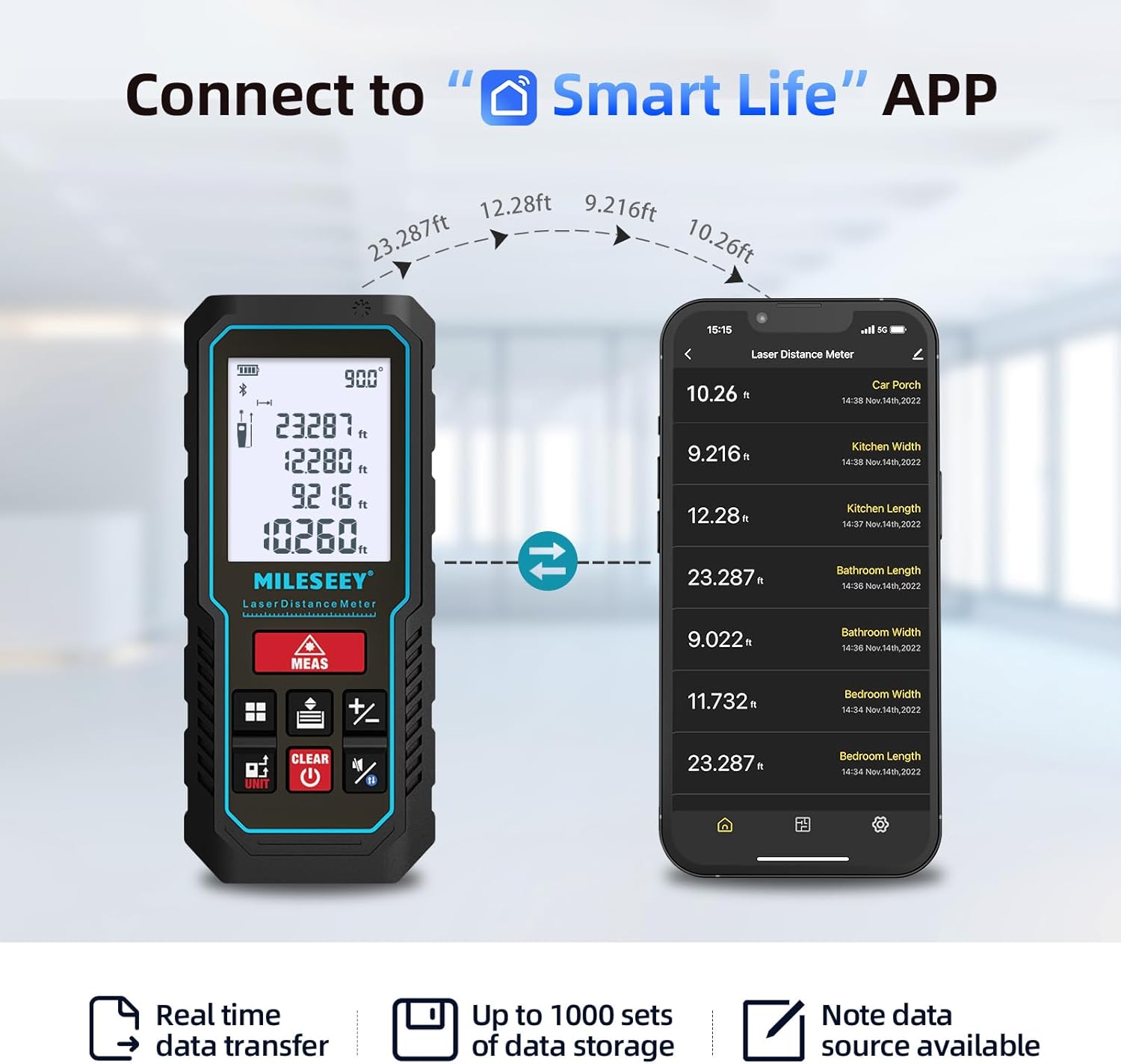
The MiLESEEY D5 70M-BT can connect wirelessly to your smartphone via the free "SMART LIFE" app, allowing for real-time data transfer, storage, and advanced functions.
- Download the "SMART LIFE" app from your device's app store (available on Google Play and Apple App Store).
- Enable Bluetooth on your smartphone and open the "SMART LIFE" app.
- Follow the in-app instructions to pair your MiLESEEY D5 device.
- Once connected, you can document measurements, create floor plans by drawing on photos or grids, and store up to 1000 sets of data.


Data Records and Mute Mode
- The device stores up to 30 data records, which can be recalled for review and calculation.
- A mute mode is available for quiet operation in sensitive environments.

Одржавање
Proper maintenance ensures the longevity and accuracy of your device.
- Чишћење: Обришите уређај меком, дamp тканина. Немојте користити абразивна средства за чишћење или раствараче.
- Складиштење: Store the device in its portable pouch in a cool, dry place when not in use. Remove batteries if storing for extended periods.
- Заштита: The device has an IP54 rating, making it splash-resistant and dust-proof. Avoid submerging it in water. It also features 1-meter drop resistance.

Решавање проблема
If you encounter issues with your MiLESEEY D5, refer to the following common problems and solutions:
| Проблем | Могући узрок | Решење |
|---|---|---|
| Уређај се не укључује | Слабе или празне батерије; неправилна инсталација батерија. | Replace batteries with new 1.5V AAA alkaline batteries. Ensure correct polarity. |
| Нетачна мерења | Obstruction in laser path; unstable measuring surface; extreme temperature changes; dirty lens. | Ensure a clear path for the laser. Measure on a stable surface. Allow device to acclimate to ambient temperature. Clean the lens with a soft cloth. |
| Cannot connect to Smart Life App | Bluetooth is off; app not installed; device not in pairing mode. | Ensure Bluetooth is enabled on your phone. Download and install the "SMART LIFE" app. Follow app instructions for pairing. |
| Порука „Грешка“ на екрану | Measurement out of range; strong light interference; target surface not reflective enough. | Ensure target is within 0.16m - 70m range. Avoid measuring in direct sunlight or strong light. Use a reflective target plate if necessary. |
Спецификације
| Феатуре | Детаљ |
|---|---|
| Бранд | Мајлси |
| Број модела | D5 (70M-BT) |
| Меасуремент Ранге | 0.16m - 70m |
| Прецизност | ±2мм |
| Ласер Цласс | Класа ИИ |
| Ласер Типе | 635nm <1mW |
| Дисплаи | 2-инчни ЛЦД екран са позадинским осветљењем |
| Electronic Angle Sensor | Yes, ±0.3° accuracy |
| Меасуремент Фунцтионс | Distance, Continuous, Area, Volume, Pythagorean (2/3-point), Addition/Subtraction, Auto Level, Auto Height |
| Јединице | м / фт / ин / фт+ин |
| Дата Рецордс | 30 (on device), up to 1000 (via app) |
| Повезивање | Bluetooth (Smart Life App) |
| Повер Суппли | 2 x 1.5 V AAA алкалне батерије |
| Аутоматско искључивање | 180 секунди неактивности |
| ИП Ратинг | IP54 (Splash-resistant, Dust-proof) |
| Отпор на пад | 1 метар |
| Материјал | акрилонитрил бутадиен стирен (АБС) |
| Димензије (Д к Ш к В) | 15.2Д к 10.1Ш к 4.8В цм |
| Тежина артикла | 220 грама |
Гаранција и подршка
MiLESEEY provides comprehensive support for its products.
- гаранција: The device comes with a 12-month warranty.
- Гаранција поврата новца: Нуди се 90-дневна гаранција поврата новца.
- Проширена подршка: 2 years of assistance after registration and lifetime technical support from MILESEEY.
- For technical assistance or warranty claims, please contact MILESEEY customer service through their official channels or the retailer where the product was purchased.