
Techage TA-XM-PT825-80W-US
Techage 4K WiFi Security Camera User Manual
Model: TA-XM-PT825-80W-US
1. Производ је готовview
The Techage 4K WiFi Security Camera (Model: TA-XM-PT825-80W-US) is an advanced 8MP pan-tilt wireless camera designed for comprehensive indoor and outdoor surveillance. It offers 24/7 recording capabilities, auto-tracking, color night vision, and smart home integration with Alexa. Equipped with two-way audio, a siren alarm, and a spotlight, this camera provides robust security features and real-time communication.
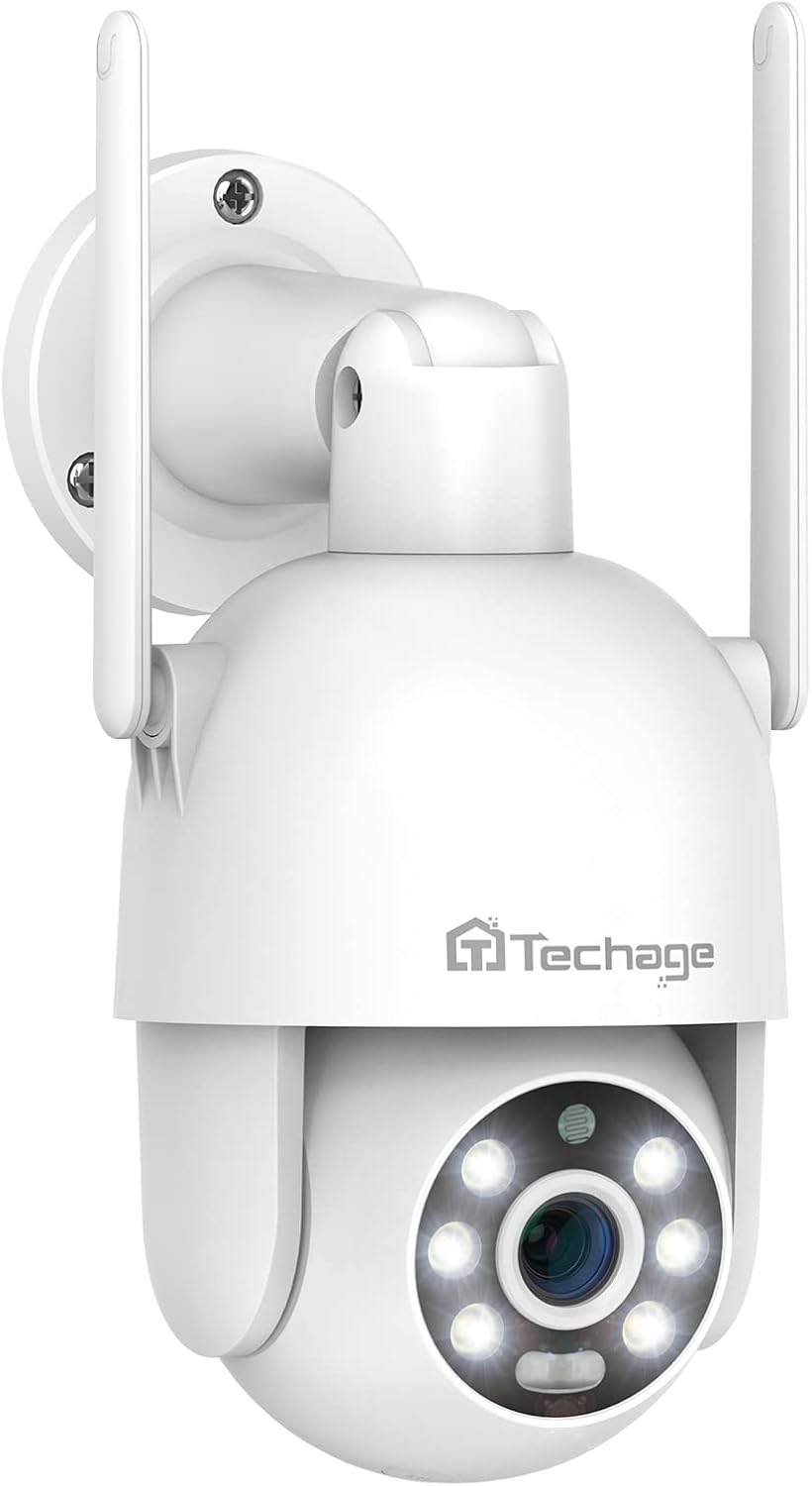
Слика 1.1: Предња страна view of the Techage 4K WiFi Security Camera, showcasing its dome design and dual antennas.
2. Садржај пакета
Молимо вас да проверите садржај пакета након распакивања како бисте били сигурни да су сви елементи присутни:
- 1 x Techage WiFi Camera
- 1 x 3M Power Adapter
- 1 к водоотпорни конектор
- 1 к пакет шрафова
- 1 x Упутство за употребу (овај документ)
- 1 к шаблон за монтажу
- 1 к ремен

Figure 2.1: Illustration of all items included in the product package.
3. Компоненте производа
Familiarize yourself with the various parts of your security camera:
Figure 3.1: Labeled diagram of the camera's external features and ports.
- говорник: For two-way audio communication and siren alarm.
- Дугме за ресетовање: Користи се за ресетовање камере на фабричка подешавања.
- Слот за ТФ картицу: For local storage using a MicroSD card.
- Порт РЈ45: Етернет порт за жичану мрежну везу.
- ДЦ 12В порт: Power input for the camera.
- микрофон: За двосмерну аудио комуникацију.
- 2K Lens: High-definition optical lens.
- 6pcs White LEDs / 6pcs Array LEDs: Provide illumination for color night vision and spotlight function.
- Red & Blue lights: Indicator lights, also part of the alarm system.
- Smart IR-cut: Automatically switches between day and night modes.
- Plastic IP66 Waterproof: Ensures durability and weather resistance for outdoor use.
4. Водич за подешавање
4.1 Физичка инсталација
The camera can be wall-mounted. Use the provided mounting template and screws for secure installation.
- Choose a suitable location for installation, ensuring good Wi-Fi signal coverage if using wireless connection.
- Use the mounting template to mark drill holes on the wall.
- Drill the holes and insert wall plugs if necessary.
- Secure the camera base to the wall using the provided screws.
- Connect the waterproof connector to protect the cables if installing outdoors.
4.2 Прикључак за напајање
Connect the provided 3M power adapter to the DC 12V port on the camera and plug it into a power outlet.
4.3 Инсталација и упаривање апликације
The camera primarily uses the ICSEE App for setup and control. It is compatible with both Tablet and Smartphone devices.
- Download the "ICSEE" app from your device's app store (Google Play Store for Android, Apple App Store for iOS).
- Региструјте налог и пријавите се.
- Follow the in-app instructions to add your camera. This typically involves scanning a QR code on the camera or connecting via Wi-Fi pairing.
4.4 Мрежна веза
The camera supports Wi-Fi connectivity. For initial setup, a wired connection via the RJ45 port might be easier, then switch to Wi-Fi.
- Ви-Фи веза: During app pairing, select the Wi-Fi option and enter your network credentials. Ensure the camera is within range of your Wi-Fi router.
- Жична веза: Connect an Ethernet cable from your router to the camera's RJ45 port. The camera will automatically connect to the network.
5. Упутство за употребу
5.1 Контрола панорамирања и нагиба
The camera features 355° pan and 90° tilt capabilities, providing a 360° full view of the monitored area. You can remotely control the camera's movement via the ICSEE mobile application.
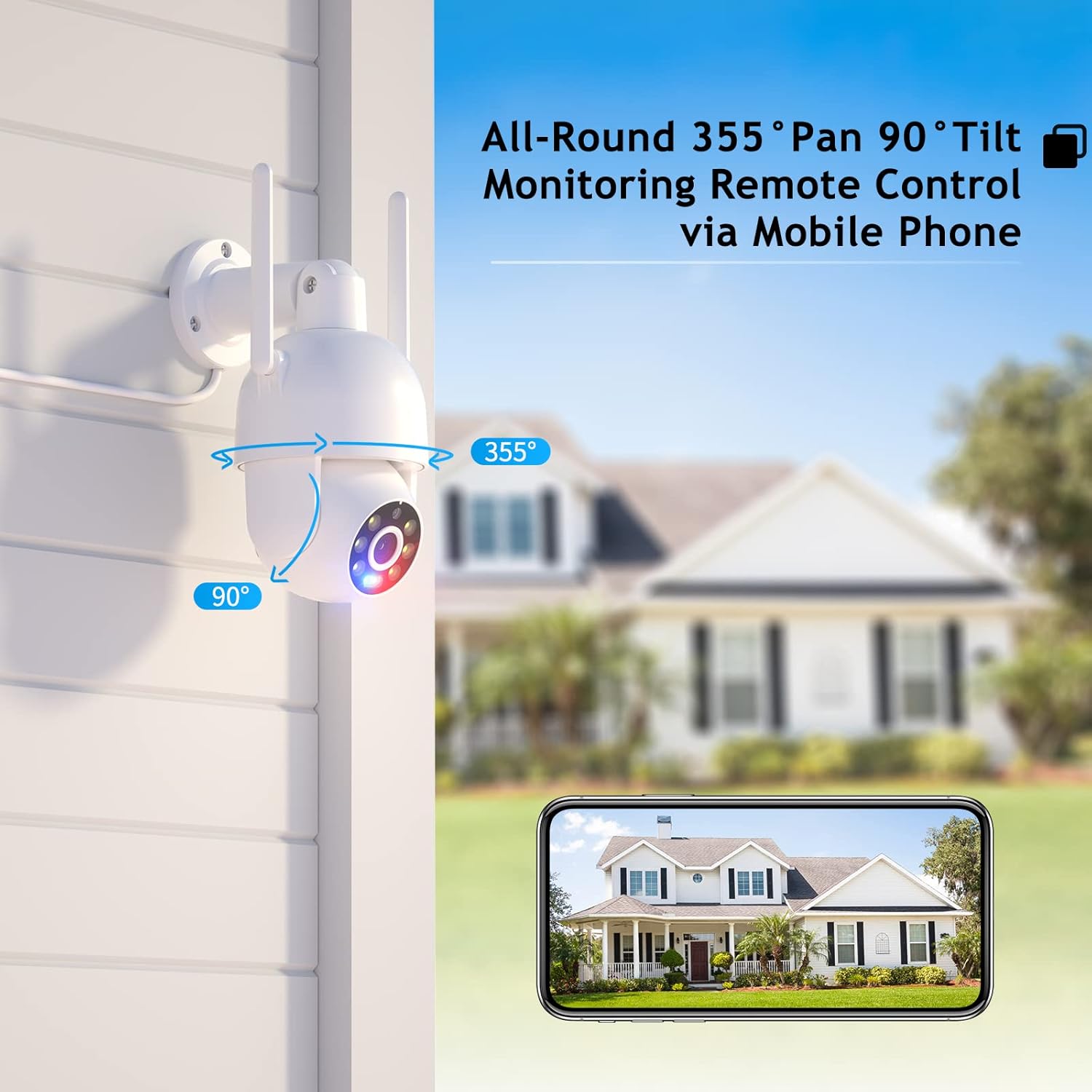
Figure 5.1: Remote pan and tilt control via mobile application.
5.2 Двосмерни аудио
With a built-in speaker and microphone, the camera supports real-time two-way audio communication. This allows you to listen in on the camera's surroundings and speak through the camera from your mobile device.

Слика 5.2: Прample of two-way audio communication.
5.3 Режими ноћног вида
The camera offers versatile night vision capabilities to ensure clear monitoring in various lighting conditions:
- Дневна визија: Full color, high-definition video during daylight hours.
- Ноћни вид у боји: Utilizes built-in white lights to provide full-color video even in low-light conditions.
- ИР ноћни вид: Infrared mode for clear black-and-white video in complete darkness.
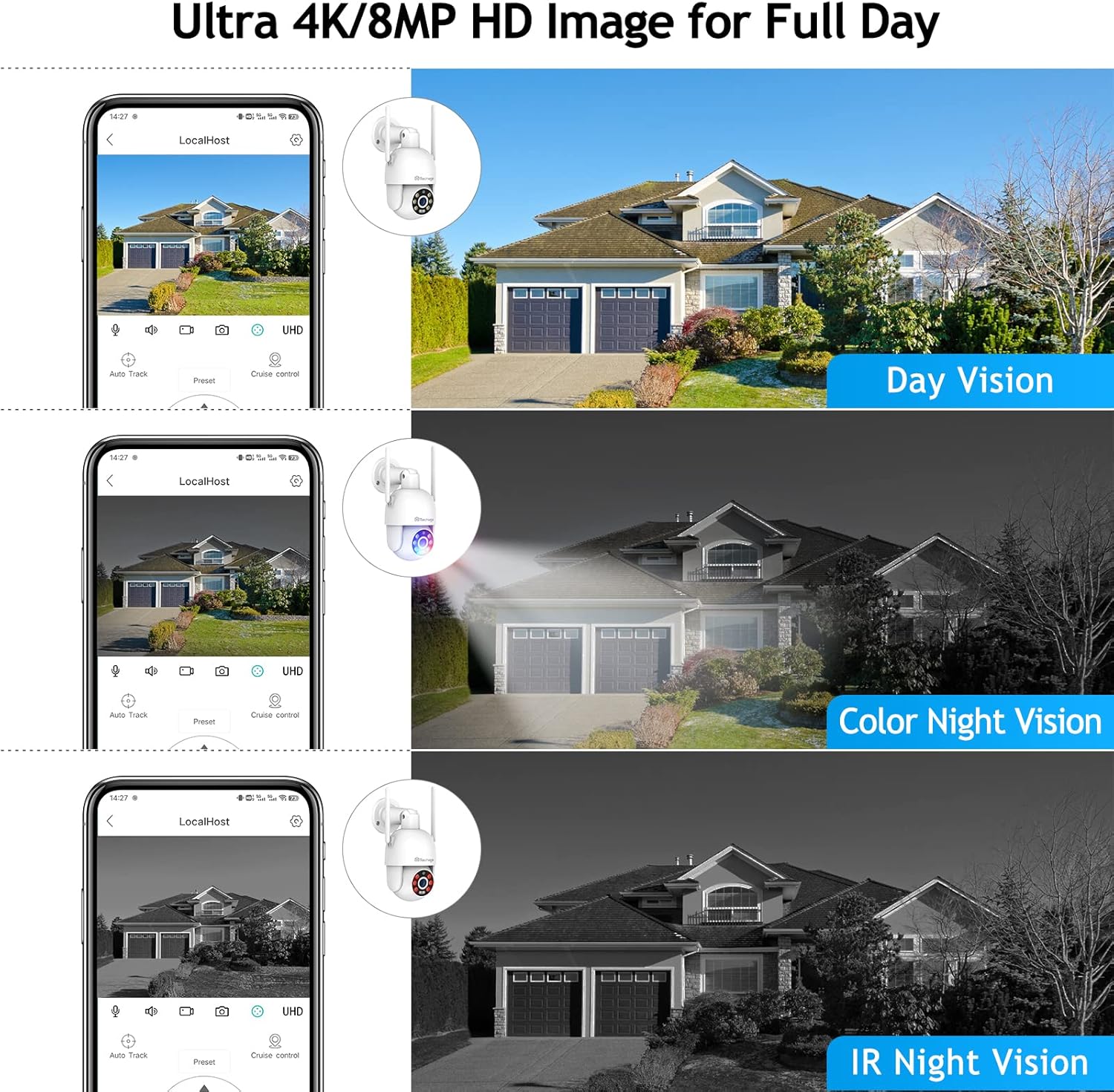
Figure 5.3: Comparison of different night vision modes.
5.4 Humanoid Motion Auto Tracking
When the camera detects a moving person, it will automatically track the target across its 355° pan and 90° tilt range until the target is out of view or the set tracking duration ends. The camera will return to its preset position after tracking.
5.5 Smart Spotlight and Siren Alarm
For enhanced security, the camera can automatically activate its spotlight and siren alarm when motion is detected in the monitoring area. Accurate real-time notifications will be sent to your ICSEE App.
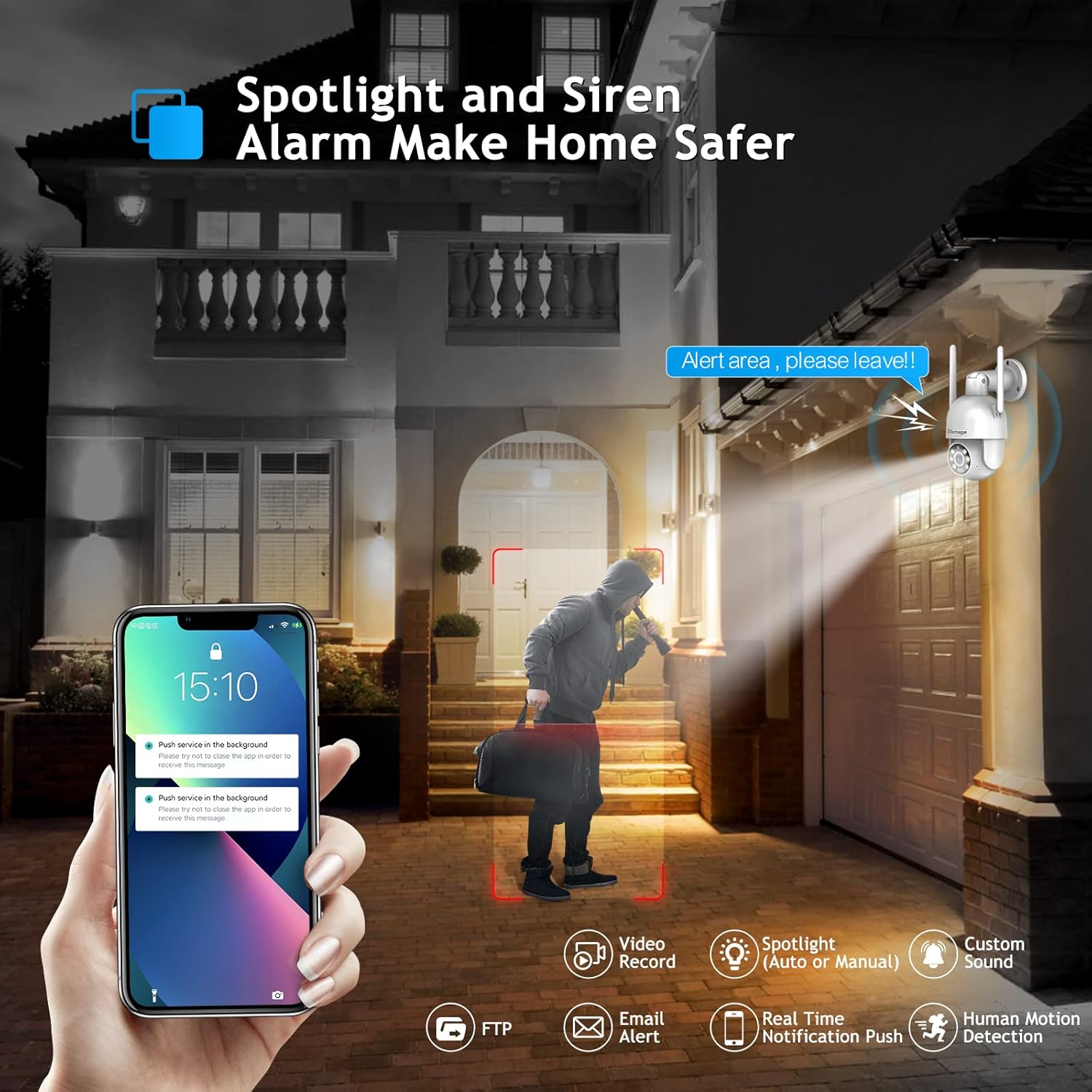
Figure 5.4: Spotlight and siren alarm in action.
5.6 Видео складиште
Recorded video can be stored in two ways:
- МицроСД картица: Insert a compatible MicroSD card (not included) into the TF card slot for local storage.
- Цлоуд Стораге: The camera supports cloud storage services (subscription may be required). Refer to the ICSEE app for details on cloud storage options.
5.7 Smart Home Integration (Alexa)
The camera can work with Amazon Alexa, allowing for voice control and integration into your smart home system. You can ask Alexa to show you the camera feed on compatible devices.

Figure 5.5: Camera integration with Amazon Alexa.
5.8 Third-Party Software Compatibility
The camera supports RTSP, FTP, DHCP, NTP, and UPNP protocols, making it compatible with most NVR systems and third-party software such as Ispy, Blue Iris, and Tinycam. This allows for flexible integration into existing surveillance setups.
6. Одржавање
- Чишћење: Нежно обришите објектив и кућиште камере меком, сувом крпом. Не користите јаке хемикалије или абразивна средства за чишћење.
- Ажурирања фирмвера: Regularly check for firmware updates via the ICSEE app to ensure optimal performance and security.
- Ресетовање камере: If you encounter persistent issues, you may need to reset the camera to factory settings using the reset button (refer to Section 3 for location). Note that this will erase all settings and require re-pairing.
КСНУМКС. Решавање проблема
| Проблем | Могући узрок | Решење |
|---|---|---|
| Камера се не укључује. | Нема струје, неисправан адаптер, лабава веза. | Check power outlet, ensure adapter is securely connected to camera and power source. |
| Повезивање на Ви-Фи није могуће. | Incorrect Wi-Fi password, camera too far from router, 5GHz network. | Verify Wi-Fi password, move camera closer to router, ensure router is broadcasting 2.4GHz Wi-Fi (camera does not support 5GHz). Reset camera and try pairing again. |
| Нема видео преноса. | Network issue, camera offline, app glitch. | Check network connection, restart camera, restart ICSEE app. |
| Двосмерни аудио не ради. | Microphone/speaker blocked, app permissions, volume settings. | Ensure nothing is obstructing microphone/speaker, check app permissions for audio, adjust volume settings in app. |
| Motion detection not triggering. | Sensitivity settings, detection zone, environmental factors. | Adjust motion detection sensitivity and detection zones in the app. Ensure no obstructions in the field of view. |
8. Спецификације
| Феатуре | Детаљ |
|---|---|
| Назив модела | TA-XM-PT825-80W-US |
| Резолуција снимања видео записа | 4К (8МП) |
| Технологија повезивања | Бежични (Wi-Fi), Жични (RJ45) |
| Бежична комуникација | Ви-Фи (2.4ГХз) |
| Опсег померања/нагиба | 355° Пан, 90° Тилт |
| Viewинг Англе | 360 Degrees (combined pan/tilt) |
| Нигхт Висион | Color Night Vision (White LEDs), IR Night Vision (Infrared) |
| Посебне карактеристике | Night Vision, Motion Sensor, Auto Tracking, Spotlight, Siren Alarm, Two-Way Audio |
| Опције складиштења | MicroSD Card, Cloud Storage |
| Компатибилни уређаји | Tablet, Smartphone, NVR, Amazon Alexa |
| Тип контролера | Amazon Alexa, ICSEE App |
| Форм Фацтор | Доме |
| Врста инсталације | Wall Mount (Self Adhesive listed, but wall mount is more accurate for this type of camera) |
| Димензије (Д к Ш к В) | 16.08 к 12.98 к 9.86 цм |
| Тежина | 712 г |
| Боја | Бела |
| Извор напајања | DC 12V (No Batteries Required) |
| Operating Protocols | RTSP, FTP, DHCP, NTP, UPNP |
9. Гаранција и подршка
Techage provides a 1-годишња гаранција for this product. Additionally, lifetime support is available via US local phone call or Amazon email service.
If you have any questions, concerns, or require technical assistance, please do not hesitate to contact Techage customer support. Refer to your purchase documentation or the Techage official webсајт за најновије контакт информације.
Ask a question about this manual
Ask about setup, troubleshooting, compatibility, parts, safety, or missing instructions. Manuals+ will review the question and use this page’s manual context to help answer it.