
Увод
This manual provides detailed instructions for the setup, operation, maintenance, and troubleshooting of your MageGee Star98 Wired Mechanical Gaming Keyboard. This keyboard features a 98-key layout, Red mechanical switches, and customizable backlighting, designed for an enhanced typing and gaming experience.
Шта је у кутији
- MageGee Star98 Mechanical Keyboard
- УСБ кабл
- Additional Red Keycaps (quantity may vary)
Упутства за подешавање
- Повежите тастатуру: Plug the provided USB cable into the USB port on the keyboard and then into an available USB port on your computer.
- Инсталација драјвера: The keyboard is plug-and-play and does not require additional driver installation for basic functionality. Your operating system (Windows, Mac, Linux, Android) will automatically recognize the device.
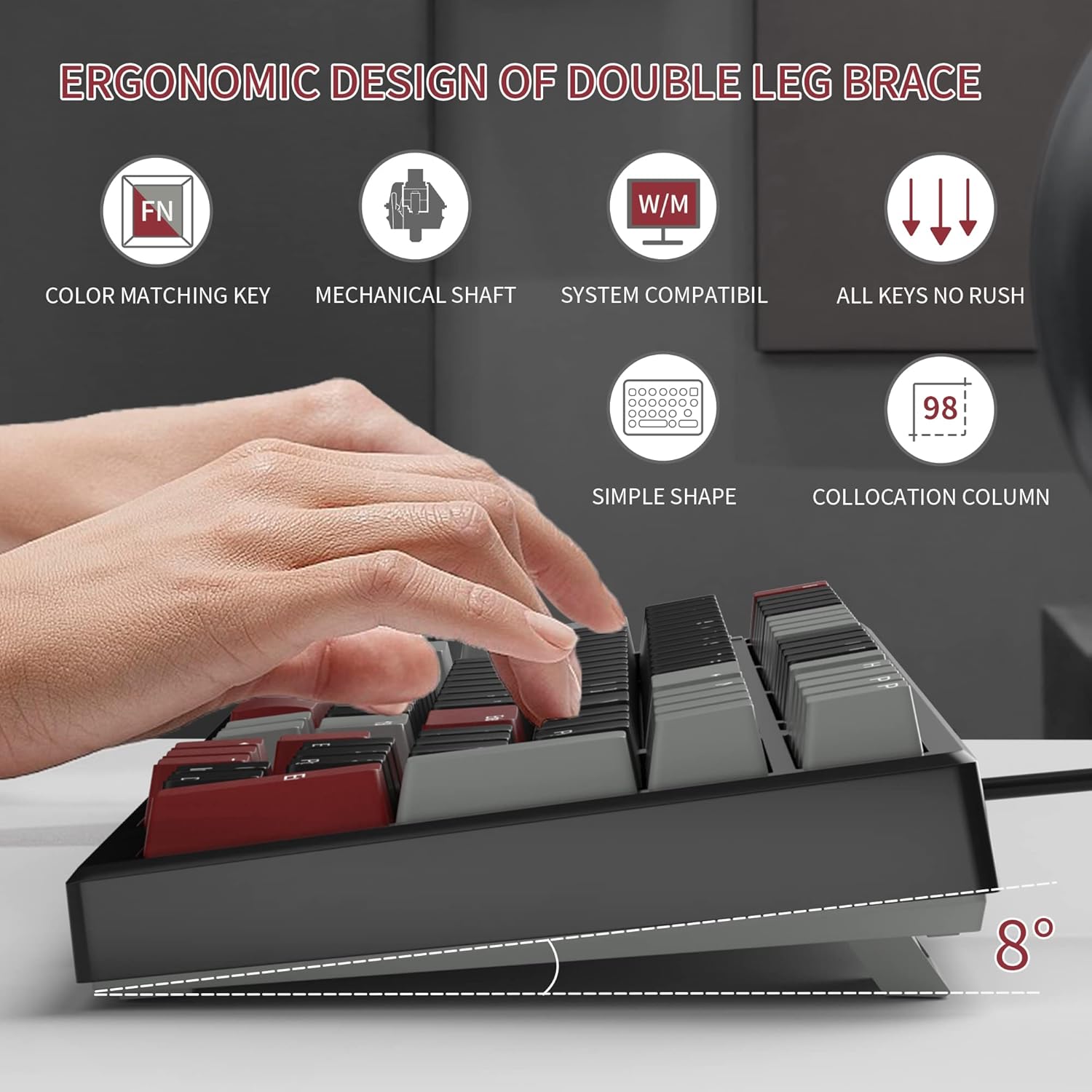
- Adjust Tilt Legs: For ergonomic comfort, you can extend the adjustable tilt legs located on the underside of the keyboard.
Упутство за употребу
Кључне карактеристике
- Распоред са 98 тастера: This compact layout retains most standard keyboard functionality while saving desk space.
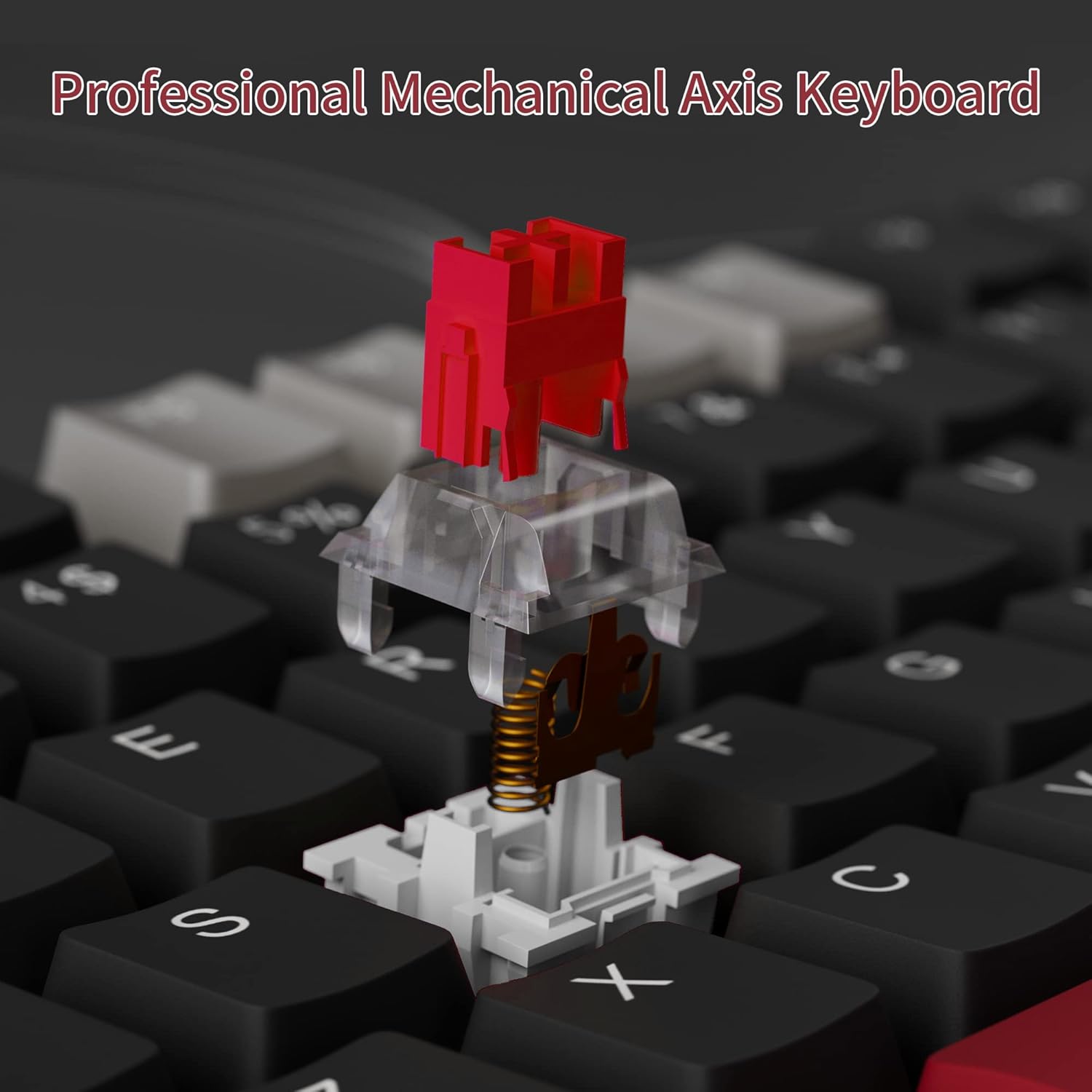
- Црвени механички прекидачи: Provides a fast response with tactile feedback for typing and gaming.
- Анти-Гхостинг: All 98 keys support anti-ghosting for simultaneous key presses.
- Дизајн са могућношћу брзе замене: Compatible with most 3-pin and 5-pin mechanical switches, allowing for customization.
- Позадинско осветљење: Features solid sea blue backlighting with multiple operational modes.
- Закључавање тастера WIN: Function to prevent accidental presses of the Windows key during gaming.
Режими позадинског осветљења
The keyboard's backlight has multiple operational modes. Refer to the keyboard's function key combinations (usually Fn + specific keys) for cycling through modes or turning the backlight off. Specific key combinations are typically printed on the keycaps or detailed in a quick start guide.
Прекидачи са заменљивом брзином
The MageGee Star98 keyboard features a hot-swappable design, allowing users to change mechanical switches without soldering. This feature supports most 3-pin and 5-pin switches available on the market.
- Уклоните капицу тастатуре: Користите алат за извлачење капица тастера да бисте нежно уклонили жељену капицу тастера.
- Уклоните прекидач: Use a switch puller to carefully extract the mechanical switch from its socket.
- Уметни нови прекидач: Align the pins of the new switch with the holes on the PCB and press firmly until it clicks into place. Ensure pins are not bent.
- Замена тастера: Вратите поклопац тастера назад на нови носач прекидача.


Одржавање
- Чишћење тастера: Користите меку, дamp cloth to wipe down keycaps. For deeper cleaning, keycaps can be removed using a keycap puller and washed with mild soap and water, then thoroughly dried before reattaching.
- Cleaning Under Keycaps: Use compressed air to remove dust and debris from between the switches and under the keycaps.
- Нега каблова: Избегавајте оштра савијања или прекомерно повлачење USB кабла како бисте спречили оштећења.
Решавање проблема
- Тастатура не реагује:
- Уверите се да је USB кабл безбедно повезан и са тастатуром и са рачунаром.
- Покушајте да прикључите тастатуру на други УСБ порт на рачунару.
- Тестирајте тастатуру на другом рачунару да бисте искључили проблеме специфичне за систем.
- Тастери се не региструју или се куцају двапут:
- Remove the keycap and switch for the affected key. Inspect for any debris or bent pins on the switch.
- If the switch is damaged, replace it with a new one (utilizing the hot-swappable feature).
- Уверите се да је прекидач потпуно уметнут у своје утичницу.
- Backlight not working or incorrect mode:
- Refer to the keyboard's function key combinations to cycle through backlight modes or turn it on/off.
- Уверите се да тастатура добија довољно напајања са УСБ порта.
Спецификације
| Феатуре | Детаљ |
|---|---|
| Бранд | MageGee |
| Модел | Стар98 |
| Технологија повезивања | Жичани (УСБ) |
| Опис тастатуре | Механички |
| Тип прекидача | Црвени прекидачи |
| Кеи Цоунт | 98 Кеис |
| Позадинско осветљење | Solid Sea Blue (Single Color) |
| Компатибилност | Win2000, Win XP, Win ME, Vista, Win7, Win8, Win10, Android, Linux, Mac |
| Материјал | акрилонитрил бутадиен стирен (АБС) |
| Тежина артикла | 2.16 фунти |
| Димензије пакета | 16.14 к 6.97 к 1.77 инча |
Гаранција и подршка
For warranty information and customer support, please refer to the official MageGee website or contact their customer service directly. Details are typically provided with the product packaging or on the manufacturer's webсајту.