
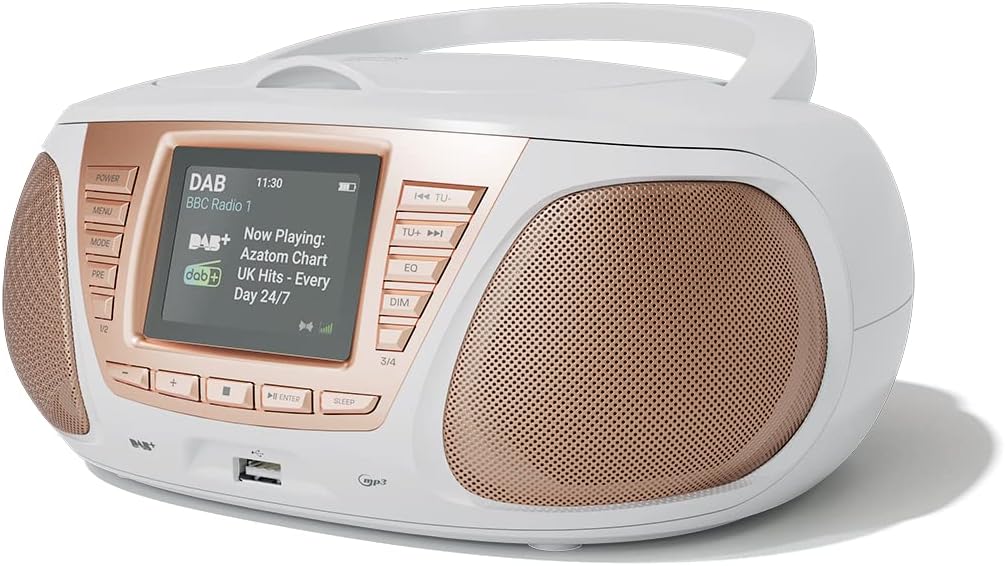
1. Увод
Хвала вам на куповиниasing the AZATOM Zenith Z4. This portable audio system combines DAB/DAB+ and FM radio, a CD player, Bluetooth connectivity, USB playback, and an alarm clock function. This manual provides essential information for setting up, operating, and maintaining your device. Please read it thoroughly before use and retain it for future reference.
2. Садржај кутије
Carefully unpack your Zenith Z4 and ensure all items listed below are present:
- AZATOM Zenith Z4 Unit
- Мрежни адаптер за напајање
- Кориснички приручник (овај документ)
- Регистрациони картон

Image showing the AZATOM Zenith Z4 unit, its power adapter, user manual, and registration card as included in the box.
3. Производ је готовviewКонтроле и функције
3.1 Контроле на предњој плочи

Детаљно view of the AZATOM Zenith Z4's front panel, highlighting the color LCD display and various control buttons.
- Дугме за укључивање: Укључује или искључује јединицу.
- Дугме МЕНУ: Accesses the system menu.
- Дугме МОДЕ: Switches between DAB, FM, CD, Bluetooth, USB, and AUX modes.
- PRE Button (Presets): Приступа сачуваним предефинисаним радио станицама.
- 1/2, 3/4 Buttons: Direct access to specific presets or navigation.
- +, - Buttons: Adjusts volume, navigates menus, or tunes radio frequencies.
- Дугме ЕНТЕР: Потврђује изборе.
- СЛЕЕП дугме: Подешава тајмер за спавање.
- TU- / TU+ Buttons: Tunes radio frequencies down/up or skips tracks.
- ЕК тастер: Подешава подешавања еквилајзера.
- ДИМ дугме: Подешава осветљеност екрана.
- УСБ порт: За повезивање УСБ уређаја за складиштење података за репродукцију МП3 датотека.
- Слушалице: 3.5 мм излаз за приватно слушање.
3.2 Прикључци задње плоче
The rear panel typically includes the power input and auxiliary input.
- ДЦ ИН: Повезивање адаптера за напајање.
- АУКС ИН: 3.5mm input for connecting external audio sources.
4. Подешавање
4.1 Укључивање
The Zenith Z4 can be powered by the included AC adapter or by batteries for portability.
- АЦ напајање: Connect the mains power adapter to the DC IN socket on the rear of the unit and plug it into a wall outlet.
- Снага батерије: Open the battery compartment (usually on the bottom or rear) and insert the required batteries (type and quantity specified in the compartment).

The AZATOM Zenith Z4 is designed for portability, allowing use with batteries or the supplied mains power adapter.
4.2 Почетно подешавање (Прва употреба)
Upon first power-on, the unit may automatically perform an initial setup:
- The display will typically show a welcome message.
- The unit may automatically scan for available DAB/DAB+ and FM radio stations. This process can take a few minutes.
- The clock will usually set itself automatically via DAB signal. If not, refer to the menu settings to manually set the time and date.
5. Упутство за употребу
5.1 ДАБ/ДАБ+ Радио
To access digital radio stations:
- Притисните тастер МОДЕ button until 'DAB' is displayed.
- The unit will automatically scan for stations if it hasn't already. To perform a full scan manually, navigate to the 'Full Scan' option in the DAB menu.
- Користите ТУ- or ТУ+ buttons to browse the list of available stations.
- Притисните ЕНТЕР да бисте изабрали станицу.

The Zenith Z4 features leading British DAB and FM technology for optimal digital radio performance.
5.2 ФМ Радио
To listen to FM radio stations:
- Притисните тастер МОДЕ дугме док се не прикаже „FM“.
- Притисните и држите ТУ- or ТУ+ to auto-scan for the next available station. Briefly press to fine-tune the frequency.
- Притисните ЕНТЕР to confirm a station.
5.3 Storing and Recalling Presets (DAB/FM)
The Zenith Z4 allows you to store up to 60 preset stations (30 DAB, 30 FM).
- Tune to your desired DAB or FM station.
- Притисните и држите ПРЕ button until 'Preset Store' appears on the display.
- Користите +/- buttons to select a preset number (1-30 for DAB, 1-30 for FM).
- Притисните ЕНТЕР да сачува станицу.
- Да бисте позвали предефинисану поставку, кратко притисните ПРЕ дугме, а затим употребите +/- or the numbered buttons (1/2, 3/4) to select and press ЕНТЕР.

The Zenith Z4 allows storing up to 60 presets (30 DAB and 30 FM) for quick access to your favorite stations.
5.4 ЦД плејер
Да бисте репродуковали аудио ЦД-ове:
- Притисните тастер МОДЕ button until 'CD' is displayed.
- Open the CD compartment lid located on the top of the unit.
- Place a CD (CD, CD-R, CD-RW compatible) with the label side facing up.
- Close the CD compartment lid. The unit will begin reading the disc and playback will start automatically.
- Користите ТУ- и ТУ+ buttons to skip tracks. Use ЕНТЕР for Play/Pause.

The Zenith Z4 features a top-loading CD player, compatible with various CD formats, to enjoy your music collection.
5.5 Bluetooth повезивање
Stream audio wirelessly from your compatible devices:
- Притисните тастер МОДЕ button until 'Bluetooth' is displayed. The unit will enter pairing mode, indicated by a flashing Bluetooth icon or message.
- На свом мобилном уређају (паметном телефону, таблету, лаптопу) омогућите Блутут и потражите доступне уређаје.
- Select 'AZATOM Zenith Z4' from the list. Once paired, the unit will confirm the connection.
- You can now play audio from your device, and it will stream through the Zenith Z4.

Connect your Bluetooth device to the Zenith Z4 to enjoy streaming services like Spotify and Apple Music.
5.6 Репродукција са УСБ-а
За репродукцију МП3 files from a USB drive:
- Уметните USB флеш диск (форматиран у FAT32) који садржи MP3 аудио files into the USB port on the front panel.
- Притисните тастер МОДЕ button until 'USB' is displayed.
- The unit will read the files, and playback should begin automatically. Use the ТУ- и ТУ+ дугмад за навигацију по стазама.
5.7 Помоћни улаз
Connect external audio devices using the AUX IN port:
- Connect one end of a 3.5mm audio cable (not included) to the AUX IN port on the rear of the Zenith Z4.
- Connect the other end to the headphone jack or audio output of your external device (e.g., MP3 player, older smartphone).
- Притисните тастер МОДЕ дугме док се не прикаже „AUX“.
- Контролишите репродукцију са свог спољног уређаја.
5.8 Употреба слушалица
For private listening:
- Plug your 3.5mm headphones into the headphone jack on the front panel.
- The sound from the speakers will automatically mute.
- Подесите јачину звука помоћу +/- дугмад.
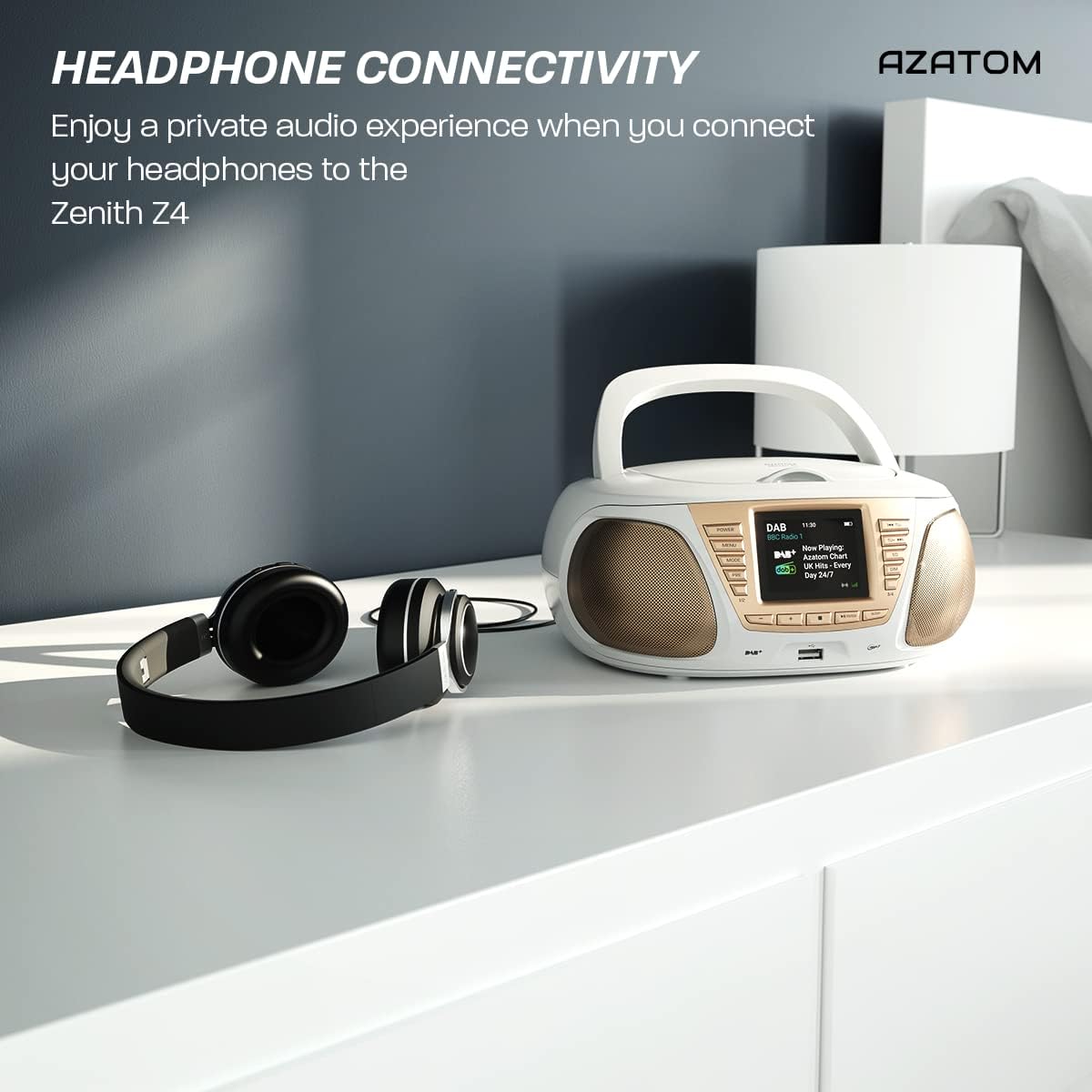
Enjoy a private audio experience by connecting your headphones to the Zenith Z4.
5.9 Функција будилника
The Zenith Z4 includes an alarm clock feature:
- Access the alarm settings through the МЕНУ дугме.
- Follow the on-screen prompts to set the alarm time, source (e.g., buzzer, DAB, FM), and volume.
- Ensure the unit is powered on or in standby mode for the alarm to activate.
6. Одржавање
To ensure the longevity and optimal performance of your Zenith Z4:
- Чишћење: Use a soft, dry cloth to clean the unit's exterior. Do not use abrasive cleaners, waxes, or solvents.
- ЦД плејер: If the CD player experiences issues, use a specialized CD lens cleaner disc.
- вентилација: Ensure the unit has adequate ventilation and is not covered during operation.
- Складиштење: When not in use for extended periods, disconnect from power and remove batteries. Store in a cool, dry place.
КСНУМКС. Решавање проблема
If you encounter issues with your Zenith Z4, please refer to the table below for common problems and solutions:
| Проблем | Могући узрок | Решење |
|---|---|---|
| Jedinica se ne uključuje | No power supply; flat batteries | Check AC adapter connection; replace batteries. |
| Нема звука | Volume too low; headphones connected; incorrect mode | Increase volume; disconnect headphones; select correct mode (DAB, FM, CD, BT, USB, AUX). |
| Лош радио пријем | Antenna not extended; weak signal | Fully extend the telescopic antenna; reposition the unit for better signal. |
| CD се не репродукује | CD dirty/scratched; incorrect disc type; CD not inserted correctly | Clean CD; ensure CD is compatible (CD, CD-R, CD-RW); reinsert CD label-side up. |
| Блуетоотх се не повезује | Unit not in pairing mode; device too far; already connected to another device | Ensure unit is in Bluetooth mode and pairing; move device closer; disconnect from other devices. |
8. Спецификације
Key technical specifications for the AZATOM Zenith Z4:
- Бренд: АЗАТОМ
- Број модела: Z4SLV
- Боја: Бела
- Технологија повезивања: Auxiliary, DAB+, DAB, Bluetooth, USB
- Укупан број УСБ портова: 1
- Компатибилни уређаји: Паметни телефон, таблет, MP3 плејер, лични рачунар
- Димензије артикла (ДкШкВ): 23 к 20 к 10 центиметара
- Извор напајања: Wired Electric, Battery
- Тип звучника: Боомбок
- Тежина артикла: 1.3 килограма
- Излазна снага: 20 Ваттс
9. Гаранција и подршка
AZATOM products are engineered in the UK and come with comprehensive support:
- гаранција: The Zenith Z4 includes a 3-year premium warranty. Online registration is required to activate this warranty.
- Корисничка подршка: AZATOM offers lifetime customer service based in the UK for setup and installation advice. Please refer to the registration card or AZATOM's official webсајт за контакт детаље.
AZATOM provides a 3-year warranty (registration required) and dedicated UK customer support for their products.