
Nitecore mh10s
Nitecore MH10S USB-C Rechargeable Flashlight User Manual
Model: MH10S | Brand: Nitecore
Производ је завршенview
The Nitecore MH10S is an ultra-compact, high-performance USB-C rechargeable flashlight designed for various applications including emergency, self-defense, and outdoor activities. It features a Luminus SST-40-W LED, delivering a maximum output of 1800 lumens and a beam distance of up to 294 meters. The MH10S offers 5 brightness levels and 3 special modes, ensuring versatility for different lighting needs.
Equipped with an optical system combining crystal coating and "Precis Digital Optics Technology" (PDOT), this flashlight ensures optimal beam intensity. Its robust aluminum construction and IP68 rating make it durable and suitable for all-weather use, being 2 meters submersible and 1 meter impact resistant.

Figure 1: Nitecore MH10S Flashlight and Included Accessories.
Спецификације
| Мак Оутпут | 1800 лумена |
| Максимална удаљеност снопа | 294 метара |
| Максимални интензитет снопа | 21600 цд |
| Мак Рунтиме | 1500 hours (62.5 days on Ultralow) |
| ЛЕД тип | Луминус ССТ-40-В ЛЕД |
| Компатибилност батерија | 1 x 21700 (recommended), 1 x 18650, 2 x CR123 / RCR123 |
| Посебни режими | Location Beacon, SOS, Strobe |
| Боја зрака | Бела светлост |
| Дужина | 131.3 мм (5.17 инча) |
| Величина главе | 25.4 мм (1.00 инча) |
| Тежина | 69.7 г (2.46 оз) |
| Отпорност на воду | IP68 (2m submersible) |
| Отпорност на удар | 1 метар |
| Порт за пуњење | УСБ-Ц |
Шта је у кутији
- Nitecore MH10S Flashlight
- Nitecore 21700 Li-ion Battery (NL2150R 5000mAh)
- УСБ-Ц кабл за пуњење
- NTH10 Тактичка футрола
- Одвојиви џепни клип
- Ланиард
- Резервни О-прстен
- 18650/CR123 Battery Magazine (for compatibility with smaller batteries)
Сетуп
Инсталација батерије
- Одврните задњи поклопац лампе.
- Insert the included 21700 Li-ion battery with the positive (+) terminal facing towards the head of the flashlight. If using an 18650 or CR123 battery, place it inside the provided battery magazine first, then insert the magazine into the flashlight.
- Чврсто заврните поклопац назад како бисте осигурали правилан контакт и отпорност на воду.
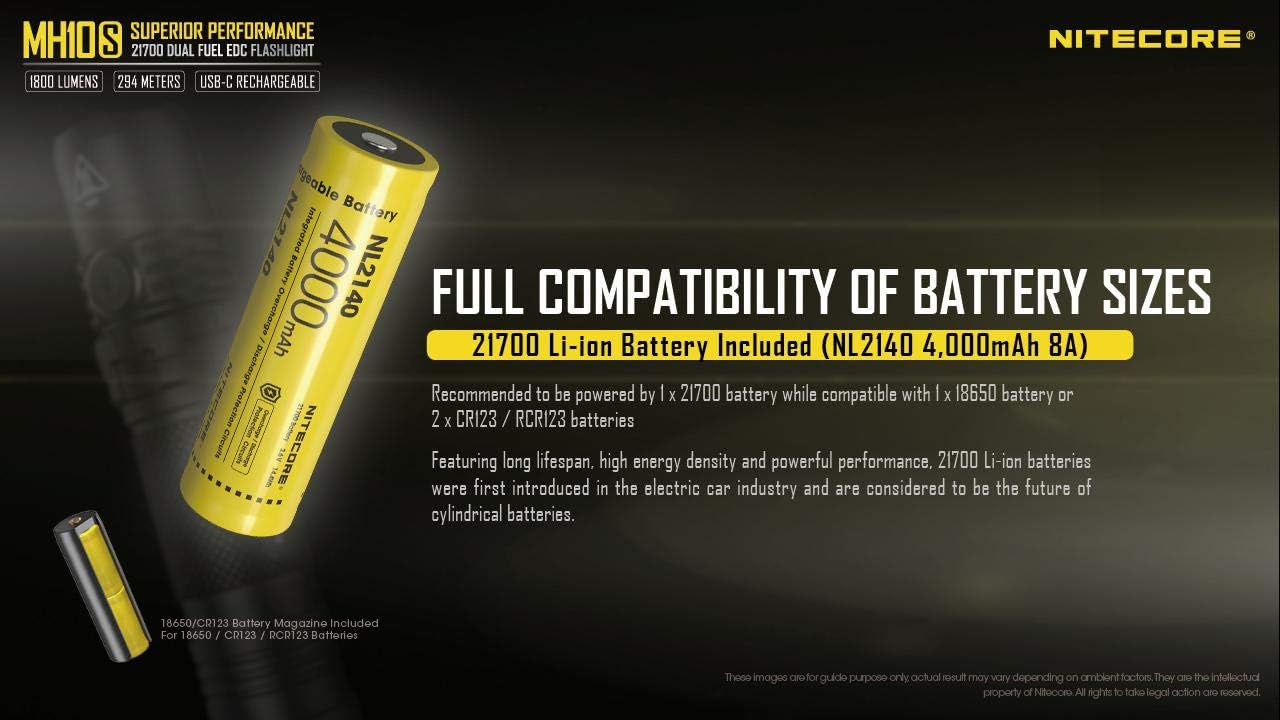
Figure 2: Battery Compatibility and Installation.
Почетно пуњење
Before first use, it is recommended to fully charge the battery. The MH10S features a built-in USB-C charging port.
- Locate the USB-C charging port cover near the head of the flashlight.
- Подигните гумени поклопац да бисте открили УСБ-Ц порт.
- Connect one end of the provided USB-C charging cable to the flashlight's port and the other end to a USB power source (e.g., wall adapter, computer, power bank).
- The power indicator light on the side switch will blink slowly during charging and become steady when charging is complete.
- Once charging is complete, securely close the rubber cover to maintain water and dust resistance.
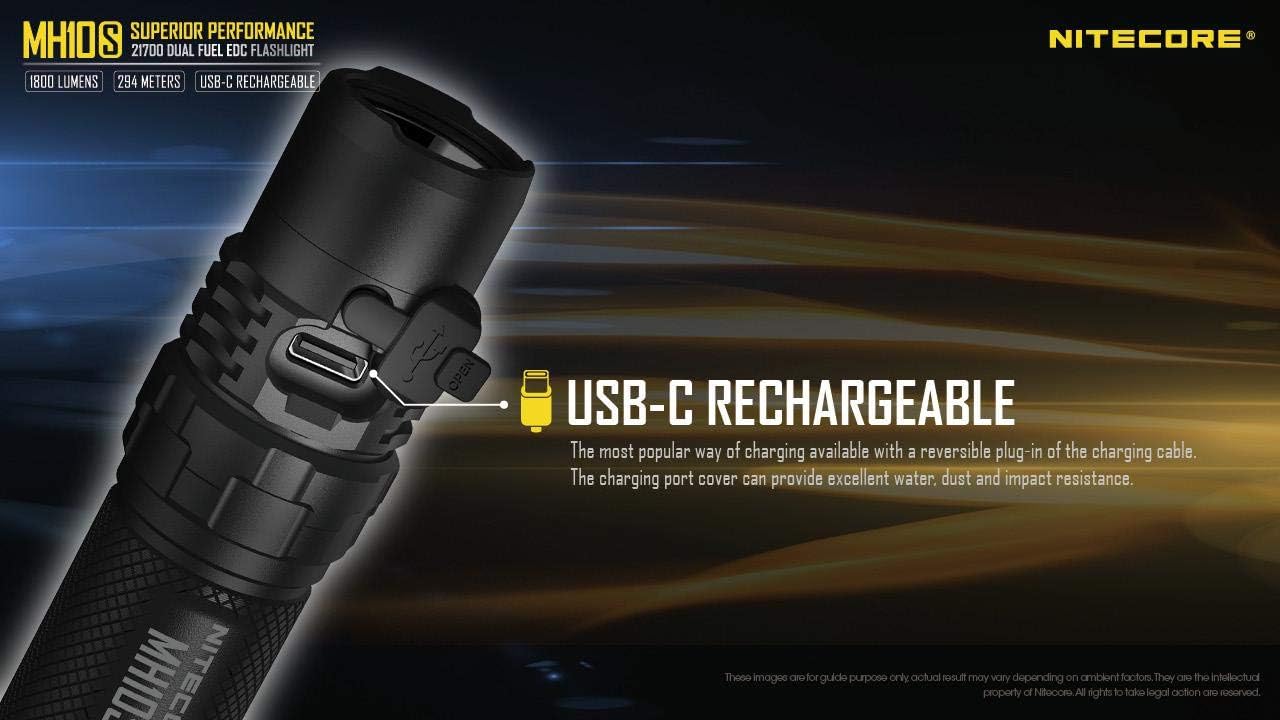
Слика 3: USB-C порт за пуњење.
Упутство за употребу
The MH10S is operated via a single side switch, providing intuitive control over all functions.

Figure 4: User-Friendly Metal Side Switch.
Укључивање/искључивање
- Укључи: When the light is off, press and hold the side switch for 1 second to turn on the flashlight in ULTRALOW mode.
- Искључи: When the light is on, press and hold the side switch for 1 second to turn off the flashlight.
Бригхтнесс Левелс
When the light is on, short press the side switch to cycle through the brightness levels: ULTRALOW → LOW → MID → HIGH → TURBO.
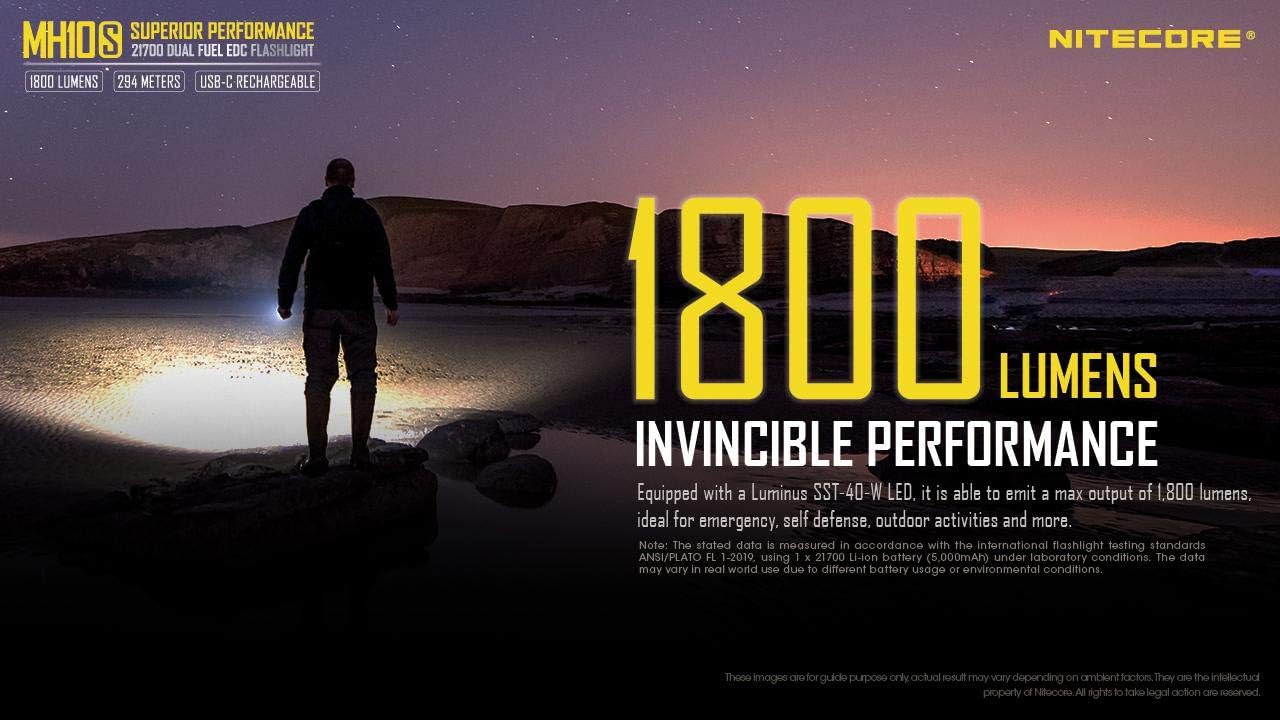
Figure 5: 1800 Lumens Invincible Performance.

Figure 6: Optimized Grand Throw of 294 Meters.
Специјални режими (стробоскоп/СОС/локацијски светионик)
- Access Strobe: When the light is off, triple press the side switch to access Strobe mode. When the light is on, triple press the side switch to access Strobe mode.
- Специјални режими циклуса: While in Strobe mode, short press the side switch to cycle through SOS → Location Beacon → Strobe.
- Изађите из специјалних режима: Press and hold the side switch for 1 second to turn off the flashlight and exit special modes.
Индикација напајања
The power indicator integrated into the side switch displays the battery voltage when the tail cap is tightened or when the flashlight is connected to a power source for charging.
- Three blinks: Баттери волtagе изнад 50%.
- Два трептаја: Баттери волtage below 50%.
- One blink: Баттери волtage below 10%.
Note: The power indicator light can be difficult to see in certain lighting conditions. Shielding the switch with your hand may help in dimly lit environments.
Одржавање
- Чишћење: Regularly clean the threads and O-rings with a clean cloth. Apply a thin layer of silicone lubricant to the threads periodically to maintain water resistance.
- Одржавање батерије:
- Store the flashlight with the battery removed if it will not be used for an extended period to prevent battery drain or leakage.
- Recharge the battery regularly, especially if it has been stored for a long time, to maintain its lifespan.
- Avoid over-discharging or over-charging the battery.
- Отпорност на воду: Ensure the USB-C port cover is securely closed when not charging to maintain the IP68 water resistance rating.
Решавање проблема
- Лампа се не укључује:
- Check if the battery is inserted correctly with the positive (+) terminal facing the head.
- Ensure the tail cap is tightened securely.
- Charge the battery fully. The battery might be depleted.
- Light output is dim or flickering:
- Батерија је можда празна. Напуните батерију.
- Очистите контакте батерије и навоје батеријске лампе.
- Side switch difficult to locate or see indicator light:
- The side switch is designed to be flush with the body for a compact profile. In dark conditions, tactile feel is important.
- The power indicator light can be subtle. Try shielding the switch with your hand to better observe the indicator in dimly lit environments.
- Проблеми са пуњењем:
- Уверите се да је USB-C кабл правилно повезан и са батеријском лампом и са извором напајања.
- Пробајте други USB-C кабл или адаптер за напајање.
Гаранција и подршка
Nitecore products are known for their quality and durability. For specific warranty information, please refer to the warranty card included with your product or visit the official Nitecore website. If you encounter any issues not covered in this manual, please contact Nitecore customer support or your authorized dealer for assistance.
For further information and product updates, you may visit the Nitecore продавница на Амазону.
Ask a question about this manual
Ask about setup, troubleshooting, compatibility, parts, safety, or missing instructions. Manuals+ will review the question and use this page’s manual context to help answer it.