
1. Важне информације о безбедности
Please read all safety instructions carefully before using this product. Failure to follow these instructions may result in injury or damage.
- Пласман: Avoid placing the camera in unstable locations or within reach of children or pets.
- Снага: Use only the provided AC adapter and power cable. Disconnect power before moving the device.
- Окружење: Keep the camera away from high humidity, dust, and extreme temperatures. This product is not waterproof.
- Одржавање: Do not attempt to disassemble or repair the camera yourself. Contact customer support for any issues.

Image: General safety guidelines for camera usage.
2. Садржај пакета
Проверите да ли су сви предмети укључени у ваш пакет:
- Galayou G2 Camera Unit
- АЦ адаптер
- Повер Цабле
- Комплет за монтажу (вијци, анкери)
- Јапански упутство за употребу

Image: The Galayou G2 camera and a smartphone displaying its live feed.
3. Водич за подешавање
3.1 Почетно подешавање
- Укључено: Connect the camera to power using the provided AC adapter and cable. The indicator light will turn red.
- Преузимање апликације: Download the dedicated 'blurams' app from the App Store (iOS) or Google Play Store (Android).
- Дозволе за апликације: Ensure Bluetooth and Location permissions are enabled for the 'blurams' app in your smartphone settings.
- Ресетуј камеру: Press and hold the reset button on the camera until you hear a beep sound. The indicator light will flash red and blue alternately, indicating it's ready for network connection.
- Додај уређај у апликацији: Open the 'blurams' app, tap 'Add Device' or the '+' icon. Select your camera model (G2 or similar D1 model) and choose 'Wi-Fi connection via Bluetooth'.
- Ви-Фи веза: Enter your 2.4GHz Wi-Fi network name and password. The camera only supports 2.4GHz Wi-Fi.
- КР код скенирање: The app will display a QR code. Hold your smartphone in front of the camera lens to scan the QR code. You will hear a beep sound from the camera upon successful scan.
- Потврда везе: The camera will announce 'Connection successful' and then 'Connecting to network'. Once connected, the indicator light will turn solid blue.
3.2 Video Guide: Bluetooth Wi-Fi Connection
Video: This video demonstrates the Bluetooth-assisted Wi-Fi connection method for the D1 camera, which is similar to the G2 model. It shows the steps from app permissions to successful network connection.
3.3 Video Guide: Camera Setup Method
Video: This video provides a general guide on how to set up a Skyworth pet camera, which can be used as a reference for the Galayou G2's setup process.
4. Упутство за употребу
4.1 Уживо View и контрола панорамирања/нагиба
Once connected, you can access the live feed through the 'blurams' app. The camera offers a 355° horizontal rotation and 52° vertical rotation for comprehensive coverage.
- Пан/Тилт: Користите контроле за смер у апликацији да бисте даљински подесили камеру viewугао уласка.
- Дигитални зум: The camera supports 4x digital zoom to view детаљима.

Image: The camera's pan and tilt capabilities, offering a wide field of view.
4.2 Квалитет видеа и ноћни вид
The G2 camera features 2K high-resolution video (1440p) and a 3-megapixel CMOS sensor for clear images. It also provides advanced night vision capabilities.
- 2K резолуција: Enjoy clear and detailed video footage.
- Режими ноћног вида: The camera supports three night vision modes: Smart Night Vision (auto-switches between color and black & white based on motion), Color Night Vision (always color), and Infrared Night Vision (always black & white).
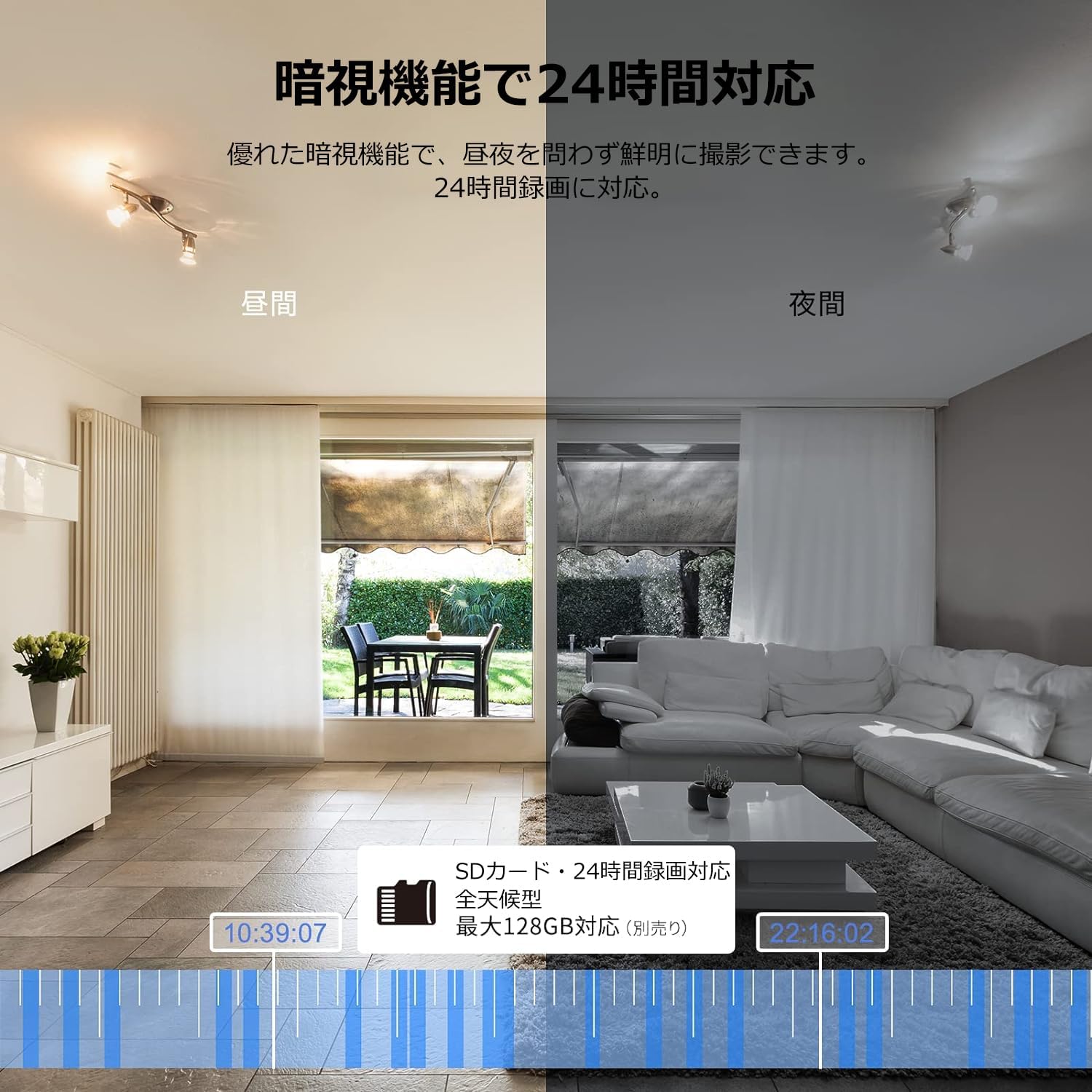
Image: Comparison of day and night vision, demonstrating the camera's ability to record clearly in low light.
4.3 Двосмерни аудио
Equipped with a microphone and speaker, the camera allows for real-time two-way communication.
- Speak and Listen: Talk to family members or pets through the app, and hear their responses.
- Смањење буке: The two-way audio features noise reduction for clearer sound.

Image: The camera's two-way audio feature, allowing interaction with pets.
4.4 Motion Detection & Automatic Tracking
The camera can detect motion and automatically track subjects within its field of view.
- Upozorenja o pokretu: Примајте тренутна обавештења на свој паметни телефон када се детектује кретање.
- Аутоматско праћење: The camera will follow detected movement, keeping the subject in frame.
- Детекција човека: Advanced AI can differentiate between humans and other moving objects, reducing false alarms.
- Функција аларма: Trigger an alarm sound from the camera via the app to deter intruders.

Image: Motion detection and alarm features, showing alerts on a smartphone.
4.5 Снимање и складиштење
The camera supports both local and cloud storage options for continuous recording.
- МицроСД картица: Supports up to 128GB microSD cards (sold separately) for 24-hour continuous recording with automatic overwriting.
- Цлоуд Стораге: Optional paid cloud storage service is available for extended recording and backup.
- Видео компресија: Utilizes H.264 and H.265 compression formats for efficient storage.


Images: MicroSD card recording and cloud storage options.
4.6 Режим приватности
Activate privacy mode to physically cover the camera lens, ensuring your privacy when needed.
- One-Tap Activation: Easily turn off the lens via the app.
- Physical Cover: The camera physically rotates its lens downwards, blocking the view.

Image: Privacy mode icon.
4.7 Интеграција са Алексом
The Galayou G2 is Alexa-certified, allowing for voice control and viewing the camera feed on compatible Alexa devices.
- Гласовне команде: Користите гласовне команде за view the camera feed on an Echo Show or other Alexa-enabled screen.

Image: Alexa integration with the Galayou G2 camera.
4.8 Multi-Camera Support & Sharing
The app supports adding multiple cameras and sharing access with family members.
- Више камера: Monitor different areas of your home by adding several cameras to the app.
- Породично дељење: Share camera access with up to 4 family members simultaneously.

Image: Family sharing and multi-camera viewинг.
4.9 Video Guide: Product Features
Video: This video showcases various features of a Skyworth pet camera, including its monitoring capabilities, which are comparable to the Galayou G2.
4.10 Video Guide: Blurams 300万画素 見守りカメラ
Video: This video highlights the features of a Blurams 3-megapixel monitoring camera, demonstrating functionalities similar to the Galayou G2.
4.11 Video Guide: JUFLSKY 300万画素 360°PTZ機 (Preview)
Видео: Кратак уводview видео емисијаasing a 300-megapixel 360° PTZ camera, similar in functionality to the G2.
КСНУМКС. Решавање проблема
- Не могу да се повежем на Ви-Фи:
- Уверите се да ваша Wi-Fi мрежа користи фреквенцију од 2.4 GHz. Камера не подржава мреже од 5 GHz.
- Проверите тачност лозинке за Wi-Fi.
- Приближите камеру свом Wi-Fi рутеру.
- Вратите камеру на фабричка подешавања и поново покушајте процес подешавања.
- No Live Feed:
- Проверите своју интернет везу.
- Ensure the camera is powered on and the indicator light is solid blue.
- Поново покрените апликацију и/или паметни телефон.
- Детекција покрета не ради:
- Verify that motion detection is enabled in the app settings.
- Подесите осетљивост детекције покрета.
- Уверите се да нема препрека које блокирају камеру view.
- Лош видео квалитет:
- Check your internet speed. A stable connection is required for optimal streaming.
- Уверите се да је сочиво камере чисто.
- Adjust the video quality settings in the app (e.g., from SD to 2K).
6. Спецификације
| Феатуре | Спецификација |
|---|---|
| Назив модела | G2 |
| Тип монтаже | Tabletop and Ceiling Mount |
| Резолуција снимања видео записа | 1440п (2К) |
| Боја | Automatic Tracking Camera |
| Укључене компоненте | Camera body, AC adapter, Japanese instruction manual, mounting set, power cable |
| Бежична комуникациона технологија | Wi-Fi (само 2.4 GHz) |
| Ефективна видео резолуција | 2 Megapixels (300万画素) |
| Поље оф View | 95 степени |
| Ноћни вид | 7 метара |
| Фраме Рате | 15 фпс |
| Материјал | Пластика |
| Димензије производа (ДкШкВ) | 7.2 к 7.2 к 10.9 цм |
| Ниво отпорности на воду | Није водоотпоран |
| Извор светлости | Инфрацрвени |
| Препоручена употреба | Индоор Сецурити |
| Унутрашња/спољна употреба | Индоор |
| Компатибилни уређаји | Паметни телефон, таблет, десктоп, лаптоп |
| Извор напајања | Цордед Елецтриц |
| Тип контролера | Апп |
7. Гаранција и подршка
The Galayou G2 camera comes with a manufacturer's warranty and customer support.
- гаранција: 1-year manufacturer's warranty.
- техничка подршка: For any issues or questions, please contact GALAYOU customer support through the app or visit the official GALAYOU store on Amazon.