
1. Увод
The SIIG Thunderbolt 4 Docking Station (Model: JU-DK0U11-S1) is designed to expand the connectivity of your laptop, providing a comprehensive workstation solution. This docking station offers 15 ports, enabling connections for multiple displays, peripherals, network, and power through a single Thunderbolt 4 cable. It supports high-speed data transfer and versatile display configurations for both Mac and Windows systems.

Image 1.1: SIIG Thunderbolt 4 Docking Station (JU-DK0U11-S1) overview.
2. Садржај пакета
Проверите да ли су све ставке присутне у вашем пакету:
- SIIG Thunderbolt 4 Docking Station (JU-DK0U11-S1)
- Адаптер за напајање 150В
- Тхундерболт 4 кабл
- Упутство за употребу

Image 2.1: Contents included in the SIIG Thunderbolt 4 Docking Station package.
3. Производ је готовview
3.1 Портови на предњој плочи
- 3.5mm Stereo Out: За слушалице или екстерне звучнике.
- SD 3.0 Card Slot: Supports SD 3.0 UHS-1 memory cards up to 2TB.
- USB-A 3.2 Gen 1 (5Gbps) Ports (x2): For connecting USB-A peripherals, supporting 5V/0.9A charging.
- Тхундерболт 4 порт: For connecting Thunderbolt 4 devices or displays.
- Дугме за напајање: To turn the docking station on or off.

Слика 3.1: Детаљно view of the front panel ports.
3.2 Портови на задњој плочи
- DC Power Jack (20V/7.5A): Connects to the included 150W power adapter.
- Thunderbolt 4 Port (Host PD 60W): Connects to your laptop via the Thunderbolt 4 cable, providing up to 60W power delivery.
- 3.5 мм микрофонски улаз: За повезивање екстерног микрофона.
- Micro SD (TF) 3.0 Card Slot: Supports Micro SD (TF) 3.0 UHS-1 memory cards up to 2TB.
- USB-A 2.0 (480Mbps) Ports (x2): For connecting USB-A peripherals, supporting 5V/1.5A charging.
- Гигабитни Етхернет порт: За жичану мрежну везу.
- ДисплаиПорт излаз: За повезивање екстерног дисплеја.
- ХДМИ излаз: За повезивање екстерног дисплеја.
- Тандерболт 4 портови (x2): For connecting additional Thunderbolt 4 devices or displays, providing 45W power delivery.

Слика 3.2: Детаљно view of the rear panel ports.
4. Упутства за подешавање
- Прикључите напајање: Plug the included 150W power adapter into the DC Power Jack on the rear of the docking station, then connect it to a power outlet.
- Повежите се са хост лаптопом: Use the provided Thunderbolt 4 cable to connect the Thunderbolt 4 Host port (60W PD) on the rear of the docking station to your laptop's Thunderbolt 4 or USB-C port.
- Укључено: Press the power button on the front panel of the docking station. The power indicator LED should illuminate.
- Повежите екране: Connect your monitors to the available DisplayPort, HDMI, and Thunderbolt 4 output ports on the docking station. Refer to the 'Display Configuration' section for supported setups.
- Повежите периферне уређаје: Connect your USB devices, Ethernet cable, and audio devices to the corresponding ports on the docking station.
5. Упутство за употребу
5.1 Конфигурација екрана
The docking station supports various display setups, including single 8K or quad 4K displays, utilizing Thunderbolt 4 and DisplayLink technology. Ensure DisplayLink drivers are installed for optimal performance, especially for additional displays beyond native Thunderbolt outputs.
- Single Display Output: Supports up to 8K resolution.
- Dual Display Output: Supports up to 2x 4K resolution via two Thunderbolt 4 ports.
- Quad Display Output: Achieved by combining two Thunderbolt 4 ports with the DisplayPort and HDMI ports, enabling four 4K displays.

Слика 5.1: Примерample of a quad display setup using the docking station.

Image 5.2: Display compatibility and resolution matrix for Windows and Mac M1/M2 systems.
5.2 Испорука напајања
The docking station provides power to your connected devices:
- Пуњење лаптопа: Up to 60W Power Delivery (PD) to the host laptop via the Thunderbolt 4 host port.
- Тхундерболт 4 портови: Each of the three downstream Thunderbolt 4 ports provides up to 45W of power.
- USB-A Fast Charging: Two USB-A 5Gbps ports support 5V/0.9A charging, and two USB-A 2.0 ports support 5V/1.5A charging.

Image 5.3: Power delivery capabilities of the docking station.
5.3 Пренос података
Experience high-speed data transfer for efficient workflow:
- Тхундерболт 4: Up to 40Gbps data transfer speed, 8 times faster than USB 3.0.
- УСБ-А 3.2 Ген 1: Up to 5Gbps data transfer speed.
- Memory Card Reader: Supports SD 3.0 UHS-1 and Micro SD (TF) 3.0 UHS-1 with data transfer rates up to 104MB/s.
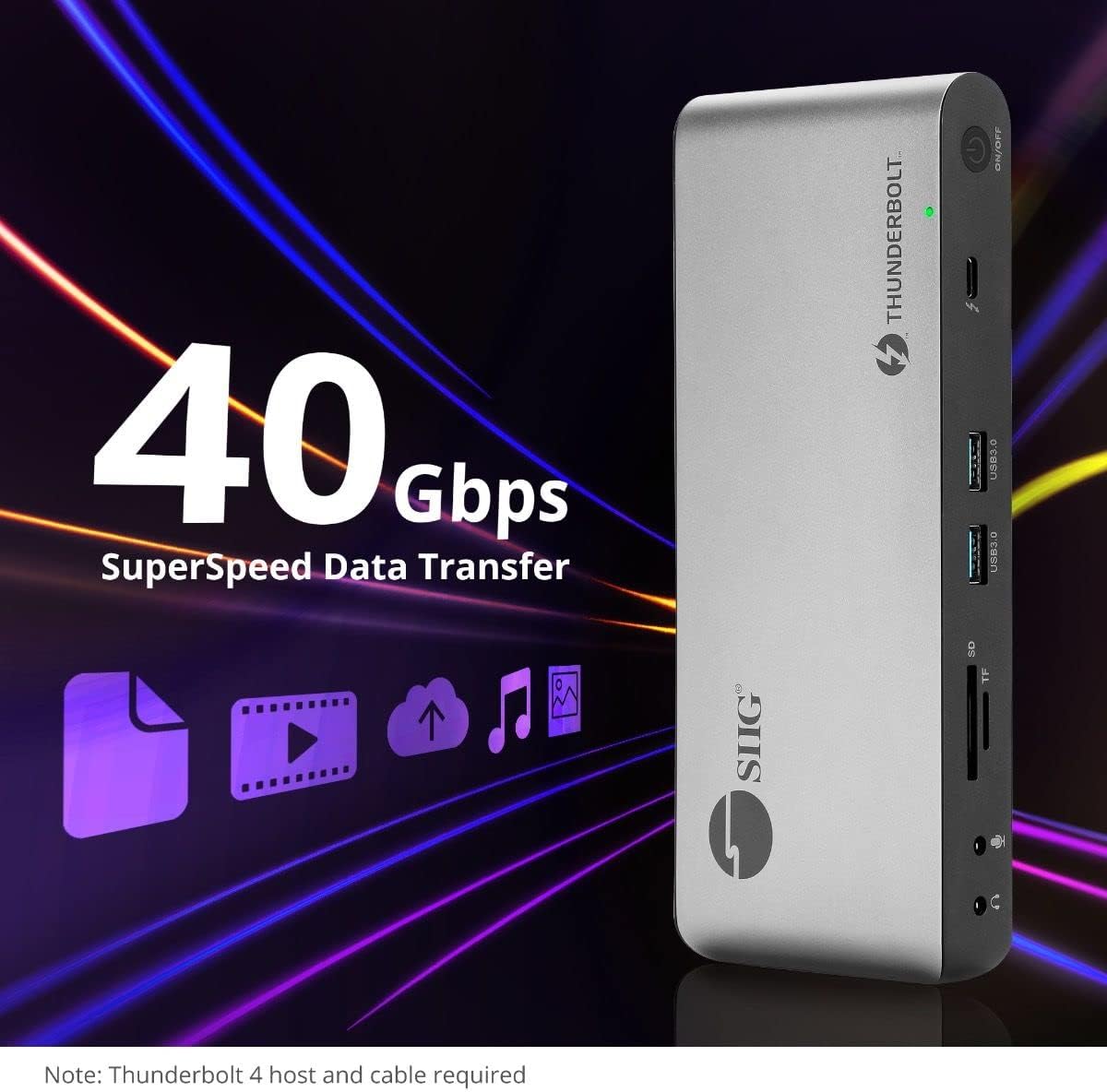
Image 5.4: High-speed data transfer capabilities.
6. Компатибилност
The SIIG Thunderbolt 4 Docking Station is broadly compatible with various systems:
- Оперативни системи: Mac M1/M2/M3 Pro & Max, Intel chip Macs, Windows PCs (Intel/AMD/Snapdragon), and Chromebooks.
- Повратна компатибилност: Fully compatible with Thunderbolt 3, USB4, and USB-C equipped computers.
7. Одржавање
Да бисте осигурали дуготрајност и оптималне перформансе ваше прикључне станице, пратите ова упутства за одржавање:
- Чишћење: Use a soft, dry cloth to clean the exterior of the device. Avoid liquid cleaners or solvents.
- вентилација: Ensure the docking station is placed in a well-ventilated area to prevent overheating. Do not block any ventilation openings.
- Складиштење: Уређај чувајте на хладном и сувом месту, даље од директне сунчеве светлости и екстремних температура.
- Руковање: Избегавајте испуштање или излагање уређаја јаким ударима.
КСНУМКС. Решавање проблема
If you encounter issues with your SIIG Thunderbolt 4 Docking Station, refer to the following common problems and solutions:
- Нема напајања:
- Ensure the power adapter is securely connected to both the docking station and a working power outlet.
- Verify the power button on the docking station is pressed and the power indicator LED is on.
- Display Issues (No Signal/Incorrect Resolution):
- Check all display cables (HDMI, DisplayPort, Thunderbolt) are securely connected to both the docking station and the monitors.
- Ensure your laptop's display settings are configured correctly to detect and extend/mirror displays.
- For multi-display setups, especially beyond two monitors, ensure DisplayLink drivers are installed and up to date on your operating system.
- Verify your monitors support the selected resolution and refresh rate.
- Peripherals Not Detected:
- Ensure USB devices are properly connected to the docking station's USB ports.
- Try connecting the peripheral directly to your laptop to confirm it is functional.
- Restart the docking station and your laptop.
- прегревање:
- Ensure the docking station is placed in an area with adequate airflow and not covered.
- Reduce the number of high-power devices connected if possible, or consider using a cooling pad if persistent.
- Спори пренос података:
- Ensure you are using Thunderbolt 4 certified cables for Thunderbolt connections.
- Verify the connected device supports the expected transfer speeds.
9. Спецификације
| Феатуре | Детаљ |
|---|---|
| Број модела | ЈУ-ДК0У11-С1 |
| Димензије производа | 3.27 к 7.8 к 1.14 инча |
| Тежина артикла | 15.4 унце (0.96 фунте) |
| Укупан број портова | 15 (including 7 USB ports) |
| Хост Цоннецтион | Тхундерболт 4 (УСБ-Ц) |
| Видео излази | 1x HDMI, 1x DisplayPort, 3x Thunderbolt 4 (USB-C) |
| Max Display Resolution | Single 8K@30Hz, Quad 4K@60Hz |
| Power Delivery (Host) | До 60В |
| Power Delivery (Downstream TB4) | До 45В по порту |
| Брзина преноса података | Thunderbolt 4: 40Gbps, USB-A 5Gbps: 5Gbps |
| Етхернет | Гигабит Етхернет |
| Читач картица | SD 3.0 UHS-1, Micro SD (TF) 3.0 UHS-1 (up to 2TB) |
| Аудио портови | 3.5mm Stereo Out, 3.5mm Mic In |
| Компатибилан ОС | Mac M1/M2/M3 Pro & Max, Intel Macs, Windows, Chromebooks |
| Боја | Црно |
| УПЦ | 662774045689 |
10. Гаранција и подршка
SIIG products are designed for reliability and performance. For warranty information and technical support, please refer to the documentation included with your product or visit the official SIIG webсајту. Сачувајте рачун о куповини за гаранције.