1. Производ је готовview
The AUKEY LS02 Smart Watch is designed to help you monitor your daily activities and stay connected. It features a large 1.4-inch TFT screen with a 320 x 320 pixel resolution, providing clear display of information.
Кључне функције укључују:
- Display of daily activity information and phone notifications.
- Synchronization with the AUKEY Fit App for call, text, and chat message alerts.
- Control of your phone's music playlist directly from your wrist.
- Accurate fitness tracking for various activities like running, cycling, and walking.
- Monitoring of performance data such as steps, activity minutes, distance, and calories burned.
- Compatibility with both iPhone and Android smartphones.

Слика 1.1: Предња страна view of the AUKEY LS02 Smart Watch, showing the display with time, date, and various health metrics.
2. Водич за подешавање
2.1. Шта је у кутији
Након распакивања, проверите да ли су све компоненте присутне:
- AUKEY LS02 Smart Watch (with strap attached)
- Кабл за пуњење
- Упутство за употребу (овај документ)
2.2. Почетно пуњење
Before first use, fully charge your AUKEY LS02 Smart Watch.
- Повежите магнетни кабл за пуњење са контактима за пуњење на задњој страни сата.
- Прикључите УСБ крај кабла за пуњење у стандардни УСБ адаптер за напајање (препоручује се 5V/1A) или УСБ порт рачунара.
- The watch display will indicate charging status. Allow approximately 2 hours for a full charge.
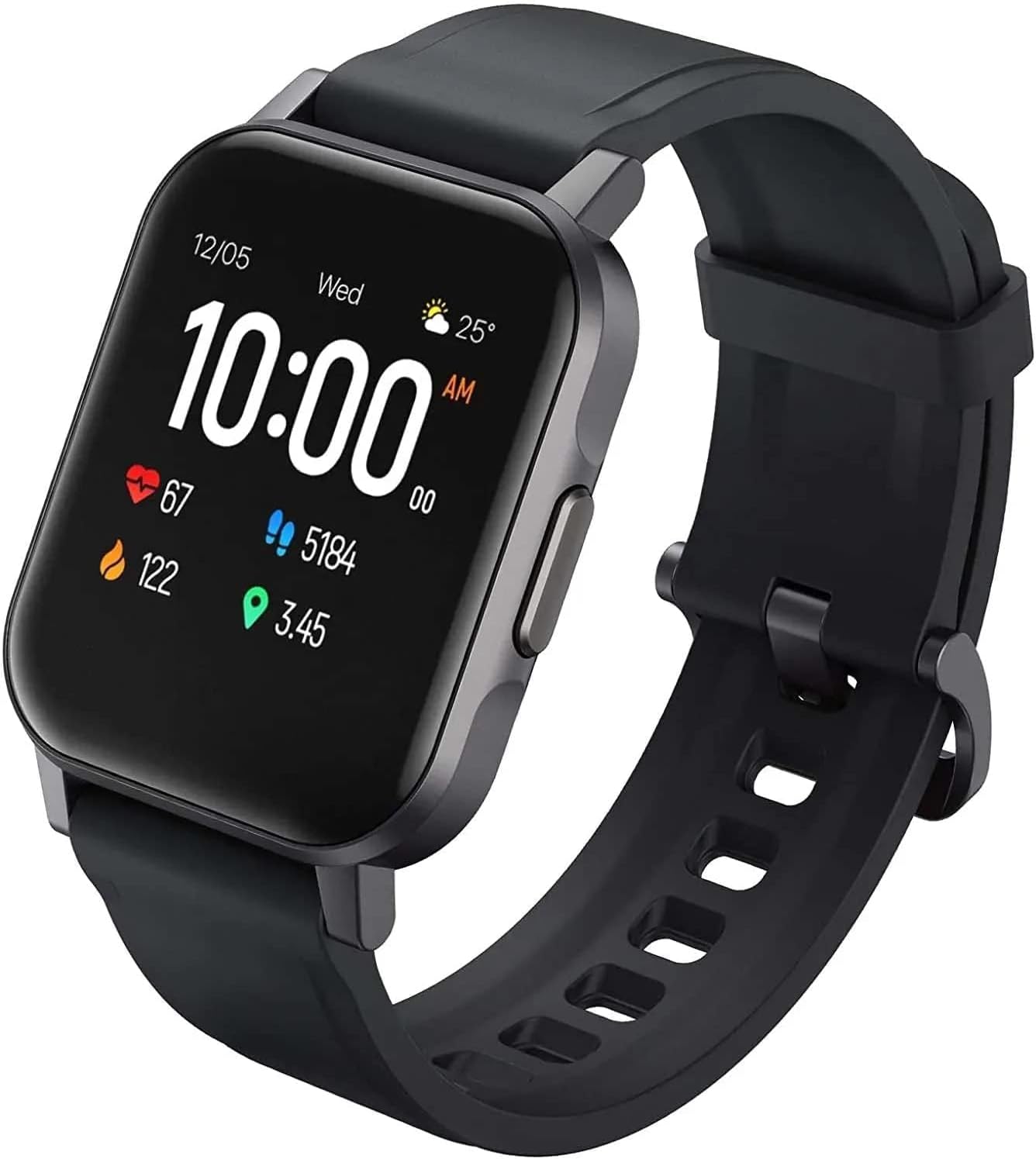
Слика 2.1: Под углом view of the AUKEY LS02 Smart Watch, highlighting the watch body and strap connection.
2.3. Упаривање са вашим паметним телефоном
To unlock the full features of your smartwatch, pair it with the AUKEY Fit App.
- Download the AUKEY Fit App: Тражи "AUKEY Fit" in your smartphone's app store (Google Play Store for Android or Apple App Store for iOS) and install it.
- Омогући Блуетоотх: Уверите се да је Блуетоотх омогућен на вашем паметном телефону.
- Отворите апликацију: Launch the AUKEY Fit App and follow the on-screen instructions to create an account or log in.
- Додај уређај: In the app, navigate to the "Device" or "Add Device" section. The app will search for nearby AUKEY smartwatches.
- Изаберите свој сат: From the list of found devices, select "AUKEY LS02" or a similar identifier.
- Потврдите упаривање: Захтев за упаривање може се појавити и на телефону и на сату. Потврдите упаривање на оба уређаја.
- Синхронизација: Once paired, the watch will synchronize data with the app, including time, date, and personal settings.
Напомена: Keep your watch close to your smartphone during the pairing process to ensure a stable connection.
3. Управљање паметним сатом
3.1. Основна навигација
- екран осетљив на додир: Swipe left/right, up/down to navigate through menus and screens. Tap to select an option.
- Бочно дугме: Press the side button to wake the screen, return to the home screen, or access the main menu (functionality may vary based on context).
3.2. Прикажи информације
The main watch face typically displays:
- Време и датум
- Ниво батерије
- Статус Блуетоотх везе
- Daily Steps Count
- Откуцаји срца
- Сагореле калорије
- Дистанце Травелед
Swipe through different screens to access more detailed information or specific functions.
3.3. Обавештења
Once paired with the AUKEY Fit App, your watch can receive notifications from your smartphone.
- Ensure notification permissions are enabled for the AUKEY Fit App in your phone's settings.
- Within the AUKEY Fit App, select which applications you wish to receive notifications from (e.g., calls, SMS, WhatsApp, Facebook).
- When a notification arrives, the watch will vibrate and display the message content.
- Swipe up or down on the watch face to view недавна обавештења.
3.4. Праћење физичке спремности
The watch automatically tracks your daily activity and offers modes for specific exercises.
- Дневна Активност: Monitors steps, distance, calories, and active minutes throughout the day.
- Режими вежбања: Select from various activities such as running, cycling, mountain climbing, and walking. The watch will record specific metrics for the chosen activity.
- Мониторинг срчане фреквенције: Сат континуирано прати ваш откуцај срца. View your current heart rate on the watch or detailed historical data in the AUKEY Fit App.
3.5. Контрола музике
Контролишите репродукцију музике са свог паметног телефона директно са свог сата.
- Уверите се да је ваш сат повезан са вашим паметним телефоном путем Блутут-а.
- Navigate to the music control interface on your watch (usually by swiping or through the main menu).
- You can play/pause, skip tracks (next/previous), and adjust volume (if supported by the watch model).
4. Нега и одржавање
4.1. Чишћење паметног сата
Редовно чишћење помаже у одржавању изгледа и функционалности сата.
- Wipe the screen and watch body with a soft, lint-free cloth. If necessary, slightly dampу крпу са водом.
- For the strap, use a mild soap solution and rinse thoroughly. Ensure the strap is completely dry before reattaching to the watch or wearing.
- Избегавајте употребу јаких хемикалија, абразивних средстава за чишћење или растварача, јер они могу оштетити завршну обраду сата или унутрашње компоненте.
4.2. Отпорност на воду
The AUKEY LS02 Smart Watch is designed to be splash-proof and resistant to sweat and light rain. It is не suitable for swimming, showering, or diving. Avoid prolonged exposure to water.
Важно: Water damage is not covered under warranty if the watch is used beyond its specified water resistance capabilities.
4.3. Складиштење
When not in use for extended periods, store your watch in a cool, dry place away from direct sunlight and extreme temperatures. Ensure the watch is partially charged (around 50%) before long-term storage to preserve battery health.
7. Гаранција и подршка
AUKEY products are designed with quality and reliability in mind. For specific warranty terms and conditions applicable to your AUKEY LS02 Smart Watch, please refer to the warranty card included with your purchase or visit the official AUKEY webсајту.
If you require technical assistance, have questions about product functionality, or need to report a defect, please contact AUKEY customer support through their official channels. Details for contacting support can typically be found on the AUKEY website or within the AUKEY Fit App.
Please have your product model number (AUKEY-LS02BLK) and purchase details ready when contacting support.
