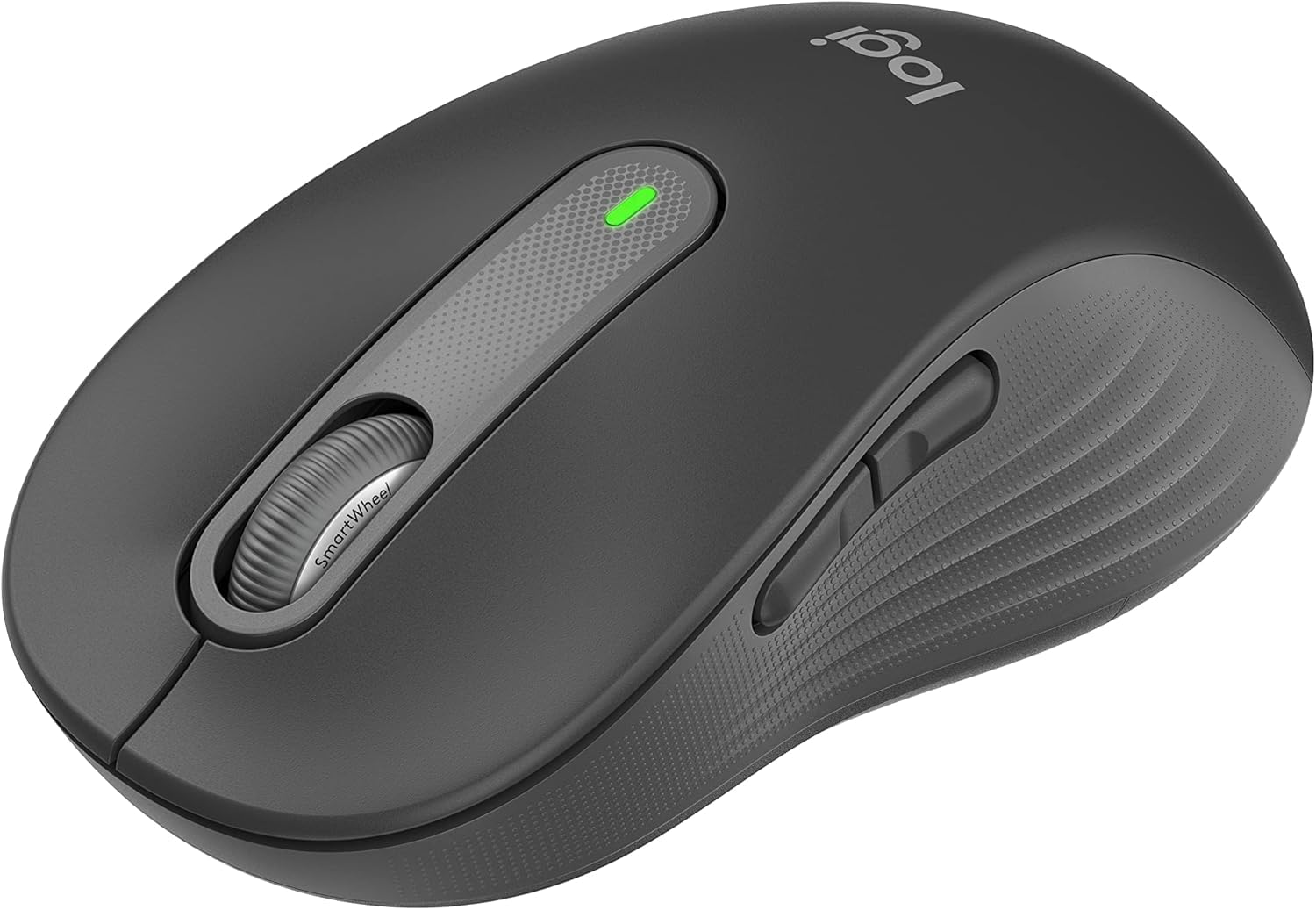
1. Подешавање
Follow these steps to set up your Logitech Signature M650 L Wireless Mouse.
1.1 Инсталација батерије
The mouse requires one AA battery. To install or replace the battery:
- Пронађите поклопац одељка за батерију на доњој страни миша.
- Отворите поклопац.
- Уметните једну АА батерију, водећи рачуна о исправном поларитету (+/-).
- Добро затворите поклопац одељка за батерије.

The underside of the mouse, revealing the battery compartment and the storage slot for the Logi Bolt USB receiver.
1.2 Повезивање
The mouse offers two connection options: Bluetooth Low Energy or the Logi Bolt USB receiver.
- Коришћење Логи Болт УСБ пријемника: Plug the Logi Bolt USB receiver into an available USB port on your computer. The mouse should connect automatically.
- Коришћење Блуетоотх-а: Turn on the mouse. On your computer, navigate to Bluetooth settings and select to add a new device. Choose the Logitech Signature M650 L from the list of available devices to pair.
1.3 Укључивање/искључивање
A power switch is located on the underside of the mouse. Slide the switch to the 'On' position to activate the mouse and to the 'Off' position to conserve battery when not in use.
2. Управљање мишем
The Logitech Signature M650 L is designed for comfort and efficiency.
2.1 Скроловање помоћу паметног точка
The adaptive SmartWheel provides two modes of scrolling:
- Прецизност ред по ред: За детаљну навигацију у документима и табелама.
- Супер брзо бесплатно окретање: Automatically switches to free spin mode for rapid scrolling through long web pages or documents with a flick of the finger.
2.2 Тихи кликови
The mouse features SilentTouch technology, reducing click noise by 90% for a quieter work environment.

A user operating the Logitech Signature M650 L mouse, highlighting its silent click feature.
2.3 Прилагодљива бочна дугмад
The side buttons can be customized to perform various functions, such as navigating forwards and backwards in web browsers or activating specific application commands. Use the Logitech Options+ software to personalize these buttons.

The Logitech Options+ software interface, demonstrating how to customize the mouse's side buttons.
2.4 Ергономски дизајн
Designed for larger hands, the contoured shape, soft thumb area, and rubber side grips provide comfort during long hours of use.
3. Одржавање
Proper maintenance ensures the longevity and optimal performance of your mouse.
3.1 Чишћење
Да бисте очистили миша:
- Користите меку крпу која не оставља длачице.
- DampЛагано обришите крпу водом или благим, неабразивним средством за чишћење.
- Wipe the surface of the mouse gently. Avoid getting moisture into openings.
- За оптички сензор, користите суви памучни штапић да пажљиво уклоните прашину или остатке.
3.2 Замена батерије
Replace the AA battery when the mouse's indicator light signals low power or when performance degrades. Refer to section 1.1 for battery installation instructions.
КСНУМКС. Решавање проблема
If you encounter issues with your mouse, try the following solutions:
4.1 Проблеми са повезивањем
- Проверите снагу: Ensure the mouse is turned on and has sufficient battery power.
- Поново упарите уређај: If using Bluetooth, try unpairing and re-pairing the mouse in your computer's Bluetooth settings. If using the USB receiver, try unplugging and re-inserting it into a different USB port.
- сметње: Move the mouse closer to your computer and away from other wireless devices that might cause interference.
4.2 Jumpy or Erratic Cursor
- Очистите сензор: Уверите се да је оптички сензор на доњој страни миша чист и без прљавштине.
- Површина: Use the mouse on a non-reflective, opaque surface. Highly reflective or transparent surfaces can interfere with tracking.
4.3 Дугмад не реагују
- батерија: Замените батерију ако је празна.
- софтвер: If customizable buttons are not working, check the Logitech Options+ software for correct configuration.
5. Спецификације
| Димензије производа | 4.7 к 2.6 к 0.04 инча |
| Тежина артикла | 3.92 унци |
| Број модела ставке | М650 |
| Батерије | Потребна је 1 АА батерија (укључена) |
| Бранд | Логитецх |
| Боја | Графит |
| Технологија повезивања | Bluetooth, USB, Wireless |
| Посебна карактеристика | Бежични |
| Технологија детекције покрета | Оптицал |
6. Гаранција и подршка
This product is a renewed item. Please refer to the seller's specific return policy for details. The typical return policy for renewed items is a 90-day refund/replacement period.
For further assistance or technical support, please visit the official Logitech support webсајту или контактирајте њихову корисничку службу.