
TECWARE TWKB-P87PZT-WBR
TECWARE Phantom+ 87 Key Mechanical Gaming Keyboard User Manual
Model: TWKB-P87PZT-WBR
Увод
This manual provides detailed instructions for the setup, operation, maintenance, and troubleshooting of your TECWARE Phantom+ 87 Key Mechanical Gaming Keyboard. Designed for a premium typing experience, this keyboard features customizable RGB lighting, durable PBT keycaps, and hot-swappable switches.

Шта је укључено
Проверите да ли се у вашем пакету налазе све следеће ставке:
- TECWARE Phantom+ 87 Key Mechanical Gaming Keyboard
- Detachable 1.8m Braided USB-C Cable
- Алат за извлачење прекидача
- Алат за извлачење капица
- 4 Spare Switches

Сетуп
Follow these steps to set up your TECWARE Phantom+ keyboard:
- Повежите USB-C кабл: Insert the USB-C end of the braided cable into the port located on the back of the keyboard.
- Повежите се са рачунаром: Укључите УСБ-А крај кабла у слободан УСБ порт на рачунару.
- Подесите ножице тастатуре: Flip out the adjustable feet on the underside of the keyboard to achieve your preferred typing angle.
- Инсталација драјвера: The keyboard is plug-and-play. Your operating system (Windows 10 or later recommended) will automatically detect and install the necessary drivers.

Упутство за употребу
Основна операција
The TECWARE Phantom+ functions as a standard 87-key keyboard for typing and gaming. It features N-Key Rollover, ensuring all keystrokes are registered accurately, even during rapid input.
РГБ контрола осветљења
The keyboard features 16.8 million color RGB lighting with 18 pre-set lighting modes. These modes can be cycled through directly on the keyboard using function key combinations (refer to the keyboard's printed legends for specific shortcuts). You can also adjust brightness and speed.

Функције софтвера
For advanced customization, the Phantom+ supports dedicated software. This software allows for:
- Macro Recording and Assignment
- Up to 3 User Profiles
- Customizable Per-Key RGB Lighting
- Adjustable USB Report Rate (up to 1000Hz)

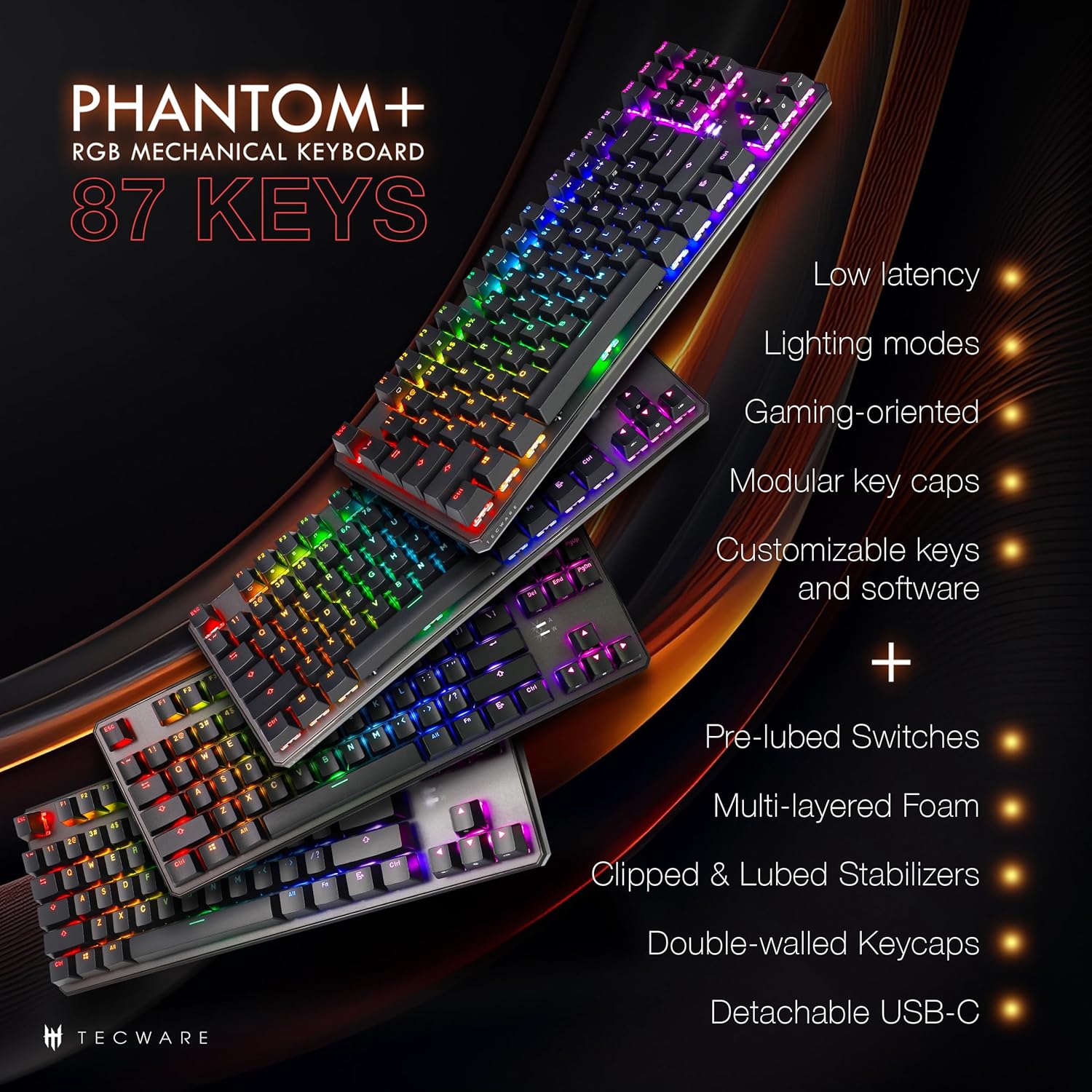
Кеи Феатурес Оверview
The Phantom+ keyboard incorporates several design and engineering features for enhanced performance and durability:
- Двоструко оштећене PBT капице за тастатуре: Resistant to wear and fading, providing long-lasting legends.
- V3 Stabilizers: Clipped and lubed for enhanced stability and smoother keystrokes on larger keys.
- Звук ДampТехнологија отварања: Reduces keyboard noise for a more pleasant typing experience.
- Брзина анкетирања од 1000Hz: Ensures rapid response times for gaming.
- Windows Lock Feature: Prevents accidental presses of the Windows key during gaming.

Одржавање
Чишћење
To clean your keyboard, disconnect it from your computer. Use a soft, dry cloth to wipe down the keycaps and chassis. For deeper cleaning, you may carefully remove keycaps using the provided keycap puller and use compressed air to clear debris from underneath.
Switch Replacement (Hot-Swappable)
The TECWARE Phantom+ features hot-swappable switches, allowing you to replace individual switches without soldering. This is useful for customizing your typing feel or replacing a faulty switch.
- Уклоните капицу тастатуре: Use the keycap puller to gently remove the keycap from the switch you wish to replace.
- Уклоните прекидач: Use the switch puller tool to grasp the top and bottom clips of the switch. Apply gentle pressure and pull the switch straight up to remove it from the PCB.
- Уметни нови прекидач: Поравнајте пинове новог прекидача са отворима на штампаној плочи. Пажљиво притисните прекидач надоле док не кликне на своје место. Уверите се да пинови нису савијени.
- Замена тастера: Press the keycap onto the new switch until it is firmly seated.

Решавање проблема
If you encounter issues with your TECWARE Phantom+ keyboard, refer to the table below for common problems and solutions:
| Проблем | Могући узрок | Решење |
|---|---|---|
| Тастатура не реагује | Loose USB connection, faulty cable, driver issue. | Уверите се да је USB кабл безбедно повезан. Покушајте са другим USB портом или каблом. Поново покрените рачунар. |
| RGB осветљење не ради или је неконзистентно | Lighting mode disabled, software conflict, power issue. | Check keyboard lighting controls (Fn + keys). Ensure software is running correctly. Try reconnecting the keyboard. |
| Одређени тастери не раде | Неисправан прекидач, остаци испод тастера. | Remove keycap and check for debris. If hot-swappable, try replacing the switch with a spare. |
| Софтвер не препознаје тастатуру | Software not installed correctly, USB connection issue. | Reinstall the TECWARE software. Ensure the keyboard is directly connected to a USB port (avoiding hubs if possible). Run software as administrator. |
Спецификације
| Феатуре | Детаљ |
|---|---|
| Модел | TWKB-P87PZT-WBR |
| Кључеви | 87-Key (Tenkeyless) |
| Тип прекидача | Wraith Brown (Tactile) - Hot-swappable |
| Кеицапс | Двоструки ПБТ |
| Осветљење | RGB (16.8 Million Colors, 18 Pre-set Modes) |
| Повезивање | Detachable USB-C |
| Поллинг Рате | До 1000Хз |
| Н-Кеи Ролловер | Подржано |
| Стабилизатори | V3 (Clipped & Lubed) |
| Димензије (ДкШкВ) | 14.21 к 5.2 к 1.65 инча |
| Тежина | 2.71 фунти |
| Компатибилан ОС | Windows 10 (PC, Laptop, Tablet) |
Wraith Switch Specifications
The Phantom+ keyboard comes pre-installed with TECWARE Wraith switches. The specifications for various Wraith switch types are detailed below:

Гаранција и подршка
For warranty information, technical support, or to access the latest software and drivers for your TECWARE Phantom+ keyboard, please visit the official TECWARE webсајту или контактирајте њихову корисничку службу.
Више информација и ресурса за подршку можете пронаћи посетом Official TECWARE Store on Amazon.
Ask a question about this manual
Ask about setup, troubleshooting, compatibility, parts, safety, or missing instructions. Manuals+ will review the question and use this page’s manual context to help answer it.