
Увод
This manual provides essential information for the safe and effective use of your ProForm Treadmill t8.5. Please read all instructions carefully before assembly and operation. Keep this manual for future reference.
Важне информације о безбедности
Before using this equipment, ensure you understand all safety precautions. Consult a physician before beginning any exercise program. Always use the safety key during operation.
- Држите децу и кућне љубимце подаље од траке за трчање током рада.
- Place the treadmill on a level surface with adequate clearance around it.
- Не користите траку за трчање ако је оштећена или неисправна.
- Носите одговарајућу одећу за вежбање и спортске ципеле.
- Увек се држите за рукохвате када покрећете или заустављате траку за трчање.
Подешавање и монтажа
Распакивање
Carefully remove all components from the packaging. Place the packaging materials aside for potential future transport or disposal. Ensure all parts listed in the assembly guide (not included in this manual) are present.
Пласман
Position the treadmill on a flat, stable surface. Ensure there is at least 2 meters (6.5 feet) of clear space behind the treadmill and 0.5 meters (1.6 feet) on each side for safe operation and access.
Повер Цоннецтион
Connect the power cord to a grounded electrical outlet. Do not use extension cords unless absolutely necessary and ensure they are rated for the treadmill's power requirements.

Image: The ProForm Treadmill t8.5 fully assembled, showcasing its design and console.
Преклапање и расклапање
The ProForm Treadmill t8.5 features a SpaceSaver design for convenient storage. To fold, lift the running deck until it locks into an upright position. To unfold, gently push the release mechanism and lower the deck to the floor.
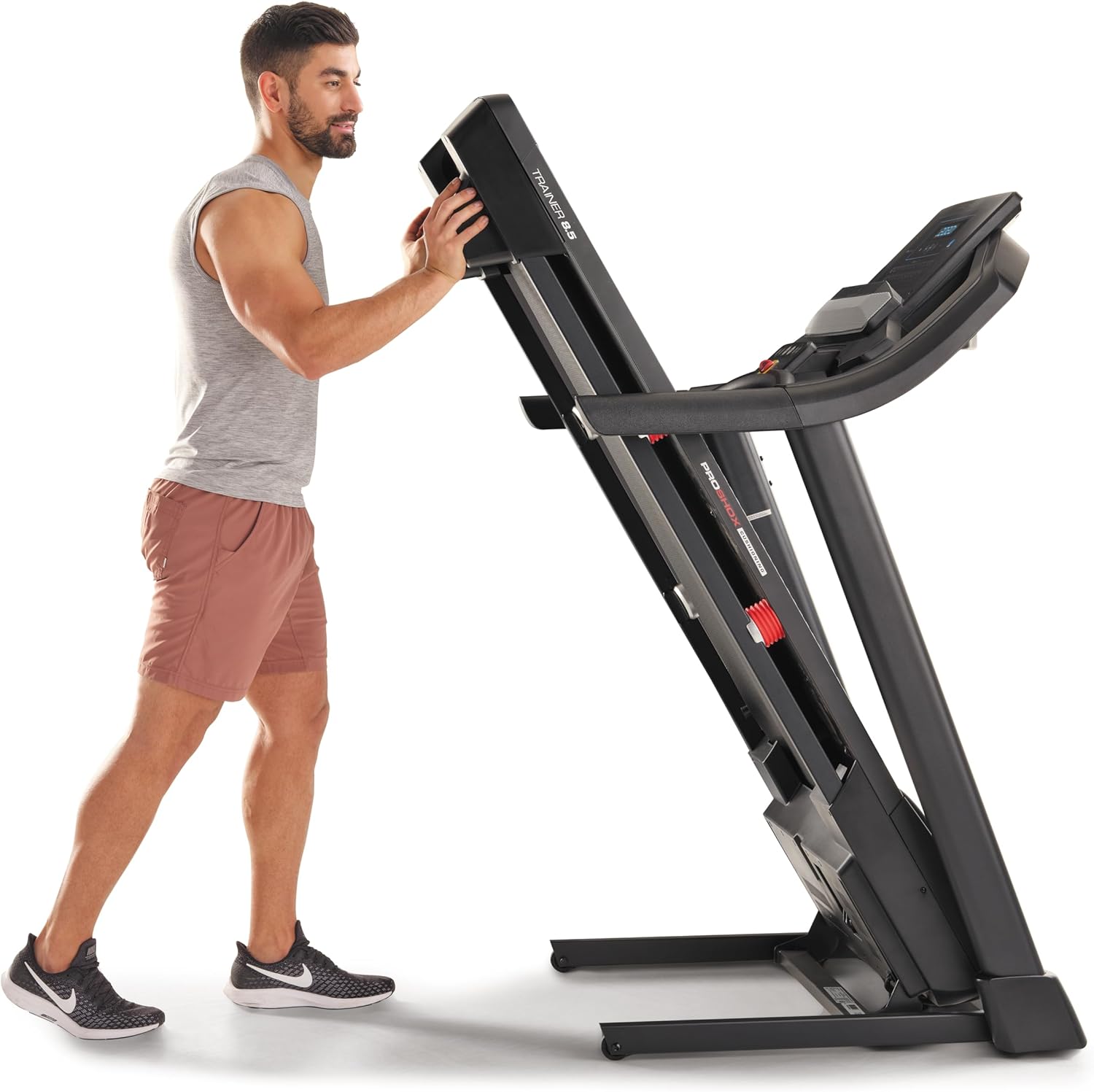
Image: A user demonstrating the folding mechanism of the treadmill for storage.

Image: A user demonstrating the unfolding process of the treadmill, preparing it for use.
Упутство за употребу
Цонсоле Оверview
The console features a display for workout metrics, digital quick speed and incline controls, and dual 2-inch speakers. Familiarize yourself with the button layout before starting your workout.

Слика: Детаљна view of the treadmill's console, highlighting the display and control panel.
Започињање тренинга
- Attach the Safety Key: Clip the safety key to your clothing and insert the other end into the console's designated slot. The treadmill will not operate without the safety key.
- Ручни режим: Press the 'Start' button to begin a manual workout. The belt will start moving at a low speed.
- Програмски режим: Select a pre-set workout program from the console. Follow the on-screen prompts to begin.
Adjusting Speed and Incline
- брзина: Use the 'QuickSpeed' buttons or the '+' and '-' buttons to adjust the belt speed from 0 to 16 kph.
- Нагиб: Use the 'Quick Incline' buttons or the '+' and '-' buttons to adjust the incline from 0% to 10%.

Image: A user actively running on the treadmill, illustrating its operational use.
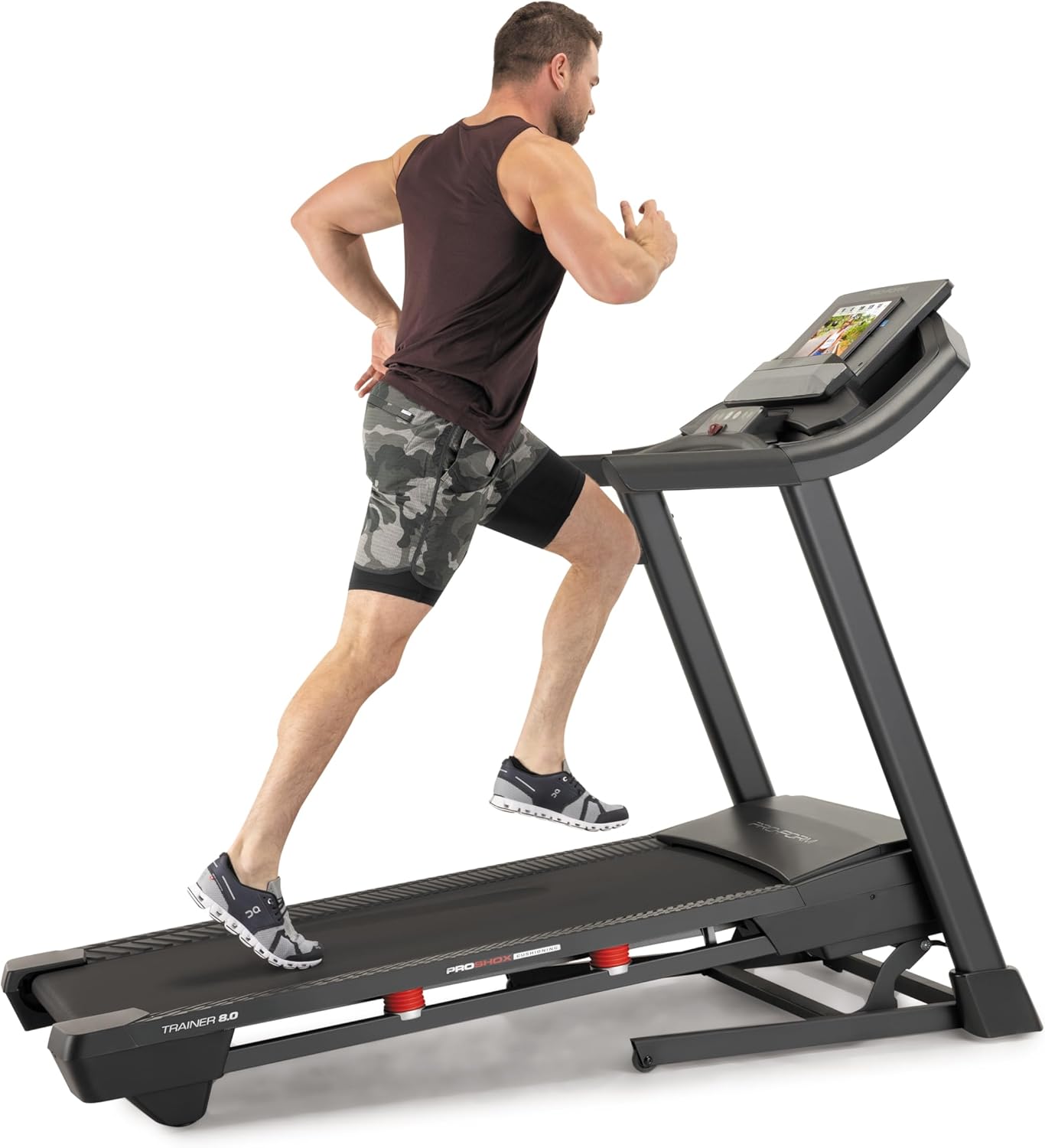
Image: Another perspective of a user running on the treadmill, highlighting the running surface.
Stopping the Treadmill
To stop the treadmill, press the 'Stop' button on the console. For an emergency stop, pull the safety key from the console. The treadmill will immediately cease operation.
Одржавање
Редовно одржавање осигурава дуготрајност и оптималне перформансе ваше траке за трчање.
Чишћење
- Конзола: Wipe the console with a damp крпу. Избегавајте абразивна средства за чишћење или прекомерну влагу.
- Running Deck and Belt: Periodically clean the running deck and belt with a damp крпа за уклањање прашине и остатака.
Подмазивање појаса
The running belt may require lubrication after extended use. Refer to the specific lubrication instructions provided with your treadmill or contact customer service for guidance. Use only approved treadmill lubricant.
Belt Tension and Alignment
If the running belt slips or drifts to one side, it may need adjustment. Consult the detailed assembly guide or contact customer service for instructions on how to properly tension and align the belt. Incorrect adjustment can damage the treadmill.
Решавање проблема
This section addresses common issues you might encounter with your ProForm Treadmill t8.5.
| Проблем | Могући узрок | Решење |
|---|---|---|
| Трака за трчање се не покреће | Кабл за напајање није укључен; сигурносни кључ није уметнут; осигурач је активиран. | Ensure power cord is securely plugged in; Insert safety key fully; Check household circuit breaker. |
| Појас за трчање клизи | Затегнутост каиша је превише лабава. | Adjust belt tension (refer to maintenance section or assembly guide). |
| Console display is blank | Power issue; Console cable disconnected. | Check power connection; Ensure all console cables are securely connected (refer to assembly guide). |
| Необична бука током рада | Лабави делови; Трење каиша; Проблем са мотором. | Inspect for loose bolts and tighten; Lubricate belt if needed; If noise persists, contact customer service. |
Спецификације
Key technical specifications and features of the ProForm Treadmill t8.5:
| Феатуре | Детаљ |
|---|---|
| Модел | т8.5 |
| Бранд | ПроФорм |
| Digital Quick Incline Control | 0% – 10% |
| Digital QuickSpeed Control | 0 – 16 kph (0 – 11.2 Miles per Hour) |
| Tread Belt Dimensions | 51 к 140 цм |
| Максимални капацитет тежине | 135 кг |
| Звучници | Dual 2” Speakers |
| Тежина артикла | 81 килограма |
| Материјал | Алуминијум |
| Посебне карактеристике | Portable (SpaceSaver Design) |
| Циљна публика | Одрасли, Млади |
| Макимум Хорсеповер | 2.6 Хорсеповер |
Гаранција и подршка
For detailed warranty information, please refer to the warranty card included with your product or visit the official ProForm webсајт. Услови гаранције могу се разликовати у зависности од региона.
Служба за кориснике
If you have questions, require technical assistance, or need to order replacement parts, please contact ProForm customer service. Contact details can typically be found on the ProForm webсајту или у паковању вашег производа.