
Увод
This manual provides detailed instructions for the setup, operation, and maintenance of your TeckNet Silent Wireless Mouse EWM01005BA01. Please read this guide thoroughly to ensure optimal performance and longevity of your device.
Садржај пакета
- 1 x TeckNet Silent Wireless Mouse
- 1 к Нано УСБ пријемник
Note: The Nano USB Receiver is typically stored within the battery compartment of the mouse for safe keeping.
Карактеристике производа
- Silent Click Technology: Reduces click noise by over 90% for a quiet working environment.
- Подесиви ДПИ: 6 adjustable DPI levels (800/1200/1600/2400/3200/4000) for precise cursor control on various surfaces.
- 2.4ГХз бежична технологија: Provides a stable and reliable connection with fast data transfer, up to 15 meters range, even in high Wi-Fi traffic environments.
- Плуг & Плаи: No software installation required; simply plug in the nano receiver and start using.
- Ергономски дизајн: Streamlined shape with soft rubber sides for comfortable use during extended periods.
- Дуг век трајања батерије: Up to 24 months of battery life with low-power chips and smart sleep technology (1 AA battery not included).
- Co-Link Technology: Automatic pairing with the nano receiver, ensuring a stable connection even if temporarily lost.
Водич за подешавање
- Инсталирајте батерију: Open the battery compartment cover located on the underside of the mouse. Insert one AA battery (not included), ensuring correct polarity (+/-). Close the battery compartment cover.
- Connect Nano Receiver: Locate the Nano USB Receiver, usually stored inside the battery compartment. Plug the Nano USB Receiver into an available USB port on your computer (PC, Mac, or Laptop).
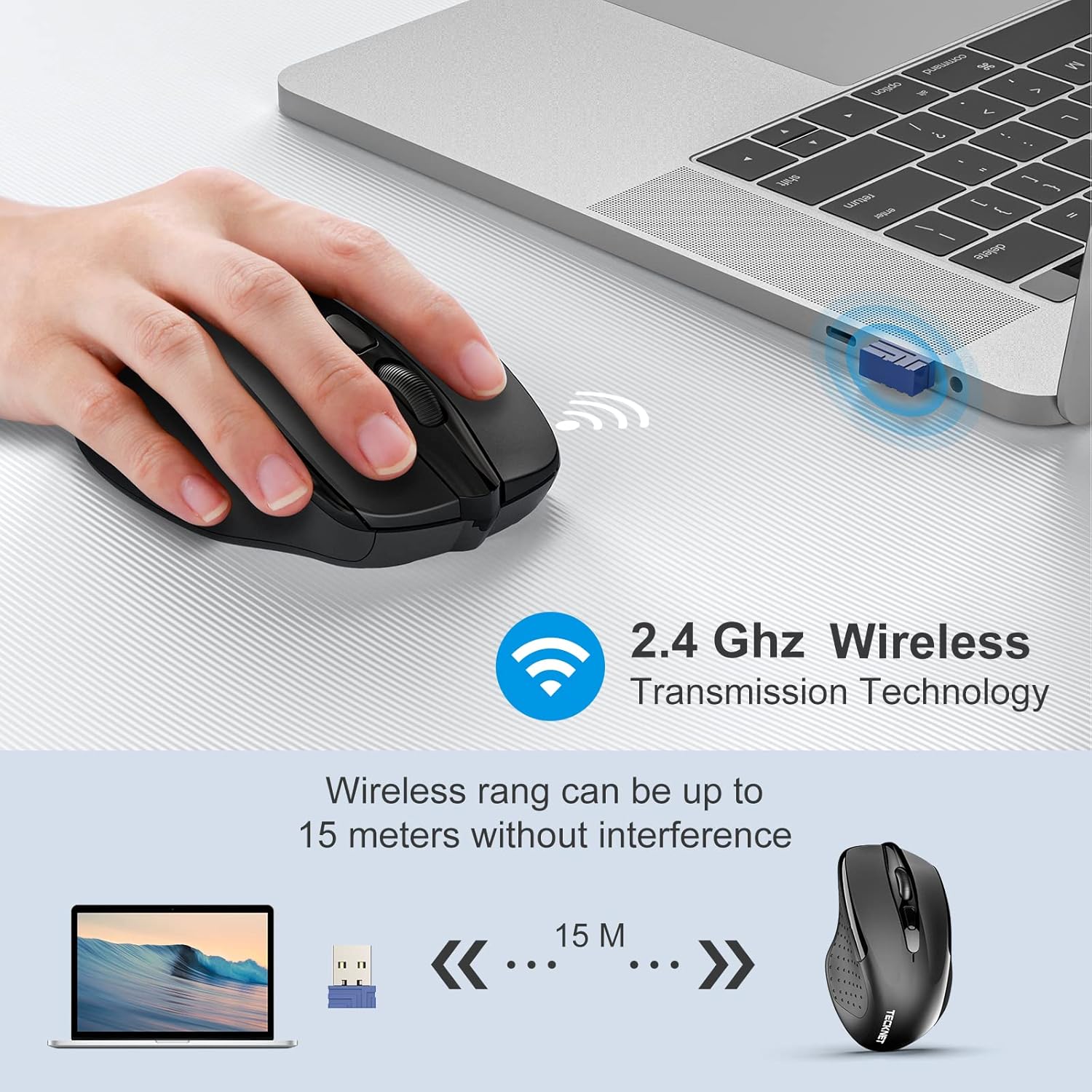
Image: The TeckNet wireless mouse connected to a laptop via its Nano USB receiver, illustrating the 2.4GHz wireless transmission technology and an effective range of up to 15 meters without interference.
- Укључено: Turn on the mouse using the On/Off switch, typically located on the underside.
- Аутоматско повезивање: The mouse will automatically connect to your computer. No additional drivers or software are required.
Упутство за употребу
Once connected, the TeckNet Silent Wireless Mouse functions like a standard mouse. Move the mouse to control the cursor on your screen. The left and right buttons perform standard click functions, and the scroll wheel allows for vertical scrolling.
ДПИ Адјустмент
The mouse features a DPI adjustment button, usually located behind the scroll wheel. Press this button to cycle through the available DPI settings (800/1200/1600/2400/3200/4000). Each press changes the cursor speed, allowing you to select the sensitivity that best suits your task or preference.

Image: A hand demonstrating the DPI adjustment feature on the TeckNet wireless mouse, with an overlay indicating the 6 selectable DPI levels ranging from 800 to 4000.
Тиха операција
The silent click technology ensures a quiet user experience, ideal for environments where noise reduction is important.

Image: The TeckNet wireless mouse highlighted with text indicating 'Noise Reduction 90%', accompanied by an image of a sleeping baby, emphasizing its quiet operation for undisturbed environments.
Информације о батерији
The TeckNet Silent Wireless Mouse requires one AA battery. With its energy-efficient design and smart sleep mode, the battery can last up to 24 months. Battery life may vary based on usage patterns and computing conditions.
- To replace the battery, open the battery compartment on the underside of the mouse.
- Уметните нову АА батерију, водећи рачуна о исправном поларитету.
- Истрошене батерије одлажите одговорно у складу са локалним прописима.
Одржавање
- Одржавајте миш чистим тако што ћете га обрисати меком, сувом крпом.
- Избегавајте излагање миша екстремним температурама, директној сунчевој светлости или течностима.
- Не растављајте миш, јер то може поништити гаранцију.
Решавање проблема
| Проблем | Решење |
|---|---|
| Миш не реагује |
|
| Покрет курсора је неправилан или спор |
|
| Проблеми са бежичним дометом |
|
Спецификације
| Феатуре | Детаљ |
|---|---|
| Бранд | ТекНет |
| Број модела | EWM01005BA01 |
| Боја | Црно |
| Технологија повезивања | 2.4 GHz бежични (USB нано пријемник) |
| Откривање покрета | Оптицал |
| ДПИ Левелс | 800, 1200, 1600, 2400, 3200, 4000 (Подесиво) |
| Количина дугмета | 8 |
| Тип батерије | 1 к АА (није укључено) |
| Трајање батерије | До 24 месеци |
| Компатибилни оперативни системи | Windows 10, 8, 7, Vista, XP, 2008, Mac OS |
| Хардверска платформа | ПЦ, Лаптоп |
| Lifetime Clicks | 6 милиона |
Гаранција и подршка
TeckNet offers a 36-month warranty for this product upon registration. If you encounter any issues during the use of this product, please do not hesitate to contact our professional customer service team for assistance.
For support, please refer to the contact information provided on the official TeckNet webсајт или вашу документацију о куповини.