
Jonsbo MOD5
JONSBO MOD5 отвореног типа ATX кућиште за гејмерски рачунар средњег формата, упутство за употребу
Model: MOD5 | Brand: Jonsbo
1. Увод
The JONSBO MOD5 is an innovative open-type ATX mid-tower gaming computer case designed for enthusiasts seeking high performance, extensive cooling options, and a unique aesthetic. Its robust aluminum construction and modular design provide ample space for advanced components, including custom liquid cooling setups. This manual provides essential information for the proper assembly, operation, and maintenance of your MOD5 chassis.

Figure 1: JONSBO MOD5 Open Type ATX Mid Tower Gaming Computer Case
2. Безбедносне информације
Please read and understand all safety precautions before installing or operating the JONSBO MOD5 case. Failure to do so may result in personal injury or damage to the product or components.
- Always disconnect the power supply from the wall outlet before performing any installation, maintenance, or troubleshooting.
- Wear an anti-static wrist strap to prevent electrostatic discharge (ESD) when handling internal components.
- Be cautious of sharp edges during installation.
- Не излажите кућиште води или прекомерној влажности.
- Обезбедите одговарајућу вентилацију око кућишта како бисте спречили прегревање.
3. Садржај пакета
Проверите да ли су све ставке присутне у вашем пакету:
- JONSBO MOD5 Open Type ATX Mid Tower Gaming Computer Case
- Accessory Box (containing screws, cable ties, standoffs, etc.)
- Кориснички приручник (овај документ)
4. Производ је готовview
The MOD5 features a distinctive open design with robust aluminum construction, providing excellent airflow and a unique visual appeal.
4.1 Кључне карактеристике
- Open Type Design: Maximizes airflow and showcases internal components.
- Материјал: Constructed from durable 2+3mm aluminum-magnesium alloy.
- Подршка за матичну плочу: Compatible with EATX, ATX, MATX, and ITX motherboards.
- Размак ГПУ-а: Supports graphics cards up to 400mm in length.
- Подршка за хлађење: Extensive liquid cooling support (360x2 + 240x1 or 240x3 radiators) and air cooling (up to 180mm CPU cooler height).
- Дриве Баис: Multiple bays for 2.5" SSDs and 3.5" HDDs.
- РГБ осветљење: Integrated Flank Armor ARGB strips for customizable lighting effects.
4.2 Димензије и изглед

Figure 2: Internal Component Layout and Cooling Support
The internal layout is designed for optimal component placement and airflow. Refer to Figure 2 for a visual guide on component locations and cooling support areas.
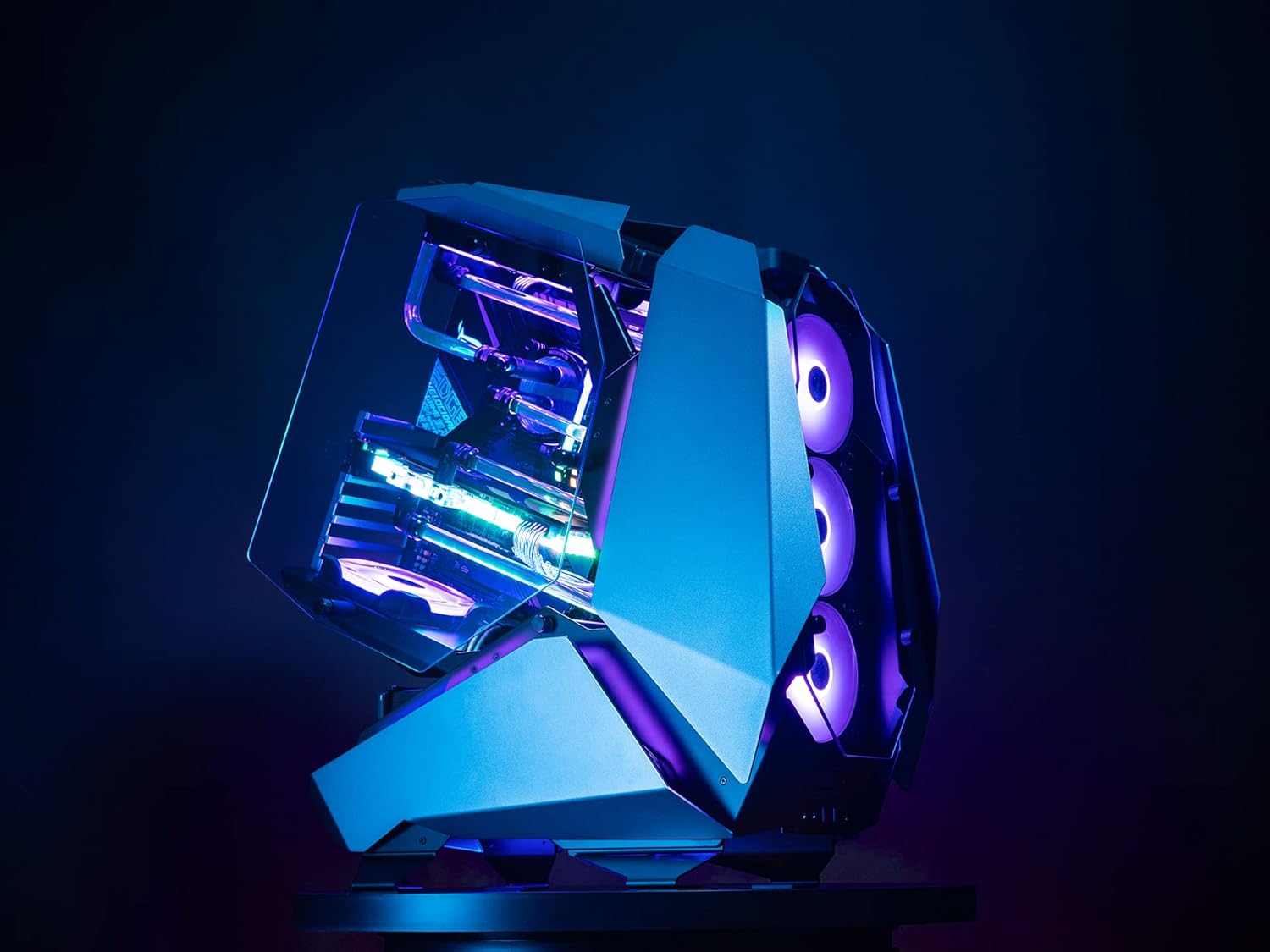
Слика 3: Страна View of JONSBO MOD5 Case
5. Подешавање и инсталација
Follow these steps for installing your PC components into the JONSBO MOD5 case. It is recommended to install components in the order listed for ease of assembly.
5.1 Припрема случаја
- Unpack the case and place it on a stable, flat surface.
- Remove any protective films from the tempered glass panels.
- Identify the accessory box and familiarize yourself with the included screws and mounting hardware.
5.2 Инсталација матичне плоче
- Install the necessary motherboard standoffs into the motherboard tray according to your motherboard's form factor (ATX, MATX, ITX).
- Пажљиво поставите матичну плочу на одстојнике, поравнавајући рупе за вијке.
- Причврстите матичну плочу одговарајућим завртњима.
5.3 Инсталација јединице за напајање (ПСУ).
- Locate the PSU mounting area (ATX PSII 220mm max length).
- Slide the PSU into position and secure it with screws from the rear of the case.
- Повежите потребне каблове за напајање са матичном плочом и осталим компонентама.
5.4 Инсталација уређаја за складиштење података
- Install 2.5" SSDs and 3.5" HDDs into the designated drive bays. The case supports 2.5" SSD/3.5" HDD x3 + 3.5" HDD x1 or 3.5" HDD x4.
- Secure drives with the provided screws.
- Connect SATA data and power cables to the drives.
5.5 Инсталација графичке картице (GPU)
- Remove the necessary PCIe slot covers.
- Insert your graphics card into the PCIe slot on the motherboard. The case supports GPUs up to 400mm in length.
- Secure the GPU with the retention clip and screw.
- Connect any required PCIe power cables from the PSU to the GPU.
5.6 Cooling System Installation (Fans/Radiators)
The MOD5 offers extensive cooling support:
- Течно хлађење: Supports 360x2 + 240x1 or 240x3 radiators.
- Ваздушно хлађење: CPU cooler height up to 180mm.
- Подршка обожаватеља: Front/base supports 360 radiator or 3x 12cm fans. Top supports 240 radiators or 2x 12cm fans. Bottom supports 1x 12cm fan.
Install fans and radiators into their respective mounting points, securing them with appropriate screws. Connect fan power cables to the motherboard or a fan controller.
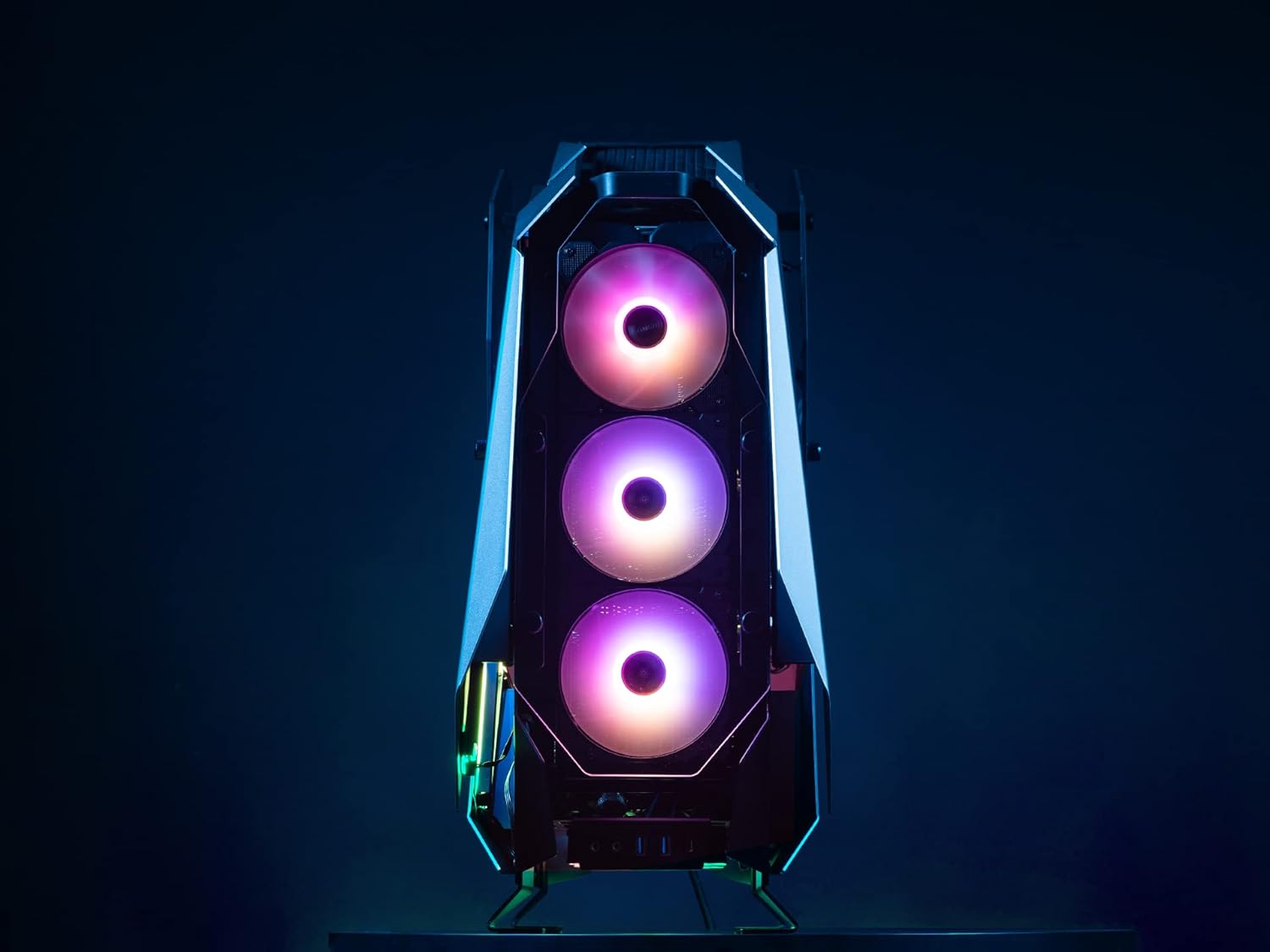
Figure 4: Front Fan Mounting Area
5.7 Управљање кабловима
Користите отворе за усмеравање каблова и тачке за везивање да бисте уредно управљали кабловима. Ово побољшава проток ваздуха и естетику.
6. Упутство за употребу
Once all components are installed and cables are connected, you can power on your system.
6.1 Укључивање
- Уверите се да су сви спољни периферни уређаји (монитор, тастатура, миш) повезани.
- Повежите кабл за напајање са напајањем и зидном утичницом.
- Пребаците прекидач за напајање на напајању у положај „УКЉУЧЕНО“.
- Press the power button on the case to start your computer.
6.2 Предњи И/О портови
The JONSBO MOD5 features convenient front I/O ports for easy access:
- 2к УСБ 2.0 порта
- Audio Jacks (Headphone/Microphone)
- USB 3.0 Ports (Quantity not specified in product data, typically 1-2)
- USB Type-C Port (Quantity not specified in product data, typically 1)
Video 1: Jonsbo MOD5 Open Air Case Overview
6.3 RGB контрола осветљења
The case includes Flank Armor ARGB strips. Control of these lights is typically managed via your motherboard's RGB software (e.g., ASUS Aura Sync, MSI Mystic Light, Gigabyte RGB Fusion) if connected to a compatible ARGB header, or via a dedicated RGB controller if one is included or purchased separately. Refer to your motherboard manual for specific RGB software instructions.
7. Одржавање
Regular maintenance helps ensure optimal performance and longevity of your JONSBO MOD5 case and its components.
- Уклањање прашине: Due to its open design, the case may accumulate dust more readily. Regularly use compressed air to clean dust from fans, radiators, and internal components.
- Чишћење површине: Обришите спољашње површине меком, дamp крпом. Избегавајте абразивна средства за чишћење или раствараче који би могли оштетити завршну обраду.
- Провера кабла: Periodically inspect internal cables to ensure they are securely connected and not obstructing airflow.
КСНУМКС. Решавање проблема
Овај одељак се бави уобичајеним проблемима на које можете наићи.
8.1 Систем се не укључује
- Ensure the PSU is switched 'ON' and properly connected to the wall outlet.
- Проверите да ли су 24-пински ATX кабл за напајање и 8-пински кабл за напајање процесора безбедно повезани са матичном плочом.
- Check that the front panel power button cable is correctly connected to the motherboard's front panel header.
8.2 Fans Not Spinning / RGB Not Lighting Up
- Confirm that all fan power cables are correctly connected to the motherboard fan headers or a fan controller.
- For RGB lighting, ensure the ARGB strips are connected to a compatible motherboard ARGB header or an RGB controller.
- Check your motherboard's BIOS/UEFI settings or RGB software for fan speed and lighting control.
8.3 Components Not Detected
- Reseat the component (e.g., RAM, GPU, storage drive) to ensure it is properly seated in its slot.
- Verify all necessary power and data cables are securely connected to the component and motherboard/PSU.
9. Спецификације
| Феатуре | Спецификација |
|---|---|
| Назив модела | МОД5 |
| Тип случаја | Мид Товер |
| Материјал | Алуминијум |
| Боја | Греи |
| Димензије (ДкШкВ) | 25 к 10 к 23.6 инча (635 к 255 к 600 мм) |
| Тежина артикла | 31.9 фунти |
| Компатибилност матичне плоче | EATX, ATX, MATX, ITX |
| GPU Length (Max) | 400мм |
| CPU Cooler Height (Max) | 180мм |
| PSU Length (Max) | ATX PSII 220mm |
| Дриве Баис | 2.5" SSD/3.5" HDD x3 + 3.5" HDD x1 or 3.5" HDD x4 |
| Подршка за хлађење течности | 360x2 + 240x1 or 240x3 Radiators |
| Фронт И/О | 2x USB 2.0, Audio Jacks, USB 3.0, USB Type-C |
10. Гаранција и подршка
Jonsbo products are manufactured to high-quality standards. For warranty information, technical support, or service inquiries, please contact your local retailer or visit the official Jonsbo webсајт. Сачувајте доказ о куповини за потребе гаранције.
За додатне ресурсе посетите Jonsbo Store on Amazon.
Ask a question about this manual
Ask about setup, troubleshooting, compatibility, parts, safety, or missing instructions. Manuals+ will review the question and use this page’s manual context to help answer it.