
1. Увод
This manual provides detailed instructions for the setup, operation, and maintenance of your KYY 15.6-inch Portable Monitor (models K3 and K3-2). Please read this manual thoroughly before using the product to ensure proper functionality and to prevent damage.

Image 1.1: KYY 15.6-inch Portable Monitors (K3 Grey & K3-2 Black).
2. Садржај пакета
Проверите да ли су све ставке наведене у наставку укључене у ваш пакет:
- 1 x KYY K3 15.6-inch Portable Monitor (Grey)
- 1 x KYY K3-2 15.6-inch Portable Monitor (Black)
- 2 x Magnetic Smart Cover
- 2 к УСБ-Ц на УСБ-А кабл
- 2 к УСБ-Ц на УСБ-Ц кабл
- 2 к Мини-ХДМИ на ХДМИ кабл
- 2 к 5В 2.4А адаптер за напајање
3. Карактеристике производа
- 1080P Full HD IPS Display: Enjoy a 1920x1080 resolution with a 178° wide viewing angle for clear and vivid visuals.
- HDR технологија: Enhances contrast and color for a more immersive viewинг искуство.
- Преносиви дизајн: With a 0.3-inch slim profile and lightweight construction (approximately 1.7 lbs), these monitors are designed for easy transport.
- Low Blue Light Eye Protection: Смањује напрезање очију током дуже употребе.
- Двоструки звучници: Integrated speakers provide audio output.
- Smart Cover: Functions as a protective case and a foldable stand, offering adjustable viewинг углова.

Image 3.1: KYY Portable Monitor display panel features.

Image 3.2: The KYY portable monitor's lightweight design facilitates on-the-go use.
4. Физички претекview (Ports and Controls)
Familiarize yourself with the ports and control buttons on your KYY portable monitor:

Image 4.1: KYY Portable Monitor ports and controls layout.
- 3.5 мм аудио излаз: Повежите слушалице или спољне звучнике.
- Plus Button (+): Used for navigating menus and increasinг вредности.
- Menu Button (I): Приступа менију на екрану (OSD).
- Minus Button (-): Used for navigating menus and decreasinг вредности.
- Power Button/Back Button: Powers the monitor on/off, or acts as a back button in the OSD menu.
- Двоструки звучници: Интегрисани аудио излаз.
- Type-C Full Function Port (x2): Supports video input, data transfer, and power delivery with a single cable (if the connected device supports full-featured Type-C).
- Мини ХДМИ порт: Connects to devices via HDMI for video input.
5. Подешавање и повезивање
The KYY portable monitor offers versatile connectivity options. Ensure your device's ports are compatible with the monitor's inputs.

Image 5.1: Universal compatibility with various devices.
5.1 Connecting via USB-C (Full-Featured)
If your laptop, smartphone, or other device has a full-featured USB Type-C port that supports video output (DisplayPort Alternate Mode) and power delivery, you can connect the monitor using a single USB-C to USB-C cable.
- Connect one end of the USB-C to USB-C cable to your device's full-featured Type-C port.
- Connect the other end to one of the Type-C Full Function Ports on the monitor.
- The monitor should automatically detect the signal and power on.
5.2 Connecting via Mini HDMI and USB-C (Power)
If your device does not have a full-featured USB Type-C port, or if you are connecting to a device like a game console (PS4/PS5, Xbox, Switch) or a desktop PC, you will need to use both the Mini HDMI and a USB-C cable for power.
- Connect one end of the Mini-HDMI to HDMI cable to the monitor's Mini HDMI Port.
- Connect the other end of the HDMI cable to your device's HDMI output.
- Connect the provided 5V 2.4A Power Adapter to one of the monitor's Type-C Full Function Ports using a USB-C to USB-A cable (or USB-C to USB-C if using a power bank).
- Ensure the power adapter is plugged into a wall outlet.
- The monitor should power on and display the signal.
5.3 Extending Phone Screen
For smartphones with a full-featured Type-C port, you can extend or mirror your phone's display directly to the monitor using a single USB-C to USB-C cable.
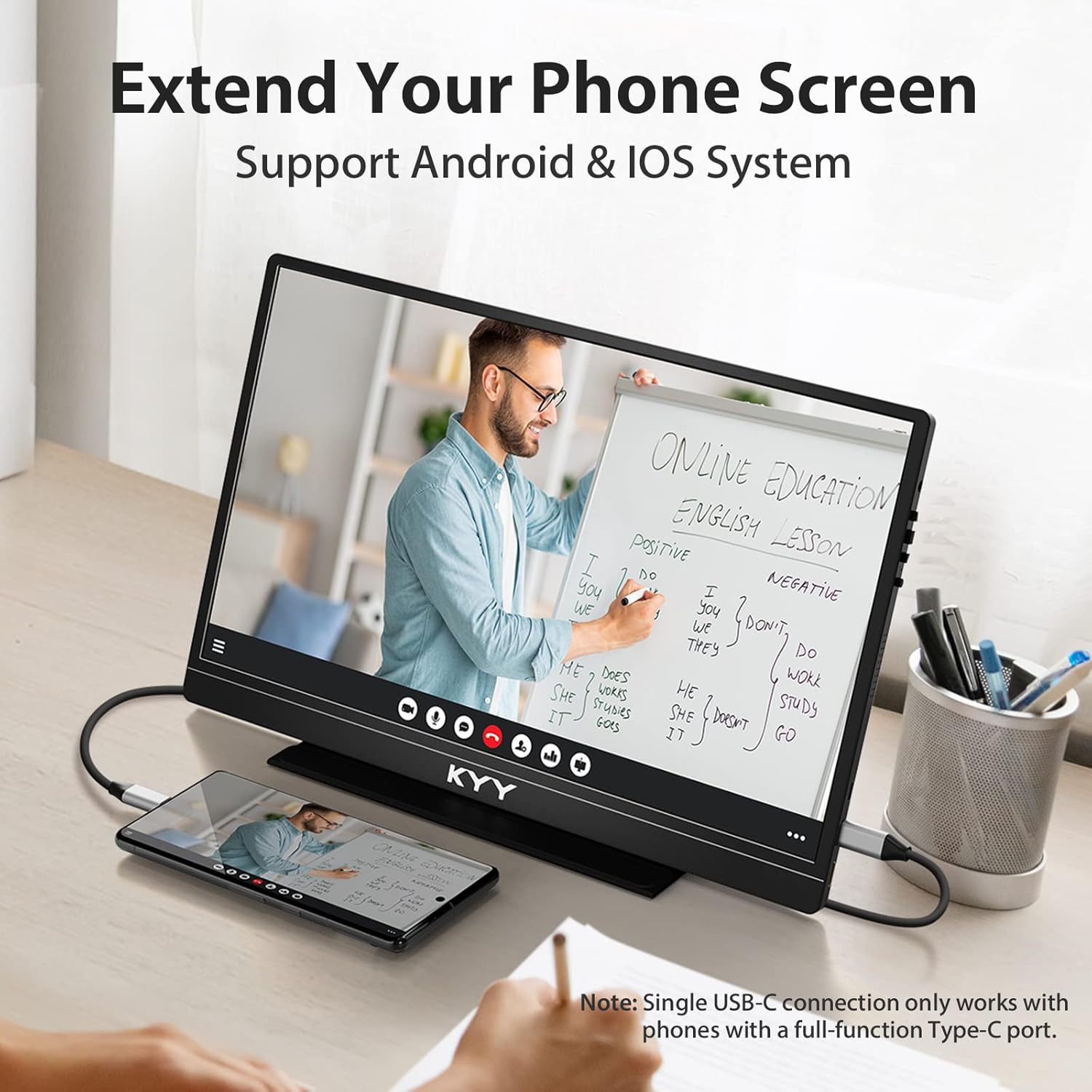
Image 5.2: Extending a phone screen to the KYY portable monitor.
5.4 Gaming Console Connection
Connect your gaming console (PS4/PS5, Xbox, Switch, Wii) using the Mini HDMI to HDMI cable for video and a USB-C cable with the power adapter for power.

Image 5.3: KYY portable monitor used for gaming with a Nintendo Switch.
6. Радни режими
The KYY portable monitor supports various display modes to enhance productivity and entertainment.

Image 6.1: Multiple operating modes for the KYY portable monitor.
- Проширени режим: Expands your desktop workspace across multiple screens, allowing you to view different content on each display.
- Duplicated Mode (Mirror Mode): Mirrors the content of your primary screen onto the portable monitor, ideal for presentations or sharing content.
- Режим другог екрана: Uses only the portable monitor as the primary display.
- Портретни режим: Orient the monitor vertically for tasks like reading documents, coding, or browsing webсајтовима.
- Пејзажни режим: The standard horizontal orientation, suitable for most applications, video viewing, and gaming.
You can typically adjust these display modes through your operating system's display settings (e.g., Windows Display Settings, macOS System Preferences).
7. OSD Menu Operation
The On-Screen Display (OSD) menu allows you to adjust various settings of your monitor, such as brightness, contrast, color, and input source.
7.1 K3 Model (Trackwheel Design)
The K3 model features a trackwheel for OSD navigation:
- Померање горе/доле: Крећите се кроз опције менија или подешавајте вредности.
- Притисни: Изаберите опцију или потврдите подешавање.
- Брза подешавања: Scroll the trackwheel up or down to quickly adjust brightness or volume without entering the full OSD menu.
7.2 K3-2 Model (One-to-One Button Design)
The K3-2 model uses dedicated buttons for OSD navigation:
- Plus Button (+): Navigate up or increase values.
- Minus Button (-): Navigate down or decrease values.
- Menu Button (I): Enter the OSD menu. Press again to select.
- Дугме за напајање/назад: Exit the current menu or go back to the previous level.
- Брза подешавања: Press the Plus or Minus button to quickly adjust brightness or volume without entering the full OSD menu.
8. Smart Cover Functionality
The included magnetic smart cover serves as both a protective case and a versatile stand for your portable monitor.
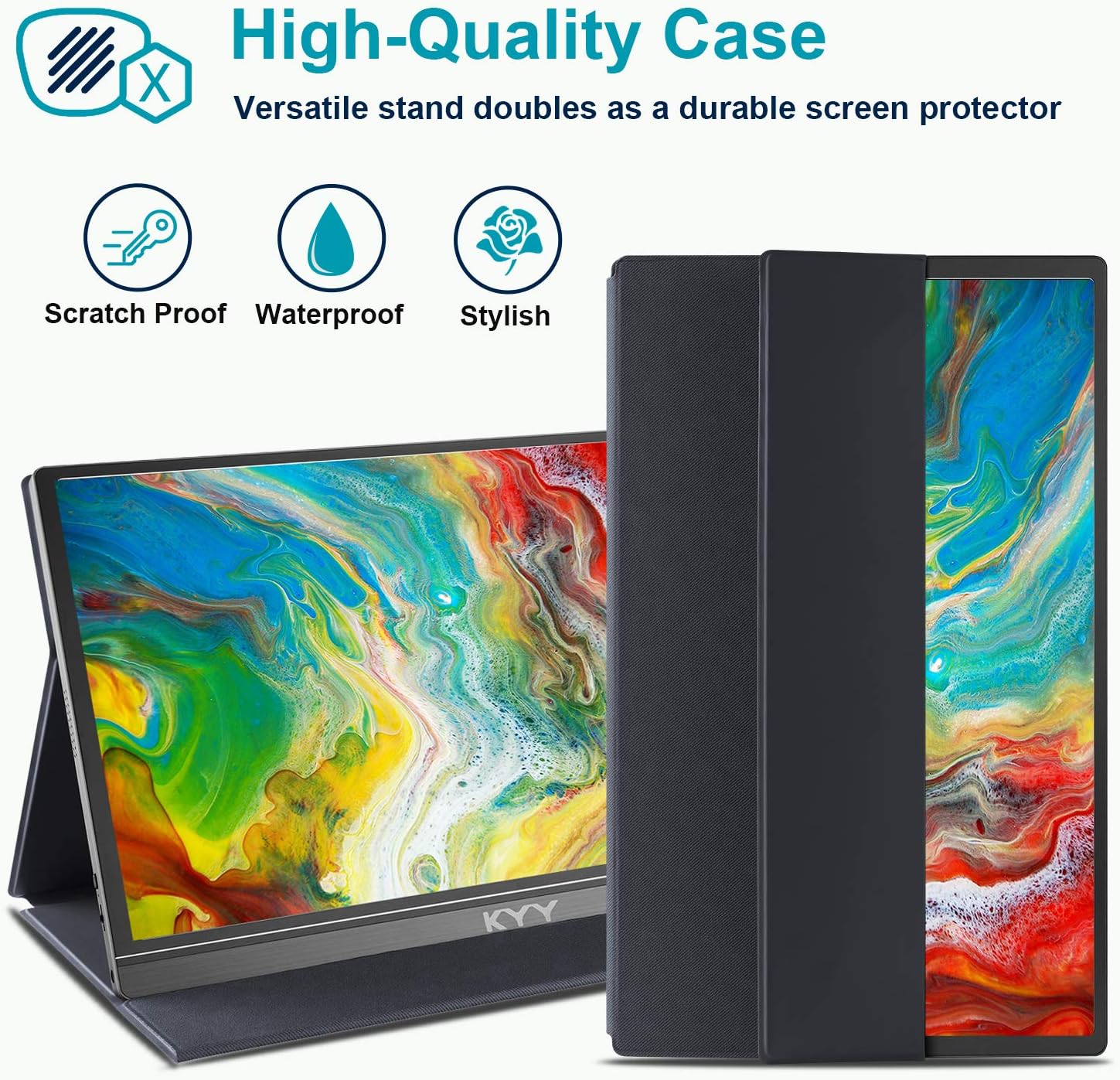
Image 8.1: KYY portable monitor with its high-quality smart cover.
8.1 Using as a Stand
The smart cover can be folded into various configurations to support the monitor in both landscape and portrait orientations, providing different viewing angles. The cover has two grooves on the bottom to secure the monitor at preferred angles.
To ensure stable support, fold the screen side of the smart cover back firmly to create a triangular base.
8.2 Заштита
When closed, the magnetic smart cover protects the monitor screen from scratches and minor impacts, making it safe to carry in a backpack or briefcase.
КСНУМКС. Решавање проблема
If you encounter issues with your KYY portable monitor, refer to the following common problems and solutions:
- Нема сигнала / Црни екран:
- Уверите се да су сви каблови безбедно повезани.
- Verify that the monitor is receiving power (check power adapter connection or USB-C power source).
- If using USB-C, confirm that your device's Type-C port is full-featured and supports video output. If not, use HDMI for video and a separate USB-C for power.
- Пробајте други кабл или порт на вашем уређају.
- Check your device's display settings to ensure the external monitor is detected and enabled.
- Нема напајања:
- Ensure the power adapter is correctly plugged into a working wall outlet and connected to the monitor's Type-C port.
- If powering via a laptop's USB-C, ensure the laptop has sufficient power output.
- Image Quality Issues (Flickering, Distorted Colors):
- Проверите кабловске спојеве да ли су лабави или оштећени.
- Подесите осветљеност, контраст и боје у OSD менију.
- Ensure your device's graphics driver is up to date.
- Проблеми са звуком:
- Check the volume level on both the monitor (via OSD) and your connected device.
- Ensure audio output is directed to the monitor in your device's sound settings.
- If using headphones, ensure they are properly connected to the 3.5mm audio jack.
For further assistance, please contact KYY professional support.
10. Спецификације
| Величина екрана | 15.6 инча |
| Резолуција | 1920 x 1080 (FHD 1080p) |
| Панел Типе | ИПС |
| Аспецт Ратио | 16:9 |
| Осветљеност слике | 250 цд/м² |
| Повезивање | 2 x USB Type-C (Full Function), 1 x Mini HDMI |
| Аудио | Два звучника, 3.5 мм аудио прикључак |
| Димензије производа | 0.3 к 15.6 к 2.6 инча |
| Тежина артикла | 1.7 фунти |
| Волtage | 5 Волтс |
| Површина екрана | Глосси |
11. Нега и одржавање
- Чишћење екрана: Користите меку крпу која не оставља длачицеampводом или раствором за чишћење екрана. Избегавајте јаке хемикалије или абразивне материјале.
- Чишћење тела: Обришите кућиште монитора меком, сувом крпом.
- Складиштење: When not in use, keep the monitor protected by its smart cover. Store in a cool, dry place away from direct sunlight and extreme temperatures.
- Руковање: Avoid dropping the monitor or subjecting it to strong impacts. Do not place heavy objects on top of it.
12. Информације о подршци
If you have any questions regarding device compatibility, connection issues, or require technical assistance, please contact the KYY professional support team. Refer to the product packaging or the official KYY webсајт за контакт детаље.