
1. Увод
The Divoom Ditoo-Mic is an innovative Bluetooth speaker that combines high-quality audio with a unique pixel art display and a functional mechanical keyboard. It comes equipped with a mini karaoke microphone, making it perfect for entertainment. Beyond music, it offers various smart features and customization options through its dedicated mobile application.
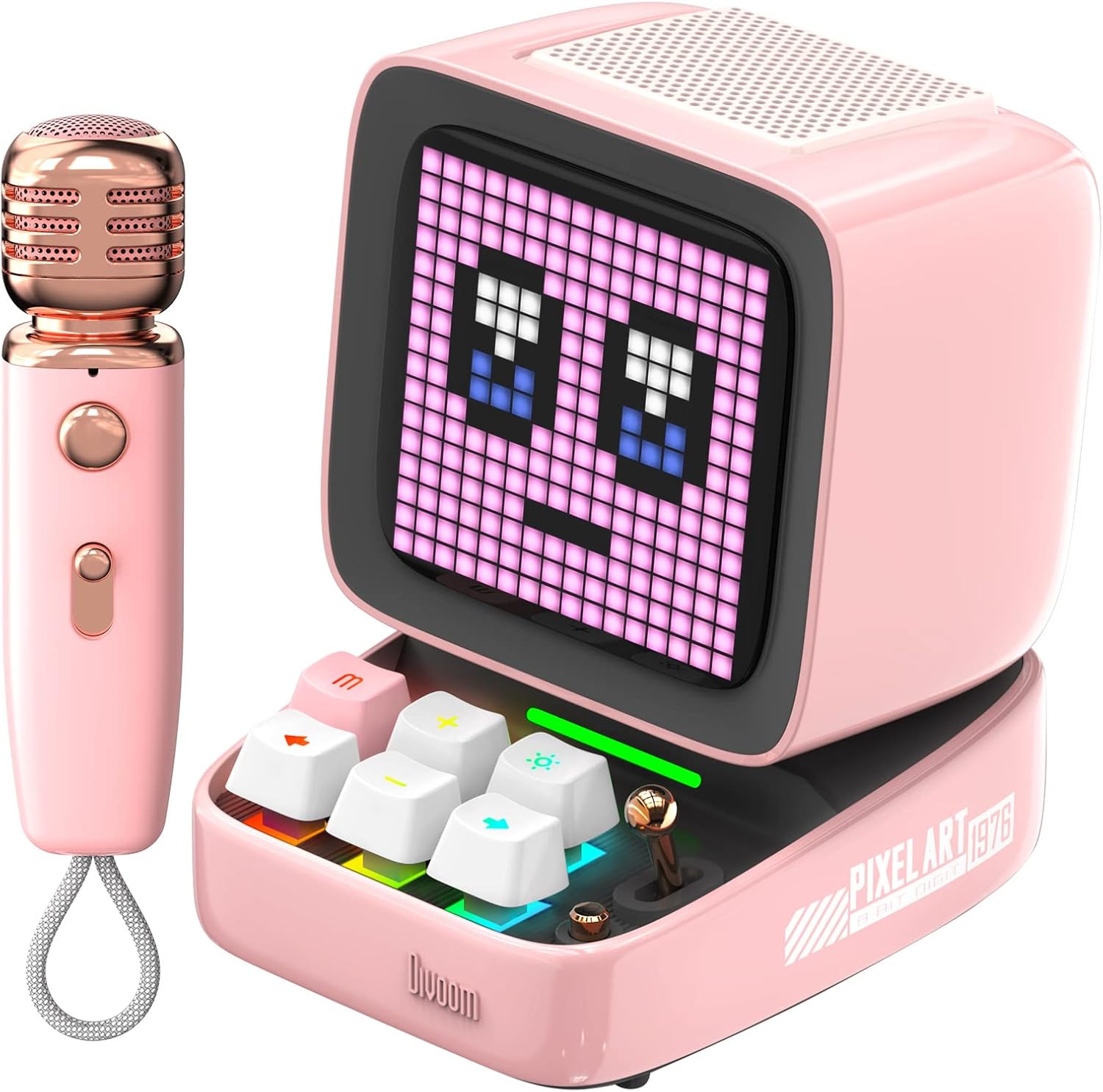
Figure 1: Divoom Ditoo-Mic Speaker and Microphone
2. Подешавање
2.1 Распакивање и почетна наплата
Carefully remove all components from the packaging. Before first use, fully charge the Ditoo-Mic speaker and the mini microphone using the provided USB cable. The speaker requires 4 hours of charging for 8 hours of playtime.

Figure 2: Divoom Ditoo-Mic in its packaging
2.2 Укључивање/искључивање
Locate the power switch on the back of the Ditoo-Mic speaker. Slide the switch to the 'ON' position to power on the device. The pixel display will light up. To power off, slide the switch to the 'OFF' position.
2.3 Блуетоотх упаривање
Once powered on, the Ditoo-Mic will automatically enter Bluetooth pairing mode. On your smartphone or other Bluetooth-enabled device, search for 'Ditoo-Mic' in the Bluetooth settings and select it to connect. A confirmation sound will indicate successful pairing.
3. Упутство за употребу
3.1 Divoom Mobile Application
For full functionality and customization, download the 'Divoom' app from your device's app store. The app allows you to control pixel art animations, music playback, alarm settings, and access various other features.
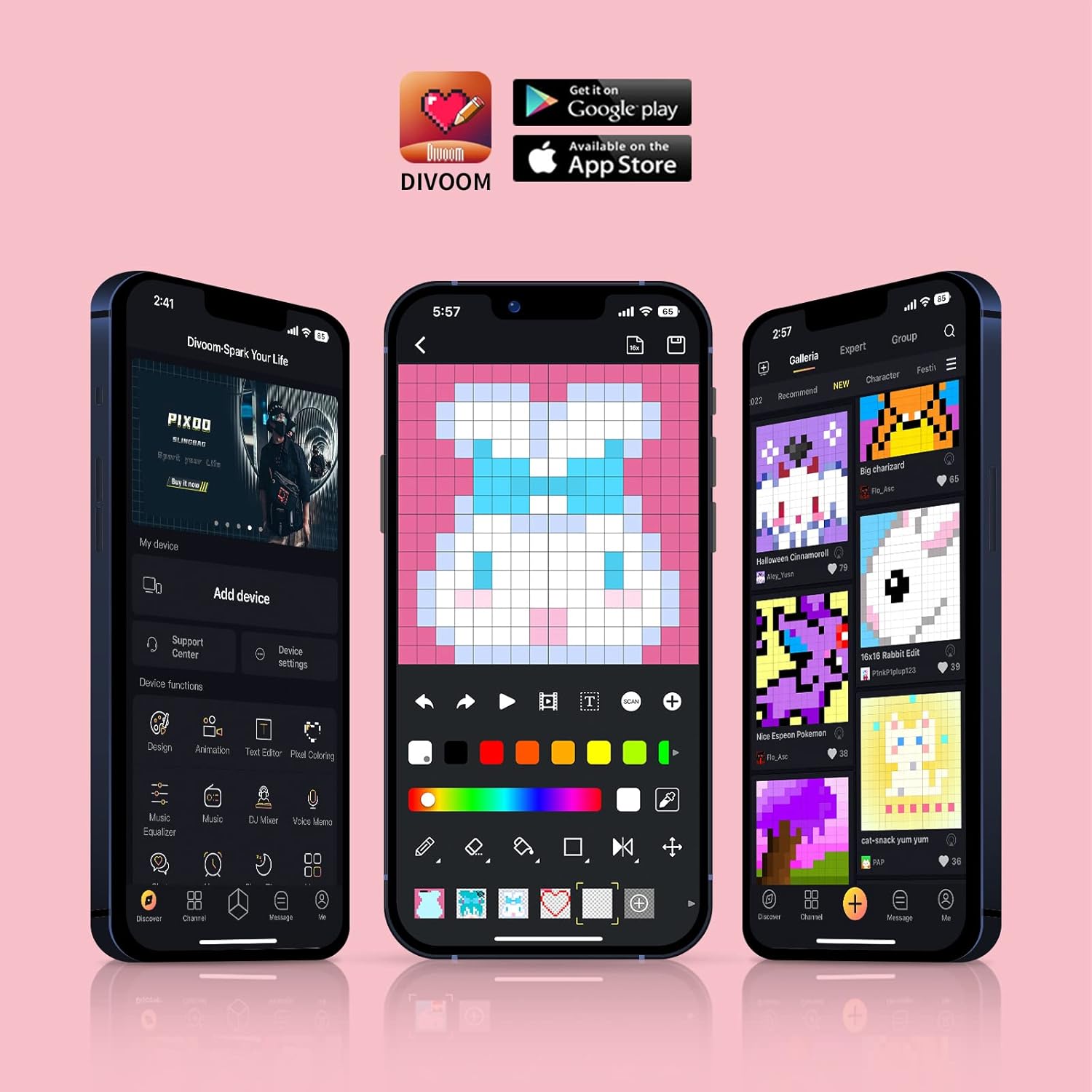
Figure 3: Divoom Mobile Application Interface
3.2 Функционалност караокеа
Connect the mini microphone to the Ditoo-Mic speaker via Bluetooth. The speaker supports various karaoke profiles, allowing for different vocal effects. Adjust volume and effects directly on the microphone or through the Divoom app.

Figure 4: Using the Karaoke Microphone
3.3 Pixel Art Display & Creation
The Ditoo-Mic features a customizable pixel art display. You can select from a vast gallery of existing pixel art designs within the Divoom app or create your own unique animations and images in real-time using your finger on the app interface. The display on the speaker will update instantly.

Figure 5: Real-time Pixel Art Creation

Figure 6: Explore the Divoom Pixel Art Community
3.4 Pixel Mini Games
The Ditoo-Mic includes several built-in pixel mini-games that can be played directly on the device using its mechanical keyboard. These games provide an interactive and nostalgic experience.
3.5 Smart Alarm and Notifications
Utilize the Divoom app to set smart alarms, manage your planner, and receive social media notifications directly on the Ditoo-Mic's pixel display. It can also show weather information and act as a noise meter.

Figure 7: Smart Alarm Features

Figure 8: Social Media Notifications
3.6 Званични видео производа
Video 1: Ditoo Mic Speaker with microphone - This official video from Divoom showcases the various features and uses of the Ditoo-Mic speaker and its accompanying microphone, including music playback, karaoke, and pixel art display.
4. Одржавање
To ensure the longevity of your Divoom Ditoo-Mic, follow these maintenance guidelines:
- Одржавајте уређај чистим брисањем меком, сувом крпом. Избегавајте употребу абразивних средстава за чишћење или растварача.
- Не излажите уређај екстремним температурама, директној сунчевој светлости или високој влажности.
- Чувајте уређај на хладном и сувом месту када се не користи.
- Избегавајте испуштање уређаја или излагање јаким ударима.
КСНУМКС. Решавање проблема
If you encounter issues with your Divoom Ditoo-Mic, try the following steps:
- Нема напајања: Уверите се да је уређај потпуно напуњен. Прикључите га на извор напајања и проверите индикатор пуњења.
- Проблеми са Блуетоотх везом: Make sure Bluetooth is enabled on your device and the Ditoo-Mic is in pairing mode. Try unpairing and re-pairing the device. Ensure no other devices are interfering with the Bluetooth signal.
- Нема звука: Check the volume levels on both the Ditoo-Mic and your connected device. Ensure the microphone is properly connected and powered on if using the karaoke function.
- Неисправност екрана: Restart the device. If the issue persists, check the Divoom app for any firmware updates.
6. Спецификације
| Феатуре | Детаљ |
|---|---|
| Димензије производа | 7.5 к 7.5 к 10.2 инча |
| Тежина артикла | 1.18 фунти |
| Број модела | Ditoo-Mic |
| Батерије | Потребна је 1 литијум-полимерска батерија (укључена) |
| Бранд | Дивоом |
| Посебна карактеристика | Уграђен микрофон |
| Боја | Пинк |
| Укључене компоненте | Мини Миц |
| Препоручена употреба | Хоме |
7. Гаранција и подршка
For warranty information and technical support, please refer to the official Divoom webсајт или директно контактирајте њихову корисничку службу. Сачувајте рачун као доказ о куповини за евентуалне рекламације по гаранцији.
Посетите Divoom Store on Amazon за више информација о производу и ресурсе за подршку.