
BUFFBEE BK11
BUFFBEE Sound Machine & Alarm Clock
Model: BK11 - User Manual
Увод
Thank you for choosing the BUFFBEE Sound Machine & Alarm Clock. This versatile 2-in-1 device combines a high-quality sound machine with a fully functional alarm clock, designed to help you achieve restful sleep and wake up refreshed. Its intuitive controls and customizable features make it an essential addition to any bedroom.

Image: The Buffbee Sound Machine and Alarm Clock highlighting its dual functionality as both a sound machine and an alarm clock.
Безбедносне информације
- Не излажите уређај води или прекомерној влажности.
- Држати даље од извора топлоте и директне сунчеве светлости.
- Користите само испоручени адаптер за напајање.
- Не покушавајте сами да раставите или поправите уређај. Обратите се корисничкој подршци за помоћ.
- Уверите се да је уређај постављен на стабилну, равну површину.
Садржај пакета
- BUFFBEE Sound Machine & Alarm Clock (Model: BK11)
- Повер Адаптер
- Упутство за употребу
Производ је завршенview
Упознајте се са компонентама и контролама уређаја:

Image: A detailed diagram illustrating the top panel controls (Alarm, Volume Control, Sound Machine, Night Light) and the rear panel (Display Dimmer, Adapter port).
- Контроле на горњем панелу: Alarm button, Timer button, Volume Up/Down, Previous/Next Sound, Sound Machine button, Night Light button.
- Предњи дисплеј: Дисплеј дигиталног сата.
- Доње светло: Integrated colored light.
- Задња плоча: DC 5V Adapter port, 0-100% Display Dimmer knob.
Сетуп
- Пласман: Place the device on a stable surface, such as a nightstand or desk.
- Прикључак за напајање: Insert the power adapter into the DC 5V port on the rear of the device, then plug it into a standard electrical outlet.
- Почетно укључивање: The clock display will illuminate.
- Подесите време: Refer to the 'Operating Instructions' section for setting the current time.
Упутство за употребу
Подешавање времена
- Притисните и држите Време button (clock icon) on the top panel until the hour digits flash.
- Користите Претходни (◀︎) or Следеће (▶︎) buttons to adjust the hour.
- Притисните тастер Време button again to confirm the hour and move to minute setting.
- Користите Претходни (◀︎) or Следеће (▶︎) buttons to adjust the minutes.
- Притисните тастер Време button one more time to confirm the minutes and exit time setting.
Постављање аларма
- Притисните и држите Аларм button (bell icon) on the top panel until the alarm hour digits flash.
- Користите Претходни (◀︎) or Следеће (▶︎) buttons to adjust the alarm hour.
- Притисните тастер Аларм button again to confirm the hour and move to alarm minute setting.
- Користите Претходни (◀︎) or Следеће (▶︎) buttons to adjust the alarm minutes.
- Притисните тастер Аларм button one more time to confirm the minutes. The alarm icon will appear on the display, indicating the alarm is set.
- Да бисте искључили аларм, притисните Аларм дугме једном. Икона аларма ће нестати.
Using the Sound Machine
The device offers 18 soothing sounds, including 5 white noises, 3 fan sounds, and 10 nature sounds (ocean, lullaby, waves, rain, thunderstorm, brook, croaking, bird chirping, summer night, and campватра).
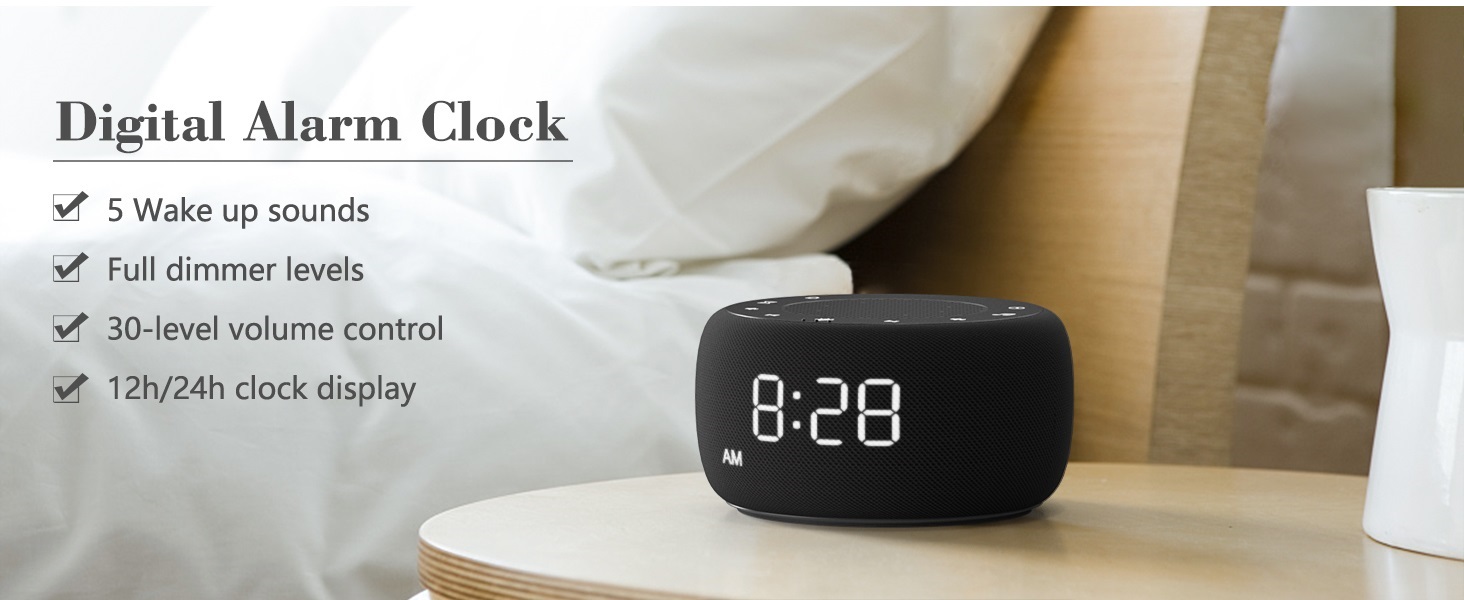
Image: An infographic displaying the 18 soothing sounds categorized into 3 fan sounds, 5 white noises, and 10 nature sounds, including ocean, lullaby, waves, rain, thunderstorm, brook, croaking, bird chirping, summer night, and campватра.
- Притисните тастер Соунд Мацхине button (music note icon) to cycle through the available sounds.
- Користите Волуме Уп (▲) и Утишавање звука (▼) buttons to adjust the volume (30 levels).
- To turn off the sound, press the Соунд Мацхине button until no sound is playing.
Слееп Тимер
Set a timer for the sound machine to automatically turn off.

Image: The top panel of the Buffbee Sound Machine, highlighting the Auto-Off Timer button and the Volume Control buttons.
- Притисните тастер Тајмер button (hourglass icon) to cycle through timer options: 15, 30, 60, 90, 120 minutes, or continuous play.
- The selected timer duration will be displayed on the screen.
Adjusting Clock Face Brightness
The clock display brightness can be adjusted from 0% (completely dark) to 100%.

Image: The Buffbee Sound Machine demonstrating its 0-100% display dimmer feature, showing the clock face at 0%, partial, and 100% brightness.
- Лоцирајте Дисплаи Диммер knob on the rear of the device.
- Rotate the knob to increase or decrease the brightness of the clock display to your preference.
Using the Bottom Colored Light
The device features a bottom light with 7 color options to create a relaxing ambiance.

Image: The Buffbee Sound Machine displaying its bottom colored light feature, showing various color options and the ability to turn it on or off.
- Притисните тастер Нигхт Лигхт button (light bulb icon) to cycle through the 7 color options.
- Continue pressing the button to turn the light off.
Одржавање
- Чишћење: Обришите уређај меком, сувом крпом. Не користите абразивна средства за чишћење или раствараче.
- Складиштење: Када се уређај не користи дуже време, чувајте га на хладном и сувом месту.
Решавање проблема
| Проблем | Могући узрок | Решење |
|---|---|---|
| Уређај се не укључује. | Power adapter not connected properly or power outlet issue. | Уверите се да је адаптер за напајање безбедно прикључен на уређај и исправну електричну утичницу. Покушајте са другом утичницом. |
| Clock display is too bright/dim. | Display dimmer setting needs adjustment. | Adjust the 0-100% Display Dimmer knob on the rear of the device. |
| Звук није довољно гласан. | Јачина звука је прениска. | Притисните тастер Волуме Уп (▲) button to increase the volume. The device has 30 volume levels. |
| Аларм се не оглашава. | Alarm is not set or is turned off. | Уверите се да је аларм правилно подешен и да је икона аларма видљива на екрану. |
Спецификације
| Феатуре | Детаљ |
|---|---|
| Број модела | БК11 |
| Димензије | 5.63 к 4.57 к 3.03 инча |
| Тежина | 11.64 унци |
| Извор напајања | Battery Powered (for backup) / AC Adapter |
| Излаз звучника | 5W |
| Опције звука | 18 (5 white noises, 3 fan sounds, 10 nature sounds) |
| Волуме Левелс | 30 |
| Слееп Тимер | 15, 30, 60, 90, 120 minutes, or continuous |
| Осветљеност приказа сата | 0-100% подесиво |
| Bottom Light Colors | 7 опција |
| Материјал | Пластика, акрилонитрил бутадиен стирен (АБС) |
Гаранција и подршка
For warranty information and customer support, please refer to the contact details provided on the product packaging or visit the official BUFFBEE webсајту. Сачувајте рачун о куповини за гаранције.
Ask a question about this manual
Ask about setup, troubleshooting, compatibility, parts, safety, or missing instructions. Manuals+ will review the question and use this page’s manual context to help answer it.