
1. Увод
Thank you for choosing the VENTION Mac mini M4 Dock. This 10-in-1 aluminum stand is designed to expand the connectivity and storage capabilities of your Mac mini M4 or M4 Pro. It features an M.2 NVMe SSD enclosure, a DisplayPort for 4K video output, multiple USB 3.2 ports for high-speed data transfer, and an SD/TF card reader. This manual provides detailed instructions for setup, operation, and maintenance to ensure optimal performance of your device.
2. Производ је готовview
The VENTION Mac mini M4 Dock integrates seamlessly with your Mac mini, offering a compact and efficient solution for expanding your workspace.
2.1 Садржај пакета
- VENTION Mac mini M4 Dock
- Упутство за употребу
- Шрафцигер
- Thermal Silicone Pads (x2)
2.2 Распоред уређаја и портови
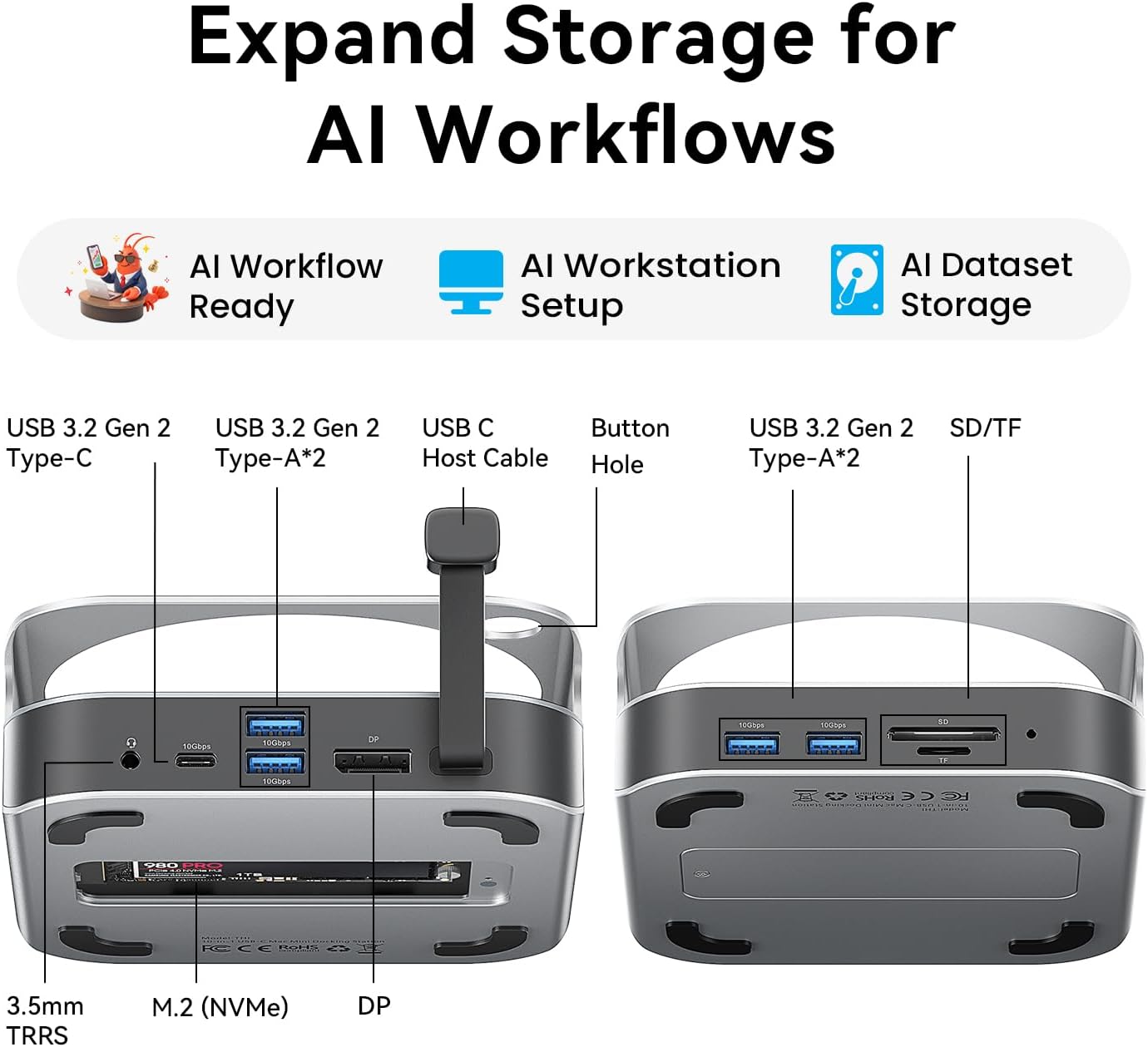
Слика: Предња и задња страна view of the VENTION Mac mini M4 Dock, highlighting all available ports and connections.
The dock features a comprehensive array of ports for enhanced connectivity:
- Предњи портови:
- 2x USB 3.2 Gen 2 Type-A (10Gbps)
- Читач СД картица
- TF Card Reader (supports simultaneous read with SD)
- Задњи портови:
- 1x USB 3.2 Gen 2 Type-C (10Gbps)
- 2x USB 3.2 Gen 2 Type-A (10Gbps)
- ДисплаиПорт (ДП)
- 3.5mm Audio Jack (TRRS)
- M.2 NVMe SSD Enclosure (supports 2230/2242/2260/2280 sizes)

Image: The VENTION Mac mini M4 Dock with a Mac mini placed on top, illustrating the floating design that promotes airflow for efficient cooling.
The dock's design includes a floating stand that elevates your Mac mini, creating 360° airflow channels for optimal heat dissipation during intensive workloads. It also features a dedicated power button hole for easy access to your Mac mini's power button.

Слика: Крупни план view of the VENTION Mac mini M4 Dock, highlighting the cutout for easy access to the Mac mini's power button.
3. Упутства за подешавање
3.1 M.2 NVMe SSD Installation
The dock supports M.2 NVMe SSDs (M Key) of sizes 2230, 2242, 2260, and 2280, allowing for storage expansion up to 8TB. Follow these steps to install your SSD:
- Turn the dock upside down. Use the included screwdriver to remove the screws securing the M.2 NVMe SSD enclosure cover.
- Carefully lift off the cover.
- If your SSD requires it, place one of the provided thermal silicone pads on top of your M.2 NVMe SSD.
- Loosen the fixing screw inside the enclosure by hand or with a flat-head screwdriver.
- Align the notch on your M.2 NVMe SSD with the latch in the enclosure, insert it firmly, and press down.
- Tighten the fixing screw to secure the SSD. Ensure the thermal pad makes contact with the enclosure cover for optimal heat dissipation.
- Replace the enclosure cover and tighten the screws.

Image: Illustration of the M.2 NVMe SSD enclosure, showing compatibility with various SSD lengths (2230, 2242, 2260, 2280).
Video: A step-by-step guide demonstrating the installation process of an M.2 NVMe SSD into the VENTION Mac mini M4 Dock's enclosure.
3.2 Connecting to Mac mini
- Place your Mac mini M4 or M4 Pro securely on top of the VENTION Dock. Ensure the power button hole aligns correctly.
- Connect the integrated USB-C host cable from the dock to an available USB-C/Thunderbolt port on your Mac mini.
- Connect any necessary peripherals (monitor, keyboard, mouse, etc.) to the corresponding ports on the dock.

Image: The VENTION Mac mini M4 Dock with a Mac mini positioned on top, showcasing the integrated setup.
4. Упутство за употребу
4.1 Display Output (DisplayPort)
The DisplayPort on the dock supports high-resolution video output:
- Mac mini M4 Pro: Резолуција до 4K на 240Hz.
- Mac mini M4: Резолуција до 4K на 144Hz.
Важно: Ensure you use a DisplayPort-to-DisplayPort cable for optimal performance and to achieve the advertised refresh rates.
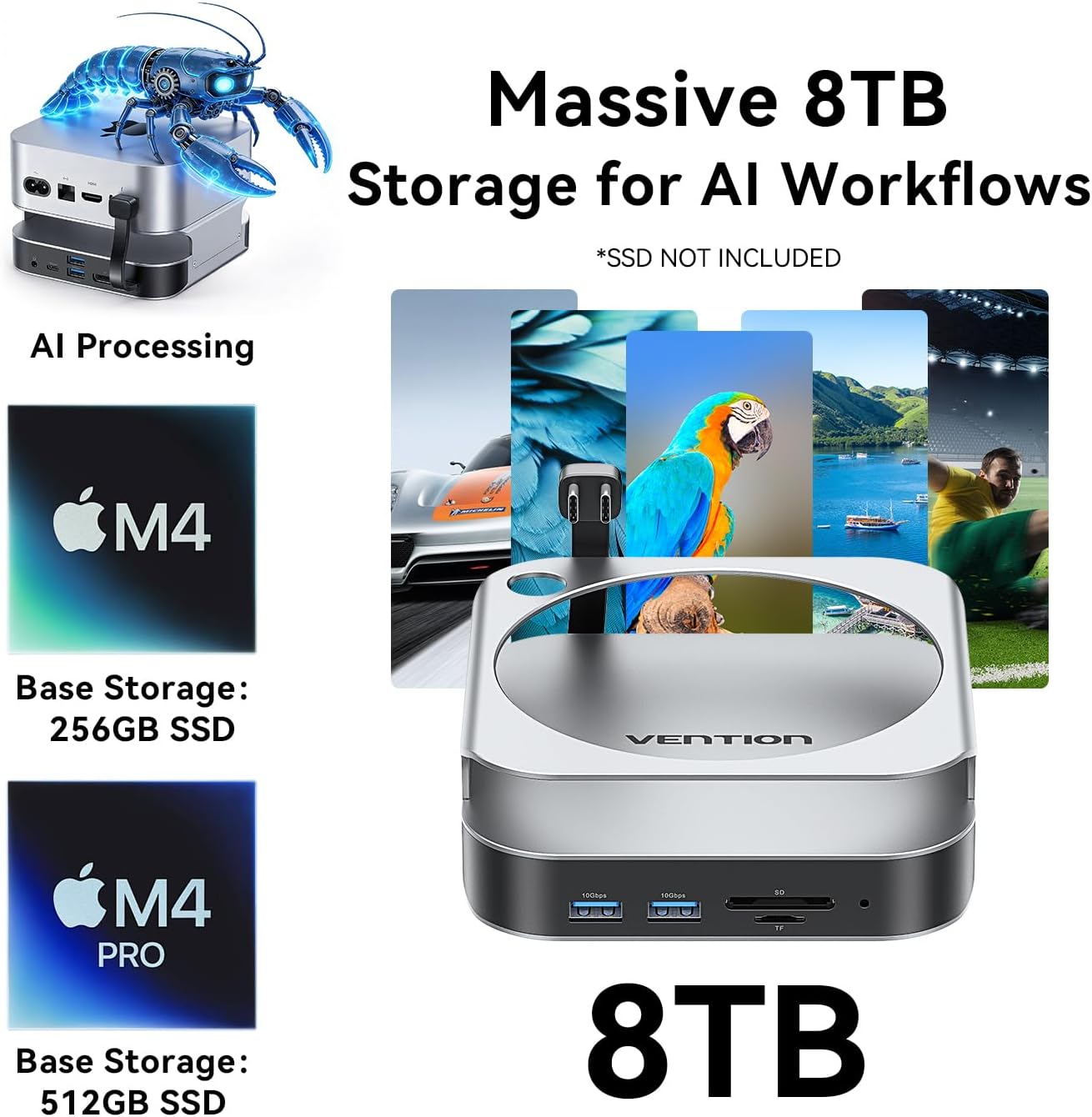
Image: A Mac mini connected to an external monitor through the VENTION Dock, demonstrating 4K display output.
4.2 High-Speed Data Transfer (USB Ports)
The dock provides 5 USB 3.2 Gen 2 ports (4x USB-A, 1x USB-C) with a data transfer speed of up to 10Gbps. This allows for rapid transfer of large files, such as 1GB in approximately 1 second.
Видео: Оверview of the VENTION Mac mini M4 Dock's features, including high-speed data transfer and display capabilities.
4.3 SD/TF Card Reader
The integrated SD and TF card readers support simultaneous reading and writing, making it convenient for photographers and content creators to access media fileс директно.
5. Одржавање
To ensure the longevity and optimal performance of your VENTION Mac mini M4 Dock, follow these maintenance guidelines:
- Чишћење: Use a soft, dry, lint-free cloth to wipe the exterior of the dock. Avoid using harsh chemicals or abrasive materials.
- вентилација: Ensure the ventilation channels around the dock and your Mac mini are clear of obstructions to maintain proper airflow and heat dissipation.
- Складиштење: Када се не користи дуже време, чувајте докинг станицу на хладном и сувом месту, даље од директне сунчеве светлости и екстремних температура.
- SSD Handling: Do not plug or unplug SSDs while the device is powered on to prevent data corruption or damage.
КСНУМКС. Решавање проблема
If you encounter issues with your VENTION Mac mini M4 Dock, refer to the following common solutions:
6.1 Display Output Issues
- Без приказа/треперења: Ensure you are using a high-quality DisplayPort-to-DisplayPort cable. Check that the cable is securely connected to both the dock and your monitor. Verify your monitor's input settings.
- Нетачна резолуција/брзина освежавања: Confirm your monitor supports the desired resolution and refresh rate. Adjust display settings in macOS System Settings.
6.2 SSD Not Recognized
- Проверите инсталацију: Re-open the SSD enclosure and ensure the M.2 NVMe SSD is correctly seated and the fixing screw is tightened.
- Format SSD: For new SSDs, you may need to format them using Disk Utility in macOS before they appear in Finder.
- Циклус напајања: Disconnect and reconnect the dock from your Mac mini.
6.3 Споре брзине преноса података
- Verify USB 3.2 Compatibility: Ensure the connected device (e.g., USB drive) and cable support USB 3.2 Gen 2 (10Gbps) speeds. Older USB 2.0 or 3.0 devices will operate at their respective lower speeds.
- Избегавајте преоптерећење: Transferring data to/from multiple high-speed devices simultaneously may reduce individual transfer rates.
6.4 Audio Jack Not Working
- Check macOS Audio Settings: Go to System Settings > Sound > Output and ensure the VENTION Dock's audio output is selected.
- Test with Different Headphones/Speakers: Rule out issues with your audio peripherals.
7. Спецификације
| Феатуре | Детаљ |
|---|---|
| Бранд | ВЕНТИОН |
| Модел | М4 Доцк |
| Боја | Сребро |
| Хардверски интерфејс | DisplayPort, SD Card, TF Card, USB 3.2 Gen 2, USB Type-C |
| Компатибилни уређаји | Mac mini M4/M4 Pro |
| Укупно УСБ портова | 7 (5x USB 3.2 Gen 2, 2x USB-C for host connection) |
| Број портова | 10-in-1 (including M.2 NVMe slot, DisplayPort, SD/TF) |
| M.2 NVMe SSD Support | M Key, sizes 2230/2242/2260/2280, up to 8TB |
| ДисплаиПорт излаз | 4K@240Hz (M4 Pro), 4K@144Hz (M4) |
| Брзина преноса података | До 10 Гбпс (USB 3.2 Ген 2) |
8. Гаранција и подршка
8.1 Информације о гаранцији
The VENTION Mac mini M4 Dock comes with a 12-месечна гаранција from the date of purchase. This warranty covers manufacturing defects and malfunctions under normal use. It does not cover damage caused by misuse, accidents, unauthorized modifications, or improper installation.
8.2 Корисничка подршка
For technical assistance, warranty claims, or any questions regarding your VENTION product, please contact VENTION customer support through the official VENTION website or your retailer's support channels. Please have your purchase receipt and product model information ready when contacting support.