
Unitech TS100
Unitech TS100 2D Hands-Free Presentation Barcode Scanner
Упутство за употребу
Увод
This manual provides essential information for the proper setup, operation, and maintenance of your Unitech TS100 2D Hands-Free Presentation Barcode Scanner. Please read this manual thoroughly before using the device to ensure optimal performance and to prevent damage.
The Unitech TS100 is an omnidirectional USB wired desktop barcode reader designed for efficient and intuitive scanning of 1D and 2D barcodes, including PDF417 and Data Matrix, in retail and other point-of-sale environments.
Безбедносне информације
- Не излажите скенер екстремним температурама, влажности или директној сунчевој светлости.
- Избегавајте испуштање скенера или његово излагање јаким ударцима.
- Не покушавајте да растављате или модификујете скенер. То ће поништити гаранцију.
- Користите само приложени USB кабл за повезивање.
- Keep the scanning window clean to ensure accurate barcode reading.
Садржај пакета
Молимо вас да проверите садржај пакета како бисте били сигурни да су сви предмети присутни:
- Unitech TS100 2D Presentation Barcode Scanner
- УСБ кабл
- Водич за брзи почетак (ако је применљиво)
Производ је завршенview
The Unitech TS100 features a compact design with a large scan window for easy barcode presentation. Its omnidirectional scanning capability allows for quick and efficient data capture.
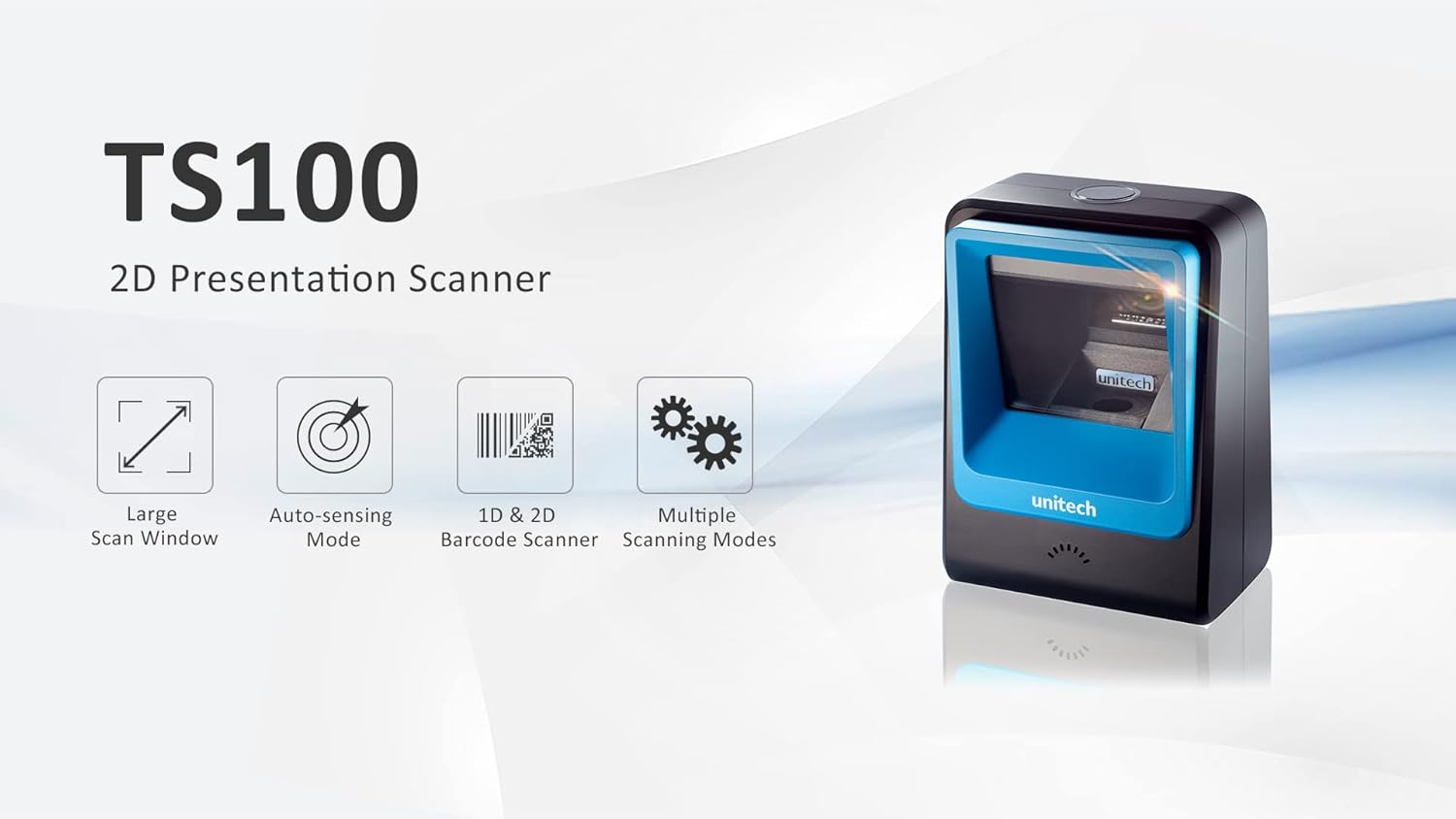
Figure 1: Unitech TS100 2D Presentation Scanner highlighting its large scan window, auto-sensing mode, 1D & 2D barcode scanning, and multiple scanning modes.

Слика 2: Предња страна view of the Unitech TS100 scanner, showing the blue scanning window and the Unitech logo.

Слика 3: Позади view of the Unitech TS100 scanner, displaying the product label with model number TS100-SUCB00-SG and power specifications.
Сетуп
Follow these steps to set up your Unitech TS100 barcode scanner:
- Распакујте скенер: Carefully remove the TS100 scanner and its accessories from the packaging.
- Повежите УСБ кабл: Insert the USB cable into the port at the back of the scanner.
- Повежите се са хост уређајем: Plug the other end of the USB cable into an available USB port on your computer, laptop, or POS system.
- Инсталација драјвера: The scanner is typically plug-and-play. Your operating system should automatically detect and install the necessary drivers. Wait for the installation to complete.
- Укључено: The scanner will power on automatically once connected to a powered USB port. A beep and/or LED indicator will confirm it is ready for use.
Упутство за употребу
The Unitech TS100 is designed for hands-free operation, offering multiple scanning modes for various applications.
Основно скенирање
- Place the barcode within the scanner's field of view, facing the scanning window.
- The scanner will automatically detect the barcode and emit a successful scan indication (e.g., a beep and/or green LED).
- The scanned data will be transmitted to your connected host device as keyboard input.
Режими скенирања
The TS100 supports multiple scanning modes to optimize performance for different barcode types and environments:
- нормалан режим: Standard scanning for most 1D and 2D barcodes.
- Smartphone Mode: Optimized for reading barcodes displayed on smartphone screens, which can sometimes be reflective.
- Брзи режим: Designed for faster scanning of multiple barcodes in quick succession.
Refer to the full programming manual (available on the Unitech website) for instructions on how to switch between these modes using configuration barcodes.
Одржавање
Proper maintenance ensures the longevity and performance of your scanner:
- Чишћење прозора за скенирање: Лагано користите меку крпу која не оставља длачице дampened with water or a mild, non-abrasive cleaner. Do not use harsh chemicals or abrasive materials.
- Чишћење екстеријера: Wipe the exterior of the scanner with a soft, dry cloth.
- Складиштење: Када се не користи, чувајте скенер на чистом и сувом месту, даље од директне сунчеве светлости и екстремних температура.
Решавање проблема
If you encounter issues with your TS100 scanner, refer to the table below for common problems and solutions:
| Проблем | Могући узрок | Решење |
|---|---|---|
| Скенер се не укључује. | USB cable not properly connected or host device USB port is not powered. | Ensure the USB cable is securely connected to both the scanner and the host device. Try a different USB port or host device. |
| Скенер не чита баркодове. | Barcode is damaged, poorly printed, or not supported. Scanning window is dirty. Incorrect scanning mode. | Ensure the barcode is clear and undamaged. Clean the scanning window. Verify the barcode symbology is supported. Try switching scanning modes (e.g., Smartphone Mode for screen barcodes). |
| Скенирани подаци су нетачни или непотпуни. | Poor barcode quality. Scanner configuration issues. | Ensure the barcode is clear. Refer to the programming manual for advanced configuration settings. |
| Скенер звучно сигнализира, али се подаци не преносе. | Host device not recognizing the scanner as a keyboard input. | Ensure the cursor is in a text field on your host device. Reconnect the USB cable. Restart the host device. |
Спецификације
Detailed technical specifications for the Unitech TS100 scanner:
| Феатуре | Спецификација |
|---|---|
| Сензор | Image Sensor with 1280x800 pixels |
| Осветљење | 650nm RED LED |
| Сцан Рате | 60 фпс |
| Skew Angle | Horizontal Angle: 50°; Vertical Angle: 35° |
| Питцх Англе | ±65° |
| Ролл Англе | 360° |
| Оптичка резолуција | 1D: 4 mil; 2D: 6.7 mil |
| Printing Contrast Scale | 25% |
| Хост Интерфаце | УСБ |
| Димензије (Д к Ш к В) | 4.1 ин к 5.7 ин к 2.7 ин (105 мм к 146 мм к 70 мм) |
| Тежина | 12.1 oz / 345g (without cable) |
| 1D Symbologies Supported | UPC-A/E, EAN-8/13, UPC/EAN Supplementals, EAN-8 Extend, Code 128, Code 39, Code 93, Code 11, Interleaved 2 of 5, Matrix 2 of 5, Codabar, MSI Plessey, GS1 DataBar, China Postal, Korean Postal, etc. |
| 2D Symbologies Supported | PDF417, MicroPDF417, DataMatrix, DataMatrix-Inverse, Maxicode, QRcode, MicroQR, Aztec, Aztec Inverse, Han Xin, Han Xin Inverse |
| Индикатор | ЛЕД, зујалица |
| Радна температура | 32°Ф до 122°Ф (0°Ц до 50°Ц) |
| Температура складиштења | -40°Ф до 158°Ф (-40°Ц до 70°Ц) |
| Релативна влажност | 0% до 95% без кондензације |
Гаранција и подршка
The Unitech TS100 barcode scanner main unit comes with a 1 година гаранције од дана куповине. Ова гаранција покрива недостатке у материјалу и изради при нормалној употреби.
For technical support, warranty claims, or further assistance, please contact Unitech customer service or visit the official Unitech webсајт. Сачувајте рачун као доказ о куповини за гарантне услуге.
Unitech America Webсајт: www.unitechamerica.com