
Увод
This manual provides detailed instructions for the assembly, installation, and proper use of the KKSB Case, designed for Arduino UNO Rev3 and Arduino Mega Rev3 boards. This robust steel enclosure offers protection and versatile mounting options for your Arduino projects, including space for an Arduino Shield.
Садржај пакета
Please verify that all components are present before proceeding with assembly.
- KKSB Case (Steel, black powder-coated)
- Mounting screws for Arduino board
- Rubber feet (adhesive)
- Кабелска уводница

Подешавање и инсталација
Follow these steps to install your Arduino UNO Rev3 or Arduino Mega Rev3 board into the KKSB Case.
1. Припремите случај
- Carefully remove the lid of the KKSB case by unscrewing the four corner screws. Note that some cases may have additional screws that do not need to be removed for lid access.
- If using, attach the adhesive rubber feet to the bottom of the case for stability.

2. Install the Arduino Board
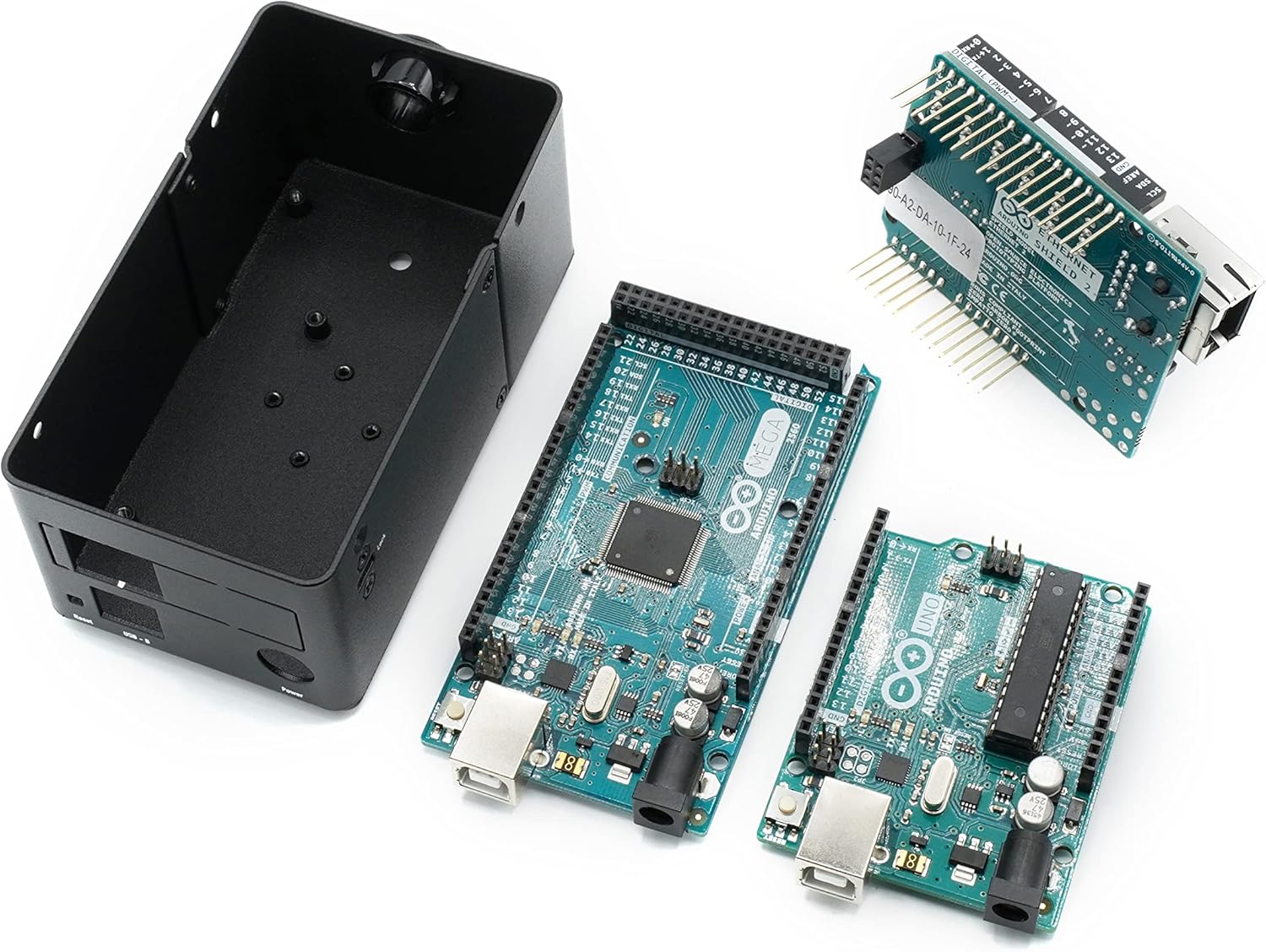
- Align your Arduino UNO Rev3 or Arduino Mega Rev3 board with the mounting holes inside the case. Ensure that the USB and power ports align with the corresponding cutouts on the case.
- Secure the Arduino board to the case using the provided mounting screws. Do not overtighten.
- If you are using an Arduino Shield, install it onto your Arduino board before closing the case. The case provides sufficient vertical space for most standard shields.


3. Затворите случај
- Replace the lid and secure it with the four corner screws.
- If routing cables, use the provided cable grommet in the designated opening to protect wires from sharp edges.
Оперативна разматрања
The KKSB Case is designed to protect your Arduino board while providing access to essential ports and features.
- Приступ порту: All standard Arduino UNO/Mega ports, including USB-B, power jack, and reset button, are accessible through labeled cutouts.
- Компатибилност штита: The case accommodates an Arduino Shield, allowing for expanded functionality without requiring external modifications.
- Управљање кабловима: Openings are provided for routing cables, and a grommet is included for protection.
- вентилација: The case features ventilation slots to aid in passive cooling of the internal components.

Опције монтаже
The KKSB Case offers several mounting solutions for integration into various environments.
- Монтажа на ДИН шину: The case supports DIN rail mounting for industrial or organized setups.
- Pre-cut Mounting Holes: Additional pre-cut mounting holes are available for custom installations.
- Kensington Lock Compatibility: A slot is included for a standard Kensington lock, providing a theft deterrent for public or shared environments.


Одржавање
The KKSB Case requires minimal maintenance.
- Чишћење: Wipe the exterior with a soft, dry cloth. Avoid abrasive cleaners or solvents.
- инспекција: Periodically check screws for tightness, especially if the case is subjected to vibrations or frequent movement.
- Окружење: Ensure the case is used in a dry environment, away from excessive dust or moisture, to protect the internal electronics.
Решавање проблема
If you encounter issues during installation or use, consider the following:
- Board Not Fitting: Ensure you are using a compatible Arduino UNO Rev3 or Arduino Mega Rev3 board. Verify that no components on the board are obstructing the mounting posts or case edges.
- Port Misalignment: Double-check the orientation of the Arduino board before securing it. The ports should align perfectly with the case cutouts.
- Поклопац се не затвара: Ensure all internal components, especially shields, are seated correctly and not exceeding the case's internal height. Verify that no wires are pinched.
Спецификације
| Бранд | Случајеви ККСБ-а |
| Број модела | 7350001161273 |
| Компатибилност | Arduino UNO Rev3, Arduino Mega Rev3 (and compatible clones) |
| Материјал | Steel, black powder-coated |
| Димензије (ДкШкВ) | 2.99 к 4 к 4.5 инча (7.59 к 10.16 к 11.43 цм) |
| Тежина артикла | 9.1 унци (0.26 кг) |
| Карактеристике | Space for Arduino Shield, labeled cutouts, cable routing openings, Kensington lock slot, DIN Rail mounting support, pre-cut mounting holes. |
Гаранција и подршка
For warranty information or technical support, please refer to the official KKSB Cases webсајт или контактирајте продавца. Сачувајте доказ о куповини за евентуалне рекламације.
Official KKSB Cases Webсајт: кксб-цасес.цом