
IK Multimedia TONEX Pedal
IK Multimedia TONEX Pedal Instruction Manual
Model: TONEX Pedal
Марка: ИК Мултимедија
1. Увод
The IK Multimedia TONEX Pedal is a stereo multi-effects guitar and bass pedal designed to bring ultra-realistic amp and pedal tones to your live performance or studio setup. Utilizing breakthrough AI Machine Modeling technology, it offers a vast library of authentic tone models, along with a comprehensive suite of built-in effects. This manual provides essential information for setting up, operating, maintaining, and troubleshooting your TONEX Pedal.
2. Безбедносне информације
- Напајање: Use only the provided 9V DC power supply. Ensure the correct voltage and polarity to prevent damage.
- Вода и влага: Do not expose the unit to water, rain, or excessive moisture. Avoid operating in damp окружења.
- Извори топлоте: Држите уређај даље од извора топлоте као што су радијатори, грејни уређаји, шпорети или други уређаји који производе топлоту.
- вентилација: Обезбедите одговарајућу вентилацију. Не блокирајте вентилационе отворе.
- Чишћење: Чистите само сувом крпом. Немојте користити течна средства за чишћење или средства за чишћење у облику аеросола.
- Сервисирање: Сва сервисирања препустите квалификованом сервисном особљу. Не покушавајте сами да сервисирате овај производ.
3. Садржај пакета
- IK Multimedia TONEX Pedal
- 9В ДЦ напајање
- УСБ кабл
- Registration Card/Software Download Instructions
4. Производ је готовview
The TONEX Pedal features a robust anodized aluminum chassis designed for durability. Its intuitive layout provides quick access to essential controls and versatile connectivity options.
4.1. Контроле на предњој плочи
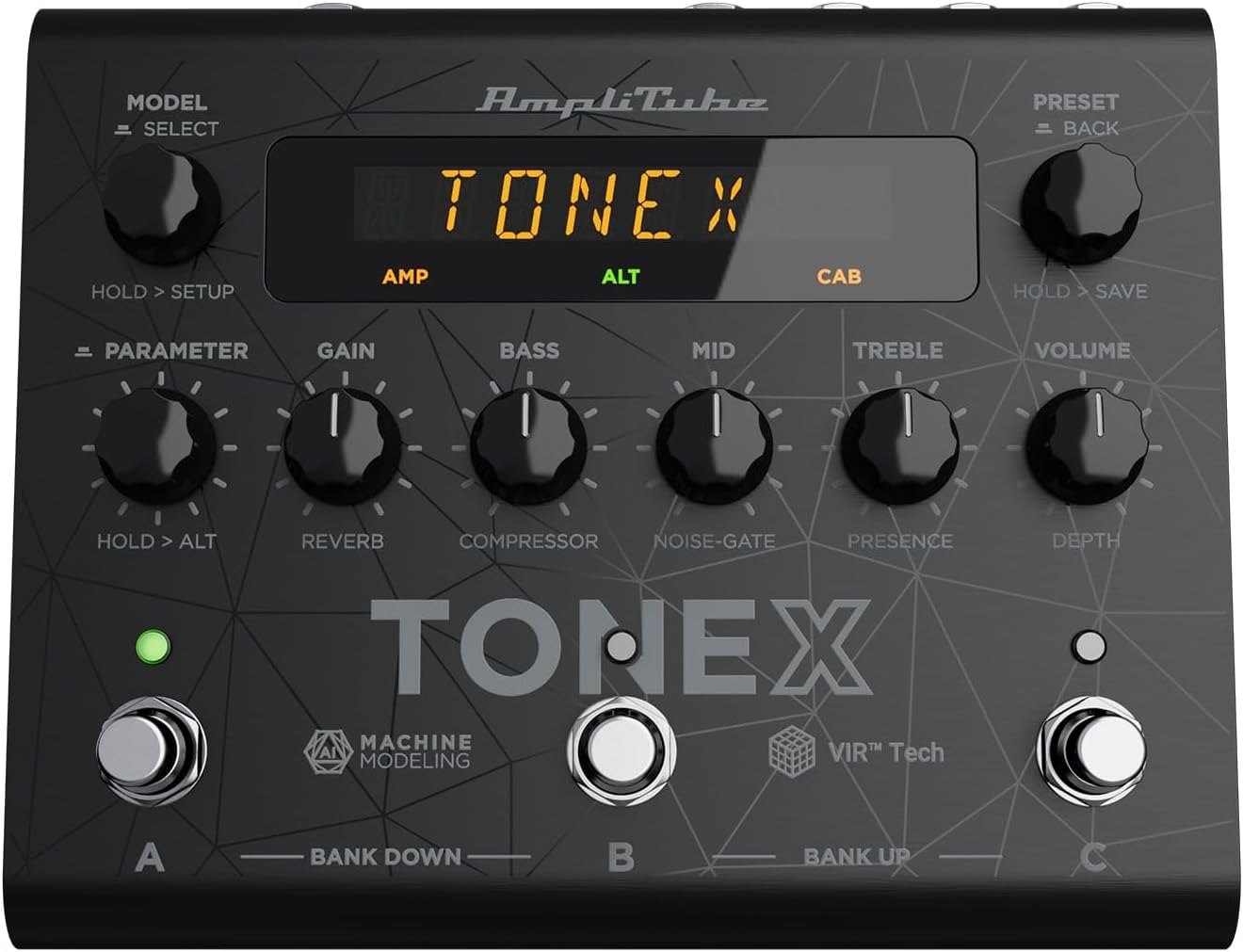
Figure 1: TONEX Pedal Front Panel
Ова слика приказује врх view of the TONEX Pedal, highlighting its compact design and the arrangement of knobs, footswitches, and the digital display. Key controls such as 'Model/Select', 'Preset/Back', 'Parameter', 'Gain', 'Bass', 'Mid', 'Treble', and 'Volume' are visible, along with the three footswitches labeled A, B, and C.
- MODEL / SELECT Knob: Used to select tone models and navigate menus. Press and hold for Setup menu.
- PRESET / BACK Knob: Used to select presets and go back in menus. Press and hold to save presets.
- Дугме за ПАРАМЕТАР: Adjusts various parameters. Press and hold for alternative parameters.
- Дугме ГАИН: Controls the input gain of the tone model.
- БАСС дугме: Подешава нискофреквентни одзив.
- MID дугме: Подешава средњефреквентни одзив.
- ТРЕБЛЕ дугме: Подешава одзив високих фреквенција.
- Дугме ВОЛУМЕ: Контролише укупну излазну јачину звука.
- Footswitches A, B, C: Select presets within a bank. Also used for bank up/down (A+B, B+C) and bypass.
- Приказ: Shows current preset, parameter values, and menu options.
4.2. Прикључци задње плоче
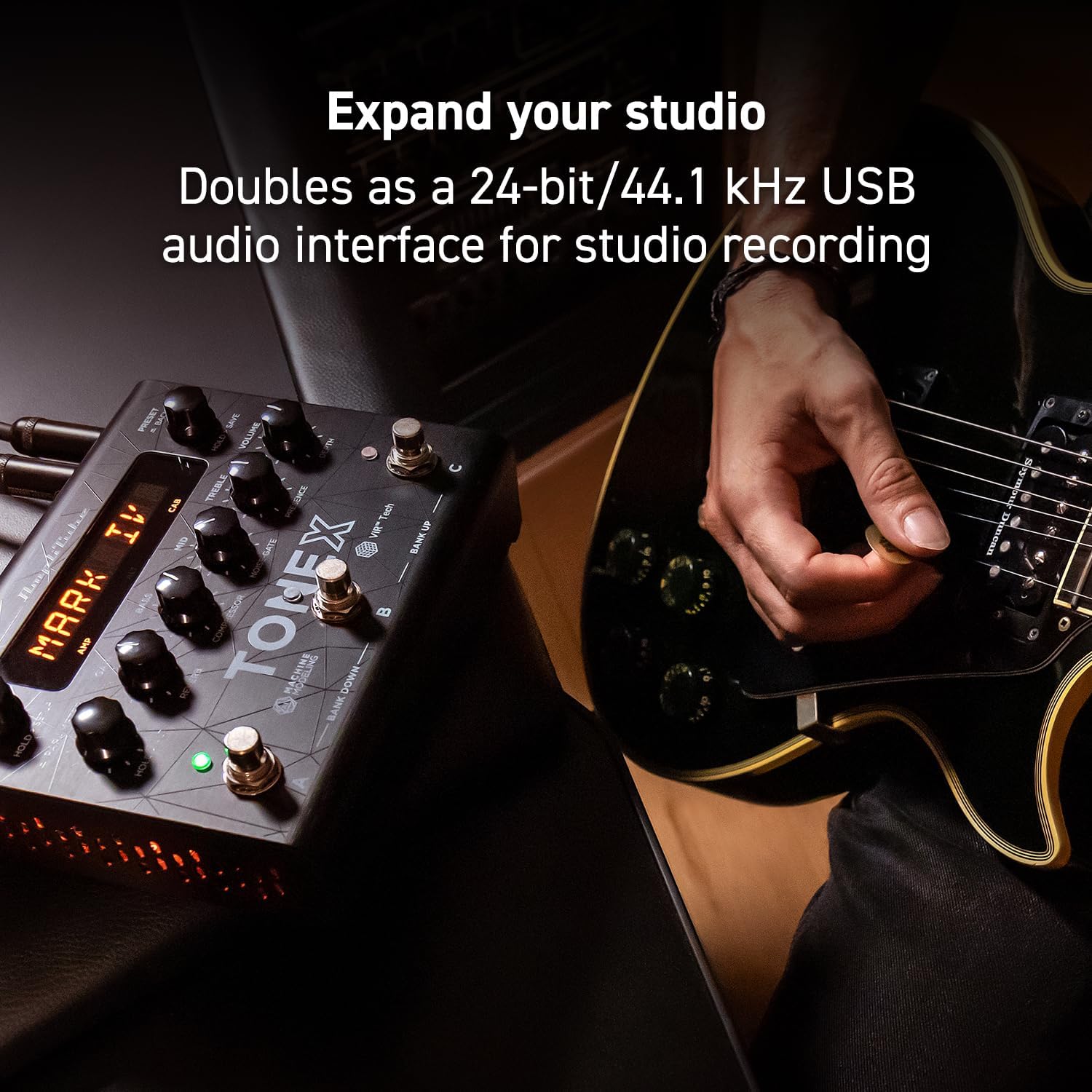
Figure 2: TONEX Pedal Rear Panel Connections
This image shows the rear panel of the TONEX Pedal, detailing its various input and output connections. Visible ports include the instrument input, left and right outputs (mono), headphone output, MIDI In/Out, external control input, USB port, and the 9V DC power input. This panel facilitates integration into various audio setups, from live rigs to studio environments.
- УЛАЗНИ: 1/4" mono input for your guitar or bass.
- OUTPUT L/R (MONO): 1/4" stereo outputs for connecting to a PA system, power amp, or audio interface. Use the L output for mono operation.
- СЛУШАЛИЦЕ: 1/4" стерео излаз за тихо вежбање.
- MIDI УЛАЗ/ИЗЛАЗ: 5-pin DIN connectors for MIDI control and integration with other MIDI devices.
- EXT. CONTROL: 1/4" input for an external expression pedal or footswitch.
- УСБ: USB-B port for connecting to a computer (PC/Mac) for software control, preset management, and using the pedal as an audio interface.
- POWER 9V DC: Input for the included 9V DC power supply.
5. Подешавање
5.1. Почетне везе
- Повежите свој инструмент са ИНПУТ прикључак на задњој плочи.
- Повежите ИЗЛАЗ Л (и R for stereo) to your amplifier, PA system, or audio interface.
- If desired, connect headphones to the ХЕАДПХОНЕС Јацк.
- Повежите приложено напајање од 9V једносмерне струје са ПОВЕР 9В ДЦ input and plug it into a power outlet. The pedal will power on automatically.
5.2. Инсталација софтвера
To unlock the full potential of your TONEX Pedal, including access to ToneNET and advanced editing features, install the TONEX Editor software on your computer.
- Visit the IK Multimedia website and register your product using the provided registration card.
- Download and install the TONEX Editor software for your operating system (Windows 10 or later, macOS 10.15 or later).
- Connect the TONEX Pedal to your computer via the УСБ port. The pedal can function as a 24-bit/44.1 kHz USB audio interface for studio recording.
- Follow the on-screen instructions in the software to update firmware and manage your tone models and presets.
6. Упутство за употребу
6.1. Navigating Presets
The TONEX Pedal comes preloaded with 150 gig-ready presets, organized into 50 banks of three presets each.
- Избор пресета: Ротирајте УНАПРЕД ПОСТАВЉЕНО / НАЗАД knob to quickly scroll through and audition available presets.
- Using Footswitches: Tap footswitches A, B, или C to load different presets within the current bank.
- Changing Banks: Simultaneously press footswitches A и B to move down a bank, or B и C to move up a bank.
- Bypass Tone Model: Once a preset is loaded, tapping its corresponding footswitch a second time will bypass the tone model, allowing for a clean signal.
6.2. Подешавање параметара
The TONEX Pedal offers five main and five alternative parameters on the front panel for tone shaping.
- Основни параметри: Directly adjust ГАИН, Басс, МИД, ТРЕБЛЕ, и ВОЛУМЕ using their respective knobs.
- Alternative Parameters: Држите притиснуто ПАРАМЕТЕР encoder to access alternative parameters: Reverb Level, Compressor Threshold, Noise Gate Threshold, Presence, and Depth. Rotate the corresponding knobs to adjust these.
- Додатни параметри: Притисните тастер ПАРАМЕТЕР encoder once to access further parameters for fine-tuning your sound.
6.3. Чување унапред подешених поставки
- Saving with Renaming/Relocation: Држите УНАПРЕД ПОСТАВЉЕНО / НАЗАД encoder. You can then rotate the ПРЕСЕТ knob to edit characters for renaming, and rotate the МОДЕЛ knob to move the cursor or change the bank location. Press the ПРЕСЕТ knob again to confirm and save.
- Quick Save: To quickly save a preset with the same name in the same location, press the МОДЕЛ и ПРЕСЕТ encoders simultaneously. The display will show "SAVED".
6.4. Cab Emulation
If connecting to a standard guitar or bass amp with its own speaker cabinet, you may wish to turn off the TONEX Pedal's internal cab emulation to avoid redundant processing. This can be done via the Setup menu (hold MODEL / SELECT дугме).
6.5. Official Product Video: TONEX Pedal Main Features
Видео 1: Оверview of the IK Multimedia TONEX Pedal's main features, including its controls, connectivity, and basic operation. This video demonstrates how to navigate presets, adjust parameters, and utilize the pedal's various functions for live and studio use.
7. Одржавање
- Чишћење: Regularly wipe the pedal with a soft, dry cloth to remove dust and grime. Avoid abrasive cleaners.
- Складиштење: Store the pedal in a cool, dry place when not in use. Protect it from extreme temperatures and humidity.
- Управљање кабловима: Ensure cables are not kinked or strained to prevent damage to the connectors and ports.
КСНУМКС. Решавање проблема
- Нема напајања: Ensure the 9V DC power supply is correctly connected to the pedal and a working power outlet.
- Нема звука: Check all audio cable connections (instrument input, outputs to amp/PA, headphones). Verify volume levels on the pedal and connected devices. Ensure the tone model is not bypassed.
- Unexpected Behavior/Glitches: Try performing a factory reset (refer to the full online manual for specific steps). Ensure your firmware is up to date via the TONEX Editor software.
- Проблеми са повезивањем софтвера: Ensure the USB cable is securely connected. Try a different USB port or cable. Restart both the pedal and your computer.
9. Спецификације
| Феатуре | Спецификација |
|---|---|
| Број модела | ТОНЕКС педала |
| Димензије (Д к Ш к В) | 6.93 x 5.59 x 2.17 инча (приближно 17.6 x 14.2 x 5.5 цм) |
| Тежина артикла | 2.86 фунти (приближно 1.3 кг) |
| Боја | Црно |
| Извор напајања | 9V DC (електрични са каблом) |
| Хардверски интерфејс | УСБ |
| Формат сигнала | Дигитал |
| Компатибилност оперативног система | Windows® 10 or later, macOS® 10.15 or later (macOS® 11 Big Sur required for Modeler) |
| Фреквенцијски одзив | 5 Hz - 24 kHz |
| Динамиц Ранге | 123 дБ |
10. Гаранција и подршка
IK Multimedia products are covered by a limited warranty. For detailed warranty information, product registration, and technical support, please visit the official IK Multimedia webсајт или контактирајте њихову корисничку службу. Сачувајте доказ о куповини за потребе гаранције.
Webсајт: ввв.икмултимедиа.цом
Ask a question about this manual
Ask about setup, troubleshooting, compatibility, parts, safety, or missing instructions. Manuals+ will review the question and use this page’s manual context to help answer it.