
Alarm.com V724X
Alarm.com ADC-V724X Outdoor Wi-Fi Camera User Manual
Model: V724X
Увод
The Alarm.com ADC-V724X is an advanced outdoor Wi-Fi camera designed to enhance the security of your property. It features High Dynamic Range (HDR) for clear imaging, two-way audio for communication, 1080p resolution, and a wide 117-degree field of view. Equipped with Video Analytics and IR Night Vision, it provides intelligent detection and monitoring capabilities. The camera also includes a MicroSD card slot for local storage and boasts an IP66 ingress protection rating, ensuring durability in various outdoor conditions.
Безбедносне информације
- Ensure the camera is installed by a qualified professional or with proper safety precautions.
- Use only the specified 12VDC power supply.
- Не излажите камеру екстремним температурама ван њеног радног опсега.
- Avoid direct exposure of the lens to strong light sources for extended periods.
- Искључите напајање пре него што извршите било какво одржавање или чишћење.
- Чувати ван домашаја деце.
Садржај пакета
Проверите да ли су све ставке присутне у пакету:
- Alarm.com ADC-V724X Outdoor Wi-Fi Camera
- Монтажни прибор (вијци, анкери)
- Упутство за инсталацију
- Power Adapter (12VDC)
Сетуп
1. Физичка инсталација
The ADC-V724X camera is designed for outdoor wall mounting. Choose a location that provides the desired field of view and is within range of your Wi-Fi network.
- Припремите монтажну површину: Use the included mounting template (if provided) or the camera base to mark drill holes.
- Избушене рупе: Drill pilot holes for the mounting screws. Insert wall anchors if mounting into drywall or masonry.
- Осигурајте носач: Attach the camera's mounting base securely to the surface using the provided screws.
- Прикључите камеру: Connect the camera body to the mounted base. Adjust the camera angle for optimal coverage.

Слика 1: Предња страна view of the ADC-V724X camera, highlighting its compact design and lens.
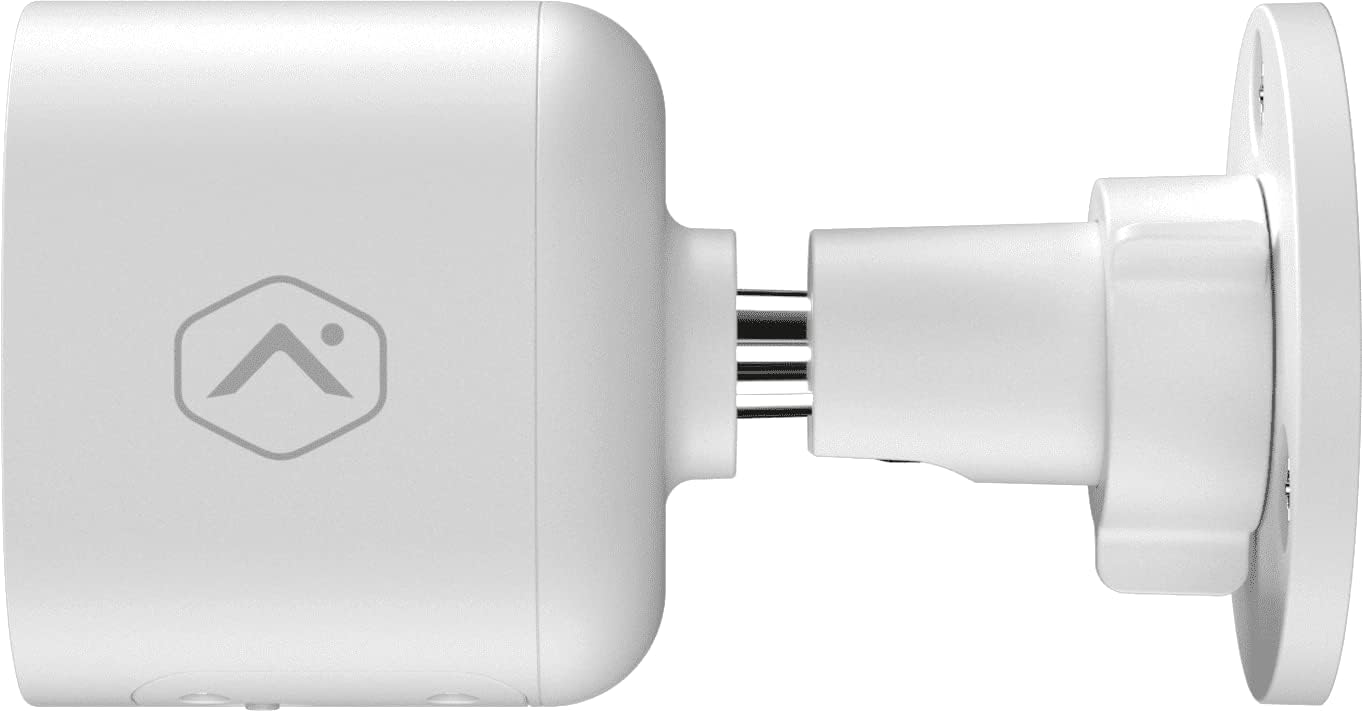
Слика 2: Бочни професионалацfile of the camera, illustrating how it connects to the wall mount.

Слика 3: Под углом view of the camera, demonstrating its adjustable mounting capabilities.
2. Прикључак за напајање
Connect the provided 12VDC power adapter to the camera's power input. Ensure the connection is secure and protected from weather elements if applicable.
3. Мрежна веза (Wi-Fi)
The ADC-V724X connects to your network via Wi-Fi (2.4 or 5 GHz). Integration with your Alarm.com system typically requires activation through your Alarm.com service provider.
- Укључено: Plug in the camera. The LED indicator will show its status (refer to LED status guide in your Alarm.com app or provider's documentation).
- Add to System: Contact your Alarm.com service provider to add the camera to your existing security system. They will guide you through the process, which often involves scanning a QR code on the camera or entering its MAC address.
- Конфигуришите Wi-Fi: Your service provider will assist in connecting the camera to your home Wi-Fi network through the Alarm.com app or webсајту.

Слика 4: Позади view of the camera, displaying the QR code and product information essential for system integration.
Управљање камером
Once installed and connected, the ADC-V724X camera operates primarily through the Alarm.com Customer Webсајт и мобилна апликација.
Уживо View и Снимање
- Приступ уживо преносу: Open the Alarm.com app or website, navigate to the camera section, and select the ADC-V724X to view његов пренос уживо.
- Onboard Recording (Smart View): The camera supports local recording to a MicroSD card (sold separately, up to 512 GB). This allows for continuous, encrypted recordings that can be viewed from anywhere via the Alarm.com platform.
- Снимање у облаку: Depending on your Alarm.com service plan, video clips triggered by events (e.g., motion) will be uploaded to the cloud for secure storage and access.
Двосмерни аудио
Камера има уграђени микрофон и звучник, што омогућава двосмерну комуникацију.
- Започните комуникацију: Од уживо view in the Alarm.com app, tap the microphone icon to speak through the camera's speaker. Release the icon to listen.
- Audio in Recorded Clips: Audio is included in recorded video clips, providing additional context for events.
Video Analytics and Alerts
Configure Video Analytics rules through your Alarm.com account to receive smarter, more relevant alerts.
- Зоне детекције: Define specific areas within the camera's field of view за детекцију покрета.
- Object Classification: The camera can differentiate between people, animals, and vehicles, reducing false alerts.
- Подешавања упозорења: Customize notifications (e.g., push notifications, email) for specific events detected by Video Analytics.
ноћни вид (ИР)
The camera automatically switches to infrared (IR) night vision in low-light conditions, providing clear black-and-white video.
- Аутоматско активирање: The camera's built-in light sensor detects ambient light levels and activates IR LEDs as needed.
- Оптималне перформансе: Ensure no obstructions are blocking the IR illuminators on the camera's front.
Одржавање
Чишћење камере
- Објектив: Gently wipe the camera lens with a soft, clean, lint-free cloth. If necessary, use a small amount of lens cleaning solution. Avoid abrasive cleaners.
- Тело: Обришите тело камере огласомamp тканина. Не користите јаке хемикалије или раствараче.
- учесталост: Clean the camera periodically, especially if installed in dusty or high-traffic areas, to ensure optimal image quality.
Управљање MicroSD картицама
The camera supports a MicroSD card for local storage. The slot is located on the bottom of the camera, protected by a cover.
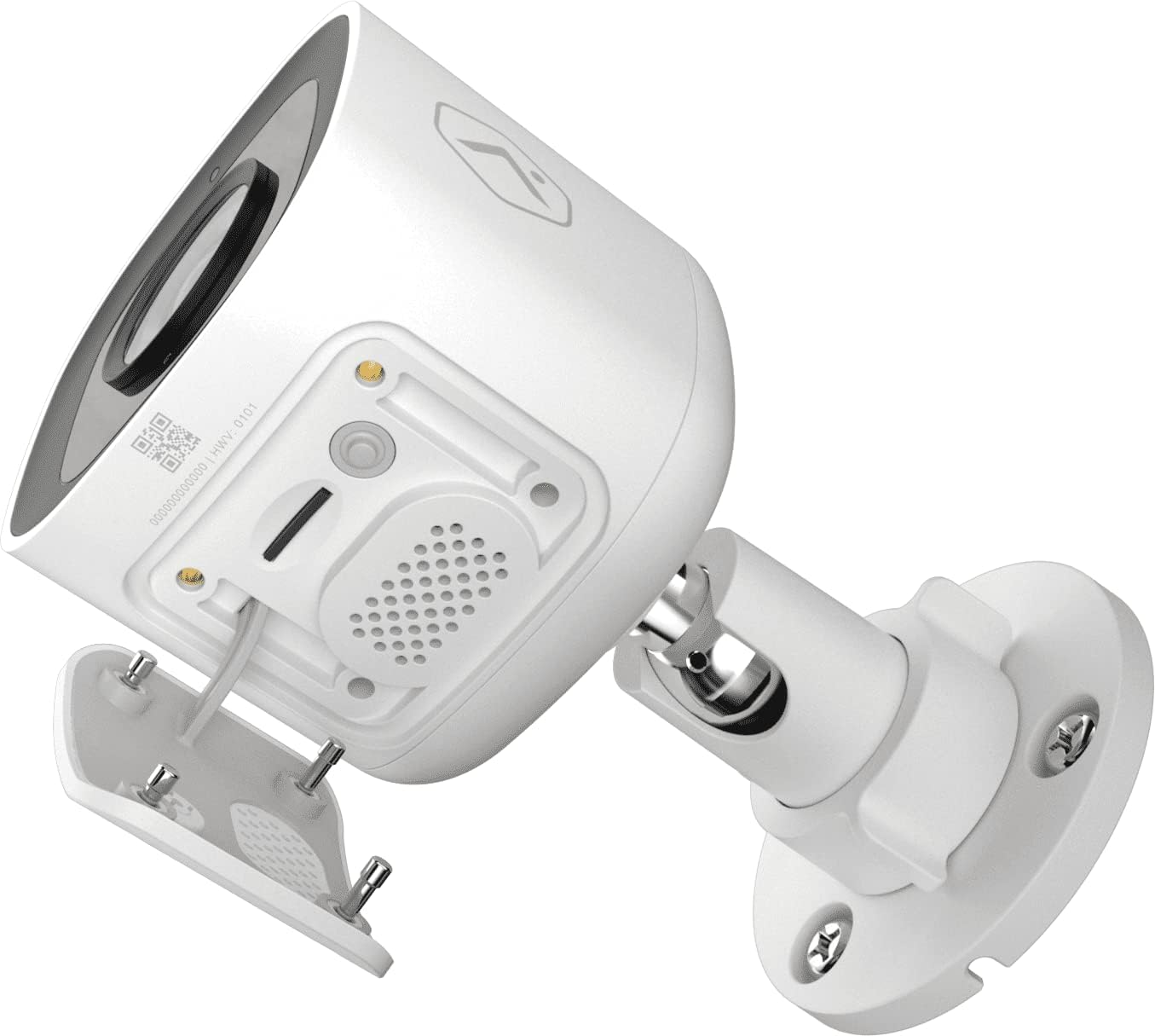
Слика 5: Дно view of the camera showing the access panel for the MicroSD card slot.
- Инсталација: Carefully insert a compatible MicroSD card (up to 512 GB) into the slot until it clicks into place. Ensure the camera is powered off before insertion or removal.
- Форматирање: The Alarm.com system may prompt you to format the card upon first use.
- Замена: If the card becomes full or corrupted, replace it with a new one. Data on the card can be managed through the Alarm.com platform.
Решавање проблема
| Проблем | Могући узрок | Решење |
|---|---|---|
| Камера се не укључује | Нема струје, неисправан адаптер, лабава веза. | Check power outlet, ensure adapter is securely connected to camera and power source. |
| Повезивање на Ви-Фи није могуће | Incorrect Wi-Fi password, camera too far from router, network interference. | Verify Wi-Fi password. Move camera closer to router or use a Wi-Fi extender. Reduce interference from other devices. Contact your Alarm.com provider for assistance with network setup. |
| Лош квалитет слике | Dirty lens, low light, network bandwidth issues. | Clean the camera lens. Ensure adequate lighting or check night vision settings. Verify stable internet connection. |
| Двосмерни звук не ради | Microphone/speaker blocked, volume too low, app settings. | Ensure nothing is obstructing the microphone or speaker. Check volume settings in the Alarm.com app. |
| No local recording | No MicroSD card, incompatible card, card full/corrupted. | Insert a compatible MicroSD card. Format the card via the Alarm.com app. Replace the card if corrupted. |
For further assistance, please contact your Alarm.com service provider.
Спецификације
| Феатуре | Детаљ |
|---|---|
| Број модела | В724Кс |
| Ефективна резолуција камере | 2МП |
| Максимална видео резолуција | 1920 x 1080 (1080p Full HD) |
| Поље оф View (ФОВ) | 117 степени |
| Аудио | 2-Way Audio (Microphone and Speaker) |
| Тип ноћног вида | ИР (инфрацрвени) |
| Повезивање | Wi-Fi (2.4 or 5 GHz) |
| Локално складиште | MicroSD Card Slot (up to 512 GB, sold separately) |
| Оцена заштите од уласка | ИП66 |
| Повер Суппли | 12ВДЦ |
| Димензије (Д к Ш к В) | 2.5 к 2.5 к 4.5 инча |
| Тежина | 1.46 фунте (0.66 килограма) |
| Посебне карактеристике | HDR, Video Analytics, Motion Sensor |
Гаранција и подршка
For warranty information and technical support, please refer to the documentation provided by your Alarm.com service provider or visit the official Alarm.com website. Support for the ADC-V724X camera is typically handled through your authorized Alarm.com dealer or installer.
Онлине ресурси: