
1. Увод
Хвала вам на куповиниasing the Zoook Hurricane 100 W Bluetooth Party Speaker. This manual provides essential information for the safe and efficient operation of your device. Please read it thoroughly before use and retain it for future reference.
2. Безбедносне информације
- Не излажите звучник води или влази.
- Избегавајте постављање звучника у близини извора топлоте или на директној сунчевој светлости.
- Не покушавајте да растављате или модификујете звучник. Сво сервисирање препустите квалификованом особљу.
- Користите само приложени кабл за пуњење и адаптер.
- Чувати ван домашаја деце.
3. Садржај пакета
Молимо вас да проверите пакет за следеће ставке:
- Zoook Hurricane 100 W Bluetooth Speaker
- Кабл за пуњење
- Упутство за употребу
4. Производ је готовview
Упознајте се са компонентама и контролама звучника.
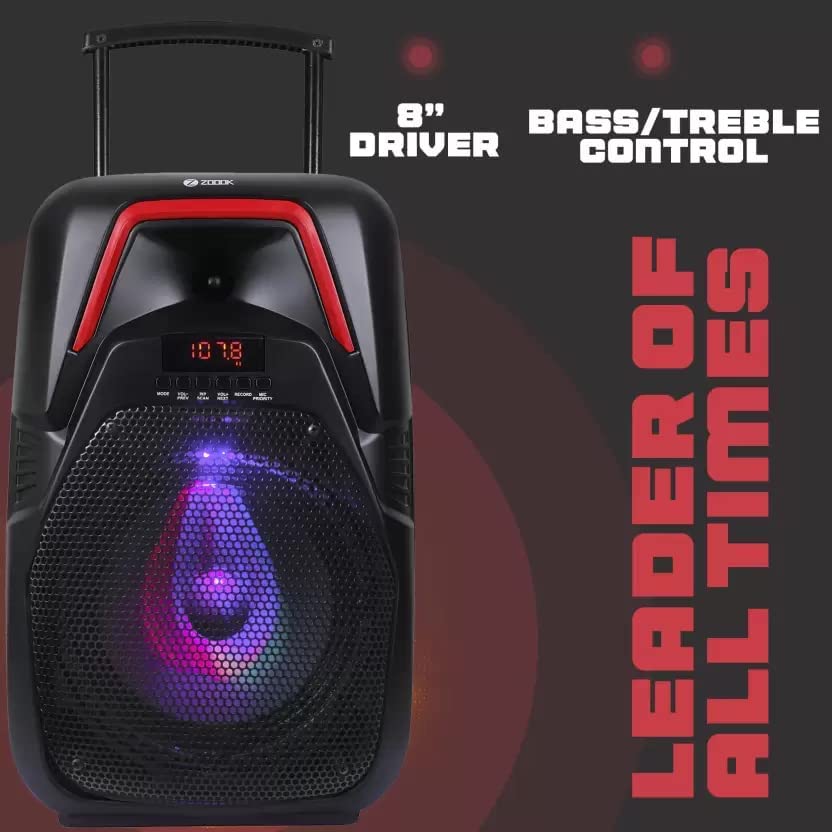
Figure 4.1: Speaker Front View
This image displays the front of the Zoook Hurricane 100 W Bluetooth Party Speaker, featuring its prominent 8-inch audio driver. The control panel, located above the driver, allows for adjustment of bass and treble levels, providing customized sound output.
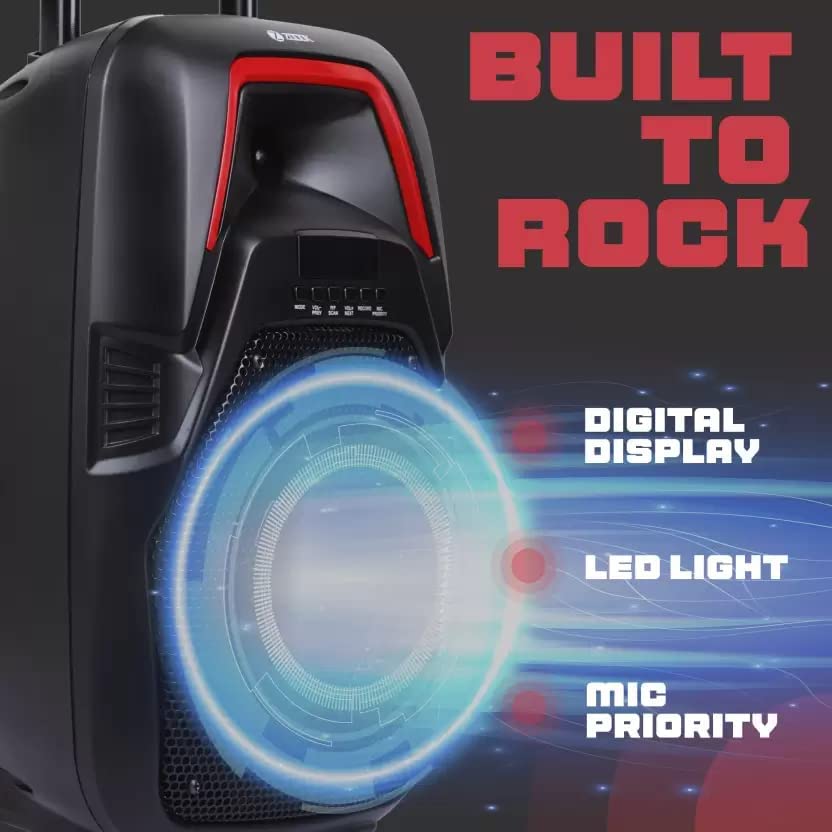
Слика 4.2: Детаљи контролне табле
Детаљно view of the speaker's control interface. It features a clear digital display for mode and track information, an integrated LED light for visual effects, and a dedicated microphone priority function, which lowers music volume when the microphone is in use.
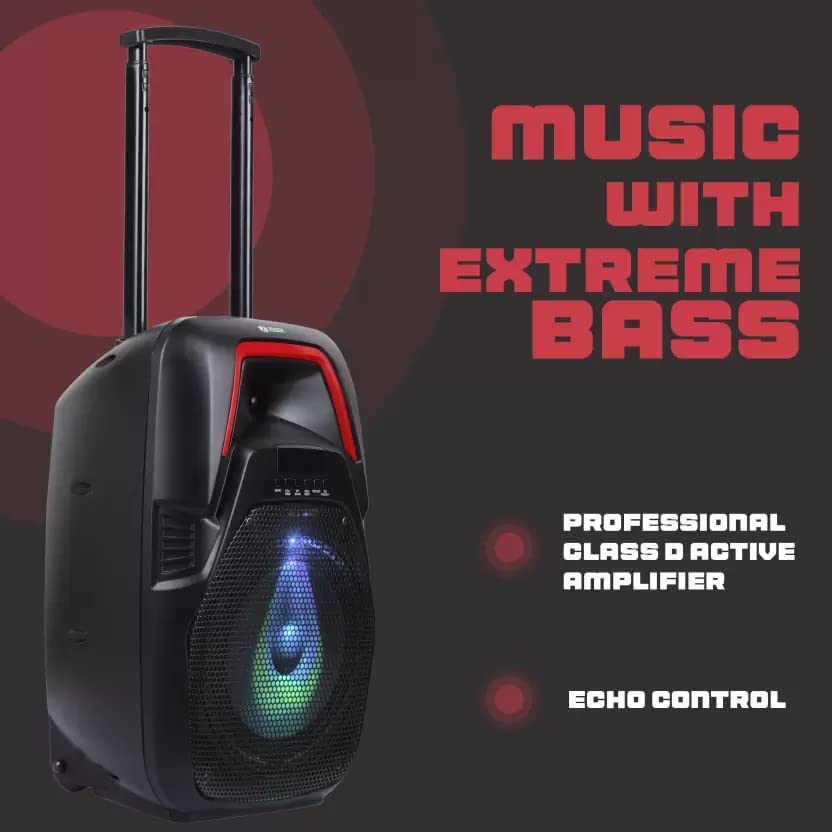
Figure 4.3: Speaker Side View са карактеристикама
This image illustrates the speaker's design, highlighting its capacity for producing extreme bass. It is powered by a professional Class D active amplifier for efficient audio delivery and includes an echo control feature for microphone effects.
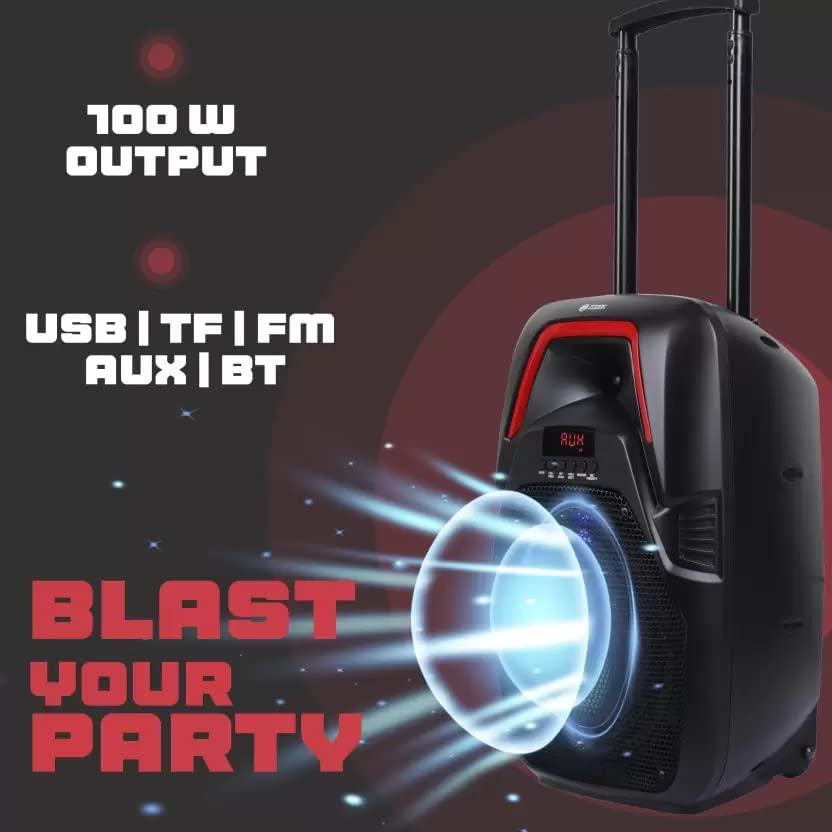
Слика 4.4: Опције повезивања
The speaker is shown with an emphasis on its 100W power output, indicating robust sound. It supports various input methods including USB drives, TF (microSD) cards, FM radio, a 3.5mm AUX input, and Bluetooth wireless connectivity.
5. Подешавање
5.1 Пуњење звучника
- Connect the charging cable to the speaker's charging port.
- Plug the other end of the cable into a suitable power adapter (not included) or a USB power source.
- Индикаторска лампица пуњења ће се упалити. Искључиће се или променити боју када се потпуно напуни.
5.2 Укључивање/искључивање
- Да бисте укључили уређај, притисните и држите дугме за напајање док се екран не осветли.
- Да бисте искључили напајање, поново притисните и држите дугме за напајање док се екран не искључи.
6. Упутство за употребу
6.1 Блуетоотх упаривање
- Power on the speaker. It will automatically enter Bluetooth pairing mode, indicated by a flashing Bluetooth icon on the display.
- Омогућите Блутут на свом мобилном уређају (паметном телефону, таблету итд.).
- Тражи "Zoook Hurricane" in the list of available devices and select it to pair.
- Once paired, the speaker will emit a confirmation sound, and the Bluetooth icon will stop flashing.
6.2 Репродукција са USB/TF картице
- Insert a USB drive or TF (microSD) card into the respective port.
- Звучник ће се аутоматски пребацити у режим USB-а или TF картице и почети да репродукује звук files.
- Use the Play/Pause, Next, and Previous buttons on the speaker to control playback.
6.3 АУКС улаз
- Повежите један крај аудио кабла од 3.5 мм (није укључен) са AUX улазним портом на звучнику.
- Connect the other end to the audio output of your external device.
- Press the Mode button on the speaker to select AUX mode.
6.4 ФМ Радио
- Притисните дугме Mode да бисте прешли на режим FM радија.
- Press and hold the Play/Pause button to initiate an automatic station scan. The speaker will save available stations.
- Use the Next and Previous buttons to navigate through saved FM stations.
6.5 Употреба микрофона (караоке)
- Connect a microphone (not included) to the microphone input port.
- Подесите јачину звука микрофона помоћу наменског дугмета.
- Activate the Microphone Priority function (if available on your model) to automatically lower music volume when speaking into the microphone.
- Adjust the Echo control knob for desired vocal effects.
6.6 Контрола баса и високих тонова
Use the dedicated Bass and Treble control knobs on the speaker's control panel to adjust the low and high frequencies of the audio output according to your preference.
6.7 Контрола ЛЕД светла
The speaker features an integrated LED light. Refer to the control panel for a dedicated button or setting to cycle through light modes or turn the light on/off.
7. Одржавање
- Очистите звучник меком, сувом крпом. Не користите абразивна средства за чишћење или раствараче.
- Чувајте звучник на хладном и сувом месту када се не користи.
- Avoid blocking the speaker's vents to ensure proper airflow.
КСНУМКС. Решавање проблема
| Проблем | Могући узрок | Решење |
|---|---|---|
| Звучник се не укључује. | Слаба батерија или нема напајања. | Charge the speaker. Ensure the power adapter is working. |
| Нема звука из звучника. | Volume too low, incorrect mode, or device not connected. | Increase volume. Check selected input mode (Bluetooth, AUX, USB/TF, FM). Ensure device is properly paired/connected. |
| Блуетоотх упаривање није успело. | Звучник није у режиму упаривања, уређај је предалеко или постоје сметње. | Ensure speaker is in pairing mode. Move device closer to speaker. Turn off other Bluetooth devices. |
| Пријем ФМ радија је лош. | Слаб сигнал или сметње. | Relocate the speaker to an area with better reception. Extend the antenna if available. |
9. Спецификације
| Феатуре | Детаљ |
|---|---|
| Назив модела | Hurricane 100 W |
| Излазна снага (РМС) | 100 В |
| Спеакер Типе | Твеетер |
| Технологија повезивања | Блутут, бежични |
| Бежична комуникациона технологија | Блуетоотх |
| Режим аудио излаза | Стерео |
| Компатибилни уређаји | Паметни телефон, таблет |
| Контролни метод | Додирните |
| Димензије производа | 14 Д x 22 Ш x 39 В центиметара |
| Тежина артикла | 1 кг |
| Боја | Црно |
| Произвођач | Zoook |
10. Гаранција и подршка
The Zoook Hurricane 100 W Bluetooth Party Speaker comes with a 6-месечна гаранција од датума куповине. Молимо вас да сачувате доказ о куповини за потребе гаранције.
For technical support or warranty inquiries, please contact Zoook customer service through their official webсајт или одређени канали за подршку.