
1. Увод
Thank you for choosing the LFF DAB/FM Digital Radio YT81107. This manual provides essential information for the safe and efficient use of your new radio. Please read these instructions carefully before operating the device and retain them for future reference.
Безбедносне информације
- Не излажите уређај киши или влази како бисте спречили пожар или струјни удар.
- Не отварајте цasinг. Сва сервисирања препустите квалификованом особљу.
- Користите само наведени адаптер за напајање или батерије.
- Избегавајте екстремне температуре, директну сунчеву светлост и прашњава окружења.
2. Производ је готовview
The LFF DAB/FM Digital Radio YT81107 offers versatile listening options with DAB+ and FM radio, Bluetooth connectivity, and convenient features like a dual alarm and sleep timer. Its compact design and dual power options make it suitable for various environments.
Кључне карактеристике
- DAB+ and FM Digital Radio Tuner
- Bluetooth Connectivity for Audio Streaming
- ЛЦД екран у пуној боји
- 60 Preset Stations (30 DAB+, 30 FM)
- Функција двоструког будилника
- Подесиви тајмер за спавање
- 3.5 мм прикључак за слушалице
- AC Power Adapter or Battery Operated (4x AA batteries, not included)

Слика 2.1: Предња страна view of the LFF DAB/FM Digital Radio highlighting its main features.
Контроле и компоненте
Familiarize yourself with the buttons and ports on your radio:

Слика 2.2: Предња и горња страна view of the radio with labeled controls.
- Дугме за напајање / режим рада: Turns the radio on/off and switches between modes (DAB, FM, Bluetooth).
- Menu/Info Button: Accesses menu settings or displays station information.
- Дугме за аларм: Подешава и управља алармима.
- Унапред подешена дугмад (1-5): Quickly access saved favorite stations.
- Volume Knob/Select: Rotates to adjust volume or navigate menus; press to confirm selection.
- Tuning/Scroll Buttons: Navigates through stations or menu options.
- Приказ: Full-color LCD screen.
- говорник: Интегрисани аудио излаз.
- Антена: Телескопска антена са могућношћу извлачења за пријем радио сигнала.
- ДЦ ИН порт: За повезивање АЦ адаптера за напајање.
- Слушалице: 3.5 мм излаз за приватно слушање.
- Одељак за батерије: Located on the back for 4x AA batteries.
3. Подешавање
Напајање радија
Your radio can be powered by the included AC adapter or by batteries for portable use.
- АЦ напајање: Connect the supplied AC adapter to the DC IN port on the back of the radio and plug it into a standard wall outlet.
- Снага батерије: Open the battery compartment on the back and insert 4x 1.5V AA (LR6) batteries (not included), ensuring correct polarity. Close the compartment securely.

Figure 3.1: Power options and physical dimensions of the radio.
Подешавање антене
For optimal radio reception, fully extend the telescopic antenna. Adjust its position for the best signal quality.
4. Упутство за употребу
Укључивање/искључивање и избор режима
- Притисните тастер Повер/Моде дугме за укључивање или искључивање радија.
- While on, press the Повер/Моде button repeatedly to cycle through available modes: DAB, FM, and Bluetooth.
DAB/FM Radio Operation
Ensure the antenna is fully extended for best reception.

Figure 4.1: Radio reception ranges and preset capacity.
- Аутоматско скенирање: У ДАБ или ФМ режиму притисните и држите Мени/Информације button to initiate an automatic scan for available stations. The radio will store them automatically.
- Ручно подешавање: Користите Tuning/Scroll дугмад за ручно подешавање фреквенције.
- Избор станица: Ротирајте Volume Knob/Select to browse through available stations. Press the knob to select a station.
- Чување унапред подешених вредности: To save a station, tune to the desired station, then press and hold one of the Унапред подешена дугмад (1-5) until the display confirms it's saved. You can save up to 30 DAB+ and 30 FM stations.
- Подсећање на унапред подешене поставке: Кратко притисните један од Унапред подешена дугмад (1-5) to recall a saved station.
Блуетоотх мод
Connect your smartphone, tablet, or other Bluetooth-enabled device to stream audio wirelessly.
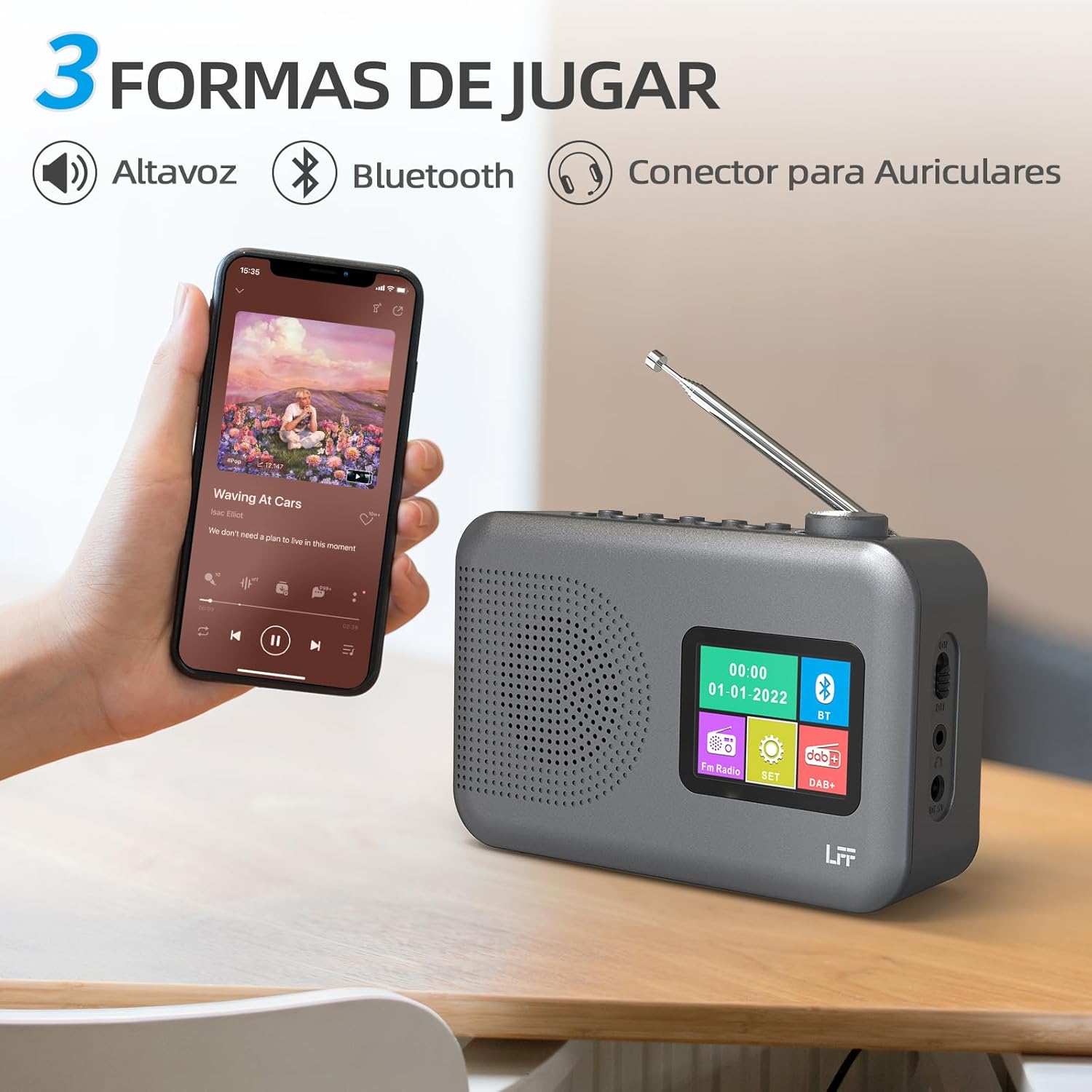
Figure 4.2: Bluetooth connectivity and audio playback options.
- Switch the radio to Bluetooth mode using the Повер/Моде button. The display will show "Bluetooth Pairing" or similar.
- On your device, enable Bluetooth and search for "LFF YT81107" (or similar).
- Select the radio to pair. Once connected, you can play audio from your device through the radio's speaker.
- Adjust volume using the radio's Волуме Квачица or your connected device.
Функција будилника
Set up to two independent alarms.
- Притисните тастер Аларм дугме за улазак у подешавања аларма.
- Користите Tuning/Scroll дугмад и Volume Knob/Select to set the alarm time, source (DAB, FM, or buzzer), and frequency (daily, weekdays, weekends, once).
- Притисните тастер Аларм button again to confirm and activate the alarm.
- When an alarm sounds, press any button (except Power) to snooze, or press the Повер/Моде дугме за његово искључивање.
Слееп Тимер
Тајмер за спавање омогућава да се радио аутоматски искључи након подешеног периода.

Figure 4.3: Sleep timer function in use.
- Притисните тастер Мени/Информације дугме за приступ главном менију.
- Navigate to the "Sleep Timer" option using the Tuning/Scroll дугмад и притисните Volume Knob/Select.
- Select your desired duration (15, 30, 45, 60, 90, or 120 minutes) and confirm. The radio will automatically turn off after the selected time.
Употреба слушалица
For private listening, connect standard 3.5mm headphones to the headphone jack on the side of the radio. The internal speaker will be muted automatically.
Note: This radio does not support Bluetooth headphones. The 3.5mm headphone jack is for wired headphones only.
5. Одржавање
- Чишћење: Обришите радио меком, сувом крпом. Не користите абразивна средства за чишћење или раствараче.
- Замена батерије: If using batteries, replace all four AA batteries when the low battery indicator appears on the display or when performance degrades. Ensure proper disposal of old batteries.
- Складиштење: If storing the radio for an extended period, remove the batteries to prevent leakage.
КСНУМКС. Решавање проблема
| Проблем | Могући узрок | Решење |
|---|---|---|
| Нема струје | AC adapter not connected or faulty; batteries depleted or incorrectly inserted. | Check AC adapter connection and power outlet. Replace batteries or ensure correct polarity. |
| Лош радио пријем | Антена није испружена; подручје слабог сигнала; сметње. | Fully extend and adjust the telescopic antenna. Try moving the radio to a different location. |
| Блуетоотх се не повезује | Radio not in Bluetooth mode; device not in pairing mode; radio already connected to another device. | Ensure radio is in Bluetooth mode. Put your device in pairing mode. Disconnect from other Bluetooth devices. |
| Аларм се не оглашава | Alarm not activated; volume too low; incorrect alarm settings. | Check alarm settings and ensure it is enabled. Increase volume. Verify alarm time and source. |
7. Спецификације
| Феатуре | Детаљ |
|---|---|
| Број модела | ИТ81107 |
| Бранд | ЛФФ |
| Технологија подешавања | ДАБ+, ФМ |
| Подржани радио бендови | DAB+ (174.928 - 239.2 MHz), FM (87.5 - 108 MHz) |
| Повезивање | Bluetooth, 3.5mm Headphone Jack |
| Извор напајања | AC Adapter (included), 4x 1.5V AA (LR6) Batteries (not included) |
| Димензије (Д к Ш к В) | 16.1 цм к 5.9 цм к 10.9 цм |
| Боја | Греи |
| Посебне карактеристике | DAB Radio, DAB Plus Radio, DAB+ Radio, FM Radio, Color Display, Bluetooth, Dual Alarm, Sleep Timer |
| Компатибилни уређаји | Headphones, MP3 Player, Smartphone, Laptop, Speaker, Tablet |
8. Гаранција и подршка
LFF is committed to providing high-quality products. If you encounter any quality issues with your LFF DAB/FM Digital Radio YT81107, please contact us directly. Our customer support team is available to assist you and resolve any problems you may experience.
Молимо погледајте документацију о куповини за конкретне услове гаранције и контакт информације.