
Увод
This manual provides detailed instructions for the safe and efficient use of your Jectse N509 2G Flip Phone. Please read this manual thoroughly before operating the device and keep it for future reference.

Image: The Jectse N509 flip phone in its closed state, featuring a pink and white gradient finish adorned with elegant butterfly patterns.
Сетуп
1. Инсталација батерије
- Пажљиво уклоните задњу маску телефона.
- Insert the provided 6800 mAh lithium-ion battery into the battery compartment, ensuring the contacts align correctly.
- Вратите задњи поклопац док не кликне чврсто на своје место.
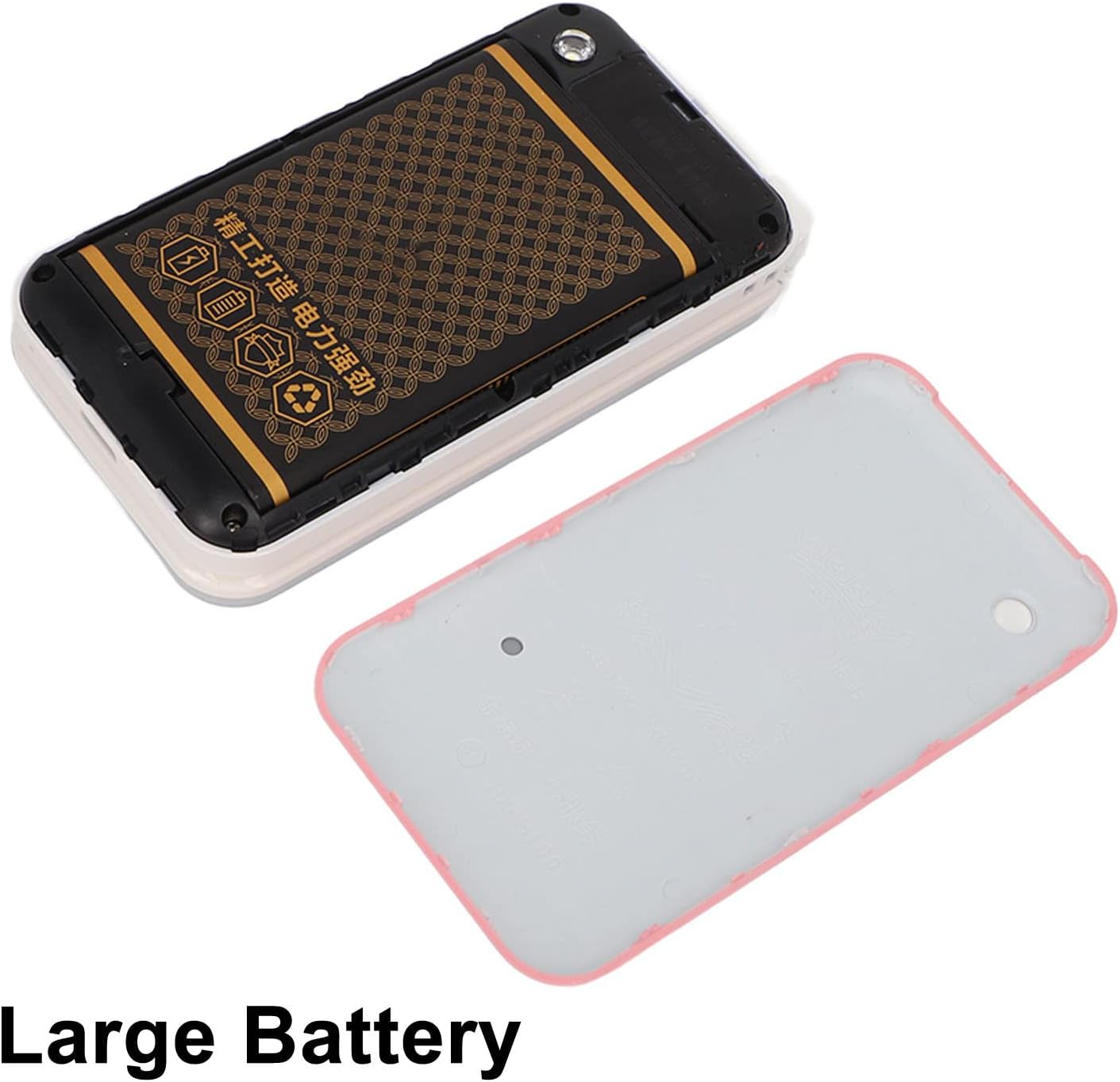
Image: The phone's back cover is removed, revealing the battery compartment and the large capacity battery ready for installation.
2. Инсталација SIM картице и меморијске картице
The N509 supports dual SIM cards and one memory card (up to 16GB, not included).
- With the battery removed, locate the SIM card slots and memory card slot.
- Insert your SIM cards into the designated slots.
- If desired, insert a memory card into its slot.
- Поново инсталирајте батерију и задњи поклопац.
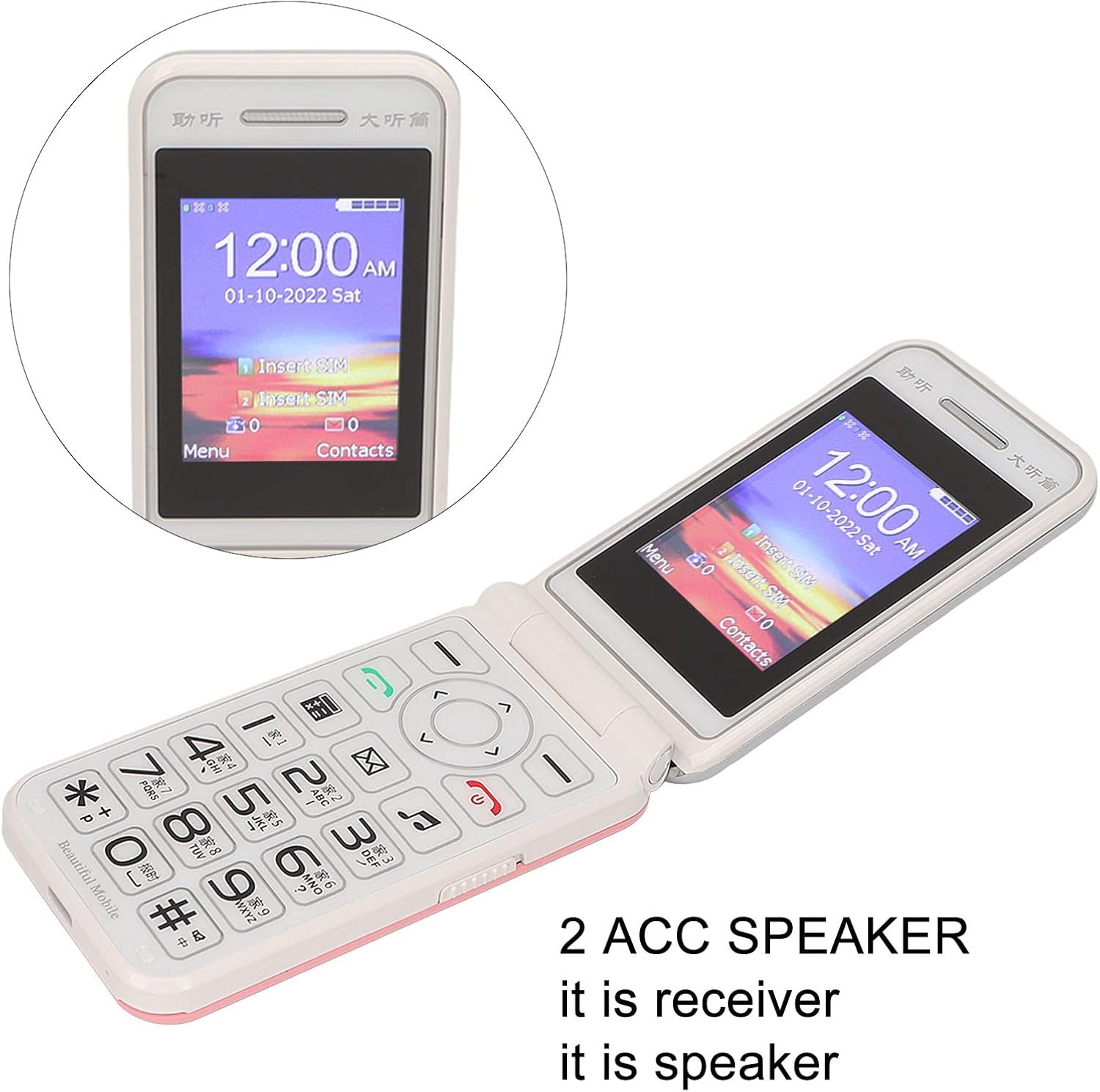
Image: The phone's screen prompts to "Insert SIM", indicating the need for SIM card installation before use.
3. Пуњење батерије
Пре прве употребе, потпуно напуните батерију телефона.
- Connect the Type-C charger cable to the charging port on the phone.
- Укључите пуњач у утичницу.
- The charging indicator will show the charging status. Disconnect the charger once the battery is full.

Слика: Крупни план view of the Type-C charging port on the Jectse N509 flip phone, highlighting its modern connectivity.
4. Укључивање/искључивање
- За укључивање: Притисните и држите дугме за напајање док се екран не осветли.
- За искључивање: Press and hold the Power button until the power-off options appear, then select 'Power Off'.
Упутство за употребу
1. Основне функције
- Упућивање позива: Унесите број телефона помоћу тастатуре и притисните зелено дугме за позивање.
- Одговарање на позиве: Притисните зелено дугме за позив када телефон зазвони.
- Завршетак позива: Притисните црвено дугме за прекид позива.
- Слање порука: Navigate to the 'Messages' menu, select 'New Message', enter the recipient's number and your text, then send.

Image: The Jectse N509 flip phone is open, showcasing its vibrant 2.4-inch HD color display and the clearly visible, large keypad with LED backlighting.
2. Keypad and Navigation
The phone features large, backlit buttons for easy operation, especially in low-light conditions.
- Тастери за навигацију: Use the directional pad to navigate through menus and options. The center button typically acts as 'OK' or 'Select'.
- Мекани тастери: Тастери директно испод екрана обављају функције назначене текстом на екрану изнад њих.
- Бројчани тастери: Used for dialing numbers and text input.
- Позадинско осветљење: The keypad features a backlight for visibility in dark environments.

Image: This composite image highlights key features: the large battery for extended use, oversized buttons for ease of dialing, a convenient on/off switch, and the modern Type-C charging port.
3. SOS функција
The N509 includes an SOS function for emergencies. Refer to the phone's settings to configure emergency contacts and messages.
- Активирање СОС-а: Typically, a dedicated SOS button or a long press of a specific key will activate this function, sending pre-set messages and dialing emergency contacts.
4. Проширене функције
The phone supports various additional features:
- Music and Video Player: Access multimedia fileс сачуване на меморијској картици.
- Прегледач слика: View фотографије.
- Снимач: Снимите аудио.
- Календар: Keep track of dates and events.
- Будилник: Подесите више аларма.
- Калкулатор: Извршите основне прорачуне.
- Лампа: Активирајте уграђену батеријску лампу.
- Штоперица: Use for timing events.
- Call Blacklist: Block unwanted numbers.
- Листа позива: View позив историја.
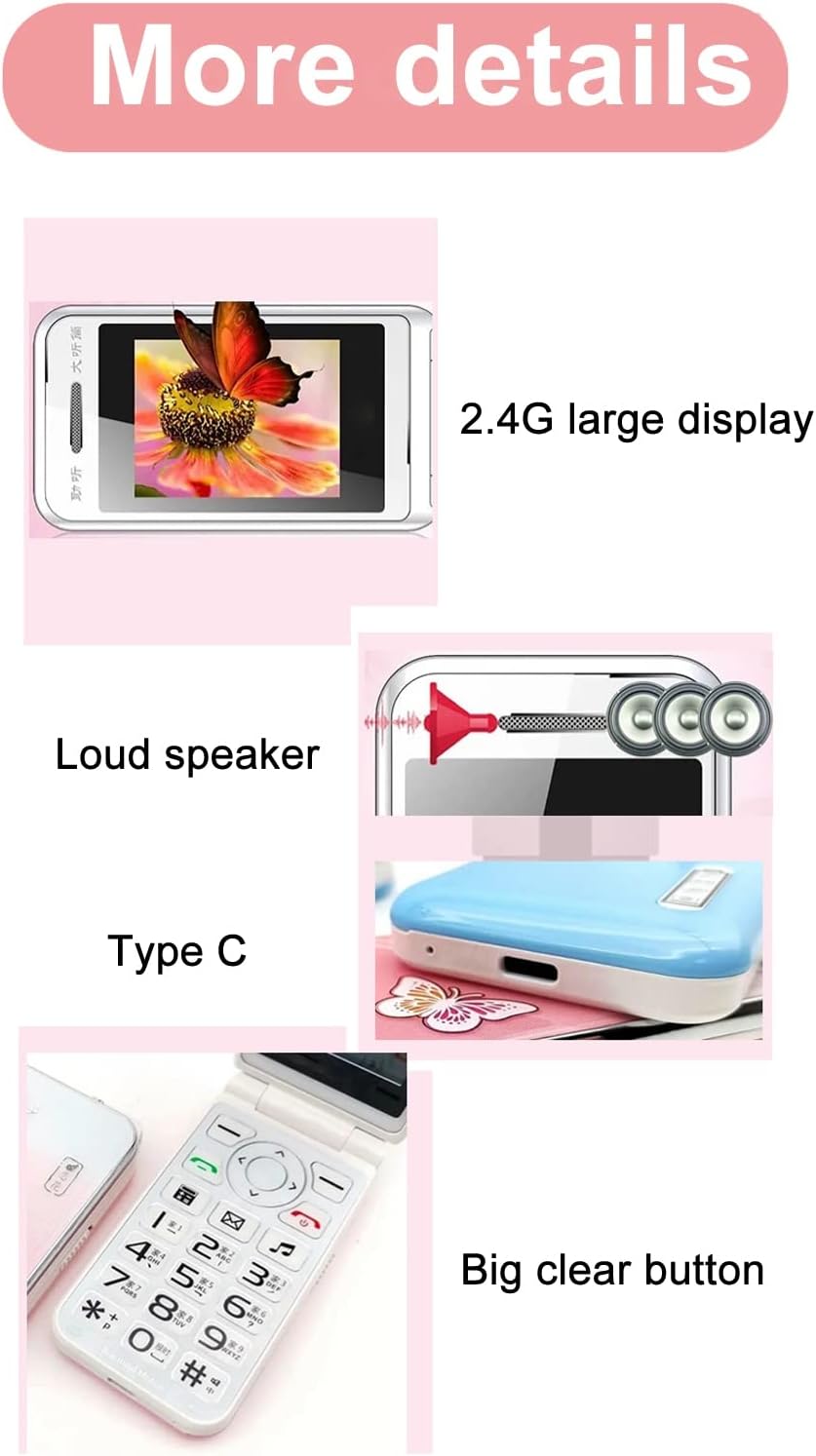
Image: This image details the phone's features, including its 2.4G large display, powerful loudspeaker, and convenient Type-C charging interface.
Одржавање
1. Чишћење
Use a soft, dry cloth to clean the phone's exterior. Avoid using liquid cleaners or abrasive materials.
2. Брига о батерији
- Избегавајте излагање батерије екстремним температурама.
- Не бушите и не оштећујте батерију.
- If the phone will not be used for an extended period, charge it periodically to maintain battery health.
Решавање проблема
| Иссуе | Могуће решење |
|---|---|
| Телефон се не укључује | Ensure the battery is correctly installed and charged. Connect the charger and try again. |
| Нема мрежног сигнала | Check if the SIM card is properly inserted. Verify with your service provider that your SIM card supports 2G GSM 900/1800 networks. The N509 only supports 2G networks. |
| Не могу да упућујем или примам позиве | Ensure you have network coverage. Check SIM card balance or plan. Verify that the number is not on the call blacklist. |
| Батерија се не пуни | Check the charger cable and adapter for damage. Ensure the Type-C port is clean and free of debris. Try a different power outlet. |
Важна напомена о компатибилности са мрежом: The Jectse N509 phone exclusively supports 2G GSM 900/1800 networks. Before purchasing or using, please confirm with your local SIM card operator that they provide 2G network services in your area. Some operators, particularly in regions like the USA (e.g., AT&T, T-Mobile), may no longer support 2G networks.
Спецификације
| Феатуре | Детаљ |
|---|---|
| Модел | N509 (Jectseft5hwserna-12) |
| Материјал | АБС |
| Main Screen Size | 2.4 inches HD Color Display |
| Слотови за СИМ картице | 2 (Dual SIM) |
| Слот за меморијску картицу | 1 (supports up to 16GB, not included) |
| Тип батерије | Литијум-јонски |
| Капацитет батерије | 6800 мАх |
| Фрекуенци Банд | 2G GSM 900/1800 |
| Тип мреже | КСНУМКСГ ГСМ |
| Изглед | Флип Пхоне |
| Интерфејс | Типе-Ц |
| Подржани језици | English, French, Portuguese, Malay, Indonesian, Vietnamese, Russian, Arabic, Hebrew, Thai |
| Посебне карактеристике | Large Buttons, LED Backlight, SOS Function, Music/Video Player, Image Browser, Recorder, Calendar, Alarm, Calculator, Flashlight, Stopwatch, Call Blacklist |
| Димензије (пакет) | 15 к 9 к 6 цм |
| Тежина (приближно) | 246 г |
Гаранција и подршка
For warranty information and technical support, please refer to the documentation included with your purchase or contact Jectse customer service through their official channels. Keep your proof of purchase for warranty claims.
За додатну помоћ, можете посетити Jectse Brand Store.