
Earto Earto Bluetooth Keyboard with Touchpad
Earto Keyboard with Touchpad User Manual
Model: Earto Bluetooth Keyboard with Touchpad
Увод
Thank you for choosing the Earto Keyboard with Touchpad. This manual provides detailed instructions for setting up, operating, and maintaining your new keyboard case. Please read this manual carefully before use to ensure optimal performance and longevity of your device.

Image: The Earto Keyboard with Touchpad case, shown with an iPad inserted and the keyboard illuminated.
Компатибилност
This keyboard case is designed for the following iPad models:
- iPad 9th Generation 10.2-inch (2021) - Models: A2602, A2603, A2604, A2605
- iPad 8th Generation 10.2-inch (2020) - Models: A2270, A2428, A2429, A2430
- iPad 7th Generation 10.2-inch (2019) - Models: A2197, A2198, A2200
- iPad Air 3rd Generation 10.5-inch (2019) - Models: A2152, A2123, A2153, A2154
- iPad Pro 10.5-inch (2017) - Models: A1701, A1709
To verify your iPad model, check the back of your device for the model number (starts with 'A').

Image: Visual guide showing how to locate the model number on the back of an iPad and a list of compatible models.
Садржај пакета
Пакет укључује:
- 1 x Earto Bluetooth Keyboard
- 1 к Заштитна торбица
- КСНУМКС к УСБ-Ц кабл за пуњење
- 1 к Упутство за употребу
Note: iPad and Apple Pencil are not included.
Водич за подешавање
1. Пуњење тастатуре
Before first use, fully charge the keyboard. Connect the provided USB-C cable to the keyboard's charging port and a power source.
- Време пуњења: Приближно 2-3 сата.
- Battery life: Up to 70 hours without backlight, 6 hours with backlight.

Image: Close-up of the keyboard's USB-C charging port with a charging cable connected.
2. Уметање вашег iPad-а у футролу
Carefully place your iPad into the protective case, ensuring all ports and buttons align correctly with the case cutouts.

Image: Illustration of an iPad being carefully inserted into the protective case.
3. Блуетоотх упаривање
- Turn on the keyboard by sliding the ON/OFF switch to the "ON" position.
- Притисните тастер Фн + К or Фн + В keys simultaneously to activate Bluetooth pairing mode for Channel 1 (BT1) or Channel 2 (BT2). The Bluetooth indicator light will flash.
- На вашем iPad-у идите на Подешавања > Блуетоотх и укључите Bluetooth.
- Select "Bluetooth Keyboard" from the list of available devices to connect. The indicator light will stop flashing once connected.

Image: A visual step-by-step guide demonstrating how to activate Bluetooth on the keyboard and connect it to an iPad.
Упутство за употребу
Функције додирне табле
The integrated touchpad supports multi-gesture operations for efficient navigation. To activate/deactivate the touchpad, press Фн + размакница.
- Додир једним прстом: Леви клик.
- Додир са два прста: Кликните десним тастером миша (контекстни мени).
- Померање са два прста: Померајте се горе/доле или лево/десно.
- Превлачење са три прста нагоре: Отворите пребацивач апликација.
- Превлачење са три прста надоле: Врати се на почетни екран.
- Превлачење са три прста лево/десно: Пребацивање између отворених апликација.
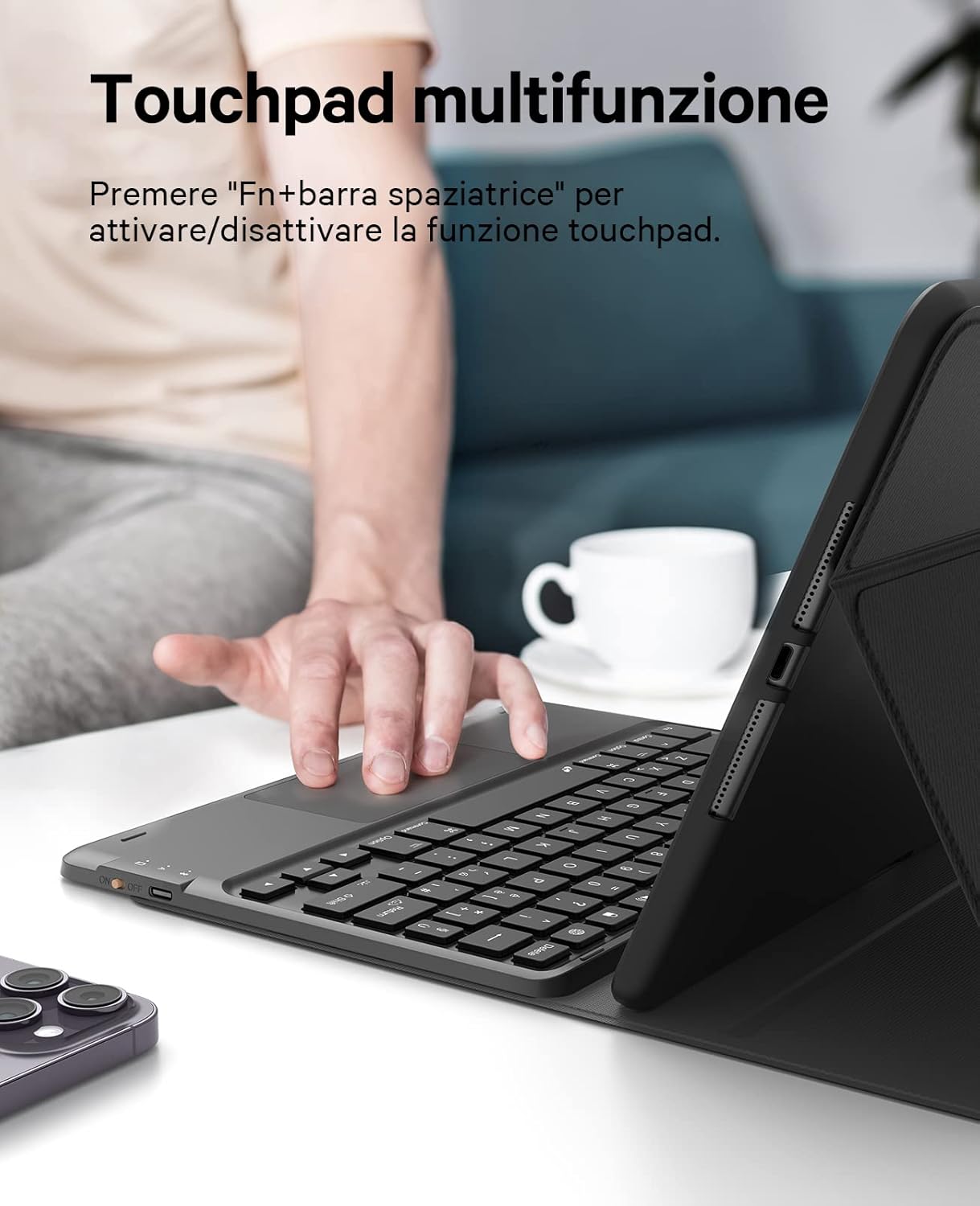
Image: A hand demonstrating interaction with the multi-function touchpad on the Earto keyboard.
Контрола позадинског осветљења
The keyboard features 7-color backlighting and 3 levels of brightness adjustment.
- Притисните Fn + икона сијалице to cycle through backlight colors.
- Притисните Fn + Up Arrow / Down Arrow to adjust backlight brightness (3 levels).
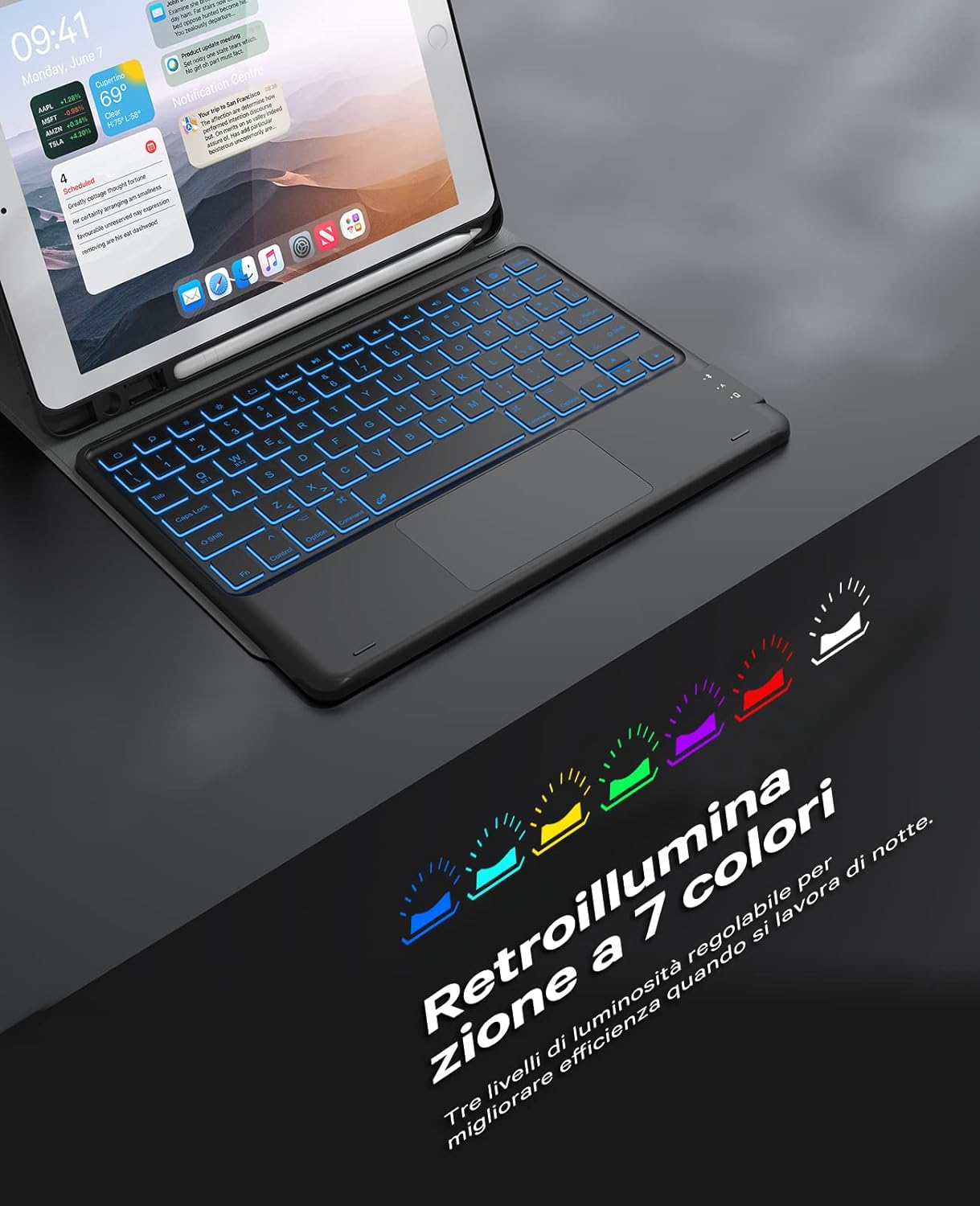
Image: The Earto keyboard displaying its 7-color backlight feature, enhancing visibility in low-light conditions.
Switching Between 2 Bluetooth Channels
The keyboard supports connection to two devices simultaneously, allowing for quick switching.
- To switch to the first connected device (BT1), press Фн + К.
- To switch to the second connected device (BT2), press Фн + В.

Image: An Earto keyboard simultaneously connected to an iPad and a smartphone, illustrating its dual Bluetooth channel capability.

Image: A user demonstrating switching between two Bluetooth-connected devices using the Earto keyboard.
Detachable Keyboard and Multi-Angle Stand
The keyboard is magnetically detachable from the case, allowing for flexible use. The protective case features three integrated slots to support viewing angles of 110°, 120°, and 130°.

Image: The Earto keyboard shown detached from its protective case, highlighting its magnetic design.

Image: The Earto keyboard case demonstrating its multi-angle adjustment feature, offering various viewинг позиције.
Одржавање
- Чишћење: Користите меку, дamp cloth to clean the keyboard and case. Avoid harsh chemicals or abrasive materials.
- Одржавање батерије: Да бисте продужили век трајања батерије, избегавајте често потпуно пражњење тастатуре. Редовно је пуните, чак и ако је не користите стално.
- Складиштење: Чувајте тастатуру на хладном и сувом месту, даље од директне сунчеве светлости и екстремних температура.
Решавање проблема
- Тастатура се не повезује преко Bluetooth-а:
- Уверите се да је тастатура укључена и потпуно напуњена.
- Уверите се да је Bluetooth омогућен на вашем iPad-у.
- Притисните Фн + К or Фн + В to put the keyboard into pairing mode.
- Forget "Bluetooth Keyboard" in your iPad's Bluetooth settings and try pairing again.
- Поново покрените и iPad и тастатуру.
- Тачпед не реагује:
- Ensure the touchpad is activated by pressing Фн + размакница.
- Проверите да ли је тастатура правилно повезана преко Блутут-а.
- Поново покрените тастатуру и iPad.
- Позадинско осветљење не ради или се мења:
- Уверите се да је батерија тастатуре довољно напуњена.
- Притисните Fn + икона сијалице да се креће кроз боје.
- Притисните Fn + Up Arrow / Down Arrow за подешавање осветљености.
Спецификације
| Бранд | Earto |
| Назив модела | Earto Bluetooth Keyboard with Touchpad |
| Технологија повезивања | Блуетоотх |
| Компатибилни уређаји | iPad 7th/8th/9th Gen 10.2", iPad Air 3rd Gen 10.5", iPad Pro 10.5" |
| Посебне карактеристике | Backlit (7 colors), Touchpad, Detachable Keyboard, Multi-angle Stand |
| Извор напајања | Battery Powered (Lithium Polymer, rechargeable via USB-C) |
| Батерија укључена | Да |
| Тежина артикла | 820 г |
| Димензије | 26.9 к 22 к 3.4 цм |
Гаранција и подршка
Earto products come with a standard manufacturer's warranty. For detailed warranty information, please refer to the product packaging or contact Earto customer support.
If you encounter any issues or have questions regarding your Earto Keyboard with Touchpad, please contact our customer support team through the retailer's platform or the official Earto webсајт за помоћ.
Ask a question about this manual
Ask about setup, troubleshooting, compatibility, parts, safety, or missing instructions. Manuals+ will review the question and use this page’s manual context to help answer it.