
1. Производ је готовview
The Ciays Automatic Pet Feeder (Model CIPS07W-5) is designed to provide scheduled and portion-controlled meals for your pets. This feeder helps establish consistent feeding routines, supports weight management, and offers convenience for pet owners. It features a 5.6-liter capacity, allowing for multiple days of feeding, and includes a voice recording function to call your pet to meals.
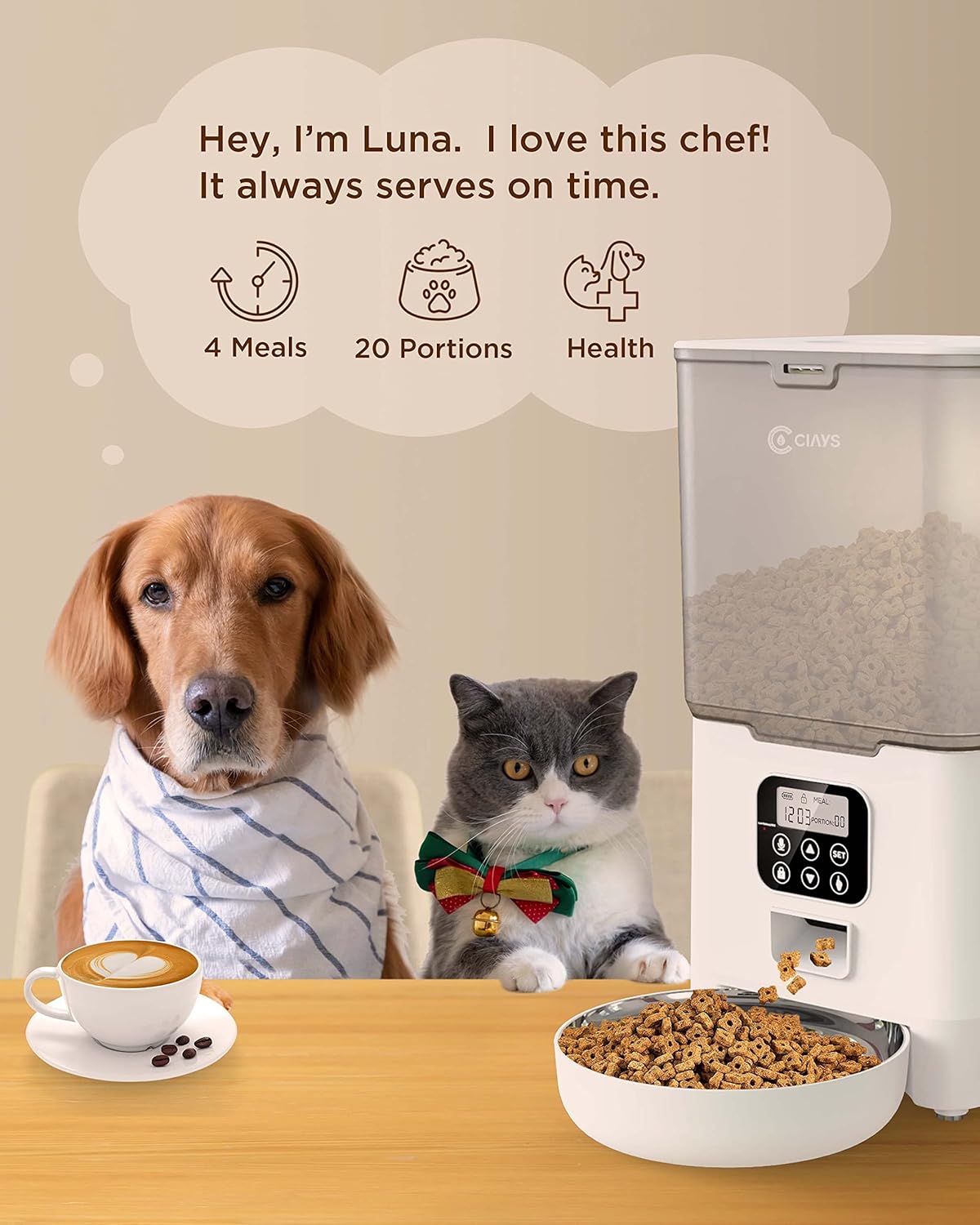
Image 1.1: Ciays Automatic Pet Feeder in use, highlighting its core functionalities.
Кључне карактеристике:
- Personalized Feeding Schedules: Program up to 4 meals per day with adjustable portions (1-20 portions, approximately 5g per portion).
- Kibble Compatibility: Suitable for dry pet food sizes between 2mm and 10mm.
- Двоструко напајање: Operates via AC adapter or 3 D-cell batteries (not included) for up to 45 days of backup power.
- Диктафон: Record a 10-second personalized message to alert your pet at meal times.
- Безбедан дизајн: Features a lid-locking mechanism to prevent pets from accessing food.
- Лако чишћење: Includes a dishwasher-safe stainless steel food bowl.
- Transparent Food Container: Allows for easy monitoring of food levels.
2. Компоненте производа
Before setting up your feeder, ensure all components are present and undamaged. The package should contain the following items:
- Аутоматска јединица за храњење кућних љубимаца
- Посуда за храну од нерђајућег челика
- АЦ адаптер
- УСБ кабл за напајање
- Кесица са десикантним средством
- Кориснички приручник (овај документ)
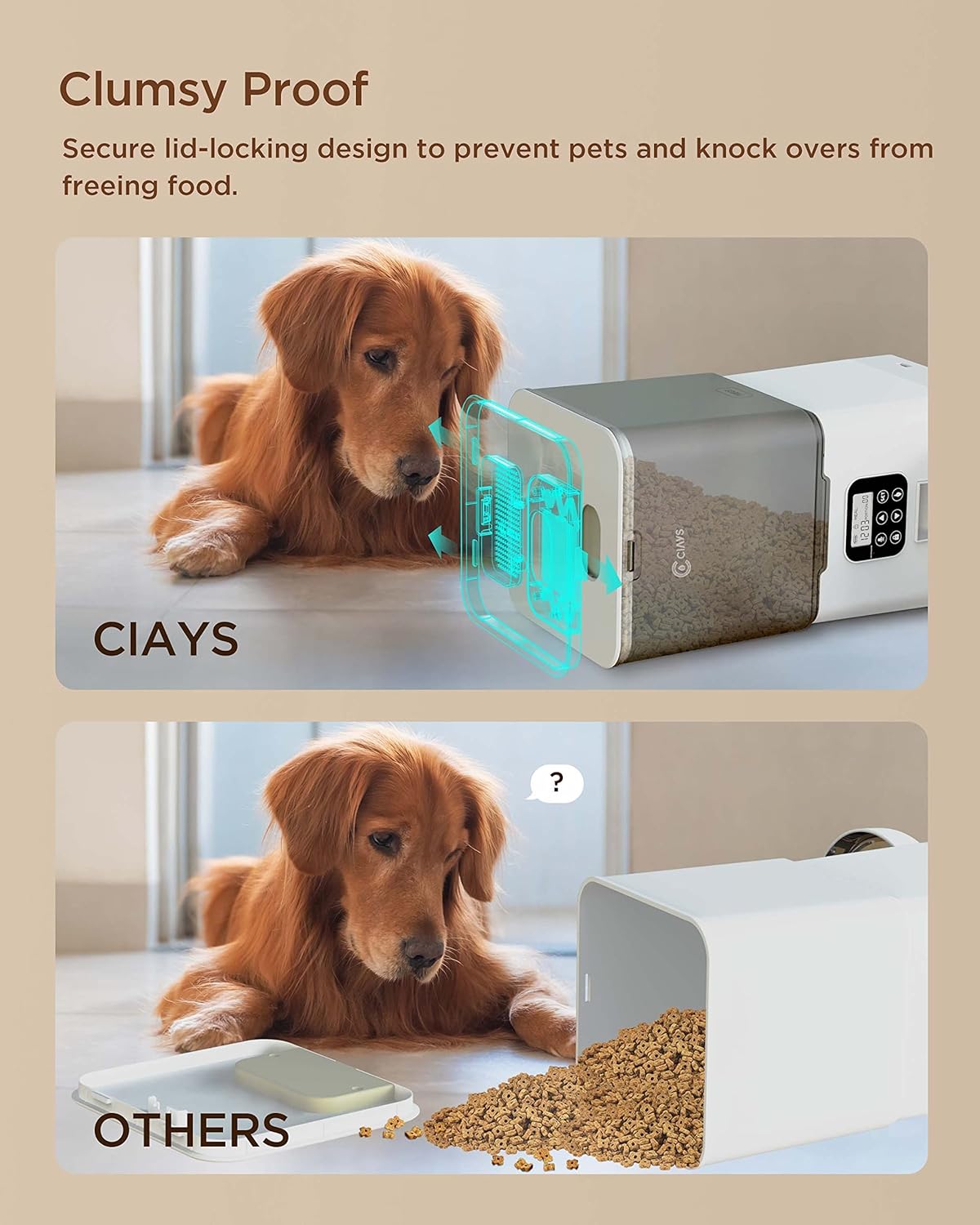
Image 2.1: Contents of the Ciays Automatic Pet Feeder package.
3. Упутства за подешавање
3.1 Распакивање и склапање
- Пажљиво уклоните све компоненте из паковања.
- Поставите главну јединицу за додавање хране на равну, стабилну површину.
- Attach the stainless steel food bowl to the designated slot at the base of the feeder. Ensure it is securely seated.
3.2 Powering the Feeder
The feeder can be powered by an AC adapter or D-cell batteries for backup.
- АЦ напајање: Connect the USB power cable to the feeder's power port and plug the AC adapter into a standard wall outlet.
- Резервна батерија (опционо): За резервно напајање током ванредног стањаtages, open the battery compartment at the bottom of the feeder and insert 3 D-cell batteries (not included), ensuring correct polarity. The feeder will automatically switch to battery power if AC power is interrupted.

Image 3.1: Illustration of the feeder's backup power mode.
3.3 Filling the Food Hopper
- Open the lid of the food hopper. The lid features a secure locking design.
- Pour dry pet food into the hopper. Ensure the kibble size is between 2mm and 10mm to prevent dispensing issues.
- Чврсто затворите поклопац док не кликне на место.
- Insert the desiccant packet into its designated slot under the lid to help keep food fresh.
4. Упутство за употребу
4.1 Контролна табла прекоview
The control panel is located on the front of the feeder. It consists of a display screen and several buttons for programming and manual control.

Image 4.1: Control Panel.
- СЕТ дугме: Enters programming mode and confirms settings.
- Тастери ГОРЕ/ДОЛЕ: Adjust values (time, portions, meal numbers).
- Record Button (Microphone Icon): Records and plays voice messages.
- Manual Feed Button (Paw Icon): Dispenses one portion manually.
- Lock Button (Padlock Icon): Locks/unlocks the control panel.
4.2 Подешавање тренутног времена
- Притисните и држите СЕТ button for 3 seconds until the hour digit flashes.
- Користите ГОРЕ/ДОЉЕ дугмад за подешавање сата.
- Притисните СЕТ to confirm the hour and move to the minute setting.
- Користите ГОРЕ/ДОЉЕ дугмад за подешавање минута.
- Притисните СЕТ to save the current time.
4.3 Programming Meal Schedules
Хранилица подржава до 4 оброка дневно.
- Притисните тастер СЕТ button once to enter meal programming mode. The display will show "Meal 1".
- Користите ГОРЕ/ДОЉЕ buttons to select the meal number (1-4) you wish to program.
- Притисните СЕТ. The hour digit for the selected meal will flash. Adjust the hour using ГОРЕ/ДОЉЕ дугмад.
- Притисните СЕТ. The minute digit will flash. Adjust the minute using ГОРЕ/ДОЉЕ дугмад.
- Притисните СЕТ. The portion number will flash. Adjust the number of portions (1-20) using ГОРЕ/ДОЉЕ дугмад.
- Притисните СЕТ to save the settings for this meal.
- Repeat steps 2-6 for additional meals. To disable a meal, set its portion to 0.
4.4 Recording a Voice Message
You can record a 10-second voice message that will play at each scheduled meal time.
- Притисните и држите Record Button (Microphone Icon) 3 секунде док не чујете звучни сигнал.
- Speak your message clearly into the microphone. The recording will automatically stop after 10 seconds or when you release the button.
- To play back the recorded message, press the Дугме за снимање једном.

Image 4.2: Using the voice recording feature.
4.5 Ручно храњење
To dispense a single portion of food immediately:
- Ensure the control panel is unlocked (see section 4.6).
- Притисните тастер Manual Feed Button (Paw Icon) once. One portion of food will be dispensed.
4.6 Locking/Unlocking Control Panel
To prevent accidental changes to settings or manual dispensing, the control panel can be locked.
- To lock the panel, press and hold the Lock Button (Padlock Icon) for 3 seconds. A lock icon will appear on the display.
- To unlock the panel, press and hold the Дугме за закључавање for 3 seconds again. The lock icon will disappear.
5. Одржавање
5.1 Чишћење додавача
Редовно чишћење обезбеђује хигијену и правилно функционисање хранилице.
- Посуда од нерђајућег челика: The stainless steel food bowl is dishwasher safe for easy cleaning. Alternatively, wash it by hand with mild soap and water, then rinse thoroughly and dry.
- Главна јединица за убацивање: Обришите спољашњост улагача меком,amp cloth. Do not submerge the main unit in water or wash it in a dishwasher, as this can damage electronic components.
- Food Hopper: Periodically empty the food hopper and wipe the interior with a dry cloth to remove any food residue.

Image 5.1: Dishwasher-safe stainless steel bowl.
5.2 Refilling Food
Monitor the transparent food container regularly. When the food level is low, refill the hopper following the steps in Section 3.3.
5.3 Замена десиканта
The desiccant packet helps keep the dry food fresh. Replace it every 1-2 months, or as needed, especially in humid environments.

Image 5.2: Desiccant packet in the lid compartment.
КСНУМКС. Решавање проблема
If you encounter issues with your Ciays Automatic Pet Feeder, refer to the following common problems and solutions:
| Проблем | Могући узрок | Решење |
|---|---|---|
| Хранилица не додељује храну. | Посуда за храну је празна. Величина гранула је превелика или премала. Отвор за храну је блокиран. Контролна табла је закључана. | Допуните посуду за храну. Ensure kibble size is between 2mm and 10mm. Check and clear any blockages in the chute. Unlock the control panel (Section 4.6). |
| Lid is difficult to open or close. | Lid mechanism is stiff or misaligned. | Ensure you are pressing the release tab firmly while lifting. Apply gentle, even pressure. Avoid forcing the lid. |
| Desiccant packet falls into food. | Desiccant compartment latch is not secure. | Ensure the desiccant compartment cover is firmly closed. If the latch is faulty, consider placing the desiccant in a small, breathable pouch directly in the hopper, ensuring it cannot be ingested by pets. |
| Control panel is unresponsive or display is off. | Нема струје или је батерија празна. Контролна табла је закључана. | Check AC power connection. If using batteries, replace them. Unlock the control panel (Section 4.6). |
| Снимак гласа је нејасан или се не репродукује. | Microphone obstruction. Recording error. | Ensure the microphone is clear of debris. Re-record the message, speaking clearly and close to the microphone. |
7. Спецификације
| Феатуре | Детаљ |
|---|---|
| Број модела | CIPS07W-5 |
| Капацитет | 5.6 литара |
| Димензије производа (Д к Ш к В) | 16 к 31.8 к 27.9 цм |
| Тежина артикла | 1.38 кг |
| Материјал | BPA-free Plastic, Stainless Steel (bowl) |
| Оперативни режим | Аутоматски |
| Повер Суппли | AC Adapter (USB), 3 x D-cell Batteries (backup, not included) |
| Number of Meals | До 4 дневно |
| Контрола порција | 1-20 portions (approx. 5g per portion) |
| Kibble Size Recommendation | 2 мм - 10 мм |
| Воице Рецординг | 10 секунди |
| Упутства за негу | Hand Wash Only (main unit), Dishwasher Safe (stainless steel bowl) |
| Таргет Специес | Cat, Small to Medium Dogs |